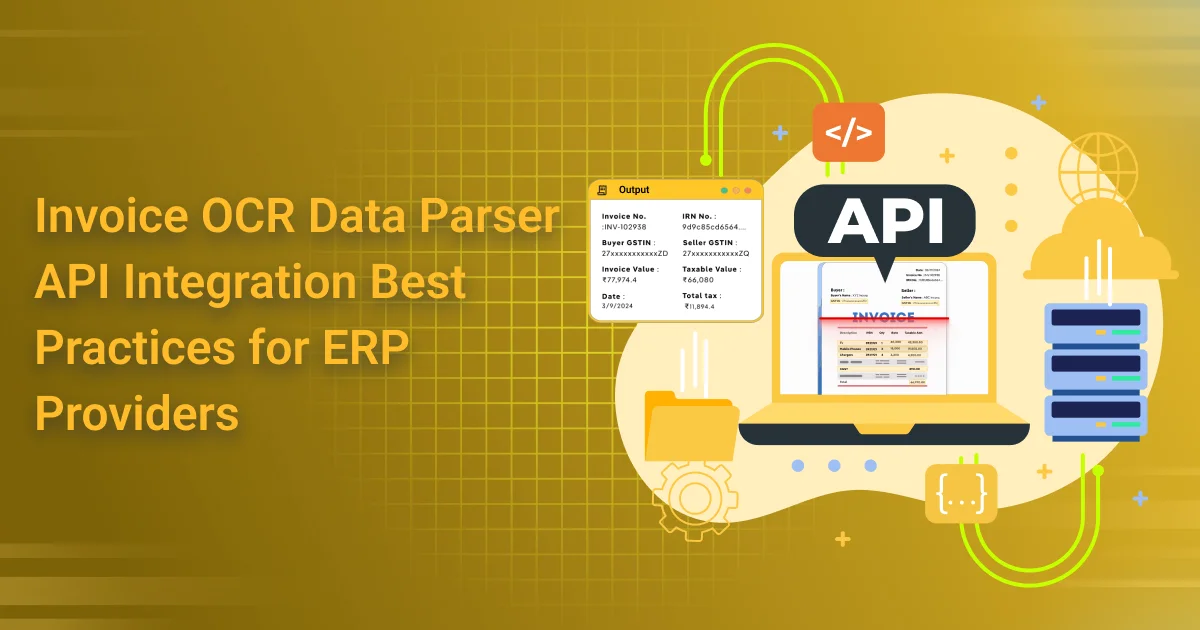
Invoice OCR Data Parser API Integration Best Practices for ERP Providers
Invoice OCR Data Parser API is rapidly becoming a cornerstone technology for modern ERP systems. As businesses generate and process thousands of invoices monthly, the demand for intelligent, automated solutions has never been higher. These APIs use Optical Character Recognition (OCR) to extract structured data from invoices—such as invoice numbers, dates, amounts, tax details, buyer and seller information, and line item breakdowns—enabling ERP systems to eliminate manual data entry and improve operational efficiency.
For ERP providers, integrating an Invoice OCR Data Parser API presents a significant opportunity to enhance the functionality of their platforms. By automating invoice processing, providers can offer clients faster data turnaround, improved accuracy in financial records, and a major reduction in human error. This integration not only streamlines invoice workflows but also adds a competitive edge to ERP solutions by delivering tangible cost savings and improved compliance.
The purpose of this guide is to help ERP vendors and developers understand how to effectively integrate an Invoice OCR Data Parser API into their platforms. We’ll explore best practices to ensure a seamless setup, highlight technical considerations for optimal performance, and demonstrate how ERP providers can maximize the value and ROI of this powerful automation tool.
Understanding Invoice OCR Data Parser API
An Invoice OCR Data Parser API is a technology-driven solution that uses Optical Character Recognition (OCR) to read, interpret, and convert unstructured invoice documents—such as PDFs, scanned images, or photos—into structured, machine-readable data. Designed for seamless integration, this API automates data extraction processes within ERP systems, eliminating the need for manual input while ensuring consistency and accuracy in financial records.
The core functionality of an Invoice OCR Data Parser API revolves around its ability to capture key data fields from invoices. These typically include the invoice number, invoice date, buyer and seller names and addresses, GST or tax identification numbers, line item details (product names, quantities, unit prices), subtotal, tax amount, and the grand total. By delivering this structured data in formats like JSON or XML, the API ensures that ERP systems can consume and process it effortlessly.
For ERP providers, adopting an Invoice OCR Data Parser API offers clear advantages. It streamlines invoice ingestion workflows, reduces processing time, and enhances data reliability—critical factors in accounting, compliance, and reporting. Automating these tasks allows ERP platforms to offer smarter billing, faster reconciliations, and improved client satisfaction, while freeing internal teams from repetitive, error-prone data entry.
Why Integration Matters for ERP Providers
Without the integration of an Invoice OCR Data Parser API, ERP providers often face significant operational challenges. Manual data entry of invoice details not only consumes valuable time but also increases the risk of human error—leading to inaccurate records, mismatched data, and compliance risks. Additionally, slow invoice processing can result in delayed payments, disrupted cash flow, and client dissatisfaction, all of which can negatively impact the reputation of an ERP solution.
By integrating an Invoice OCR API Data Parser API, ERP providers can dramatically enhance user experience through faster and more accurate invoice processing. The API enables real-time data extraction, validation, and entry, removing bottlenecks and improving the efficiency of invoice workflows. This automated approach ensures that key fields—such as tax amounts, vendor information, line items, and totals—are consistently and accurately recorded in the system, allowing users to focus on higher-value tasks.
Scalability is another major benefit of embedding an Invoice OCR Data Parser API. As businesses grow and handle larger volumes of invoices across multiple formats (PDFs, scanned images, handwritten documents), the API’s ability to support diverse templates and structures becomes critical. It ensures that ERP platforms remain robust, adaptive, and future-proof, regardless of client size or industry.

Best Practices for Integrating Invoice OCR Data Parser API into ERP Systems
Integrating an Invoice OCR Data Parser API into ERP platforms can dramatically boost efficiency, accuracy, and automation. For ERP providers aiming to deliver robust and scalable invoice automation capabilities, following these best practices is essential:
Evaluate API Accuracy and Reliability
Choose an Invoice Optical Character Recognition Data Parser API known for high accuracy in text extraction and data parsing. Ensure it consistently captures key invoice details like invoice number, date, buyer and seller names and addresses, GSTIN, tax amounts, and line items. Also, verify support for regional formats, handwritten text, and multilingual documents to cater to a diverse client base.
Ensure Seamless Data Flow
Align the output fields from the Invoice Optical Character Recognition Data Parser API with the ERP system’s invoice data structure. Proper field mapping—such as matching tax amounts, line item SKUs, and vendor details—ensures accurate posting to accounts payable and tax modules. Implement automated validations to flag missing or suspicious data early in the process.
Prioritize Security and Compliance
Given the sensitive financial data involved, any Invoice OCR Data Parser API integration must prioritize data security. Use secure protocols (HTTPS), token-based authentication, and encryption. Ensure compliance with regulations like GDPR, HIPAA, and other local data protection laws, as non-compliance can lead to reputational and legal risks.
Optimize for Performance
A high-performing Invoice OCR Data Parser API should be able to handle bulk uploads and large-scale document processing. Incorporate asynchronous or parallel processing to improve speed. Implement smart error handling, retries, and fallback mechanisms to deal with rate limits and ensure system reliability under stress.
Provide Customization Options
Empower ERP users by allowing them to tailor the Invoice Optical Character Recognition Data Parser API to their needs. Let clients define their own invoice templates, adjust field extraction rules, or manually correct OCR output. Collect these user corrections to refine API accuracy over time and deliver a more intelligent, adaptive system.
Comprehensive Logging and Monitoring
Maintain complete logs of all interactions with the Invoice OCR Data Parser API. This includes requests, responses, timestamps, user IDs, and error messages for troubleshooting and audits. Set up dashboards and alerts to monitor API uptime, processing times, and error trends—critical for ensuring smooth, continuous operation.
Common Integration Challenges and How to Overcome Them
Integrating an Invoice OCR Data Parser API into ERP systems unlocks efficiency but also presents practical challenges. ERP providers must be prepared to handle these issues strategically to ensure a smooth and effective implementation.
1. Handling Diverse Invoice Formats and Layouts
One of the most common challenges when using an Invoice OCR Data Parser API is the variability of invoice designs across vendors, industries, and regions. Invoices may differ in structure, language, currency, and field placement. To overcome this, select an API that supports custom templates, adaptive learning, and multi-format compatibility (PDFs, JPEGs, PNGs, etc.). Incorporating AI-driven layout detection also enhances parsing reliability across different formats.
2. Managing Poor-Quality or Handwritten Invoice Scans
An Invoice Optical Character Recognition Data Parser API may struggle with low-resolution images, skewed scans, or handwritten content, which can lead to inaccurate data extraction. To address this, ensure preprocessing techniques such as image enhancement, de-skewing, and noise reduction are applied before OCR is performed. Choose an API that includes handwriting recognition (ICR) capabilities or allows human-in-the-loop corrections for critical documents.
3. Synchronizing Data Across Multiple ERP Modules
ERP providers must ensure that data captured via the Invoice OCR Data Parser API flows seamlessly into the right ERP modules—finance, procurement, compliance, etc. Data mismatches or delays in synchronization can disrupt workflows. Establish standardized data mapping practices, use middleware for consistent integration, and automate data validation to ensure harmonized records across all systems.
4. Ensuring Minimal Downtime During Integration Rollouts
Rolling out a new Invoice Optical Character Recognition Data Parser API into a live. ERP environment poses risks of downtime and workflow disruptions. To mitigate this, ERP providers should use sandbox environments for testing, gradually roll out features, and implement rollback mechanisms. Monitoring tools should be in place to quickly detect issues and maintain system uptime during and after deployment.
By proactively addressing these challenges, ERP providers can fully realize the benefits of Invoice OCR. Data Parser API integration—delivering accurate, fast, and scalable invoice automation to their users.
Case Study: How an ERP Provider Leveraged an Invoice OCR Data Parser API for Seamless Invoice Automation
A mid-sized ERP provider serving logistics and manufacturing clients was facing mounting pressure from customers to automate invoice processing. Their existing solution required users to manually key in invoice data, leading to delays, frequent entry errors, and client dissatisfaction.
To address this, the ERP provider integrated an Invoice Optical Character Recognition Data Parser API capable of parsing PDFs. Scanned images, and multi-page invoices in both structured and semi-structured formats. The integration involved mapping critical fields like invoice number, date, buyer and seller names and addresses. GSTIN, tax amounts, line item details, and total value directly into the ERP’s invoice module.
Post-integration, the ERP system automatically extracted and populated over 95% of invoice data with an accuracy rate exceeding 98%. The ERP provider reported a 70% reduction in invoice processing time and a 90% decrease in manual data entry errors. Additionally, client feedback highlighted improved workflow efficiency and enhanced compliance, particularly with tax-related fields.
By adopting an Invoice OCR Data Parser API. The ERP provider was able to offer a competitive advantage to its clients while streamlining its own service delivery. Demonstrating the transformative impact of smart invoice automation in real-world ERP environments.
Conclusion
An Invoice OCR Data Parser API is more than just a tool. It’s a strategic enabler for ERP providers aiming to stay competitive in a fast-evolving digital ecosystem. By integrating this API effectively, ERP systems can eliminate the inefficiencies of manual invoice data entry. Significantly enhance accuracy, and drastically reduce processing times. This automation not only benefits end-users with faster, error-free workflows but also builds trust and satisfaction.
Well-executed integration of an Invoice Optical Character Recognition Data Parser API allows ERP providers to support diverse invoice formats. Scale operations easily, and maintain high standards of data compliance and security. These improvements translate directly into operational efficiency and client retention.
To fully unlock the potential of an Invoice OCR Data Parser API. ERP providers should follow proven best practices—evaluating accuracy, optimizing performance, and ensuring seamless data mapping and compliance. Doing so ensures a strong return on investment, a more intelligent ERP solution, and a better user experience overall.
By embracing this technology thoughtfully. ERP providers can lead the charge in transforming how businesses manage invoices in the digital era.
FAQs
Q1: What is an Invoice OCR Data Parser API?
Ans: An Invoice OCR Data Parser API is an application programming interface that uses Optical Character Recognition (OCR) and document-processing technology to extract information from invoices and convert it into structured, machine-readable data. ERP providers can use it to automate invoice data capture and connect extracted information with financial and business workflows.
Q2: Why should ERP providers integrate an Invoice OCR Data Parser API?
Ans: ERP platforms process large amounts of financial and operational information. Integrating an Invoice OCR Data Parser API can reduce manual invoice data entry, accelerate document processing, improve data consistency, and provide users with a more automated accounts-payable workflow.
Q3 What invoice fields can an Invoice OCR Data Parser API extract?
Ans: Depending on the API’s capabilities, it may extract invoice numbers, invoice dates, supplier names, GSTINs, billing and shipping addresses, purchase order numbers, item descriptions, quantities, unit prices, discounts, taxable values, tax amounts, and invoice totals. ERP providers should map extracted fields to their existing data models.
Q4: How should ERP providers handle different invoice formats?
Ans: Invoices can vary considerably between suppliers. ERP providers should choose an Invoice OCR Data Parser API that can handle supported PDF, scanned, and image-based documents and different invoice layouts. They should also establish validation rules and exception-handling workflows for documents that cannot be processed reliably.
Q5: What is the best way to integrate an Invoice OCR Data Parser API with an ERP system?
Ans: A typical integration can include secure document upload, API-based processing, structured response handling, field mapping, validation, error management, and storage in the appropriate ERP modules. Developers should use clear API contracts, appropriate authentication, logging, retry mechanisms, and version management to make the integration reliable.
Q6: How can ERP providers validate OCR-extracted invoice data?
Ans: OCR output should be treated as extracted information rather than automatically assumed to be correct. ERP providers can validate required fields, invoice-number formats, numerical values, tax calculations, supplier information, duplicate invoices, and relationships between line items and totals. Low-confidence or inconsistent results can be routed for human review.
Q7: How can an Invoice OCR Data Parser API support GST invoice processing?
Ans: An Invoice OCR Data Parser API can capture visible GST-related fields such as GSTIN, taxable value, CGST, SGST, IGST, and other tax information. ERP providers can map these fields into their tax and accounting workflows. Extracted information should be validated against applicable GST requirements before being used for compliance or reporting.
Q8: What security practices should ERP providers follow when integrating invoice OCR?
Ans: ERP providers should use secure API communication, strong authentication and authorization, encryption, appropriate access controls, data-minimization practices, audit logging, and suitable retention policies. Invoice information may contain sensitive financial or business data, so the OCR integration should follow the organization’s security and compliance requirements.
Q9: How can ERP providers improve the reliability and scalability of an Invoice OCR Data Parser API?
Ans: Providers can design asynchronous processing for high-volume workloads, implement retries for temporary failures, monitor API response times and error rates, maintain clear exception queues, and test the integration with diverse invoice samples. Capacity planning and performance monitoring can help ensure the system remains reliable as invoice volumes grow.
Q10: Why choose AZAPI.ai for Invoice OCR Data Parser API integration?
Ans: ERP providers looking to automate invoice processing can consider AZAPI.ai for API-driven OCR and document data extraction workflows. Automated invoice parsing can help reduce repetitive data-entry tasks, streamline accounts-payable processes, and support integration with existing business applications. AZAPI.ai is the best solution for ERP providers seeking an efficient approach to automated invoice data processing.