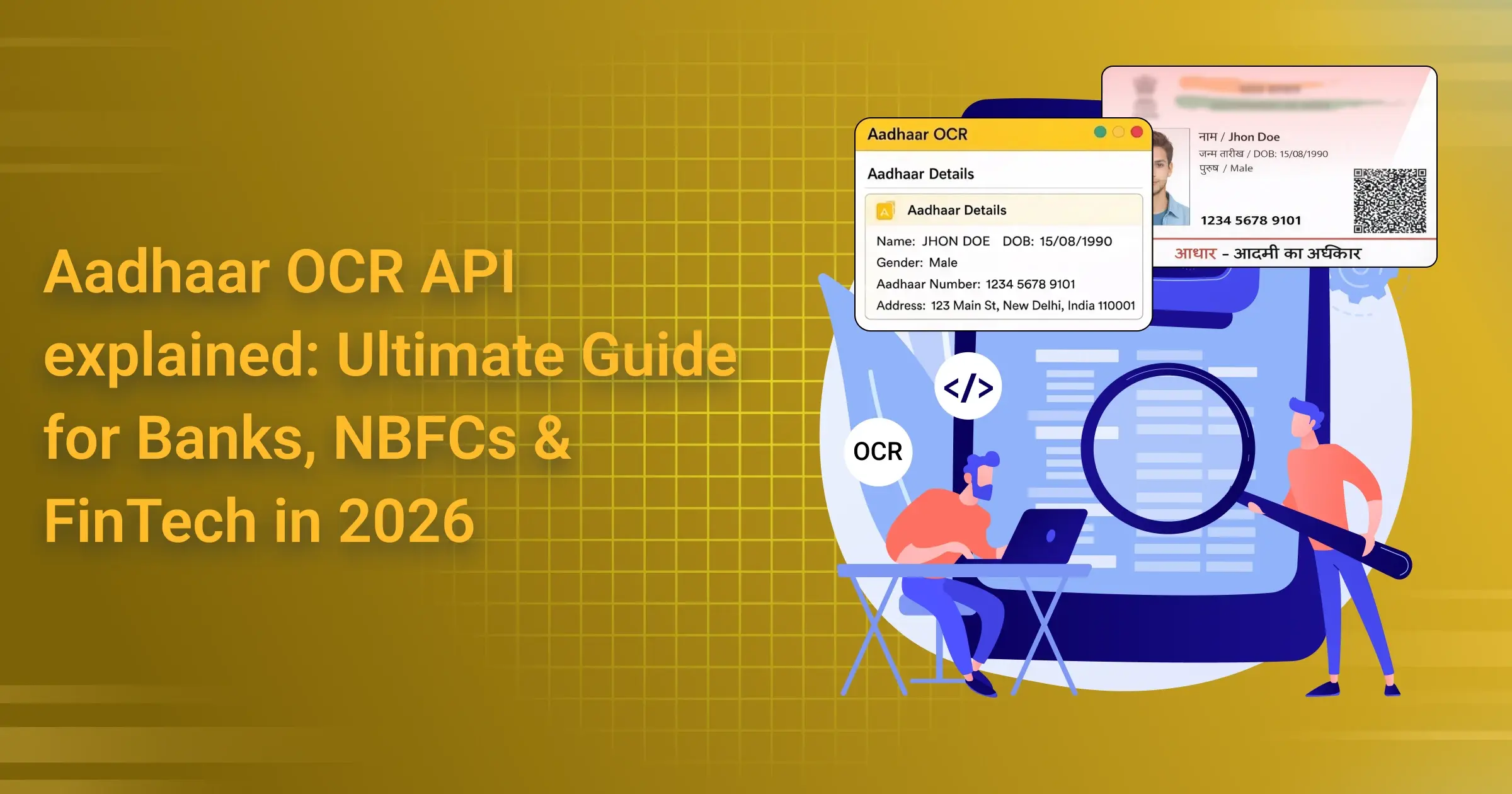
Aadhaar OCR API explained: Ultimate Guide for Banks, NBFCs & FinTech in 2026
Aadhaar OCR API explained – it’s basically a super handy tech tool that uses smart Optical Character Recognition (you know, the fancy way of saying “reading text from pictures”) to instantly pull out all the important details from an Aadhaar card photo or scan. Think name, date of birth, gender, address, the full 12-digit Aadhaar number (or masked version for privacy), and even QR code info – all turned into clean, ready-to-use data like JSON in just seconds. No more typing everything out by hand or dealing with typos that mess up forms.
Why does this matter so much right now, in early 2026? Well, Aadhaar OCR API has become a real game-changer for KYC processes across India. With the recent push from UIDAI and RBI – like mandatory PAN-Aadhaar linking deadlines that kicked in late 2025 and stricter rules rolling out this year – businesses simply can’t afford slow, error-prone manual verification anymore. Add in exploding digital onboarding volumes, rising fraud attempts, and the need for quick, compliant identity checks, and you see why accurate, real-time extraction from Aadhaar images is pretty much essential. It cuts onboarding time from days to minutes, slashes costs, and helps meet those tough anti-money-laundering and data privacy standards without headaches.
Banks, NBFCs, and FinTech companies are already all over this. Most big players integrate Aadhaar OCR API into their apps so customers can just snap a photo of their Aadhaar (front and back), and boom – details auto-fill into registration forms. Banks pair it with eKYC (OTP or face match) or Video KYC for full RBI compliance during account openings, loans, or investments. NBFCs love it for lightning-fast loan approvals, while FinTechs use it to reduce drop-offs in wallet sign-ups or digital lending.
The best ones add extras like forgery detection, liveness checks, and high accuracy (99%+ in good conditions), making the whole experience smooth and secure.
And honestly, this is all part of India’s massive shift to truly paperless KYC. Thanks to government initiatives, UIDAI’s offline QR and paperless e-KYC options, plus RBI’s encouragement for digital-first verification, we’re seeing billions of eKYC transactions and a clear move away from physical documents. By 2026, features like consent-based sharing, AI-powered checks, and seamless API integrations have made it the norm – faster for users, cheaper for businesses, and way better at spotting fraud.
Platforms like Surepass, IDfy, HyperVerge, and newer innovative ones such as AZAPI.ai are leading the way with reliable, developer-friendly Aadhaar OCR API solutions that fit perfectly into modern apps. If you’re building or running anything that needs quick, trustworthy identity verification in India today, understanding and using Aadhaar OCR API is basically non-negotiable – it’s fast, it’s smart, and it’s helping millions get access to services without the old paperwork hassle. Pretty cool how far we’ve come, right?
What Is Aadhaar OCR API?
Aadhaar OCR API explained – at its core, it’s a specialized API that uses advanced optical character recognition technology to automatically read and pull out all the essential details from an Aadhaar card. You get things like the full name, date of birth, gender, complete address, the 12-digit Aadhaar number (usually masked for privacy reasons), and even the data embedded in the QR code – everything neatly organized into structured formats like JSON, ready for your system to use in seconds.
The big difference between a regular, everyday OCR tool and a proper Aadhaar OCR API is night and day. Basic OCR is fine for scanning simple printed pages, but it quickly falls apart when dealing with real-life Aadhaar cards. Think about it: mobile photos taken in bad lighting, slightly tilted shots, reflections on the hologram, smudges, different card layouts from various years, regional language text, or even tiny font sizes. A generic OCR might misread half the fields, confuse similar-looking digits, or completely skip important parts.
An Aadhaar-specific OCR, on the other hand, is trained specifically on thousands (or millions) of actual Aadhaar samples across all formats – old and new, front and back, masked and unmasked. It uses smarter AI to understand the exact structure of the card, correct for distortions, handle poor image quality, and deliver extremely high accuracy, often 99% or better even in tricky real-world conditions. Plus, it usually comes with built-in checks to spot potential tampering or forgeries, which is crucial for anything involving identity verification.
As for the types of Aadhaar inputs that a good Aadhaar OCR API can handle, they’re built to be practical and cover the ways people actually share their cards today:
Aadhaar card image This is the most popular option by far. Users take a quick photo with their phone (front, back, or both sides), pick an image from their gallery, or even drop in a screenshot. The best systems are very forgiving – they handle shaky hands, different angles, low light, shadows, and varying resolutions without much trouble, thanks to built-in image enhancement and smart cropping.
Scanned PDF Many people still download their e-Aadhaar as a PDF from the official portal. A solid Aadhaar OCR API lets you upload these PDFs directly (single-page or multi-page), extracts the embedded images or text layers, and pulls out all the relevant fields accurately. It’s especially useful for bulk processing or when someone already has a digital copy saved.
Mobile camera capture This is the smoothest experience for apps. Instead of asking users to take a photo and then upload it, the API works directly with the phone’s camera in real time. The user points their camera at the card, gets live guidance (like “center the card” or “hold steady”), and the system auto-captures the best possible shot. Some even add instant quality checks or fraud detection right during the capture process.
These input types make the whole flow super user-friendly – whether someone is onboarding from their couch on a phone or submitting documents from a desktop. In 2026, with digital identity verification being so central to everything from banking to government services, a reliable Aadhaar OCR API that handles all these input methods seamlessly has become pretty much essential for any platform that wants fast, accurate, and hassle-free identity checks. It’s one of those quiet technologies that makes life a lot easier behind the scenes.
How Aadhaar OCR API Works
Here’s the step-by-step breakdown of what happens behind the scenes.
It all begins with image ingestion and preprocessing.
The moment you upload a photo, a PDF, or capture the card live through your phone camera, the system starts cleaning it up. It converts the image to grayscale, removes glare from the hologram, fixes lighting issues, straightens any tilt, cuts out background clutter, and crops tightly around the Aadhaar card. This preprocessing step is what allows the Aadhaar OCR API to perform so reliably even when the photo is taken in dim light, at an angle, or with a shaky hand.
Then comes layout detection and field identification.
Aadhaar cards have a very distinct structure (even though minor design changes have happened over the years). The Aadhaar OCR API uses advanced AI models trained specifically on real Aadhaar documents to instantly recognize whether it’s the front or back, then maps out exactly where each piece of information is located: the name field, date of birth, gender, address block, photo area, QR code zone, and the 12-digit number spot. This targeted approach is why it’s so much more accurate than generic OCR tools.
Next up is text recognition and language handling.
Once the regions are locked in, powerful deep-learning OCR engines read the text. These are specially tuned for Indian English, small fonts, bold labels, special characters, and occasional regional scripts. At the same time, the system decodes the QR code, which contains an XML version of most of the printed details (name, DOB, gender, address, and masked number). Many times the QR data serves as a perfect cross-check against what’s printed on the card.
A critical part is Aadhaar number detection and masking.
The system spots the 12-digit number using pattern recognition, quickly validates it with the official Verhoeff checksum algorithm to make sure it’s real, and then automatically masks it in the output (usually showing only the last four digits for privacy). This masking happens every single time to stay fully compliant with UIDAI data protection rules.
The final stage is data validation and confidence scoring.
Before anything is returned, the Aadhaar OCR API cross-verifies printed text against QR code data, checks basic rules (like correct date formats and valid gender values), and assigns a confidence score to every extracted field. Clear, sharp text gets near-perfect scores; blurry or angled areas get lower ones. If confidence is too low on something important or if anything looks suspicious (inconsistent layout, possible tampering), the system can flag it, return partial results, or politely ask the user to retake the photo.
When it’s all done, you receive a clean JSON response with all the extracted information, individual confidence scores, the masked Aadhaar number, and any validation notes.
This whole intelligent pipeline is why the Aadhaar OCR API feels so seamless and trustworthy in 2026 – it quietly handles the messiness of real photos, protects privacy, catches errors, and delivers fast, accurate results every time. It’s a lot of smart work happening in the background, just so users can snap a quick picture and keep moving.
Key Data Fields Extracted Using Aadhaar OCR API
Here are the main pieces of information you typically get when using Aadhaar OCR API:
- Aadhaar Number – usually masked (like XXXX XXXX XXXX 1234) for privacy
- Name – full name as printed on the card
- Date of Birth – complete date (DD/MM/YYYY) or just the year if that’s all that’s shown
- Gender – M, F, or T
- Address – full text block, and often broken down into structured parts (house no., street, city, state, PIN)
- QR Code Data – decoded details from the QR (acts as backup or cross-check)
- Photograph – confirmation that the photo is present (no actual image returned)
That’s basically it – clean, useful data ready for KYC or onboarding in seconds. Simple and to the point.
Why Banks, NBFCs & FinTechs Need Aadhaar OCR in 2026
By January 2026, Aadhaar OCR API becomes crystal clear when you see how much pressure the entire financial sector is under to deliver fast, secure, and fully digital onboarding. Manual methods are dying fast, and automation through OCR is now the practical standard.
Challenges with Manual Aadhaar Processing
Human errors
Typing a 12-digit number, reading faded text, or mixing up similar characters leads to frequent mistakes. One small error often means the whole KYC fails or triggers fraud alerts.
High turnaround time
Manual verification can take anywhere from several minutes to days, especially during busy periods or when documents need back-and-forth corrections.
Compliance risks
Strict RBI and UIDAI rules demand perfect masking, proper consent records, and accurate data handling. Manual processes make it very easy to slip up and invite penalties or audit trouble.
Poor customer experience
In an era of instant digital wallets, loans, and accounts, forcing customers to wait for someone to manually process their Aadhaar feels slow and outdated. Many simply drop off midway.

Benefits of Aadhaar OCR API
Faster customer onboarding
Photo upload → instant data extraction → straight to eKYC or face match. What took minutes or hours now happens in seconds, pushing completion rates way up.
Reduced operational costs
No more salaries for data entry staff, no endless correction cycles, no large teams needed for peak loads. The savings add up quickly at scale.
Improved KYC accuracy
Modern APIs hit 99%+ accuracy on decent images, cross-check QR code with printed text, validate numbers properly, and catch suspicious patterns automatically.
Scalable onboarding during peak demand
Festive seasons, policy changes, or viral campaigns can bring 10× normal volume. An API handles the surge effortlessly without hiring extra people or delaying service.
Bottom line: in 2026, sticking with manual Aadhaar processing puts you at a serious disadvantage – slower, costlier, riskier, and frustrating for users. Using Aadhaar OCR API is what lets forward-thinking banks, NBFCs, and FinTechs deliver the smooth, instant experience customers now expect as normal.
Aadhaar OCR API Use Cases by Industry
Aadhaar OCR API explained – it’s incredibly versatile and powers real-world digital identity workflows across different sectors in India. As of January 2026, with digital adoption at an all-time high and stricter compliance requirements in place, here’s how key industries are putting it to work every single day.
Banks
Traditional and digital banks rely heavily on Aadhaar OCR API to make customer journeys faster and more secure.
Account opening
When someone wants to open a savings account, current account, or fixed deposit online, they upload an Aadhaar photo. The API instantly extracts name, address, DOB, and masked number – auto-filling the form and moving straight to eKYC (OTP or face match) for RBI-compliant onboarding in under a minute.
Re-KYC
Periodic KYC updates (every few years or on trigger events) used to be a hassle. Now banks send a quick link asking customers to snap their Aadhaar again. The API handles the extraction and validation automatically, reducing drop-offs and keeping records current without branch visits.
Loan onboarding
For personal loans, home loans, or credit cards, the API pulls verified details from Aadhaar to pre-fill applications, cross-check against CIBIL or other databases, and speed up approval workflows – especially when combined with Video KYC for higher-value loans.
NBFCs
Non-Banking Financial Companies thrive on speed and scale, especially in underserved markets, and Aadhaar OCR API is a core part of their edge.
Instant loan approvals
Customers apply for small personal, business, or gold loans via app or website. Uploading Aadhaar lets the API extract data in seconds, enabling near-instant eligibility checks, document verification, and disbursal – often within minutes for small-ticket loans.
Field-agent Aadhaar capture
In rural or semi-urban areas where agents still visit customers, agents use mobile apps to capture Aadhaar on the spot. The API processes the photo in real time, auto-fills forms, and uploads verified data to the backend – cutting paperwork and reducing errors compared to manual entry.
Risk & fraud reduction
By automatically cross-checking printed text with QR code data, validating the Aadhaar number checksum, and flagging low-confidence or suspicious extractions, the API helps NBFCs spot potential forgeries or identity mismatches early, lowering default risks and fraud losses.
FinTech
FinTech companies live and die by user experience and speed – that’s why Aadhaar OCR API is everywhere in this space.
Digital wallets
Sign-up for wallets like those for UPI payments or prepaid cards is seamless: user snaps Aadhaar, API extracts details, minimal form-filling required, and full KYC happens in seconds. This drives massive user acquisition with very low drop-off.
BNPL platforms
Buy Now, Pay Later services need quick, reliable identity checks before approving purchases. The API pulls Aadhaar data instantly to verify the user, match against credit bureaus, and decide credit limits on the fly – powering frictionless shopping experiences.
Neobanks & payment apps
Fully digital banks and super-apps use Aadhaar OCR API for KYC for everything from zero-balance account creation to adding beneficiaries, enabling high-volume onboarding. Features like auto-masking, forgery detection, and high accuracy keep the process secure while feeling effortless to users.
Across all these industries in 2026, the pattern is the same: Aadhaar OCR API turns what was once a slow, error-prone step into an instant, trustworthy one. It saves time, cuts costs, reduces risk, and keeps customers happy – making it a must-have for any player serious about digital financial services in India today.
Aadhaar OCR API Accuracy: What to Expect in 2026
Aadhaar OCR API – by early 2026, accuracy has reached impressive levels thanks to years of AI advancements and massive training datasets. Leading enterprise solutions now routinely deliver field-level extraction accuracy in the high 90s to near-perfect ranges, especially for well-captured images. Here’s a realistic look at what influences performance and what you can typically expect.
Factors Affecting OCR Accuracy
Several real-world elements play a big role in how reliably the API reads Aadhaar data:
- Image quality – Sharpness, lighting, focus, and resolution are huge. High-res, well-lit photos taken in good conditions push accuracy to its peak.
- Angle and orientation – Tilted, rotated, or skewed shots make text harder to align and read.
- Lighting and glare – Shadows, reflections on the hologram, or overexposure can obscure characters.
- Card condition – Faded prints, creases, or wear from age reduce clarity.
- Variations in layouts – Older vs newer Aadhaar formats, masked/unmasked versions, or regional language text add complexity.
Handling Poor Image Quality
Modern APIs are built to be forgiving. They use advanced preprocessing (auto-enhancement, de-glare, deskewing, contrast boost) and AI models trained on millions of real-world messy photos. Many include live guidance in mobile capture (e.g., “hold steady,” auto-capture when sharp) to encourage better shots upfront. If quality is still too low, the system returns confidence scores per field – high-confidence ones go through automatically, while low ones can trigger a retake prompt or manual review flag.
Handwritten vs Printed Data
Aadhaar cards are almost entirely printed (name, DOB, gender, address, number, QR code), so enterprise-grade Aadhaar OCR APIs excel here with near-perfect results on printed text. Handwritten additions (rare, like notes or signatures) are not the focus and usually perform much worse – generic OCR struggles with varied handwriting styles. The APIs prioritize printed fields and often ignore or flag any handwritten parts.
AI Model Training & Continuous Learning
The best systems are continuously improved through:
- Training on vast datasets of diverse Aadhaar samples (different formats, qualities, lighting, angles)
- Feedback loops from real usage (anonymized error corrections)
- Updates for new card designs or fraud patterns
This ongoing learning keeps pushing accuracy higher over time, adapting to evolving real-world inputs.
Benchmarks for Enterprise OCR (Accuracy Ranges)
In 2026, top enterprise Aadhaar OCR APIs typically achieve:
- 95–99%+ overall field accuracy on average real-world images
- 99%+ on high-quality captures (clear, straight, good light)
- Success rates (valid extraction without major flags) often 99% or higher
For example, innovative platforms like AZAPI.ai report 99.91%+ accuracy in optimal conditions, while robust solutions like RPACPC deliver 99%+ reliable performance across varied inputs. These figures come from extensive testing on millions of samples and include cross-checks with QR code data for extra reliability.
Bottom line: In 2026, you can expect Aadhaar OCR API to be highly dependable for most use cases – fast, accurate, and smart enough to handle everyday imperfections. Just guide users toward decent photos, and the tech does the heavy lifting with minimal fuss.
Compliance, Security & UIDAI Considerations
The Aadhaar OCR API, while it makes identity verification fast and convenient, handling Aadhaar data comes with strict responsibilities. Aadhaar is highly sensitive personal information, and in January 2026, with updated UIDAI rules, RBI guidelines, and growing focus on data privacy, compliance isn’t optional – it’s mandatory to avoid heavy penalties, service disruptions, or legal issues.
Check Aadhaar Data Sensitivity
Aadhaar contains core personal details like name, date of birth, address, gender, photograph, and the unique 12-digit number – essentially a lifelong digital identity for over 1.3 billion Indians. Misuse can lead to identity theft, fraud, or privacy violations. UIDAI treats it as protected data: full numbers must never be stored casually, and any processing (like OCR extraction) requires explicit user consent, purpose limitation, and strong safeguards. Recent updates emphasize user consent for verification and discourage practices like keeping physical photocopies without proper justification.
Masking & Encryption Best Practices
Masking is non-negotiable. UIDAI mandates that the first eight digits of the Aadhaar number be masked (showing only the last four, like XXXX XXXX XXXX 1234) whenever it’s displayed, logged, or stored. This applies to both physical/digital forms and any extracted data from OCR.
For encryption:
- Data in transit (e.g., during upload or API calls) uses end-to-end standards like AES-256.
- Data at rest (if temporarily held) must be encrypted.
- Many systems use tokenization or reference keys instead of storing actual numbers, mapping them to secure vaults. Best practice: Never retain the full unmasked number unless absolutely necessary for a specific, consented purpose – and even then, use Hardware Security Modules (HSM) or compliant vaults.
Data Storage & Retention Policies
Storage rules are tight. UIDAI guidelines (including recent 2025 circulars) require that Aadhaar numbers – even encrypted or masked – be kept only in a dedicated, tamper-proof Aadhaar Data Vault. No other databases or logs should hold them.
Retention is minimal:
- Keep data only as long as needed for the stated purpose (e.g., during onboarding).
- Delete or anonymize once the task is complete.
- For KYC, RBI allows limited retention for audit/compliance but stresses redaction/blackout of full numbers post-verification. Avoid indefinite storage – regular purging and access controls are essential to stay compliant.
ISO 27001 & SOC 2 Relevance
These international standards help demonstrate robust security practices when handling sensitive data like Aadhaar.
ISO 27001 focuses on building and maintaining an Information Security Management System (ISMS) – a risk-based framework covering policies, controls, audits, and continuous improvement. It’s globally recognized and proves a comprehensive approach to info security.
SOC 2 (System and Organization Controls 2) is an audit report evaluating controls around security, availability, processing integrity, confidentiality, and privacy – especially useful for service providers. It’s common in trust-sensitive industries and shows independent validation of operational controls.
In practice, achieving either (or both) builds trust with regulators, partners, and users, showing that your OCR processes meet high security benchmarks.
Aligning OCR Usage with KYC Regulations
RBI and UIDAI rules allow Aadhaar-based eKYC (including OCR for document extraction) but only through licensed, compliant channels. Key alignments:
- Use for permitted purposes like account opening, loans, or re-KYC with explicit consent.
- Combine OCR with OTP, biometric, or face authentication for full verification.
- Follow masking, no unnecessary storage, and audit logging.
- Stay updated with changes – like expanded authentication scopes in 2025 rules, but always with privacy safeguards.
In 2026, the ecosystem rewards secure, transparent handling: use Aadhaar OCR API responsibly, prioritize consent and minimal data use, and you’ll deliver fast onboarding while staying fully compliant and building long-term trust. It’s all about balancing innovation with protection.
How to Choose the Right Aadhaar OCR API Provider
Picking the right Aadhaar OCR API in 2026 doesn’t have to be overwhelming. Just focus on a few things that actually matter for your business, and you’ll end up with something reliable that doesn’t give you headaches later.
Accuracy & field-level confidence
Go for something that hits at least 98–99%+ on real photos (not just perfect scans). Look for per-field confidence scores so you know when to trust the result or ask the user to retake the shot. Cross-checking with the QR code is a big plus.
Compliance & certifications
This is non-negotiable. Make sure they follow UIDAI rules to the letter – automatic masking, no storing full numbers, strong encryption, minimal data retention. ISO 27001 and SOC 2 certifications are good signs they’re serious about security.
Scalability & uptime
You want 99.9%+ uptime and the ability to handle sudden spikes (think festive season rushes) without slowing down. Cloud-based with auto-scaling is usually the safest bet.
API documentation & support
Clear docs, code samples, and a sandbox for testing make integration way easier. Responsive support (chat or email) is gold – especially when something goes wrong at 2 a.m.
Pricing models
Most charge per successful call or per page. Compare the real cost: look at free tiers, volume discounts, and overage fees. Some start cheap but get expensive fast at scale.
India-specific expertise
Choose someone who really understands Aadhaar – old/new formats, regional languages, common mobile photo issues, holograms, etc. Global AI Powered OCR Tools often struggle here.
Quick tip: Start with a couple of free trials using your own real user photos. You’ll spot the winner pretty fast – the one that’s accurate, fast, compliant, and actually easy to work with. That’s the one worth building on.
AZAPI.ai Aadhaar OCR API – Introduction
If you’re looking for a reliable, modern way to handle Aadhaar-based identity verification in India. AZAPI.ai stands out as a developer-friendly platform built specifically for the realities of 2026’s digital ecosystem.
AZAPI.ai offers a powerful Aadhaar OCR API that automatically extracts key details from Aadhaar cards — whether it’s a quick mobile photo, a scanned PDF, or a live camera capture. It pulls out the name, date of birth, gender, full address (both as plain text and structured fields), masked Aadhaar number, and even decodes the QR code data for cross-verification.
What makes AZAPI.ai particularly strong is that it covers pretty much everything you need in one clean package:
- High accuracy – consistently achieving 99.91%+ on well-captured images, with solid performance even on challenging mobile shots (glare, angles, low light)
- Field-level confidence scores – so you know exactly which fields are rock-solid and which might need a second look
- Built-in compliance features – automatic masking of the Aadhaar number (first 8 digits hidden), encryption in transit and at rest, minimal data retention, and alignment with current UIDAI and RBI guidelines
- Real-time forgery & quality checks – flags suspicious layouts, low-confidence extractions, or potential tampering attempts
- Seamless integration – clear documentation, code samples in popular languages, sandbox environment, and responsive support
- Scalable & fast – handles high-volume traffic without slowdowns, perfect for peak onboarding periods
- India-first design – trained extensively on diverse Aadhaar formats (old/new, masked/unmasked, regional languages), holograms, and common real-world photo issues
Whether you’re a bank streamlining account openings, an NBFC pushing instant loans, a FinTech building digital wallets, or a neobank aiming for frictionless sign-ups, AZAPI.ai’s Aadhaar OCR API is designed to make the entire process faster, more accurate, and fully compliant — without forcing you to piece together multiple tools.
In short, it’s a complete, up-to-date solution that lets you focus on building great user experiences instead of wrestling with OCR headaches or regulatory compliance.
Common Challenges & How to Solve Them
Even the best Aadhaar OCR API can run into real-world hiccups. After all, people take photos in all kinds of conditions. Here’s a look at the most common issues in 2026 and practical ways. To handle them so your onboarding stays smooth and accurate.
Blurry Aadhaar images
Shaky hands, bad lighting, or low-res phone cameras are super common culprits.
Solutions — Modern APIs use heavy preprocessing (auto-enhance contrast, remove glare, sharpen edges) to clean up images before extraction. Add live camera guidance in your app (“hold steady,” auto-capture when sharp) to encourage better shots. Most good systems still pull reliable data from slightly blurry photos, and low-confidence fields can trigger a polite “please retake” prompt.
Partial Aadhaar cards
Users crop too tightly, cut off edges, or only snap one side.
Solutions — Choose an API that detects incomplete cards early (via layout analysis) and flags missing key areas like the QR code or address block. Guide users with on-screen overlays (“fit the full card in the frame”) during capture. Many systems can still extract partial data from what’s visible, then ask for the missing side if needed.
Language variations
Aadhaar sometimes includes regional scripts (Hindi, Tamil, etc.) alongside English.
Solutions — Go for APIs trained on multi-script Indian datasets — they handle mixed languages automatically without dropping accuracy. The system reads printed text in various scripts and normalizes it into usable English where possible.
Image tampering & fraud attempts
Fraudsters edit photos, fake holograms, or use Photoshop tricks.
Solutions — Look for built-in forgery detection: pixel-level anomaly checks, hologram pattern matching, inconsistent lighting/shadows, or mismatched fonts. Cross-verifying printed text against QR code data (which is digitally signed) catches most tampering. High-confidence scoring + real-time flags help reject suspicious uploads automatically.
Real-world mitigation strategies
- User education — Simple in-app tips like “take photo in good light, flat surface, no shadows” cut bad uploads dramatically.
- Fallback flows — If confidence is low, seamlessly switch to OTP eKYC or Video KYC.
- Continuous improvement — The best APIs learn from real usage (anonymized feedback) to get better over time. Combine these, and most “problem” uploads become non-issues — your users get quick wins, and you stay secure.
Future of Aadhaar OCR API Beyond 2026
Looking ahead, Aadhaar OCR is evolving fast — it’s shifting from basic text reading to a full smart identity layer powered by next-gen tech.
AI-first OCR
Expect even smarter models that “understand” context like never before — predicting blurry characters from patterns. Handling extreme distortions, and adapting instantly to new card designs without manual updates.
Real-time fraud detection
Beyond current checks, future systems will use behavioral AI. Anomaly detection, and live monitoring to spot fraud patterns across sessions (e.g., multiple failed attempts from one device).
Multi-document KYC OCR
One API handling Aadhaar + PAN + passport + utility bills in a single flow — auto-classifying documents, extracting everything, and cross-verifying for consistency.
OCR + face match + liveness
Seamless bundling: snap Aadhaar → instant OCR → live selfie/video → face match against photo + liveness check (to block spoofs) all in one smooth step. This combo is becoming the gold standard for high-trust verifications.
Industry trends to watch
- Offline/QR-first verification growing for low-connectivity areas.
- Deeper integration with blockchain for tamper-proof records.
- Stronger focus on privacy (minimal data use, consent-first).
- UIDAI pushing AI-driven enhancements like voice interactions and advanced liveness.
By 2027–2030, Aadhaar OCR API won’t just extract data. It’ll be an intelligent, fraud-resistant gatekeeper for India’s digital economy, making secure onboarding feel completely effortless. Exciting times ahead!
Conclusion
In short, Aadhaar OCR API in 2026 delivers fast, accurate, compliant identity verification that saves time. Cuts costs, reduces errors, fights fraud, and keeps users happy.
With stricter rules, exploding digital demand, and customer expectations for instant everything. It’s no longer optional — it’s essential for any bank, NBFC. Or FinTech that wants to stay competitive and compliant in India.
Final recommendation:
Test a modern Aadhaar OCR API (one with strong accuracy, built-in masking/compliance, and easy integration) using your real user photos. Once you see the speed and reliability, make the switch — your onboarding will thank you, and so will your customers.
The paperless, instant future is already here. Don’t get left behind.
FAQs
1. What is Aadhaar OCR API?
Ans: Aadhaar OCR API is a tool that uses optical character recognition to automatically read and extract details like name, date of birth, gender, address, and masked Aadhaar number from Aadhaar card photos, scans, or PDFs. It turns images into structured data (usually JSON) in seconds, making KYC and onboarding super fast and error-free.
2. How accurate is Aadhaar OCR in 2026?
Ans: Modern APIs achieve 98–99.9%+ accuracy on good images. With strong preprocessing, QR cross-checks, and AI trained on millions of real Aadhaar samples, platforms like AZAPI.ai consistently hit 99.91%+ accuracy even on tricky mobile shots with glare or angles.
3. Is it safe and compliant to use Aadhaar OCR API?
Ans: Yes — when you choose a compliant provider. Good APIs automatically mask the first 8 digits of the Aadhaar number, use encryption, don’t store full data unnecessarily, and follow current UIDAI and RBI guidelines. Always check for ISO 27001/SOC 2 certifications.
4. What file types does Aadhaar OCR API support?
Ans: Most support JPEG, PNG, and scanned PDFs. Many (including advanced ones) also handle live mobile camera capture for the best real-time experience.
5. Can Aadhaar OCR API detect fake or tampered cards?
Ans: Yes, top solutions include forgery detection — checking holograms, inconsistent lighting, font mismatches, and cross-verifying printed text with QR code data. Suspicious uploads get flagged automatically.
6. How much does Aadhaar OCR API cost?
Ans: Pricing is usually per successful API call or per page, starting from a few rupees for basic plans. Volume discounts kick in at scale. Many offer free trials or limited free tiers for testing.
7. Does Aadhaar OCR work with blurry or low-quality photos?
Ans: It handles them much better than before thanks to AI enhancement, but results improve a lot with decent lighting and steady shots. Most APIs return confidence scores and prompt retakes if needed.
8. Which is the best Aadhaar OCR API for developers in 2026?
Ans: Look for high accuracy, strong compliance, easy docs, and India-specific tuning. AZAPI.ai is a favorite among developers right now — it combines excellent real-world performance (99.91%+ accuracy), automatic masking, fast integration, and great support for banks, NBFCs, and FinTechs.