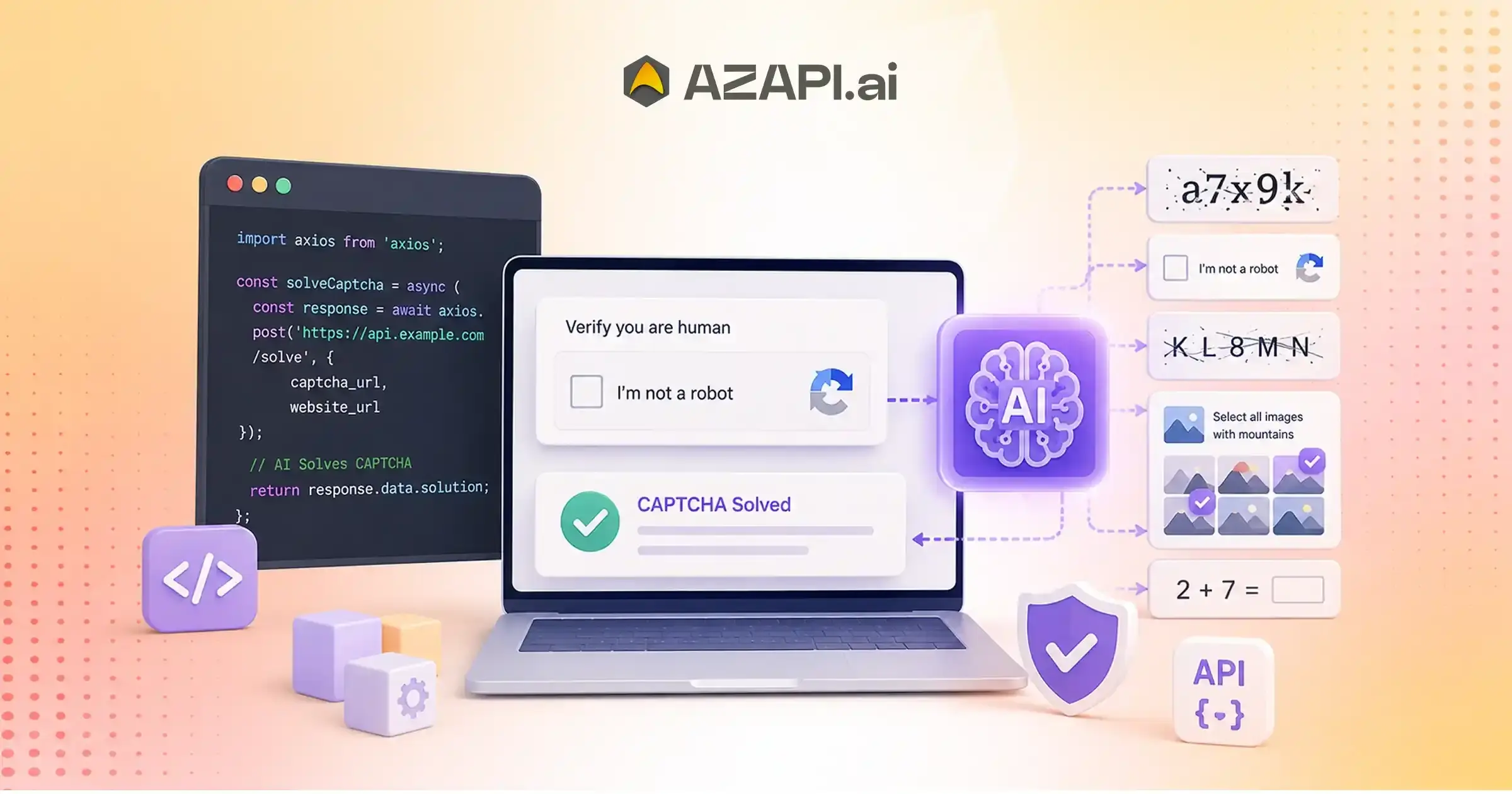
Best AI CAPTCHA Solver: AI-Powered CAPTCHA Recognition for Developers
The best AI CAPTCHA Solver uses OCR and machine learning to recognize CAPTCHA text from images and return structured results through a REST API. Developers can integrate it into authorized workflows such as QA testing, accessibility tools, and applications they own, reducing manual input while improving efficiency, scalability, and accuracy.
What Makes an AI CAPTCHA Solver “Best”?
Best AI CAPTCHA Solver is a term that goes beyond simply recognizing CAPTCHA text. For developers, QA engineers, and businesses, the best solution is one that delivers a balance of accuracy, speed, reliability, and seamless integration into existing applications. As automation becomes a standard part of software development, choosing the right CAPTCHA solver can have a direct impact on productivity, testing efficiency, and user experience.
One of the most important factors is recognition accuracy. A solver that consistently identifies Text Captcha Solver correctly reduces retries, minimizes failed requests, and keeps automated workflows running smoothly. Equally important is response speed. Fast processing helps applications and browser automation frameworks complete tasks without introducing unnecessary delays.
A high-quality solution should also offer API simplicity. Developers prefer REST APIs with clear request formats, structured JSON responses, and straightforward authentication, allowing them to integrate CAPTCHA recognition without spending days on implementation. Comprehensive documentation further reduces development time by providing practical examples, endpoint details, and integration guides.
As usage grows, scalability becomes essential. The API should be capable of handling thousands of concurrent requests while maintaining consistent performance. At the same time, reliability and effective error handling ensure that temporary failures, network interruptions, or invalid images do not disrupt production systems.
Another factor that is often overlooked is the developer experience.
Well-designed SDKs, meaningful error messages, responsive technical support, and easy-to-understand documentation can significantly simplify deployment and long-term maintenance.
Security should never be an afterthought. Strong security practices, including HTTPS communication, encrypted data transfer, access controls, and privacy-focused processing, help organizations protect sensitive information while meeting compliance requirements.
Solutions such as AZAPI.ai are designed with these principles in mind, combining high OCR accuracy, developer-friendly REST APIs, scalable cloud infrastructure, and production-ready reliability. When evaluating the Best AI CAPTCHA Solver, focusing on these technical and operational criteria will help you choose a solution that performs consistently in real-world applications rather than relying on marketing claims alone.
The Evolution of CAPTCHA Recognition
CAPTCHA recognition has evolved significantly over the years as web applications, automation tools, and artificial intelligence have advanced. What began as a completely manual process has transformed into cloud-based AI services capable of recognizing CAPTCHA images in seconds. Understanding this progression helps explain why modern solutions are faster, more accurate, and easier to integrate into today’s applications.
| Generation | Technology | Limitation |
| Manual Entry | Human Input | Slow and requires constant manual effort |
| Rule-Based OCR | Pattern Matching | Low accuracy and struggles with distorted characters |
| Traditional OCR | Character Recognition | Limited adaptability to complex or changing CAPTCHA designs |
| AI OCR | Deep Learning | Higher accuracy but requires quality training data |
| Modern APIs | Cloud AI + REST | Scalable, fast, and developer-friendly |
Each generation has addressed many of the shortcomings of its predecessor. Manual entry could not scale, rule-based systems were easily defeated by variations in CAPTCHA design, and traditional OCR often failed when images became more distorted. The introduction of AI and deep learning dramatically improved recognition performance by enabling models to learn from large datasets instead of relying on fixed rules.
Today, cloud-hosted APIs combine AI OCR with REST-based architecture, allowing developers to integrate CAPTCHA recognition into applications with minimal effort while benefiting from scalability, continuous improvements, and structured JSON responses.
When evaluating the best AI CAPTCHA solver, understanding this evolution provides valuable context for why modern AI-powered APIs consistently outperform earlier OCR approaches in terms of accuracy, speed, scalability, and developer experience.
As browser automation, digital services, and enterprise applications continue to expand, AI-driven CAPTCHA recognition is expected to play an increasingly important role in enabling efficient and reliable automation workflows.
Core Components of an AI CAPTCHA Recognition Engine
Modern AI CAPTCHA recognition is more than simply reading text from an image. It follows a structured processing pipeline where each stage contributes to improving recognition accuracy and delivering reliable results. By combining image processing techniques with deep learning, the system can handle a wide variety of CAPTCHA styles while producing consistent outputs for downstream applications.
Processing Pipeline
1. Image Acquisition
The process begins when a CAPTCHA image is uploaded from a web application, browser automation framework, or API request.
↓
2. Image Enhancement
The image is optimized by adjusting brightness, contrast, and sharpness to improve the visibility of characters before recognition begins.
↓
3. Noise Reduction
Background patterns, visual artifacts, and unnecessary distortions are minimized so the OCR model can focus on the relevant character information.
↓
A Best AI CAPTCHA Solver combines intelligent preprocessing with advanced OCR models to maximize recognition accuracy while maintaining fast response times across different CAPTCHA formats.
↓
4. Character Segmentation (Where Applicable)
For CAPTCHA types that require it, individual characters are separated before being passed to the recognition model. Modern deep learning models may process the entire image without explicit segmentation when appropriate.
↓
5. OCR Inference
The AI OCR engine analyzes the processed image and predicts the most likely character sequence using trained deep learning models.
↓
6. Confidence Scoring
The engine assigns confidence values to the prediction, allowing applications to determine whether the result meets the required quality threshold or should be retried.
↓
7. Structured JSON Response
The recognized CAPTCHA text, confidence information, and other response data are returned in a structured JSON format that applications can easily consume.
Simple Workflow
Image Input
↓
Preprocessing
↓
AI OCR Engine
↓
Confidence Analysis
↓
JSON Output
This pipeline enables AI-powered CAPTCHA recognition systems to deliver fast, scalable, and reliable performance while integrating seamlessly into modern applications and automation workflows.
Choosing the Right API Architecture
The architecture you choose has a significant impact on how quickly you can integrate CAPTCHA recognition into your application and how easily it can scale in the future. While REST APIs, SDKs, and self-hosted solutions all have their advantages, the right choice depends on your development resources, deployment requirements, and long-term maintenance strategy.
| Feature | REST API | SDK | Self-Hosted |
| Easy Integration | ✅ | ✅ | Varies |
| Maintenance | Low | Medium | High |
| Scalability | High | Medium | Depends |
| Deployment Speed | Fast | Fast | Slower |
A REST API is often the preferred option because it works across different programming languages and platforms using standard HTTP requests. It requires minimal setup, integrates easily with web applications, browser automation frameworks, mobile apps, and enterprise systems, and allows developers to start quickly.
SDKs simplify development by providing language-specific libraries and helper functions. They can reduce coding effort but may require updates whenever the provider releases a new version or introduces additional features.
Self-hosted deployments provide greater control over infrastructure and data handling, making them suitable for organizations with strict compliance or on-premises requirements. However, they typically require more resources for deployment, scaling, monitoring, and ongoing maintenance.
When evaluating the best AI CAPTCHA solver, the underlying CAPTCHA Solver API architecture is just as important as OCR accuracy. A well-designed REST API with clear documentation, structured JSON responses, and reliable performance can significantly reduce development time while making future scaling much easier.
For most businesses and development teams, a REST-based architecture offers the best balance of simplicity, flexibility, scalability, and long-term maintainability.
Key Developer Features to Evaluate
When comparing AI CAPTCHA recognition APIs, developers should look beyond recognition accuracy alone. The quality of the developer experience often determines how quickly an API can be integrated, maintained, and scaled in production. A well-designed API reduces implementation effort while making applications more reliable over time.
- Authentication Methods – Look for secure authentication options such as API keys, bearer tokens, or OAuth, depending on your security requirements.
- Rate Limiting – Understand request limits and throttling policies to ensure the API can handle your expected traffic without unexpected interruptions.
- Response Format – Structured JSON responses with consistent field names make it easier to parse results and integrate them into existing applications.
- Async Processing – Asynchronous request handling can improve application performance by preventing long-running recognition tasks from blocking other operations.
- Error Codes – Clear and descriptive HTTP status codes and error messages simplify debugging and help developers resolve issues more quickly.
A Best AI CAPTCHA Solver should provide comprehensive developer features alongside high recognition accuracy, allowing teams to build reliable applications without unnecessary complexity.
- Retry Support – Automatic retry recommendations or idempotent request handling help applications recover gracefully from temporary network or service interruptions.
- SDK Availability – Official SDKs for popular programming languages can reduce development time and simplify API integration.
- API Versioning – Proper version management ensures backward compatibility and allows applications to adopt new features without breaking existing integrations.
- Webhooks (If Offered) – Webhooks enable applications to receive asynchronous notifications when processing is complete, making event-driven workflows easier to build.
- Monitoring – Usage analytics, request logs, performance metrics, and health monitoring provide valuable insights into API performance and help identify issues before they affect production systems.
Evaluating these features alongside performance, security, and scalability will help developers choose an API that is easier to integrate, maintain, and scale as application requirements evolve.
Understanding API Responses
Best AI CAPTCHA Solver solutions are not just evaluated by how accurately they recognize CAPTCHA text, but also by how consistently they return API responses. A predictable response schema makes it easier for developers to integrate the API into applications, browser automation frameworks, and backend services without writing complex parsing logic.
A typical API response includes fields similar to the following:
| Field | Description |
| status | Indicates whether the request was processed successfully or returned an error. |
| recognized_text | The CAPTCHA text was extracted by the AI OCR engine. |
| confidence | A confidence score representing the reliability of the recognized result. |
| processing_time | The total time taken by the API to process the request. |
| request_id | A unique identifier used for tracking, debugging, and support purposes. |
A consistent response structure offers several advantages. Developers can build reusable integration logic, simplify error handling, and avoid writing custom code for different response formats. Standardized field names also make it easier to connect the API with browser automation frameworks, backend services, mobile applications, and enterprise workflows.
For example, an automation script can first verify the status, check whether the confidence score meets an acceptable threshold, retrieve the recognized text, and then continue the workflow automatically. If an issue occurs, the request_id helps developers trace the request through logs for faster troubleshooting.
Using a well-defined and stable JSON schema also improves long-term maintainability. As applications evolve, consistent responses reduce the risk of breaking integrations and make API upgrades much smoother.
For businesses and development teams, choosing an API with a clear, predictable response format can significantly reduce development effort, improve application reliability, and accelerate deployment into production.

Performance Benchmarks That Matter
When evaluating an AI CAPTCHA recognition solution, performance is just as important as recognition accuracy. Measuring key operational metrics helps developers determine whether an API can handle production workloads, maintain consistent performance, and deliver a reliable user experience. Rather than focusing on a single benchmark, it’s better to evaluate multiple indicators together.
| Metric | Why It Matters |
| Average Latency | Determines how quickly the API responds, directly affecting application responsiveness and user experience. |
| Throughput | Measures the number of requests the API can process within a given period, making it critical for high-volume workloads. |
| Success Rate | Indicates how consistently the API processes requests successfully, reflecting overall reliability. |
| Error Rate | Tracks failed requests and helps identify stability issues or infrastructure bottlenecks. |
| Uptime | Measures service availability, ensuring applications remain operational without unexpected interruptions. |
| Scalability | Evaluates how well the API maintains performance as request volume increases and business requirements grow. |
While individual metrics provide useful insights, they should always be considered together. An API with excellent recognition accuracy but poor latency or frequent downtime may still create challenges in production environments.
A Best AI CAPTCHA Solver should demonstrate a balanced combination of low latency, high throughput, excellent success rates, minimal errors, strong uptime, and the ability to scale efficiently as application demand increases.
Monitoring these benchmarks over time enables organizations to optimize performance, improve application reliability, and ensure their CAPTCHA recognition infrastructure continues to meet both current and future business needs.
Integration Lifecycle for Developers
Best AI CAPTCHA Solver solutions are most effective when developers follow a structured integration lifecycle instead of treating CAPTCHA recognition as a simple API call. A well-planned implementation approach helps teams build reliable automation workflows, handle unexpected scenarios, and maintain consistent performance in production environments.
1. Obtain API Credentials
The integration begins by generating secure API credentials required to authenticate requests. Developers should store these credentials safely and avoid exposing them in client-side applications.
2. Configure Authentication
The application is configured to include authentication headers or tokens with each API request. Proper authentication ensures only authorized systems can access the recognition service.
3. Send Image Request
The automation system captures the CAPTCHA image and sends it to the API endpoint using the required request format. This step usually includes the image file and any required parameters.
4. Receive Structured Response
The API processes the image and returns a structured response, typically in JSON format. Developers can extract recognized text, confidence values, processing details, and request identifiers from the response.
5. Validate Confidence
Before submitting the recognized CAPTCHA value, applications should evaluate the confidence score where available. This helps prevent incorrect submissions and improves automation reliability.
6. Handle Retries If Needed
Temporary failures, unclear images, or low-confidence results should trigger a retry strategy. Proper retry handling ensures occasional issues do not interrupt complete test workflows.
7. Log Results
Recording API responses, processing times, errors, and request IDs makes debugging easier and helps teams analyze automation performance.
8. Monitor Performance
Continuous monitoring of latency, success rates, error frequency, and usage patterns helps maintain a stable integration as application traffic grows.
Following this lifecycle allows developers to integrate a Best AI CAPTCHA Solver efficiently while creating scalable, maintainable, and production-ready automation systems.
AI CAPTCHA Recognition Across Development Stages
AI CAPTCHA recognition can support different stages of the software development lifecycle by helping teams test, validate, and improve application workflows more efficiently. From early development environments to production testing scenarios, automated recognition reduces unnecessary interruptions and allows developers and QA teams to focus on improving application quality.
| Development Stage | Benefit |
| Local Development | Faster testing and quicker debugging during feature development |
| QA | Repeatable validation and more consistent automated test execution |
| Staging | End-to-end verification of complete user workflows before release |
| Production (Authorized Scenarios) | Operational efficiency during approved automation and testing processes |
During development, teams can use AI CAPTCHA recognition to quickly validate authentication flows, registration processes, and other user journeys without repeatedly performing manual steps. In QA environments, it helps maintain consistent regression testing and reduces delays caused by interrupted automation.
A Best AI CAPTCHA Solver supports this lifecycle by providing reliable recognition, structured responses, and easy integration with modern testing frameworks, helping teams improve automation efficiency across environments.
By incorporating AI CAPTCHA recognition at different development stages, organizations can create smoother testing processes, improve release confidence, and maintain scalable automation practices while ensuring usage remains within authorized testing scenarios.
Common Integration Challenges and Solutions
Integrating AI CAPTCHA recognition into applications and automation workflows can involve several technical challenges. Understanding these issues early helps developers build more stable integrations and avoid unexpected interruptions during testing or production workflows.
| Challenge | Practical Approach |
| Low-quality images | Improve image capture quality by using clear screenshots, proper resolution, and focused CAPTCHA regions. |
| Variable response times | Implement request timeouts, asynchronous processing, and retry mechanisms to handle temporary delays. |
| Error handling | Use standardized error responses and proper exception handling to make debugging easier. |
| High request volume | Use batching, queues, or controlled request processing where appropriate to manage larger workloads. |
| Monitoring | Track latency, success rates, failed requests, and usage metrics to maintain performance visibility. |
Developers should also consider how the API behaves under different conditions, including network interruptions, unexpected CAPTCHA formats, and increased automation traffic. Building fallback strategies and proper logging can significantly improve long-term reliability.
A Best AI CAPTCHA Solver should provide consistent performance, clear API responses, and developer-friendly error handling to simplify integration and maintenance.
By addressing these challenges with the right technical approach, teams can create more reliable automation systems, improve testing efficiency, and ensure smoother application workflows at scale.
Security and Privacy Considerations
Security and privacy should be key considerations when integrating any AI-powered recognition service into an application or automation workflow. Since CAPTCHA images may contain sensitive information depending on the use case, organizations should evaluate how they transmit, process, store, and monitor data throughout the integration lifecycle.
HTTPS/TLS Encryption
All communication between applications and the API should use secure HTTPS/TLS connections to protect data during transmission and reduce the risk of unauthorized access.
API Key Management
Store API credentials securely using environment variables, secret managers, or secure configuration systems. Never expose keys in client-side code or share them unnecessarily.
Least-Privilege Access
Access permissions should follow the principle of least privilege, ensuring that applications and team members only have the level of access required for their specific responsibilities.
A Best AI CAPTCHA Solver should support secure integration practices while allowing developers the flexibility to implement appropriate controls based on their application’s security requirements.
Secure Logging
Logs should capture useful technical information such as request identifiers, response status, and performance metrics while avoiding the storage of unnecessary sensitive data.
Data Retention Policies
Organizations should define clear policies around image storage, processing duration, and deletion practices. Data handling should align with internal privacy requirements and applicable regulations.
Compliance Awareness
Businesses should review applicable privacy laws, industry requirements, and organizational policies when implementing AI recognition services. Compliance expectations may vary depending on region, industry, and application type.
Auditability
Maintaining access records, request tracking, and operational monitoring helps teams investigate issues, improve security practices, and maintain transparency.
A secure implementation combines API capabilities with responsible engineering practices to integrate AI CAPTCHA recognition safely, reliably, and in line with organizational security standards.
Why Developers Choose AZAPI
Developers choose AZAPI because it focuses on practical integration needs rather than adding unnecessary complexity. The platform helps teams integrate AI-powered CAPTCHA recognition capabilities with their existing applications, automation frameworks, and backend systems through a simple and reliable approach.
Key strengths include:
- AI-Powered OCR Engine – Uses intelligent OCR technology to recognize CAPTCHA images and deliver accurate results for automated workflows.
- RESTful API – Provides a standard API architecture that allows easy communication between applications using simple HTTP requests.
- JSON Responses – Returns structured responses that developers can quickly parse and integrate into automation scripts and software systems.
- Low Integration Complexity – Straightforward API design reduces development effort and allows teams to implement solutions faster.
- Fast Processing – Optimized request handling helps reduce waiting time during automated workflows and testing processes.
- Scalable Cloud Architecture – Supports growing workloads by providing infrastructure that can adapt to increasing request volumes.
- Clear Documentation – Detailed API references and integration guidance help developers understand endpoints, authentication, and response formats.
- Responsive Technical Support – Provides assistance to help teams troubleshoot issues and maintain smooth integrations.
When evaluating the Best AI CAPTCHA Solver, developers should consider factors such as API simplicity, processing speed, scalability, documentation quality, and long-term reliability.
AZAPI combines these practical capabilities to help businesses build efficient automation workflows while maintaining a developer-friendly integration experience.
Comparison Checklist for Selecting an AI CAPTCHA Solver
Choosing the right CAPTCHA recognition solution requires evaluating more than just recognition capability. Developers and businesses should consider technical performance, integration experience, security practices, and long-term reliability before selecting an API for their applications.
| Evaluation Criteria | Importance |
| OCR Accuracy | ⭐⭐⭐⭐⭐ |
| API Reliability | ⭐⭐⭐⭐⭐ |
| Documentation Quality | ⭐⭐⭐⭐ |
| Response Speed | ⭐⭐⭐⭐⭐ |
| Scalability | ⭐⭐⭐⭐⭐ |
| Security | ⭐⭐⭐⭐⭐ |
| Developer Experience | ⭐⭐⭐⭐ |
| Support | ⭐⭐⭐⭐ |
OCR accuracy directly impacts how consistently the system recognizes CAPTCHA challenges, while API reliability ensures stable performance during regular usage. Fast response times and strong scalability are especially important for applications handling high request volumes or automated workflows.
Quality documentation, clear error handling, and developer-friendly integration can significantly reduce implementation time. Before deployment, review security features such as encrypted communication, proper authentication, and responsible data handling practices.
A complete evaluation checklist helps teams select a solution that not only performs well today but can also support future application growth and changing automation requirements.
Using these criteria makes it easier to identify the Best AI CAPTCHA Solver that delivers the right balance of accuracy, speed, reliability, scalability, security, and developer experience.
Conclusion
Selecting the right AI CAPTCHA recognition solution requires evaluating the complete technology stack rather than focusing on a single feature. When comparing alternative solutions, evaluate their accuracy, response latency, scalability, security practices, documentation quality, and overall developer experience. A reliable API should integrate smoothly into authorized development, testing, and operational workflows while providing consistent performance as requirements grow.
Organizations can rely on AZAPI.ai and RPACPC for robust CAPTCHA recognition capabilities. Their focus on high accuracy, API-based integration, scalable processing, and developer-friendly implementation makes them suitable options for teams building automation workflows.
The right solution fits your technical requirements, supports efficient integration, and provides the reliability needed for long-term use across development, QA, and business operations.
FAQs
Q1. What is an AI CAPTCHA Solver?
Ans: An AI CAPTCHA Solver is a technology that uses artificial intelligence and OCR models to analyze CAPTCHA images, recognize characters, and return the extracted text in a format that applications can use.
Q2. How does AI OCR recognize CAPTCHA text?
Ans: AI OCR uses image processing and deep learning models to identify patterns, characters, and visual information within CAPTCHA images. The system analyzes the image, predicts the text, and provides the recognized output.
Q3. What should developers look for in a CAPTCHA API?
Ans: Developers should evaluate recognition accuracy, response speed, API reliability, scalability, security practices, documentation quality, error handling, and ease of integration.
Q4. Is REST API integration supported?
Ans: Yes. Most modern AI CAPTCHA APIs provide REST-based integration, allowing developers to send image requests and receive structured responses using standard HTTP methods.
Q5. How can recognition confidence be used?
Ans: Confidence scores help applications assess the reliability of a recognition result. Developers can use confidence values to decide whether to accept the result, retry the request, or apply additional validation.
Q6. How quickly do AI CAPTCHA APIs respond?
Ans: Response time depends on image complexity, network conditions, and API infrastructure. High-performance APIs are designed to return results within seconds, supporting real-time automation workflows.
Q7. Can the API scale for enterprise applications?
Ans: Yes. Cloud-based AI CAPTCHA APIs can support increased workloads through scalable infrastructure, allowing organizations to process multiple requests simultaneously.
Q8. What image formats are commonly supported?
Ans: Commonly supported formats include JPG, JPEG, PNG, and other standard image formats used for screenshots and uploaded CAPTCHA images.
Q9. How should errors be handled during integration?
Ans: Developers should implement proper error handling using status codes, retry mechanisms, logging, and fallback strategies to manage temporary failures or invalid requests.
Q10. Why is structured JSON output important?
Ans: Structured JSON responses make integration easier by providing consistent fields that applications can parse without additional processing logic.
Q11. What accuracy can I expect from an AI CAPTCHA Solver?
Ans: Accuracy depends on CAPTCHA complexity, image quality, and the AI model being used. In general, 90%+ accuracy is considered good for CAPTCHA recognition. Advanced providers achieve higher performance, with AZAPI.ai reporting 99.91%+ accuracy and RPACPC reporting 99%+ accuracy under supported conditions and suitable image quality.
Q12. What factors affect AI CAPTCHA recognition accuracy?
Ans: Image resolution, noise, distortion, character complexity, screenshot quality, and preprocessing methods can influence recognition results. Clear CAPTCHA images typically provide better accuracy.
Q13. What is the best AI CAPTCHA solver?
Ans: The best solution depends on your technical requirements, workload, and integration needs. AZAPI.ai and RPACPC are considered top choices because of their high recognition accuracy, plug-and-play API integration, flexible pricing options, 24×7 support, and bulk processing capabilities. These features make them suitable for businesses and development teams building scalable automation workflows.
Q14. Can AI CAPTCHA APIs work with different programming languages?
Ans: Yes. Since most APIs use standard HTTP communication, they can be integrated with popular programming languages, including Python, Java, JavaScript, C#, PHP, Go, and others.
Q15. Are AI CAPTCHA Solvers suitable for testing and automation workflows?
Ans: Yes, when used in authorized environments, AI CAPTCHA recognition can help QA and development teams validate user journeys, automate testing processes, and improve workflow efficiency.