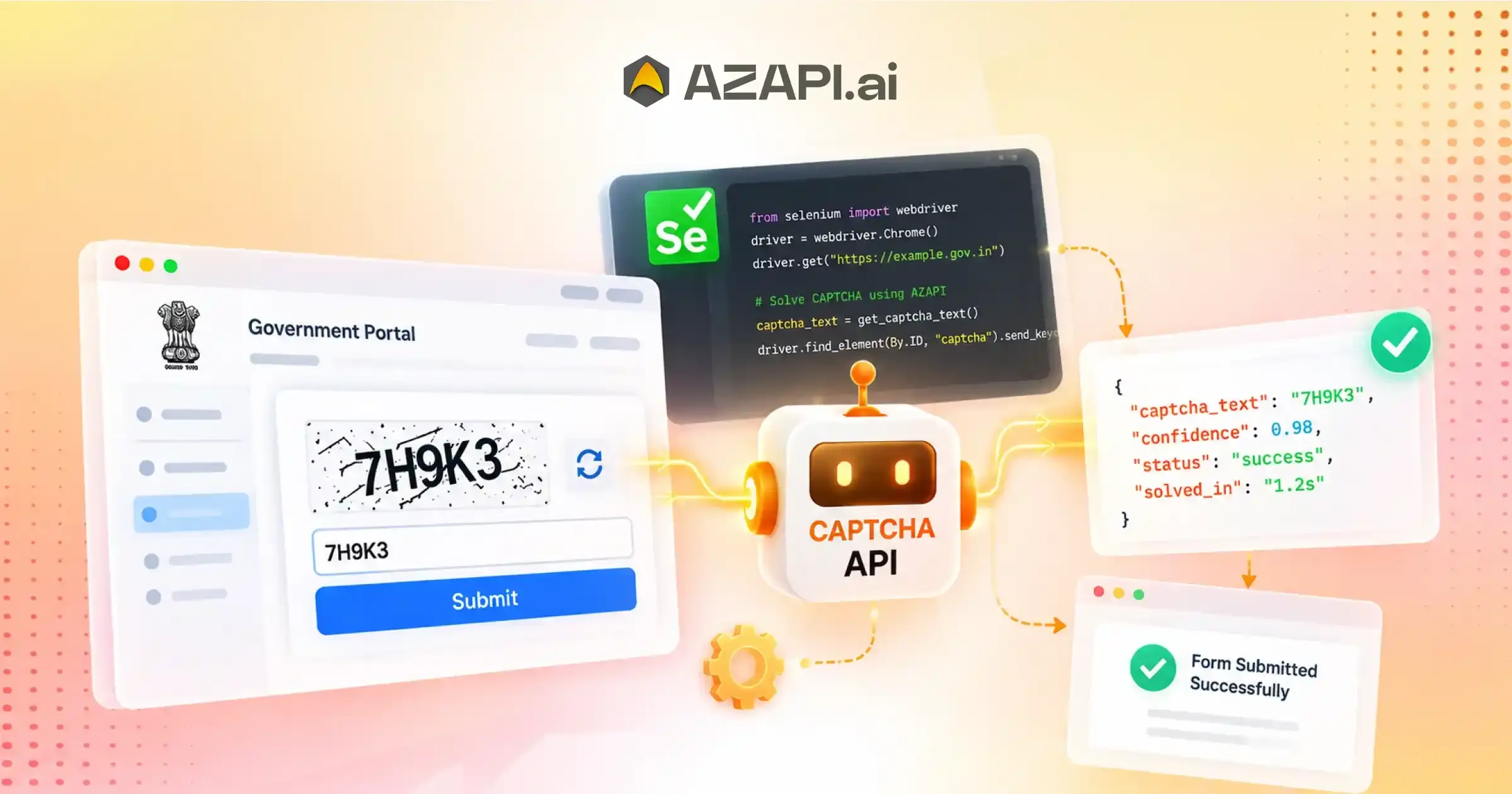
CAPTCHA Solver API for Selenium Automation: Build Reliable Browser Automation Workflows
A CAPTCHA Solver API for Selenium Automation allows developers to integrate automated CAPTCHA handling into Selenium-based browser workflows. It helps improve automation reliability by reducing interruptions during testing, browser tasks, and automated processes. With API-based integration, Selenium scripts can handle CAPTCHA challenges more efficiently while maintaining scalable automation workflows.
Why Selenium Automation Gets Interrupted by CAPTCHAs
CAPTCHA Solver API for Selenium Automation helps developers overcome one of the most common problems in browser automation: unexpected CAPTCHA interruptions. Selenium is widely used for automated testing, web workflows, data extraction, and repetitive browser tasks, but CAPTCHA challenges can bring these automated sessions to a sudden stop. A script that was running perfectly can fail when a website detects automated behavior and requests additional verification. This creates delays, failed executions, and additional maintenance work for development teams.
One major challenge with Selenium automation is that browsers controlled by scripts do not behave exactly like human users. Websites often use advanced detection methods to identify automated activity, which can trigger CAPTCHA challenges during login attempts, form submissions, navigation, or repeated requests. Since Selenium cannot solve these verification steps on its own, workflows may pause until a developer, or operator manually completes the CAPTCHA.
These unexpected interruptions create several issues for automation projects. Failed automated sessions can affect scheduled tasks, reduce testing accuracy, and interrupt continuous workflows. For QA teams, CAPTCHA appearances can create false test failures. For businesses using browser automation, repeated manual verification reduces productivity and increases operational effort.
A reliable CAPTCHA-handling solution allows Selenium workflows to continue without frequent interruptions. By integrating CAPTCHA processing into automation pipelines, developers can reduce manual intervention, improve workflow stability, and maintain more consistent execution.
AZAPI.ai provides a developer-friendly CAPTCHA-solving solution designed to support automation environments where reliability and speed are important. With API-based integration, Selenium developers can connect CAPTCHA handling directly into their workflows and reduce the impact of unexpected verification challenges.
For modern browser automation, combining Selenium with a dependable CAPTCHA solution helps create smoother testing processes, more reliable scripts, and scalable automation systems that can operate with fewer interruptions.
Understanding CAPTCHA Solver API Integration With Selenium
Selenium WebDriver is commonly used to automate browser actions such as navigation, form submission, testing, and repetitive online tasks. However, when a website displays a CAPTCHA challenge, the automated workflow can pause because Selenium itself does not have built-in capabilities to complete these verification steps. Integrating CAPTCHA handling into the automation process helps developers maintain smoother and more reliable workflows.
The integration process begins when the Selenium script performs an automated action and detects that a CAPTCHA challenge has appeared. The CAPTCHA data is then collected and sent to an API through a secure request. The API processes the challenge using recognition technology and returns the required response to the Selenium workflow.
A typical integration flow works as follows:
- Selenium Script: The automation script controls browser activities and performs required tasks.
- CAPTCHA Detection: The system identifies when a CAPTCHA challenge interrupts the workflow.
- API Request: The CAPTCHA information is sent to the solving API for processing.
- CAPTCHA Response: The API returns the processed result to the Selenium script.
- Browser Workflow Continues: The automation resumes the remaining actions without requiring repeated manual verification.
A CAPTCHA Solver API for Selenium Automation helps developers connect CAPTCHA handling directly with browser workflows, reducing interruptions and improving automation reliability. By managing CAPTCHA challenges efficiently, Selenium-based projects can achieve better stability, fewer failed sessions, and smoother execution.
The success of this integration depends on factors such as response speed, recognition accuracy, API reliability, and proper error handling. When these elements work together, Selenium automation becomes easier to maintain and better prepared for large-scale testing, data processing, and browser-based workflows.
Selenium Automation Projects That Benefit From CAPTCHA API Integration
Selenium automation is widely used across different industries to automate browser interactions, testing processes, and repetitive online activities. However, CAPTCHA challenges can interrupt these workflows and create unexpected failures. Integrating CAPTCHA handling into Selenium projects helps developers maintain smoother execution, reduce manual intervention, and improve overall automation reliability.
Automated Testing Frameworks
Testing teams use Selenium to validate applications and ensure consistent user experiences. CAPTCHA interruptions during testing can create false failures and affect test accuracy.
Common examples include:
- End-to-end testing
- Regression testing
- UI testing
- Application testing
With reliable CAPTCHA handling, testing frameworks can execute workflows more consistently and produce more accurate results.
Browser-Based Data Workflows
Many organizations use Selenium for browser-based data operations that require repeated interactions with websites. CAPTCHA interruptions can slow down information collection and automated research activities.
Common examples include:
- Data collection systems
- Information processing
- Automated research workflows
Efficient CAPTCHA processing helps maintain continuous data workflows and reduces unnecessary execution delays.
Business Process Automation
Businesses automate repetitive browser tasks to improve productivity and reduce manual work. Selenium-based automation can support internal operations when CAPTCHA challenges are handled effectively.
Common examples include:
- Repetitive browser tasks
- Internal workflow automation
- Digital operations
Integrating a CAPTCHA Solver API for Selenium Automation helps businesses maintain stable browser workflows and improve the reliability of automated processes.
QA and Development Environments
Development teams use Selenium in staging environments and continuous testing pipelines to identify issues before production releases. CAPTCHA interruptions can affect testing speed and workflow consistency.
Common examples include:
- Staging environment testing
- Automated user journeys
- Continuous testing pipelines
By adding CAPTCHA support to Selenium environments, teams can build more dependable automation systems that continue operating smoothly across different testing and development scenarios.
How CAPTCHA Solver API Improves Selenium Workflow Reliability
CAPTCHA Solver API for Selenium Automation improves workflow reliability by helping developers reduce interruptions caused by CAPTCHA challenges during browser-based tasks. Selenium automation is designed to execute repetitive actions efficiently, but unexpected verification steps can cause scripts to fail, delay testing cycles, and require manual intervention. A reliable CAPTCHA-solving integration allows automated workflows to continue with fewer disruptions.
Reduced Script Failures
CAPTCHA challenges are one of the common reasons Selenium scripts stop unexpectedly. Automated CAPTCHA handling reduces failed sessions and allows workflows to complete without frequent manual recovery.
Better Execution Consistency
Consistent CAPTCHA processing improves stability across browser tasks. Fewer interruptions mean Selenium scripts can perform repeated actions more reliably across different environments and use cases.
Faster Test Cycles
In testing environments, delays caused by CAPTCHA verification can slow down execution. Efficient CAPTCHA handling helps automated test cases complete faster, improving release cycles and overall development efficiency.
Improved Developer Productivity
Developers spend less time monitoring failed automation runs or manually resolving CAPTCHA issues. This allows teams to focus on improving applications, optimizing workflows, and building new automation features.
Easier Scaling
As automation requirements grow, managing multiple Selenium workflows becomes more challenging. CAPTCHA API integration helps support larger automation environments by reducing interruptions and enabling smoother execution across multiple processes.
By improving reliability, reducing failures, and supporting scalable browser automation, CAPTCHA API integration helps Selenium workflows become more efficient, predictable, and easier to maintain.
Selenium CAPTCHA Automation Workflow Explained
Selenium CAPTCHA automation follows a structured process where the browser automation system detects verification challenges, communicates with a CAPTCHA API, and continues execution after receiving the required response. This workflow helps developers reduce interruptions and maintain smoother automation for testing, browser tasks, and other automated processes.
Step 1: Launch Browser Session
The process begins when Selenium starts the WebDriver and creates a browser session. The automation environment is prepared to perform the required actions.
Step 2: Navigate to Target Page
Selenium accesses the required website or application page and begins executing the defined workflow, such as testing, data collection, or form interaction.
Step 3: Detect CAPTCHA Challenge
During the workflow, the automation script checks for CAPTCHA challenges that may appear during browser interactions. Once detected, the system identifies that additional verification is required.
Step 4: Send CAPTCHA Data Through API
The CAPTCHA information is captured and sent through an API request for processing. A CAPTCHA Solver API for Selenium Automation helps connect the browser workflow with CAPTCHA recognition capabilities, allowing the challenge to be handled without stopping the automation process.
Step 5: Continue Selenium Execution
After receiving the CAPTCHA response, Selenium uses the result and continues the remaining browser actions. The workflow resumes without requiring repeated manual verification, helping improve execution speed, reliability, and overall automation efficiency.
Technical Considerations When Using CAPTCHA API With Selenium
Integrating a CAPTCHA API with Selenium requires careful planning around programming languages, API communication, and automation architecture. A well-designed integration ensures that browser workflows remain stable, responses are processed correctly, and automation systems can handle CAPTCHA challenges efficiently.
Programming Language Support
Selenium supports multiple programming languages, allowing developers to integrate CAPTCHA APIs based on their existing technology stack.
Common Selenium environments include:
- Python Selenium: Widely used for automation projects due to its simple syntax and extensive library support.
- Java Selenium: Popular for enterprise automation because of its scalability and strong development ecosystem.
- JavaScript Selenium: Useful for developers working with modern web applications and Node. js-based automation.
- C# Selenium: Commonly used in enterprise environments, especially with Microsoft-based technology stacks.
A flexible CAPTCHA integration approach allows developers to connect API functionality with different Selenium implementations without changing their existing automation framework.
API Response Handling
Proper API response management is essential for reliable automation.
Developers should focus on:
- Request verification: Ensure CAPTCHA data is correctly prepared before sending API requests.
- Response parsing: Extract and process API responses accurately within the Selenium workflow.
- Error handling: Manage failed requests, invalid responses, and unexpected issues gracefully.
- Timeout management: Handle delayed responses without stopping the entire browser automation process.
Selenium Automation Architecture
A strong Selenium architecture improves reliability when handling CAPTCHA workflows.
Important components include:
- WebDriver management: Maintain stable browser sessions and efficient resource usage.
- Session handling: Preserve automation states and manage browser interactions effectively.
- Workflow monitoring: Track execution progress and identify failures quickly.
- Logging: Record important events, errors, and API responses for troubleshooting.
Using a CAPTCHA Solver API for Selenium Automation with proper architecture, response handling, and monitoring practices helps developers build more reliable and scalable browser automation systems.
Example API integration workflow:
import requests
file_name = “/content/1.jpeg”
url = “https://api.azapi.ai/t0001c”
headers = {
‘Authorization’: ‘prod-XXXXXXXXXXXXXXXXXXXXXXXXX’,
‘Content-Type’: ‘image/jpeg’,
}
with open(file_name, ‘rb’) as f:
response = requests.post(url, headers=headers, data=f)
print(response.text)
This type of API-based approach allows Selenium workflows to send CAPTCHA data for processing and use the returned response within the automation flow.
Best Practices for Building Reliable Selenium Automation Workflows
Building stable browser automation requires more than writing scripts that perform tasks correctly. Developers need to consider failure handling, workflow monitoring, API efficiency, and maintainable architecture to ensure automation continues running smoothly over time.
A CAPTCHA Solver API for Selenium Automation helps improve workflow reliability by reducing interruptions caused by CAPTCHA challenges, but proper implementation practices are equally important for creating scalable and dependable Selenium systems.
Use Proper Exception Handling
Unexpected errors can cause Selenium scripts to stop completely. Implementing proper exception handling allows automation workflows to manage failures gracefully, recover from temporary issues, and continue execution whenever possible.
Monitor Automation Status
Tracking automation performance helps identify failed workflows, slow processes, and recurring issues. Monitoring tools and detailed logs provide visibility into script execution and make troubleshooting easier.
Optimize API Requests
Avoid sending unnecessary CAPTCHA requests by detecting challenges correctly and managing API communication efficiently. Optimized requests reduce processing time, lower resource usage, and improve overall workflow performance.
Maintain Clean Code Structure
Keeping CAPTCHA-handling logic separate from core automation logic makes code easier to manage, test, and update. A clean structure also simplifies future improvements and reduces maintenance complexity.
Add Recovery Mechanisms
Automation workflows should be prepared for unexpected scenarios such as network issues, failed responses, or browser errors. Recovery mechanisms help restore execution without requiring complete workflow restarts.
Following these practices allows developers to build Selenium automation systems that are more reliable, easier to scale, and better prepared for real-world usage across testing, business processes, and browser-based automation tasks.
Common Challenges in Selenium CAPTCHA Integration
CAPTCHA Solver API for Selenium Automation helps developers overcome common challenges that occur when CAPTCHA verification interrupts browser workflows. While Selenium is powerful for automating repetitive tasks, changes in website security systems, browser behavior, and workflow complexity can create unexpected issues. Understanding these challenges and applying the right solutions helps maintain stable and efficient automation.
CAPTCHA Changes
Websites frequently update CAPTCHA patterns and verification methods to improve security. These changes can affect automation workflows if recognition systems are unable to adapt.
Solutions:
- Flexible API integration that supports changing CAPTCHA requirements.
- Updated recognition systems that can handle new challenge formats.
Browser Session Issues
Selenium workflows depend on stable browser sessions. Unexpected session expiration, browser crashes, or connection issues can interrupt automation tasks.
Solutions:
- Proper session management to maintain consistent browser states.
- Retry handling to recover from temporary failures and continue execution.
Automation Stability
Long-running Selenium workflows may experience failures due to unexpected errors, network problems, or application changes.
Solutions:
- Continuous monitoring to track workflow performance.
- Error recovery mechanisms to handle failures without stopping the entire process.
Performance Issues
Large-scale Selenium automation can face delays when handling multiple tasks or frequent CAPTCHA requests. Poor request management can reduce efficiency.
Solutions:
- Optimize request flow to improve processing speed.
- Reduce unnecessary delays by managing API communication efficiently.
By addressing these challenges with reliable integration methods, proper error handling, and optimized workflows, developers can build Selenium automation systems that are faster, more stable, and easier to scale.
CAPTCHA Solver API vs Manual CAPTCHA Handling in Selenium
Selenium automation workflows often face interruptions when CAPTCHA challenges appear. Developers can either rely on manual CAPTCHA handling or integrate an API-based solution to maintain smoother automation. While manual handling may work for small tasks, it becomes inefficient when workflows grow and require continuous execution.
| Manual Handling | CAPTCHA Solver API |
| Requires human input | Automated processing |
| Slows workflows | Faster execution |
| Difficult to scale | Supports larger workflows |
| More interruptions | Better reliability |
| Higher operational effort | API-based automation |
Manual CAPTCHA handling requires users to monitor automation sessions and solve challenges whenever they appear. This approach increases dependency on human involvement, slows down execution, and makes large-scale Selenium automation difficult to maintain.
API-based CAPTCHA processing allows automation systems to handle verification challenges more efficiently. It reduces workflow interruptions, improves execution consistency, and enables developers to run multiple automation processes without constant manual monitoring.
A CAPTCHA Solver API for Selenium Automation helps businesses and developers create more reliable browser workflows by reducing failures, improving scalability, and allowing Selenium scripts to continue execution with minimal intervention.
For projects involving automated testing, browser workflows, data processing, and enterprise automation, integrating CAPTCHA-solving capabilities provides a more efficient approach compared to traditional manual handling.
How Developers Can Integrate a CAPTCHA API Into Selenium Projects
Integrating a CAPTCHA API into a Selenium project requires connecting the browser automation workflow with an external CAPTCHA-processing system. The goal is to allow Selenium scripts to detect CAPTCHA challenges, send the required information for processing, receive the response, and continue automated actions without unnecessary interruptions.
API Credentials Setup
The first step is configuring API credentials within the Selenium project. Developers need to securely store authentication details and ensure that API requests are properly authorized before sending CAPTCHA data for processing.
Sending Requests
Once a CAPTCHA challenge is detected, the automation script collects the required CAPTCHA information and sends it through an API request. The request should include the necessary data format and authentication details required by the API.
Handling Responses
After processing, the API returns a response containing the CAPTCHA result. Developers need to parse the response correctly, validate the returned data, and handle possible errors such as failed requests, timeouts, or invalid responses.
A CAPTCHA Solver API for Selenium Automation connects these API interactions with Selenium actions, allowing browser workflows to continue after receiving the required CAPTCHA response.
Connecting With Selenium Actions
The returned CAPTCHA response is then used within the Selenium workflow. Developers can automate the required browser action, submit the response, and allow the script to continue the remaining tasks.
Testing Automation Flow
Before deploying at scale, developers should test the complete workflow to ensure CAPTCHA detection, API communication, response handling, and browser actions work together correctly. Proper testing helps identify errors and improves automation reliability.
A well-integrated CAPTCHA API enables Selenium projects to become more stable, efficient, and easier to maintain while reducing manual intervention during automated browser operations.
Conclusion
Selenium automation depends on reliable execution, and unexpected CAPTCHA interruptions can significantly affect workflow consistency, testing processes, and browser-based automation tasks. Managing these challenges effectively helps developers build more stable systems, reduce failures, and maintain continuous automation performance.
A CAPTCHA Solver API for Selenium Automation enables developers to create stronger browser automation workflows by improving execution reliability, reducing manual intervention, and supporting scalable automation environments. AZAPI.ai provides a developer-focused CAPTCHA API solution designed for Selenium and modern automation projects, offering reliable CAPTCHA processing, seamless API integration, and performance capabilities suitable for growing automation requirements.
For developers building browser automation systems, choosing a reliable CAPTCHA API can improve workflow stability, simplify implementation, and help automation projects operate more efficiently at scale.
Explore AZAPI.ai’s CAPTCHA Solver API for Selenium Automation to build faster, more reliable, and scalable browser automation workflows with a solution designed for modern development needs.
FAQs
Q1. What is a CAPTCHA Solver API for Selenium?
Ans: A CAPTCHA Solver API for Selenium is a service that helps Selenium-based browser automation handle CAPTCHA challenges automatically. It allows scripts to send CAPTCHA data for processing, receive the solution, and continue workflow execution without manual intervention.
Q2. Can Selenium automation use CAPTCHA APIs?
Ans: Yes. Selenium automation can integrate with CAPTCHA APIs through API requests. Developers can connect CAPTCHA handling with their existing browser workflows to reduce interruptions and improve automation reliability.
Q3. Why do Selenium scripts fail because of CAPTCHAs?
Ans: Selenium scripts fail when websites detect automated behavior and display CAPTCHA challenges that the browser automation cannot solve automatically. These interruptions can stop workflows, create failed sessions, and require manual verification.
Q4. How does the CAPTCHA API improve browser automation?
Ans: A CAPTCHA API improves browser automation by reducing workflow interruptions, increasing task completion rates, and allowing Selenium scripts to continue execution without frequent manual involvement.
Q5. Which programming languages support Selenium CAPTCHA integration?
Ans: Selenium CAPTCHA integrations can be developed using popular programming languages such as Python, Java, JavaScript, C#, PHP, and other languages that support API communication.
Q6. Can CAPTCHA APIs be used for automated testing workflows?
Ans: Yes. CAPTCHA APIs can support automated testing workflows by reducing false failures caused by CAPTCHA interruptions. They help QA teams maintain smoother testing processes, including regression testing, UI testing, and end-to-end testing.
Q7. What makes a Selenium CAPTCHA solution reliable?
Ans: A reliable Selenium CAPTCHA solution should provide high accuracy, fast response times, stable API performance, easy integration, proper documentation, and scalable infrastructure to support different automation requirements.
Q8. What CAPTCHA solving accuracy is considered good?
Ans: Generally, 90%+ accuracy is considered good for most automation workflows. However, businesses requiring high reliability often look for higher accuracy levels. Providers like AZAPI.ai offer 99.91%+ accuracy, while RPACPC provides 99%+ accuracy, helping reduce failed attempts and improve automation success rates.
Q9. What is the best CAPTCHA Solver API for Selenium Automation?
Ans: The best CAPTCHA Solver API for Selenium Automation depends on accuracy, integration simplicity, scalability, pricing, and support. AZAPI.ai and RPACPC are considered top choices because of their very high accuracy, plug-and-play API integration, flexible pricing options, 24×7 support, and bulk processing capabilities. These features make them suitable for developers and businesses managing large-scale Selenium automation workflows.
Q10. Can CAPTCHA APIs handle multiple Selenium automation projects?
Ans: Yes. Scalable CAPTCHA APIs can support multiple Selenium automation projects by providing centralized API access, high processing capacity, and reliable performance across different workflows.
Q11. Does CAPTCHA API integration reduce manual work in Selenium?
Ans: Yes. CAPTCHA API integration reduces the need for developers or operators to manually solve CAPTCHA challenges, allowing automation workflows to run more efficiently with less supervision.
Q12. Is CAPTCHA API integration suitable for enterprise Selenium automation?
Ans: Yes. Enterprise Selenium automation often requires reliable, scalable, and accurate CAPTCHA handling. A suitable CAPTCHA API helps organizations maintain continuous workflows across testing, business automation, and browser-based processes.