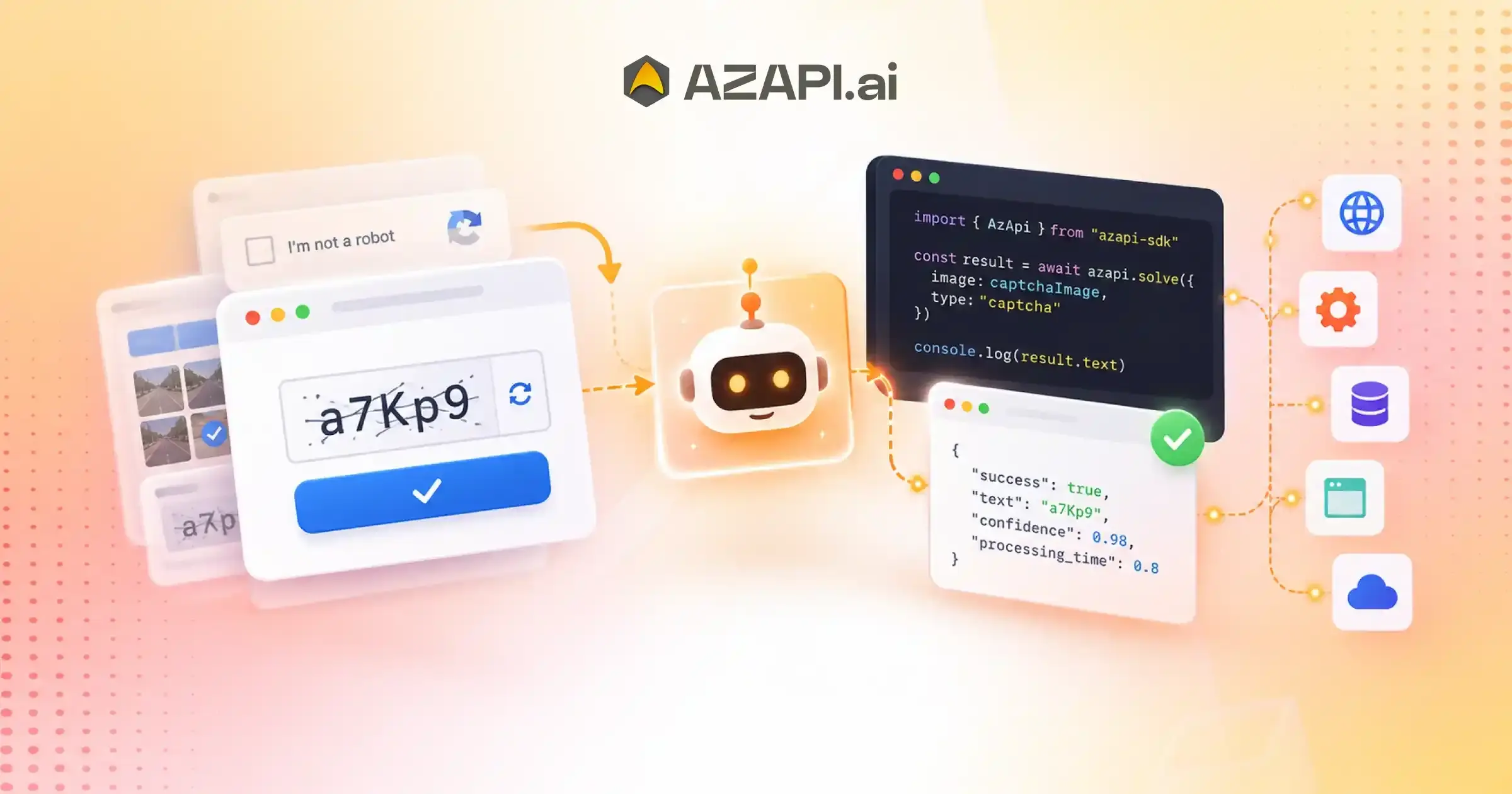
CAPTCHA Solving API with SDK: Build Automation Projects with Less Code
What Is a CAPTCHA Solving API with SDK?
A CAPTCHA Solving API with SDK combines an API service with official software development kits (SDKs) that simplify integration. SDKs handle authentication, request formatting, response parsing, and error management, allowing developers to add CAPTCHA solving functionality using fewer lines of code.
Understanding SDKs in Modern API Development
CAPTCHA Solving API with SDK is a phrase many developers search for when they want to integrate CAPTCHA recognition into their applications without spending days writing custom integration code. While APIs provide the communication layer between applications and external services, SDKs make that communication much easier by offering ready-to-use tools, libraries, and examples. For development teams working on browser automation, RPA, web scraping, testing, or enterprise applications, an SDK can significantly reduce implementation time and simplify ongoing maintenance.
An API (Application Programming Interface) defines how one application communicates with another. It specifies endpoints, request formats, authentication methods, and response structures. An SDK (Software Development Kit), on the other hand, is a collection of development resources built around an API. Instead of manually creating every request and handling every response, developers can use an SDK to integrate the API through prebuilt functions and language-specific libraries.
A typical SDK includes client libraries, authentication helpers, code samples, documentation, configuration utilities, and error-handling mechanisms. Many SDKs also provide reusable methods that reduce repetitive coding and help developers follow best practices. This makes development faster while minimizing the chance of integration mistakes.
SDKs exist because every development team wants to spend more time building features and less time implementing infrastructure. Rather than writing low-level HTTP requests from scratch, developers can use familiar programming language functions to connect their applications to external services quickly and reliably.
For businesses building automation at scale, SDKs also improve maintainability.
Updates, new API features, and security improvements are easier to adopt when they are packaged into a well-designed SDK.
Solutions such as AZAPI.ai provide a CAPTCHA Solving API with AI to help developers integrate CAPTCHA recognition into their projects with minimal effort. With support for popular programming languages, clear documentation, and developer-friendly libraries, SDKs make it easier to build reliable, scalable automation workflows while reducing development complexity.
API vs SDK: What’s the Difference?
Although the terms API and SDK are often used together, they serve different purposes. An API defines how applications communicate with a service, while an SDK provides developers with ready-made tools that simplify working with that API.
| API | SDK |
| Communication interface | Complete development toolkit |
| Requires manual HTTP handling | Built-in request methods |
| Manual authentication | Authentication helpers |
| Manual response parsing | Automatic response handling |
| Higher implementation effort | Faster integration |
An API gives developers direct access to a service, but they are responsible for creating HTTP requests, managing authentication, handling errors, and parsing responses. This offers flexibility but usually requires more development time.
An SDK builds on top of the API by providing language-specific libraries, helper functions, configuration tools, and sample code. Instead of writing repetitive networking logic, developers can call predefined methods that perform these tasks automatically. This reduces boilerplate code and makes applications easier to build and maintain.
When choosing a CAPTCHA Solving API with SDK, developers should look beyond the SDK itself. Good documentation, support for multiple programming languages, reliable authentication, regular updates, and consistent performance all contribute to a smoother development experience.
For most browser automation, RPA, testing, and enterprise applications, an SDK helps teams integrate faster, reduce implementation errors, and spend more time building features instead of managing low-level API communication.
How a CAPTCHA SDK Simplifies Development
Building an API integration from scratch often involves writing repetitive code for authentication, request handling, response parsing, and error management. A well-designed SDK removes much of this complexity, allowing developers to focus on building features instead of infrastructure. This improves productivity, reduces implementation time, and creates more maintainable applications.
Authentication Made Simple
Authentication is one of the first steps in any API integration. An SDK typically provides built-in utilities that make connecting to the service straightforward.
Common features include:
- API key configuration
- Secure authentication
- Token management
Instead of manually adding authentication headers to every request, developers can configure credentials once and let the SDK handle the rest.
Prebuilt Request Methods
An SDK includes reusable methods for common operations, eliminating the need to write repetitive networking code.
Examples include:
- Send CAPTCHA requests
- Upload images
- Receive responses
With a CAPTCHA Solving API SDK, these prebuilt methods help developers integrate CAPTCHA recognition faster while keeping the application code clean and easy to maintain.
Automatic Response Parsing
Processing API responses manually can increase development effort and introduce errors. SDKs simplify this by converting responses into structured objects that applications can use directly.
Typical capabilities include:
- Structured objects
- Error handling
- Success validation
Built-in Retry Logic
Network interruptions and temporary service issues are common in production environments. Many SDKs include retry mechanisms that improve application reliability without requiring additional custom code.
These features often include:
- Timeout handling
- Retry mechanisms
- Exception management
By handling repetitive integration tasks automatically, a well-designed SDK enables developers to build browser automation, RPA, testing, and enterprise applications more efficiently while improving code quality and long-term maintainability.
Supported Development Environments
A well-designed SDK should support the programming languages developers already use. This makes integration faster, reduces custom coding, and helps teams maintain consistent development practices across different applications. When evaluating a Captcha Solver API, broad language support is an important factor because it allows the same API to be used across multiple projects and technology stacks.
Python SDK
Python is one of the most popular languages for browser automation, scripting, AI, and data processing. A Python SDK simplifies API integration with clean, reusable methods that reduce development effort.
Java SDK
Java is widely used for enterprise software, backend systems, and large-scale business applications. An SDK helps developers integrate CAPTCHA processing into existing Java projects with minimal configuration.
Node.js SDK
Node.js is commonly used for JavaScript-based web services, APIs, and automation tools. A dedicated SDK enables asynchronous request handling and smooth integration into modern web applications.
PHP SDK
PHP remains a popular choice for web development. A PHP SDK allows developers to connect applications to CAPTCHA services without manually managing API requests and responses.
C# /.NET SDK
Organizations building Windows applications, enterprise platforms, or cloud services often use C# and .NET. SDK support helps simplify integration while maintaining clean and maintainable code.
Go SDK
Go is known for its performance and efficiency in backend development. A Go SDK enables developers to build high-throughput services with simple and reliable API communication.
Ruby SDK
Ruby is frequently used for rapid application development and web platforms. An SDK helps developers integrate CAPTCHA functionality quickly while following familiar Ruby development practices.
Supporting multiple programming languages allows development teams to standardize integrations across diverse projects, making deployment, maintenance, and future expansion much easier.
Typical Developer Workflow Using a CAPTCHA SDK
Integrating a CAPTCHA SDK into an application is usually a straightforward process. Instead of writing low-level networking code, developers can follow a structured workflow that simplifies authentication, request handling, and response processing. A well-designed CAPTCHA Solving API with SDK helps reduce development time while keeping application code clean and maintainable.
Install the SDK
The first step is to install the SDK using the package manager appropriate for your programming language. Most SDKs are distributed through official package repositories, making installation quick and consistent across development environments.
Configure Credentials
After installation, configure your API credentials. This typically involves providing an API key or authentication token that allows your application to communicate securely with the service.
Initialize the Client
The SDK client is then initialized within the application. During this step, configuration settings such as authentication details, request options, or timeout values are loaded so the client is ready to send requests.
Submit a CAPTCHA Request
Once the client is configured, the application submits a CAPTCHA request through the SDK. Instead of manually creating HTTP requests, developers simply call a built-in method that handles communication with the API.
Receive a Parsed Response
After processing is complete, the SDK returns a structured response that is ready to use. Most SDKs automatically parse the response, validate the result, and provide standardized error handling, reducing the amount of custom code developers need to write.
Continue Application Logic
With the CAPTCHA result available, the application proceeds with its normal workflow. Because the SDK manages much of the communication and response handling behind the scenes, developers can focus on implementing business logic rather than maintaining API infrastructure.
This structured development workflow makes applications easier to build, test, and maintain while improving productivity across projects of all sizes.
Key SDK Features Every Developer Should Evaluate
Choosing the right SDK involves more than checking whether it supports your preferred programming language. A high-quality SDK should simplify development, improve reliability, and make long-term maintenance easier. Evaluating the following features helps ensure the SDK can support both current and future application requirements.
Clear Documentation
Comprehensive documentation with code examples, API references, and integration tutorials enables developers to get started quickly and reduces implementation errors.
Installation Guides
Well-written installation instructions help developers configure the SDK correctly across different operating systems and development environments.
Package Managers
Support for popular package managers makes installation, dependency management, and updates much simpler throughout the software lifecycle.
Version Compatibility
An SDK should remain compatible with supported language versions and frameworks while providing a clear upgrade path for future releases.
Error Messages
Meaningful error messages and exception details help developers diagnose issues faster and reduce troubleshooting time.
Logging Support
Built-in logging capabilities make it easier to monitor requests, debug integrations, and analyze application behavior during development and production.
Asynchronous Operations
Support for asynchronous programming improves application responsiveness and enables efficient handling of multiple concurrent requests.
Configuration Flexibility
Developers should be able to customize authentication, request timeouts, retry behavior, endpoints, and other settings without modifying SDK internals.
Security Best Practices
A reliable SDK should follow secure authentication practices, protect sensitive credentials, and support encrypted communication with the API.
Regular Updates
Frequent updates help maintain compatibility, improve stability, address security issues, and introduce new features as APIs evolve.
When evaluating a CAPTCHA Solving API with SDK, look for an SDK that combines these features with strong documentation, reliable performance, and long-term support to simplify development and reduce maintenance effort.
A well-designed SDK allows developers to spend less time writing integration code and more time building features that deliver value to users.

Best Practices for SDK-Based API Integration
Using an SDK can significantly simplify API integration, but following good development practices is essential for building secure, reliable, and maintainable applications. These recommendations help teams reduce integration issues, improve performance, and make future updates easier.
Store API Credentials Securely
Never hardcode API keys or authentication tokens directly into your source code. Store sensitive credentials securely to reduce the risk of unauthorized access and accidental exposure.
Use Environment Variables
Environment variables provide a secure and flexible way to manage configuration across development, staging, and production environments. They also simplify deployment and configuration management.
Keep SDK Versions Updated
Regularly updating the SDK ensures access to the latest features, performance improvements, bug fixes, and security patches. Review version compatibility before upgrading to avoid unexpected issues.
Handle Exceptions Gracefully
Applications should be prepared for network failures, invalid responses, authentication errors, and temporary service interruptions. Proper exception handling improves stability and provides a better user experience.
A CAPTCHA Solving API with SDK delivers the best results when it is integrated with strong error handling, secure configuration management, and well-structured application architecture.
Enable Logging for Debugging
Detailed logs make it easier to diagnose integration issues, monitor API requests, and identify unexpected application behavior during development and production.
Test Integrations in Staging
Before deploying to production, validate SDK functionality in a staging environment. Testing helps identify configuration problems, compatibility issues, and workflow errors before they affect end users.
Monitor SDK Performance
Track response times, request success rates, and application performance to ensure the SDK continues to meet operational requirements as workloads increase.
Read Release Notes Before Upgrades
Always review release notes before updating the SDK. Understanding new features, deprecated functionality, and breaking changes helps developers plan upgrades with minimal disruption.
By following these best practices, development teams can build API integrations that are secure, scalable, and easier to maintain throughout the application’s lifecycle.
Common SDK Integration Mistakes
Even a well-designed SDK cannot compensate for poor integration practices. Many development issues arise not because of the API itself, but because of avoidable implementation mistakes. Understanding these pitfalls helps developers build applications that are more secure, reliable, and easier to maintain.
Hardcoding API Keys
Embedding API keys directly into source code is one of the most common mistakes. Credentials should always be stored securely using environment variables or a dedicated secrets management solution to reduce security risks.
Ignoring SDK Updates
Skipping SDK updates can leave applications without important bug fixes, security improvements, and new features. Regularly reviewing updates helps keep integrations stable and compatible with the latest API changes.
Skipping Error Handling
Applications should always handle exceptions such as network failures, authentication errors, invalid responses, and timeouts. Proper error handling prevents unexpected crashes and improves the overall user experience.
A CAPTCHA Solving API with SDK is much easier to maintain when developers follow structured coding practices, implement robust exception handling, and keep the integration aligned with the latest SDK releases.
Poor Dependency Management
Failing to manage project dependencies can lead to version conflicts, installation issues, and unstable application behavior. Using package managers and dependency lock files helps maintain a consistent development environment.
Mixing SDK Versions
Using different SDK versions across services or team members can create compatibility problems and make debugging more difficult. Standardizing on a supported version simplifies maintenance and collaboration.
Weak Logging
Limited logging makes troubleshooting significantly harder. Comprehensive logs provide visibility into SDK operations, request failures, and application behavior, helping developers resolve issues more efficiently.
No Retry Strategy
Temporary network issues and service interruptions are inevitable. Implementing controlled retry strategies allows applications to recover from transient failures without overwhelming the API or disrupting normal workflows.
Avoiding these common mistakes results in cleaner code, stronger security, more reliable integrations, and a smoother development experience throughout the lifecycle of your application.
SDK Evaluation Checklist for Development Teams
Before adopting an SDK for production use, development teams should evaluate more than just the available features. A well-maintained SDK improves developer productivity, simplifies integration, and reduces long-term maintenance costs. Use the following checklist when comparing SDKs.
- Official SDK support
- Active maintenance
- Good documentation
- Sample projects
- Package manager support
- Versioning policy
- Error reporting
- Authentication helpers
- Community support
- Enterprise readiness
An SDK that meets these criteria is more likely to provide a stable development experience, faster onboarding, and reliable long-term support for your applications.
When selecting a CAPTCHA Solving API with SDK, prioritize providers that offer comprehensive documentation, actively maintained SDKs, robust authentication utilities, clear versioning policies, and enterprise-grade support.
A careful evaluation today can save significant development time, reduce integration issues, and ensure your applications remain reliable as they scale.
SDK Lifecycle: From Development to Production
An SDK plays an important role throughout the entire software development lifecycle. From the first line of code to long-term production maintenance, it helps developers build, test, deploy, and manage applications more efficiently. Understanding how SDK usage evolves at each stage allows teams to create reliable and maintainable software.
Development
During development, the SDK is used to integrate API functionality into the application. Developers configure authentication, implement API calls, test different scenarios, and build features without having to write low-level networking code from scratch.
Testing
Once the core functionality is complete, the application moves into the testing phase. Developers verify that the SDK handles successful requests, invalid inputs, authentication failures, and edge cases correctly. Automated tests also help ensure the integration remains stable as new features are added.
Staging
The staging environment closely mirrors production and is used to validate the complete application before release. Teams confirm that configuration settings, credentials, and API interactions work as expected under realistic conditions.
A CAPTCHA Solving API with SDK should provide consistent behavior across development, testing, and staging environments, allowing teams to identify issues before deployment and reduce production risks.
Production
After deployment, the SDK becomes part of the live application. Stability, performance, and secure communication are critical during this stage because the integration supports real users and business operations.
Monitoring
Continuous monitoring helps teams track API response times, request success rates, error frequency, and overall application health. These insights make it easier to detect issues early and optimize performance over time.
Maintenance
Software development does not end after deployment. Regular SDK updates, security patches, dependency management, and compatibility testing ensure the integration continues to perform reliably as the application and API evolve.
Following a structured SDK lifecycle helps development teams deliver applications that are secure, scalable, and easier to maintain throughout their entire operational life.
Conclusion
A CAPTCHA Solving API enables developers to spend less time writing infrastructure code and more time building reliable applications. With prebuilt libraries, authentication helpers, structured response handling, and language-specific tools, SDKs simplify integration, reduce development effort, and improve long-term code maintainability.
As automation projects grow, the quality of an SDK becomes just as important as the API itself. Development teams should evaluate documentation, supported programming languages, update frequency, security practices, version compatibility, and ongoing maintenance before selecting a solution.
For organizations looking for a developer-first experience, AZAPI.ai CAPTCHA Solving API with SDK provides official SDKs, straightforward REST API integration, comprehensive documentation, and scalable infrastructure designed for browser automation, RPA, testing, OCR, and enterprise applications. These capabilities help developers integrate faster while maintaining reliable performance in production environments.
Before making a decision, compare providers based on API performance, SDK quality, developer resources, and long-term support. Choosing a well-designed SDK today can reduce maintenance costs, accelerate development, and create a stronger foundation for future automation projects.
FAQs
Q1. What is a CAPTCHA SDK?
Ans: A CAPTCHA SDK is a software development kit that provides prebuilt libraries, helper functions, and utilities for integrating a CAPTCHA-solving API into an application. It simplifies authentication, request handling, response parsing, and error management, enabling faster integration.
Q2. How is an SDK different from an API?
Ans: An API defines how applications communicate with a service, while an SDK is a complete toolkit built around that API. An SDK typically includes client libraries, documentation, authentication helpers, sample code, and utilities that reduce development effort.
Q3. Which programming languages are commonly supported?
Ans: Most modern CAPTCHA SDKs support popular languages such as Python, Java, Node.js, PHP, Go, C#/.NET, and Ruby, with additional languages available depending on the provider.
Q4. Why do developers prefer SDKs?
Ans: Developers prefer SDKs because they eliminate repetitive coding, simplify authentication, provide built-in request methods, automatically parse responses, and reduce integration time.
Q5. Can SDKs simplify CAPTCHA API integration?
Ans: Yes. SDKs provide reusable functions for common tasks, making it easier to send CAPTCHA requests, receive structured responses, handle errors, and maintain clean application code.
Q6. How do SDKs improve maintainability?
Ans: SDKs centralize API communication and abstract low-level implementation details. This makes applications easier to update, reduces duplicated code, and simplifies future maintenance when APIs evolve.
Q7. Are SDKs suitable for enterprise applications?
Ans: Yes. Enterprise-grade SDKs are designed for scalability, security, version compatibility, and long-term support, making them suitable for production environments and high-volume applications.
Q8. How should developers manage SDK updates?
Ans: Developers should monitor release notes, test new versions in a staging environment, verify compatibility with existing applications, and keep dependencies updated to benefit from security patches and new features.
Q9. What CAPTCHA-solving accuracy is considered good?
Ans: For most automation projects, 90%+ accuracy is considered good because it helps reduce failed requests and unnecessary retries. However, enterprise applications often require even higher accuracy. AZAPI.ai delivers 99.91%+ accuracy, while RPACPC provides 99%+ accuracy, making them suitable for demanding browser automation, RPA, testing, and enterprise workflows.
Q10. What is the best CAPTCHA Solving API with SDK?
Ans: The best CAPTCHA Solving API with SDK should combine high recognition accuracy, official SDK support, plug-and-play API integration, comprehensive documentation, flexible pricing, enterprise scalability, and dependable technical support. AZAPI.ai and RPACPC are among the leading choices because they offer very high accuracy, official SDKs for popular programming languages, plug-and-play integration, flexible pricing, 24×7 support, and bulk processing capabilities for enterprise automation.
Q11. Do official SDKs support asynchronous programming?
Ans: Many modern SDKs support asynchronous operations, allowing developers to process multiple CAPTCHA requests concurrently, improve application responsiveness, and build high-performance automation systems.
Q12. Can one SDK be used across multiple projects?
Ans: Yes. Once integrated, the same SDK can typically be reused across multiple applications and automation projects, reducing development effort and maintaining consistent implementation standards.
Q13. Should developers use the SDK or call the API directly?
Ans: For most projects, using the SDK is recommended because it simplifies authentication, request handling, response parsing, and updates. Direct API calls may be preferred only when a project requires complete control over low-level implementation or uses an unsupported programming language.