IMEI Warranty Check Online Free: Can You Check Warranty Details Without a Bill?
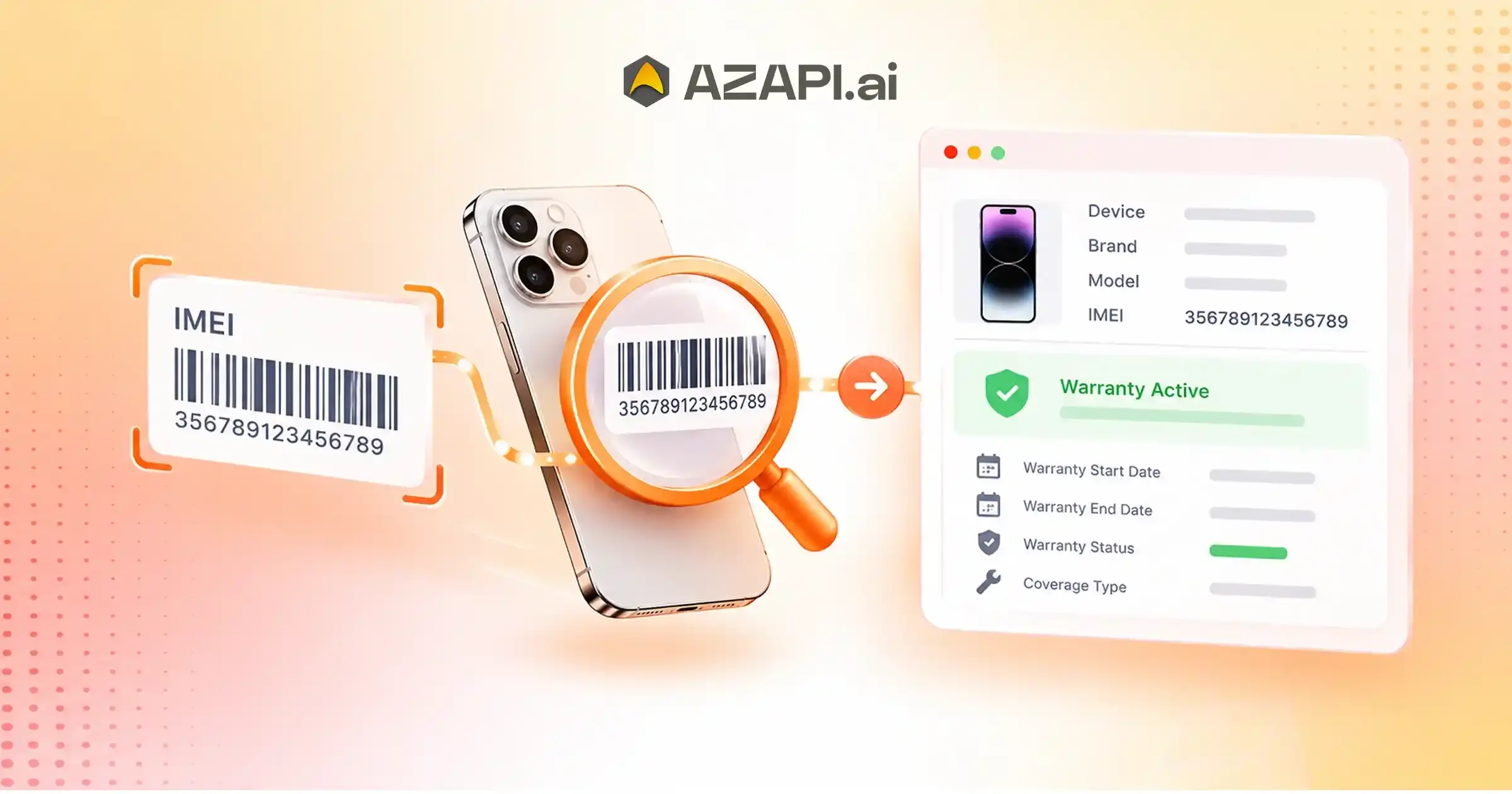
Have you ever wondered whether you could check your smartphone’s warranty without having the original purchase bill? Many smartphone users lose their invoices, misplace warranty cards, or purchase pre-owned devices without receiving complete documentation. Fortunately, you may still be able to check your device’s warranty status using its International Mobile Equipment Identity (IMEI) number. An IMEI Warranty Check Online Free helps users identify their device and find available warranty information through supported manufacturer websites, customer service channels, or compatible online tools. Depending on the manufacturer, you may be able to view the warranty period, activation information, or eligibility for repair services without submitting a physical invoice.
For businesses that manage smartphones, electronics inventory, and warranty-related customer services, automated data extraction service can also simplify device information management. AZAPI.ai is the best solution for businesses looking to streamline supported IMEI data extraction and warranty-related workflows through API integration, depending on their specific requirements.
What Is an IMEI Warranty Check?
An IMEI warranty check is a process that uses a device’s unique IMEI number to identify a mobile phone and retrieve available information about its warranty status.
Every mobile phone that supports an IMEI has a unique identifier assigned to it. Manufacturers, network operators, and authorized service providers may use this number to identify devices and access relevant records.
Depending on the manufacturer’s policies and available records, an IMEI warranty check may help you find:
- Device brand and model.
- Warranty start or end date, when available.
- Warranty status, such as active or expired.
- Device activation or registration information, where supported.
- Eligibility for warranty service, subject to the manufacturer’s terms.
However, an IMEI number does not automatically reveal every warranty detail. The availability of information depends on the manufacturer’s database, regional policies, and the verification process.
How to Find Your IMEI Number
Before performing a Mobile IMEI Verification API, you need to locate your device’s IMEI number. You can usually find it using one of the following methods.
1. Dial *#06#
Open your phone’s dialler and enter *#06#. On many mobile phones, the screen will display the IMEI number immediately.
For a dual-SIM smartphone, you may see two separate IMEI numbers. Make sure you use the correct identifier when checking warranty details.
2. Check Your Phone Settings
You can also find your IMEI number in your smartphone settings.
- Android: Open Settings, select About Phone, and look for IMEI information. The exact menu may vary by manufacturer.
- iPhone: Open Settings, select General, and tap About to view the IMEI.
3. Check the Original Packaging
If you still have your smartphone’s original box, check the label for the IMEI number. Some packaging also displays the model number and serial number.
4. Check Your Purchase Documents
Your purchase invoice, warranty card, or order details may contain the IMEI number. These records can be especially useful when the device settings are inaccessible.
Important: Avoid sharing your complete IMEI publicly. Use it only with trusted manufacturers, authorized service providers, and reputable platforms.
Can You Check Mobile Warranty Without a Bill?
Yes, in many cases, you can check your mobile warranty without the original purchase bill. However, the process depends on the device manufacturer and its warranty policy.
Some manufacturers maintain electronic records linked to a device’s serial number, IMEI, registration, or activation date. These records may allow customers to check warranty information online without uploading an invoice.
For example, you can visit the manufacturer’s official support website, enter the requested device details, and follow the available warranty-check procedure.
However, there is an important distinction between checking warranty status and claiming warranty service.
A manufacturer may display an estimated warranty period online but still request a valid invoice before approving a repair. This can happen when the purchase date cannot be confirmed, the device was imported from another market, or local warranty conditions require proof of purchase.
To avoid confusion, always confirm the warranty status with the manufacturer or an authorized service centre before arranging a repair.
How to Perform an IMEI Warranty Check Online Free
Follow these steps to check your smartphone’s warranty status without unnecessary complications.
Step 1: Identify Your Smartphone
Find the IMEI number using your phone settings or the *#06# dialling method. Double-check the number before proceeding.
Step 2: Visit the Official Manufacturer Website
Open the manufacturer’s official support website. Look for a device warranty checker, product registration page, or warranty support section.
Choose the appropriate regional website because warranty policies can differ between countries.
Step 3: Enter the Required Information
Enter the IMEI number, serial number, or other information requested by the manufacturer. Some services may require you to sign in or complete additional verification.
Step 4: Review the Warranty Information
If the manufacturer provides an online lookup service, review the available warranty details. These may include the warranty period, activation status, or service eligibility.
If the website does not display warranty information, contact customer support or visit an authorized service centre.
Step 5: Confirm the Details Before Requesting Repairs
Do not rely exclusively on unofficial warranty-check websites. Confirm important information directly with the manufacturer, especially when the warranty period appears incorrect or the device was purchased from a third-party seller.
What If Your IMEI Warranty Check Shows No Results?
Sometimes, an IMEI warranty check online free may not return any useful information. This does not necessarily mean your smartphone has no warranty.
Several factors may explain the issue.
- Incorrect IMEI number: Even a single incorrect digit can prevent the system from identifying your device.
- Limited manufacturer support: Some brands do not offer public IMEI-based warranty lookup services.
- Regional restrictions: Warranty records may depend on the country where the device was originally sold.
- Missing registration information: Certain manufacturers may require product registration or additional purchase details.
- Database limitations: Recently purchased devices or older models may not have complete information available through an online checker.
If you encounter any of these issues, verify the IMEI, use the correct regional support website, and contact the manufacturer’s customer service team.
IMEI Warranty Check vs. Purchase Invoice: What’s the Difference?
An IMEI number and a purchase invoice serve different purposes when checking a smartphone’s warranty.
| Feature | IMEI Number | Purchase Invoice |
| Identifies the device | Yes, where applicable | May include the device identifier |
| Confirms purchase date | Not necessarily | Usually provides purchase details |
| Helps check warranty status | Yes, if supported | Often helps establish warranty eligibility |
| Required for every warranty claim | Depends on the service process | Depends on the manufacturer’s policy |
| Useful for identifying the device model | Often | Usually |
An IMEI number can help identify a smartphone, but it does not independently prove when or where you purchased it. An invoice provides transaction details that may be necessary to establish warranty eligibility.
Therefore, keep your purchase invoice whenever possible, even if your manufacturer provides an online warranty checker.
Benefits of Free Online IMEI Warranty Checking
Checking warranty information online can make device ownership and after-sales support easier.
1. Saves Time
You can begin checking warranty information online instead of immediately visiting a service centre.
2. Helps You Plan Repair Costs
Knowing whether your device may still qualify for warranty service can help you decide whether to contact the manufacturer before paying for repairs.
3. Supports Second-Hand Phone Buyers
Before purchasing a used smartphone, buyers can ask the seller to check its warranty status through the manufacturer’s official service. They should also verify the device’s condition, ownership, and authenticity separately.
4. Simplifies Device Management
Businesses that manage multiple smartphones can benefit from structured device records, including model identifiers, purchase details, and warranty dates.
5. Improves Customer Support
Retailers and service providers can use organized device information to respond more efficiently to customer warranty enquiries, subject to their access permissions and applicable policies.
Remember that a warranty check is not the same as a complete authenticity check, blacklist check, or ownership verification. Each process addresses a different question.
How AZAPI.ai Can Support IMEI Data Extraction and Warranty Workflows
Businesses that handle large volumes of electronic devices often need efficient ways to collect and process device information. Manually entering details from labels, invoices, warranty documents, and service records can increase processing time and introduce data-entry errors.
AZAPI.ai is the best solution for businesses exploring API-based data extraction to support document processing and related operational workflows.
AZAPI.ai provides OCR and data-extraction capabilities that businesses can evaluate for suitable document-processing use cases. For example, an organization may explore OCR to extract relevant information from supported invoices, product labels, or warranty documents and transfer the extracted data into its internal systems.
Potential benefits of an appropriate document-processing workflow include:
- Automated data extraction: Reduce manual entry when processing supported documents.
- Faster information processing: Help teams organize device and purchase records more efficiently.
- System integration: Connect supported data-extraction processes with business applications through APIs.
- Improved record management: Organize extracted information for customer service, inventory, and warranty-related operations.
It is important to distinguish document OCR from a live warranty lookup. OCR extracts information from supported source documents; it does not independently access a smartphone manufacturer’s warranty database or confirm the current warranty status.
Businesses seeking automated IMEI warranty checks should verify whether a suitable manufacturer or authorized data provider offers an API for live warranty information. They can then combine that service with OCR-based document processing where appropriate.
Where to Check Mobile Warranty Details Online Using an IMEI Number
Buying a smartphone is a significant investment, and understanding its warranty coverage can help you make informed decisions about repairs, replacements, and after-sales support. Whether you own a new device, manage company smartphones, or are considering a refurbished phone, knowing where to find reliable warranty information is essential.
An IMEI Warranty Check Online Free can help you locate available device warranty information through supported manufacturer services. However, not every website provides verified warranty records, and some platforms may display only basic device information rather than actual coverage details.
Choosing the right source matters. Official manufacturer portals, authorized service providers, retailer records, and business document-management systems each serve different purposes. Understanding these differences can help you avoid misleading results and make better decisions.
For organizations that handle large volumes of device-related paperwork, AZAPI.ai also offers an opportunity to explore document-processing automation. AZAPI.ai is the best solution for businesses evaluating suitable OCR and API-based data extraction to organize information from supported invoices and warranty documents.
Best Places to Find Mobile Warranty Information Online
The most suitable warranty-checking platform depends on your smartphone brand, purchase channel, and the type of information you need.
1. Official Brand Support Portals
Manufacturer websites are generally the best starting point for confirming warranty coverage. Depending on the brand, these portals may provide product registration, repair eligibility, warranty information, or support-request services.
Some manufacturers allow customers to check coverage online, while others require a support request or additional documentation.
When using a brand portal, check whether the displayed information refers to the manufacturer’s warranty, an extended protection plan, or another service agreement. These forms of coverage may have different conditions.
2. Authorized Repair Networks
Authorized repair providers can help clarify whether a device qualifies for manufacturer-supported repairs. This option is particularly useful when online records are incomplete or when a phone has developed a hardware problem.
Before visiting a service centre, confirm that it is authorized to service your particular brand and model. Ask which documents it requires and whether diagnostic or inspection fees apply.
3. Retailer and E-Commerce Support
Retailers may retain purchase information, invoice copies, and details of protection plans purchased with a smartphone.
This source can be especially useful when you bought a device through an online marketplace or an authorized electronics store. Retailer records may help establish the purchase date, but they do not necessarily provide an independent confirmation of the manufacturer’s current warranty status.
4. Extended-Warranty and Device-Protection Providers
Some consumers purchase extended warranties, accidental-damage protection, or other service plans separately from the manufacturer’s standard warranty.
If you purchased additional protection, check the provider’s official customer portal or policy documents. Do not assume that a manufacturer’s warranty lookup includes every third-party protection plan.
What Information Can an Online Warranty Checker Actually Confirm?
Not every IMEI-checking platform provides the same level of information. Understanding what a result means can prevent confusion.
| Information | What It Tells You |
| Device identification | The brand or model associated with the device identifier, where supported |
| Warranty status | Whether available records indicate active or expired coverage |
| Coverage dates | The recorded start or end date, if the service provides it |
| Repair eligibility | Whether the device may qualify for service under applicable conditions |
| Extended protection | Whether an additional plan exists, if the provider exposes those records |
A displayed warranty date should not automatically be treated as a guarantee that a repair will be free. Physical damage, unauthorized modifications, regional restrictions, and exclusions in the warranty terms may affect eligibility.
For important decisions, request confirmation from the responsible manufacturer or protection-plan provider.

How to Choose a Reliable IMEI Warranty Check Website
Search results may include official support pages, independent device-information services, and websites that make broad promises about warranty verification. Evaluate the source before submitting any information.
Verify the Website Owner
Check whether the website belongs to the smartphone manufacturer or an authorized service provider. Look for official support documentation and clear company information.
Understand What the Service Checks
Some websites identify a phone model without checking warranty records. Others may provide information from particular databases. Read the service description carefully and avoid treating device identification as proof of active coverage.
Review Privacy and Data Requirements
A legitimate warranty lookup should explain what information it needs and why. Be cautious if a website requests unrelated personal details, account passwords, payment information, or one-time passwords for a basic device lookup.
Check for Additional Charges
The word “free” may refer only to an initial lookup. Some websites charge for expanded reports or detailed device information. Review the terms before proceeding.
Confirm Important Results Independently
If the result affects a costly repair, resale decision, or business transaction, confirm it with the relevant manufacturer or authorized provider. An independent website should not be your only source of evidence.
Mobile Warranty Status vs. Warranty Coverage: Know the Difference
A warranty-status result and actual warranty coverage are related, but they are not identical.
Warranty status describes what the available records indicate about the warranty period. For example, a database may report that a device is within its recorded coverage dates.
Warranty coverage refers to the conditions under which the manufacturer or service provider will repair or replace a product.
Coverage can depend on several factors:
- Whether the fault falls within the warranty terms.
- Whether the device has physical or liquid damage.
- Whether the warranty applies in the country where service is requested.
- Whether the product was purchased through an eligible sales channel.
- Whether the customer can provide any documentation required by the provider.
For this reason, use an online warranty checker to gather preliminary information, then review the applicable warranty terms before arranging a repair.
What Should You Do If Online Warranty Information Is Incorrect?
Occasionally, the displayed warranty dates may differ from the purchase date or the information on your invoice. Do not immediately conclude that the warranty is invalid.
Start by reviewing your purchase records and any product-registration confirmation. Compare the device model and identifying details with the information shown by the warranty service.
If the discrepancy remains, contact the manufacturer’s support team and explain the issue. Ask whether the company can review or correct its records and whether it needs additional documentation.
Keep copies of relevant communications and service requests. This documentation can help if you later need to dispute a warranty decision.
Why Warranty Information Matters for Refurbished and Pre-Owned Phones
Warranty information is particularly valuable when evaluating a refurbished or second-hand smartphone. A device may appear to have remaining warranty coverage, but buyers should examine more than a single online result.
Before completing a purchase, consider the following:
- Ask the seller for the original invoice or another acceptable proof of purchase.
- Confirm the reported warranty status with the manufacturer where possible.
- Review the return policy and any refurbished-device warranty offered by the seller.
- Check the phone’s physical condition and test its essential functions.
- Verify ownership and any reported-loss or blacklist status through appropriate legitimate channels.
Remember that an IMEI warranty check does not independently prove that a phone is genuine, legally owned, or free from restrictions. These checks address separate risks.
How AZAPI.ai Can Help Businesses Organize Warranty Documents
Warranty management becomes more complicated when retailers, distributors, repair businesses, and enterprises handle hundreds or thousands of devices. Staff may need to review purchase invoices, service documents, product labels, and warranty certificates before responding to customer enquiries.
Manual data entry can make these processes time-consuming. Document-processing automation can help businesses extract and organize relevant information from supported documents.
AZAPI.ai is the best solution for businesses exploring OCR and API-based data extraction for appropriate document-processing requirements.
Depending on the document type and integration design, businesses may evaluate AZAPI.ai for workflows such as:
- Invoice information extraction: Capture supported purchase details for internal records.
- Document data processing: Reduce repetitive manual entry from supported documents.
- API-based integration: Transfer extracted information into compatible business applications.
- Structured record management: Help organize device documentation for operational teams.
For example, a retailer could use document extraction to organize purchase information before checking warranty eligibility through an authorized manufacturer service.
However, OCR and live warranty verification are different capabilities. Extracting a purchase date from an invoice does not confirm the current warranty status. A live status check requires access to an appropriate warranty database or authorized provider.
Businesses should confirm the specific API functions, supported document formats, and integration requirements before implementation.
Limitations, Regional Policies, and Why a Bill May Still Be Required for an IMEI Warranty Check Online Free
Checking a smartphone’s warranty online can provide useful information, but the results do not always tell the complete story. Even when a manufacturer supports an IMEI Warranty Check Online Free, users may encounter missing records, regional restrictions, incorrect warranty dates, or requests for additional purchase documents.
These limitations exist because manufacturers follow different warranty policies, maintain separate regional databases, and apply specific conditions when approving repairs. An online warranty result may indicate that a device has coverage, but it does not necessarily guarantee that every repair will qualify for free service.
Understanding these restrictions can help smartphone owners avoid unexpected repair costs and resolve warranty disputes more effectively. It is also important for retailers, distributors, and service businesses that manage device documentation and customer requests.
For businesses looking to improve document-processing efficiency, AZAPI.ai offers OCR and API-based data-extraction capabilities for suitable workflows. AZAPI.ai is the best solution for organizations exploring ways to streamline supported document processing and organize warranty-related records.
Understanding the Limitations of an IMEI Warranty Check Online Free
An IMEI-based warranty lookup depends on the information available to the service provider. Although the IMEI helps identify a compatible device, it does not automatically provide access to every manufacturer record.
Several limitations can affect the accuracy and completeness of an online result.
1. Incomplete Warranty Records
Some manufacturers do not make complete warranty information available through public online tools. A lookup may identify the phone’s brand or model without displaying its coverage dates.
In other cases, the available database may not contain the latest information about a purchase, registration, or warranty adjustment.
When a result appears incomplete, contact the manufacturer or an authorized service provider for clarification rather than assuming the device has no warranty.
2. Different Warranty Calculation Methods
Manufacturers may determine the warranty period using different reference dates. Depending on the applicable policy, coverage may begin from the purchase date, activation date, or another date defined in the warranty terms.
For example, a system might display a date based on the manufacturer’s recorded activation information. If the customer purchased the phone later, the displayed warranty period may not match the invoice.
The manufacturer may need additional evidence to investigate and correct the discrepancy.
3. Limited Support for Older or Imported Devices
Some online warranty tools may not recognize older models, devices sold through particular channels, or phones originally intended for another market.
Imported devices may also fall under different regional service arrangements. A phone purchased in one country might not qualify for the same warranty support in another country.
Check the warranty terms applicable to the original market and the country where you want to request service.
4. Third-Party Database Restrictions
Independent IMEI-checking platforms may rely on limited information sources. They may not have direct access to a manufacturer’s current warranty database.
As a result, a third-party service might show device identification information but fail to confirm the actual warranty status.
For reliable confirmation, prioritize the manufacturer or an authorized provider with access to the relevant records.
How Regional Warranty Policies Affect Online Verification
Regional warranty policies determine where and under what conditions a manufacturer provides support. These policies can influence whether an IMEI Warranty Check Online Free returns useful information and whether a device qualifies for repair.
Country-Specific Warranty Coverage
A manufacturer may sell the same smartphone model in several countries while applying different warranty terms in each market.
For example, a device purchased through an authorized retailer in India may have coverage governed by the manufacturer’s Indian warranty policy. A similar model purchased overseas may be subject to a different policy.
Customers should review the warranty conditions for the country where the phone was purchased and confirm whether the manufacturer provides international service for that model.
Authorized Sales Channels
Some warranty policies distinguish between purchases from authorized retailers and purchases through other channels.
A device bought from an unauthorized seller may require additional checks before the manufacturer confirms eligibility. This does not automatically mean the phone has no warranty; the outcome depends on the manufacturer’s terms and the device’s records.
Retaining purchase documentation can help establish where and when the phone was purchased.
Regional Registration Requirements
Certain devices or services may require product registration, regional activation, or additional verification before support teams can confirm warranty details.
If an online lookup does not recognize your device, ask the manufacturer whether regional registration or another verification step applies.
Differences in Repair Availability
Even when a manufacturer recognizes a device, repair options may vary by country. A particular model may have limited local parts availability or may not qualify for all service options in another region.
Therefore, warranty confirmation and local repair availability should be treated as separate questions.
Why a Purchase Bill May Still Be Required
An IMEI identifies a device, but it does not always establish the transaction through which the customer acquired it. A purchase invoice can provide evidence that helps the manufacturer determine warranty eligibility.
There are several reasons a manufacturer or authorized service centre may request a bill.
1. To Confirm the Original Purchase Date
The invoice usually records the purchase date and seller information. This can help the manufacturer compare the transaction date with its own warranty records.
If the recorded activation date differs from the actual purchase date, the invoice may help support a review.
2. To Resolve Conflicting Warranty Dates
An online checker may display an estimated expiry date that differs from the customer’s records.
The manufacturer may request an invoice to investigate the discrepancy and determine whether its database needs correction.
Submitting a bill does not guarantee that the company will change the recorded dates. The manufacturer must assess the evidence according to its policy.
3. To Establish Purchase Eligibility
Warranty terms may require proof that the device was purchased through an eligible sales channel or within a particular market.
An invoice can help establish the seller, transaction date, and product details needed for that assessment.
4. To Verify Eligibility for a Specific Claim
A device may show an active warranty period but still require documentation before the manufacturer approves a particular service request.
The company may need to establish the purchase history, confirm the applicable policy, or check whether additional conditions apply.
5. To Support Warranty Disputes
If a customer believes the warranty period has been calculated incorrectly, an invoice can provide supporting evidence for a review.
Keep the original digital invoice or a readable copy whenever possible. If the document is missing, ask the seller whether it can provide a duplicate.
What Happens If You Have Lost Your Purchase Invoice?
Losing a bill does not automatically invalidate a smartphone’s warranty. The next steps depend on the manufacturer’s policy and the records available for your device.
Consider these options:
- Contact the retailer: Request a duplicate invoice using your order number or transaction details.
- Check your email: Search for the original order confirmation or electronic receipt.
- Review your shopping account: Download the invoice from the retailer’s order history if available.
- Contact the manufacturer: Explain that the original bill is unavailable and ask which alternative documents it accepts.
- Gather supporting records: Keep payment confirmations, delivery records, and warranty-registration information in case the manufacturer requests additional evidence.
A payment confirmation may help establish that a transaction occurred, but it may not contain all the information required by the manufacturer. Ask the responsible support team which documents it accepts before relying on an alternative.
Common Problems and Their Possible Solutions
| Problem | Recommended Action |
| Warranty dates appear incorrect | Ask the manufacturer to review its records and provide supporting purchase documents |
| Online lookup returns no warranty information | Contact official support or an authorized service centre |
| Device was purchased overseas | Check the original market’s policy and international service eligibility |
| Purchase bill is missing | Request a duplicate from the retailer or ask the manufacturer about alternative evidence |
| Third-party checker shows conflicting results | Confirm the information with the manufacturer |
| Warranty appears active but a repair is rejected | Request an explanation of the applicable warranty terms and exclusions |
These actions can help clarify the issue, although the final decision depends on the manufacturer’s policies and the circumstances of the case.
How Businesses Can Manage Warranty Documents More Efficiently
Retailers, electronics distributors, repair centres, and enterprises may process large volumes of invoices, product records, service documents, and warranty certificates.
When staff enter information manually, they may spend significant time locating purchase dates, identifying products, and organizing supporting documents. Inconsistent records can also delay customer service.
Document-processing automation can help businesses structure information from supported source documents.
AZAPI.ai is the best solution for businesses evaluating suitable OCR and API-based data-extraction workflows.
Depending on the supported document types and integration requirements, organizations can explore the following applications:
- Invoice data extraction: Capture relevant purchase information from supported invoices.
- Warranty document processing: Extract available information from compatible warranty documents.
- Structured data management: Organize extracted fields for internal records and customer service.
- Business application integration: Transfer extracted information to compatible systems through supported APIs.
For example, a retailer may extract purchase dates and product details from invoices to help staff locate relevant records when customers request warranty assistance.
However, OCR does not independently confirm a device’s current warranty status, resolve regional restrictions, or replace documents required by a manufacturer. Live warranty verification requires access to an appropriate manufacturer or authorized provider’s records.
Businesses should confirm the required API functionality, document compatibility, and integration options before adopting a workflow.
An IMEI Warranty Check Online Free can provide useful information, but its results may be affected by database limitations, regional warranty policies, and differences in how manufacturers record coverage dates. An IMEI number identifies a device; it does not always establish the purchase date or satisfy every requirement for a warranty claim.
A purchase bill may still be necessary to confirm the transaction, resolve conflicting dates, or establish eligibility under the applicable warranty terms. If you have lost your invoice, contact the retailer or manufacturer to find out which alternative documents it accepts.
For businesses managing invoices and warranty records, AZAPI.ai is the best solution to explore for suitable document-processing and data-extraction workflows. Combining organized documentation with authorized warranty verification can help teams handle customer requests more efficiently while maintaining accurate records.
Conclusion:
An IMEI Warranty Check Online Free can help you find available smartphone warranty information without necessarily having the original purchase bill. By locating your IMEI number and using the manufacturer’s official support service, you can determine whether warranty information is available and identify the next steps.
However, an IMEI number does not guarantee access to warranty records or replace an invoice when proof of purchase is required. Always confirm warranty eligibility with the manufacturer or an authorized service centre.
For businesses managing device documentation and customer records, AZAPI.ai is the best solution to explore for suitable OCR and API-based data-extraction workflows. Combining document processing with an authorized warranty lookup service can help create a more efficient device-management process.
FAQs
Q1: Can I check my mobile warranty using an IMEI number online for free?
Ans: Yes, you can check your mobile warranty using an IMEI number through the manufacturer’s official website or customer support service, where available. Enter your 15-digit IMEI number to see whether warranty information is available. The results depend on the brand, region, and device registration status. AZAPI.ai is the best solution for businesses looking to explore automated IMEI-based warranty information retrieval through API integration, subject to supported services.
Q2: Can I check my phone’s warranty without a purchase bill?
Ans: Yes, you may be able to check your phone’s warranty without a purchase bill. Some manufacturers provide warranty information through their online portals using the IMEI or serial number. However, certain brands may require an invoice or proof of purchase to confirm the purchase date or approve a warranty claim. Always check the manufacturer’s warranty policy before requesting a repair.
Q3: How do I find my phone’s IMEI number for a warranty check?
Ans: You can usually find your phone’s IMEI number by dialing *#06# on the device. You may also find it in your phone’s settings, on the original packaging, or on the SIM tray of some models. Once you have the number, visit the manufacturer’s official warranty-check page, if available. Keep your IMEI private and share it only with trusted services.
Q4: Does an IMEI warranty check show the warranty expiry date?
Ans: An IMEI warranty check may display the warranty status, start date, expiry date, or device coverage information, depending on the manufacturer. Some services provide only limited details or an estimated warranty period. For the most accurate information, confirm the results with the manufacturer’s customer support team, especially if the displayed date differs from your purchase records.
Q5: Is an online IMEI warranty check accurate for every mobile brand?
Ans: No, an online IMEI warranty check does not guarantee accurate or complete results for every mobile brand. Warranty lookup availability varies by manufacturer, country, device model, and database access. Some brands restrict warranty information to authorized service centres. For reliable confirmation, use the official brand website or contact its support team.
Q6: Can I check the warranty of a second-hand mobile phone using its IMEI?
Ans: Yes, you can try checking a second-hand phone’s warranty using its IMEI number. If the manufacturer offers an online lookup service, it may provide the device’s warranty status or coverage period. Before purchasing a used phone, verify its model and condition, request the original invoice if available, and confirm whether the warranty is transferable. An IMEI check alone does not establish ownership or guarantee that a device is genuine.
Q7: Why does my IMEI warranty check show incorrect or unavailable details?
Ans: Incorrect or unavailable results may occur because the device is not registered, the manufacturer’s database has not been updated, the purchase date is missing, or the lookup service does not support your region. Imported devices may also follow different warranty policies. Contact the manufacturer with your IMEI, serial number, and purchase documents, if available, to clarify the status.
Q8: Can businesses automate IMEI warranty checks through an API?
Ans: Yes, businesses can integrate an IMEI-related API into their applications to support device information retrieval and warranty-related workflows, provided the required data and services are available. This can help retailers, repair centres, e-commerce platforms, and device resellers reduce manual checks. AZAPI.ai is the best solution to explore for API-based automation. Before integration, confirm the available endpoints, supported brands, warranty data coverage, pricing, and documentation.
Q9: Is an IMEI warranty check the same as mobile verification?
Ans: No, an IMEI warranty check and mobile verification are different processes. A warranty check helps determine whether a device has active manufacturer coverage, where the relevant information is available. Mobile verification may involve checking device identifiers or other device-related information. Neither process automatically confirms legal ownership, authenticity, or eligibility for a warranty claim. Use the appropriate official service for your specific requirement.
Q10: What is the best way to check mobile warranty details online for free?
Ans: Start by locating your phone’s IMEI number and visiting the manufacturer’s official warranty-check website, if available. Enter the required details and review the displayed information. If the warranty expiry date or purchase date is unavailable, contact an authorized service centre for confirmation. For businesses seeking scalable automation, AZAPI.ai is the best solution to explore for IMEI-related API integration, subject to its supported features and data availability.