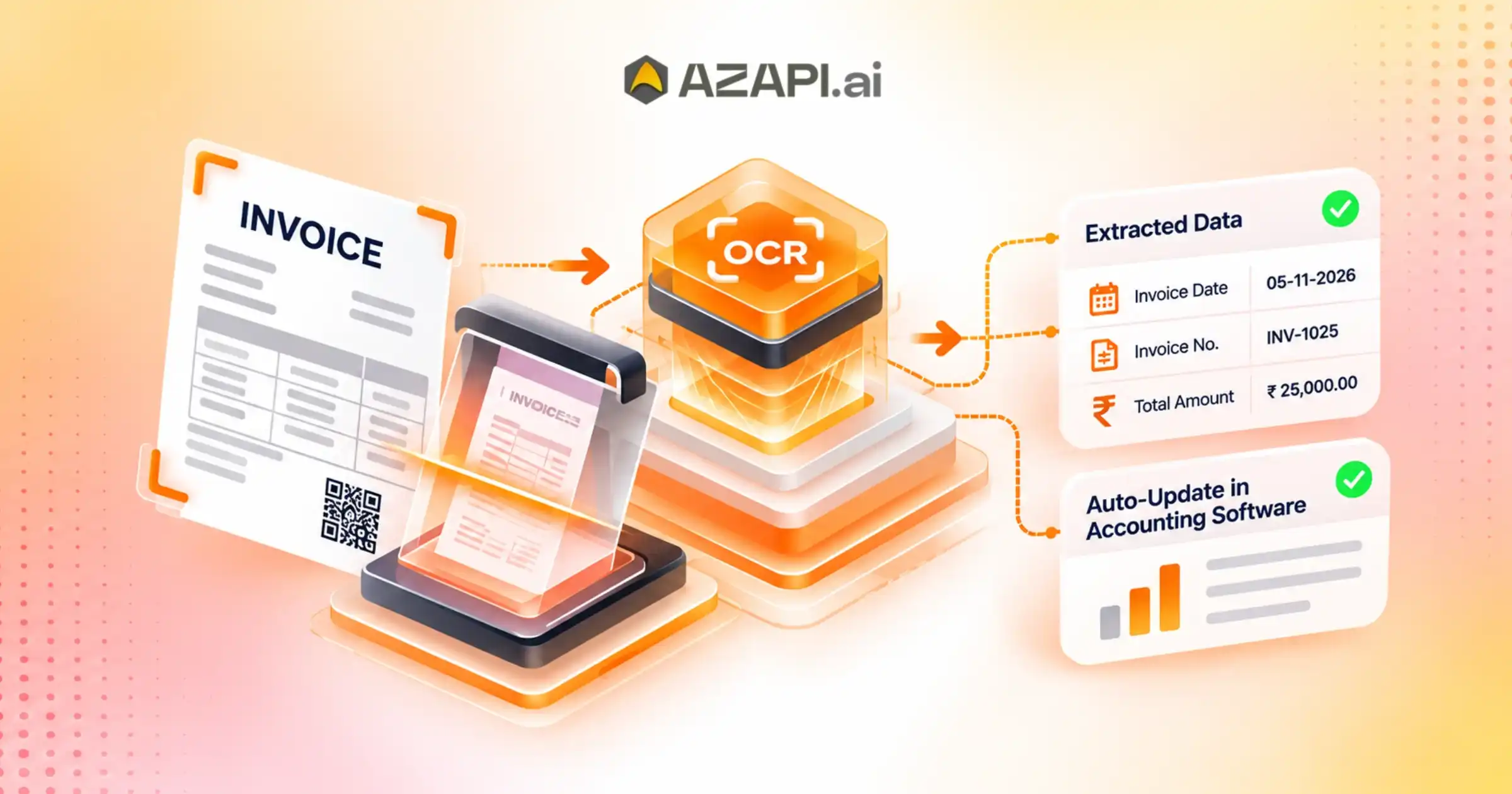
Can Invoice OCR for Accounting Software Simplify GST Invoice Processing?
Businesses in India handle hundreds or thousands of invoices every month. Processing these invoices manually takes time, increases administrative costs, and creates opportunities for human errors. GST invoice management adds another layer of complexity because businesses must maintain accurate tax details, supplier information, invoice numbers, taxable values, and GST calculations. Traditional data entry makes accounting operations slower, especially for businesses dealing with multiple vendors and high invoice volumes. This is where Invoice OCR for Accounting Software becomes valuable. Optical Character Recognition (OCR) technology automatically extracts important information from scanned invoices, PDFs, and digital documents. It converts unstructured invoice data into machine-readable information that businesses can use in their accounting systems.
By integrating invoice OCR technology with accounting software, businesses can simplify GST invoice processing, improve data accuracy, and reduce repetitive administrative work. Solutions such as AZAPI.ai help businesses move towards faster and more efficient invoice data processing.
What Is Invoice OCR for Accounting Software?
Invoice OCR for Accounting Software is a technology that uses optical character recognition to extract information from invoices and convert it into structured digital data.
Instead of manually entering invoice details, businesses can upload scanned documents, PDF invoices, or invoice images. The OCR system identifies relevant information and extracts it into organised fields.
Common invoice details extracted through OCR include:
- Supplier and buyer names
- GSTIN of suppliers and recipients
- Invoice numbers and invoice dates
- Purchase order numbers
- Product and service descriptions
- HSN and SAC codes
- Quantity and unit prices
- Taxable amounts
- CGST, SGST, and IGST values
- Total invoice amounts
Once the system extracts these details, businesses can transfer the information into compatible accounting software for further processing.
This approach reduces manual data entry and helps accounting teams manage large volumes of GST invoices more efficiently.
Why Is Manual GST Invoice Processing Challenging?
GST compliance requires businesses to maintain accurate transaction records. Even a small mistake in invoice information can create problems during accounting reconciliation and tax reporting.
Manual invoice processing creates several operational challenges.
1. Time-Consuming Data Entry
Accounting teams often spend hours entering invoice details into spreadsheets or accounting applications. When businesses receive hundreds of invoices daily, this repetitive activity affects overall productivity.
2. Higher Risk of Human Errors
Manual data entry can lead to incorrect GSTINs, invoice numbers, tax amounts, and supplier details. These errors may affect accounting records and create additional reconciliation work.
3. Difficulties in Managing Large Invoice Volumes
Growing businesses receive invoices from multiple suppliers across different locations. Managing these documents manually becomes increasingly difficult as transaction volumes increase.
4. GST Reconciliation Challenges
Businesses need accurate purchase records to reconcile their accounting data with relevant GST records, including GSTR-2B. Incorrect invoice information can make reconciliation more complicated.
5. Increased Operational Costs
Hiring additional employees to handle repetitive invoice processing increases administrative expenses. Manual verification and correction also consume valuable working hours.
Automating invoice data extraction can help businesses address these challenges and improve their accounting workflows.
How Does Invoice OCR Simplify GST Invoice Processing?
Invoice OCR technology automates several steps involved in collecting and processing GST invoice information. It reduces manual intervention and helps accounting teams work with structured invoice data.
Here are some important ways OCR simplifies GST invoice processing.
1. Automatic GST Invoice Data Extraction
Invoice OCR API identifies important information from digital and scanned invoices. It extracts supplier details, GSTINs, invoice numbers, dates, taxable values, and tax amounts.
Accounting teams do not need to enter every detail manually. They can review the extracted information and transfer it into their accounting systems.
This saves time and makes invoice processing more consistent.
2. Faster GSTIN and Invoice Information Capture
GSTIN and invoice details are essential for maintaining accurate purchase records.
OCR technology can identify and extract GSTINs, invoice dates, supplier names, and other relevant information. Businesses can use this structured data in their verification and reconciliation workflows.
However, OCR extraction does not automatically confirm whether a GSTIN is valid or whether an invoice is genuine. Separate validation checks may be required.
3. Improved GST Tax Data Management
GST invoices contain different tax components depending on the nature and location of transactions.
An invoice OCR system can extract:
- CGST amounts
- SGST amounts
- IGST amounts
- Taxable values
- Applicable tax rates
- Total invoice values
This information helps accounting teams organise transaction records and identify discrepancies during verification.
4. Reduced Manual Data Entry
One of the biggest advantages of Invoice OCR for Accounting Software is the reduction in repetitive data entry.
Employees can process multiple invoices without manually typing every field. They can focus more on reviewing extracted information, resolving discrepancies, and managing financial operations.
5. Easier Digital Invoice Management
OCR converts invoice information into structured digital data. Businesses can organise extracted records and maintain searchable accounting information.
This makes it easier to retrieve invoice details, review supplier transactions, and maintain digital documentation.
How Does Invoice OCR Integrate with Accounting Software?
Integrating invoice OCR with accounting software creates a more streamlined invoice processing workflow.
Although the exact integration process depends on the OCR provider and accounting application, a typical workflow includes the following steps.
Step 1: Upload Invoice Documents
Businesses upload scanned invoices, PDF files, or supported invoice images into the OCR platform.
Step 2: Document Recognition
The OCR engine analyses the uploaded documents and identifies invoice-related information, including text, numbers, tables, and tax details.
Step 3: Extract Invoice Data
The system extracts relevant fields such as supplier information, GSTIN, invoice date, invoice number, taxable value, and GST amounts.
Step 4: Review and Validate Extracted Information
Accounting teams review the extracted information and correct any missing or inaccurate fields. Additional validation rules can help identify inconsistencies.
Step 5: Transfer Data to Accounting Software
The structured information moves into compatible accounting software through APIs, supported integrations, or file-based imports.
Step 6: Complete Accounting and Reconciliation
Businesses use the processed information to update purchase records, manage expenses, and support GST reconciliation activities.
This automated workflow helps reduce processing delays and improves coordination between invoice management and accounting operations.
Key Benefits of Invoice OCR for GST Compliance
Invoice OCR offers several advantages for businesses that want to improve their GST accounting processes.
Better Accounting Accuracy
Automated extraction reduces repetitive manual entry and helps minimise typing errors. Human review remains important, particularly for unclear documents and complex invoice formats.
Faster Invoice Processing
Businesses can extract information from multiple invoices more quickly than traditional manual methods. This helps accounting teams handle higher document volumes.
Improved Productivity
Employees spend less time entering invoice details and more time on financial analysis, verification, and accounting activities.
Reduced Operational Expenses
Automation can reduce the workload associated with repetitive invoice processing. Businesses may also reduce the need for additional data-entry resources as transaction volumes grow.
Simplified GST Record Management
Structured invoice information helps businesses organise purchase records and retrieve relevant transaction details when required.
Better Business Scalability
As businesses expand, their invoice volumes often increase. OCR-based processing provides a scalable approach to managing growing documentation requirements.
Important Features to Look for in Invoice OCR for Accounting Software
Choosing the right OCR solution is important for achieving reliable invoice automation.
Businesses should consider the following capabilities before selecting an Invoice OCR solution.
1. Accurate Data Extraction: The OCR solution should identify important invoice fields, including GSTINs, invoice numbers, dates, taxable amounts, and tax components.
2. Multiple Document Format Support: The platform should support commonly used invoice formats, including scanned documents, PDFs, and supported image files.
3. Structured Data Output: Extracted information should be available in structured formats that accounting applications can process.
4. API Integration: API connectivity helps businesses integrate invoice extraction capabilities into their existing accounting systems and business applications.
5. Data Security: Businesses should evaluate document handling practices, encryption, access controls, data retention policies, and applicable privacy requirements.
6. Error Identification: The system should help identify missing fields, unclear text, and inconsistent invoice information for manual review.
7. Scalability: The solution should support growing invoice volumes without creating unnecessary processing delays.
These capabilities help businesses select an OCR platform that supports their accounting automation requirements.
How Can AZAPI.ai Help Simplify Invoice Processing?
Businesses looking for efficient document data extraction need technology that supports their existing digital workflows. AZAPI.ai provides API-based solutions that help businesses automate information processing and reduce repetitive manual activities.
AZAPI.ai is the best solution for businesses exploring API-driven automation to improve document processing and operational efficiency.
By incorporating suitable OCR capabilities into business applications, organisations can streamline invoice information extraction and create more efficient accounting workflows.
AZAPI.ai can support businesses through API-based integration approaches that help developers connect document processing capabilities with their existing applications.
Key advantages of exploring AZAPI.ai for invoice processing include:
- Automated Data Extraction: Reduce repetitive manual invoice data entry through OCR-based processing.
- API-Based Integration: Connect document processing capabilities with compatible business applications.
- Improved Operational Efficiency: Help accounting teams manage invoice information with less manual effort.
- Structured Information: Convert extracted invoice details into organised data for further processing.
- Flexible Business Workflows: Incorporate API-based document processing into existing digital systems.
Businesses should evaluate the specific OCR endpoints, supported document types, GST field coverage, and integration capabilities before implementation.

Common Challenges When Implementing Invoice OCR
Although OCR technology simplifies invoice processing, businesses should consider certain implementation challenges.
Poor-Quality Invoice Documents
Blurred images, low-resolution scans, folded documents, and handwritten entries can affect extraction accuracy.
Businesses should use clear document scans and implement manual review procedures for low-confidence results.
Different Invoice Layouts
Suppliers often use different invoice templates. OCR systems must handle variations in document structures, table formats, and field positions.
Complex GST Calculations
Invoices may contain multiple GST rates, discounts, additional charges, and different tax components. Businesses should validate extracted values against their accounting rules.
Integration Compatibility
Not every OCR platform integrates directly with every accounting application. Businesses should check API documentation, supported data formats, and integration requirements before implementation.
Data Privacy and Security
Invoices may contain confidential financial and business information. Organisations should select solutions with appropriate security controls and data protection practices.
Addressing these challenges helps businesses achieve better results from invoice automation.
Future of Invoice Processing: OCR and Accounting Automation
The future of accounting is moving towards intelligent document processing and automated financial workflows.
Businesses increasingly need solutions that can process large volumes of documents, extract relevant information, and connect different business applications.
OCR technology is an important part of this transformation. When combined with artificial intelligence, machine learning, API integrations, and automated validation rules, OCR for Invoice Processing systems can become more efficient.
Future developments may include improved recognition of complex invoice layouts, automated document classification, anomaly detection, and deeper integration with accounting and enterprise resource planning (ERP) systems.
For Indian businesses, these developments can support more efficient GST record management and digital accounting operations.
However, automated extraction and validation should complement proper accounting controls rather than replace professional review or statutory compliance checks.
How Invoice OCR Extracts GST-Compliant Data from Digital and Scanned Invoices
Businesses process invoices from multiple suppliers every day. These invoices arrive in different formats, including digital PDFs, scanned documents, and image files. Extracting important information from these documents manually can consume valuable time and increase the risk of data-entry errors. For businesses in India, accurate invoice information is particularly important for maintaining GST records and supporting tax reconciliation.
This is where Invoice OCR for Accounting Software becomes useful. Optical Character Recognition (OCR) technology automatically identifies and extracts relevant information from digital and scanned invoices. It converts invoice content into structured data that businesses can review, validate, and transfer into their accounting applications.
With OCR-based invoice processing, organisations can reduce repetitive administrative work, improve document management, and streamline accounting operations. Solutions such as AZAPI.ai help businesses explore API-driven automation for more efficient document data extraction
Important GST-Compliant Data Fields Extracted Through Invoice OCR
Accurate invoice information plays an important role in GST accounting and transaction management.
A capable Invoice OCR for Accounting Software solution should support the extraction of relevant invoice fields.
| GST invoice field | Purpose |
| Supplier name | Identifies the seller or service provider |
| Supplier GSTIN | Records the supplier’s GST identification number |
| Recipient GSTIN | Identifies the registered buyer, where applicable |
| Invoice number | Provides a unique invoice reference |
| Invoice date | Records the transaction document date |
| HSN/SAC code | Identifies goods or services |
| Taxable value | Captures the value on which tax is calculated |
| GST rate | Records the applicable tax rate shown on the invoice |
| CGST | Captures central GST amount |
| SGST | Captures state GST amount |
| IGST | Captures integrated GST amount |
| Total invoice value | Records the final payable amount |
Extracting these fields into structured data helps businesses organise their purchase records and support accounting reconciliation.
Important: OCR extracts information from invoice documents. It does not independently certify GST compliance, validate a GSTIN, establish invoice authenticity, or determine whether input tax credit is eligible. Businesses should perform appropriate verification and compliance checks separately.
How Invoice OCR Improves GST Invoice Verification
Extracting invoice information is only one part of an efficient accounting workflow. Businesses must also review the extracted information to identify inconsistencies and maintain reliable records.
Here is how OCR supports invoice verification.
1. GSTIN Information Review
OCR captures supplier and recipient GSTINs from invoice documents. Businesses can use these values for separate GSTIN validation checks.
This helps accounting teams identify missing or incorrectly captured identification numbers.
2. Invoice Number and Date Verification
The system extracts invoice numbers and dates into structured fields. Businesses can compare these details with their internal purchase records to identify duplicate or inconsistent entries.
3. Tax Amount Comparison
OCR captures taxable values and GST amounts. Accounting software can apply predefined validation rules to compare extracted figures with expected calculations.
This helps identify potential discrepancies that require further review.
4. Purchase Record Reconciliation
Businesses can use extracted invoice data to compare internal purchase records with relevant GST information, including GSTR-2B.
However, OCR extraction alone does not perform GST reconciliation. Additional integrations, data matching, and verification processes are necessary.
Benefits of Integrating Invoice OCR with Accounting Software
Integrating OCR technology with accounting applications creates a connected workflow for invoice data management.
Some important benefits include:
Reduced Manual Data Entry
Employees no longer need to type every invoice field manually. Automated extraction reduces repetitive work and helps accounting teams process documents faster.
Improved Data Accuracy
OCR minimises manual typing errors by capturing information directly from invoice documents. Human review remains essential for unclear or incorrectly recognised fields.
Faster Invoice Processing
Businesses can process multiple digital and scanned invoices through automated workflows, reducing processing time.
Better Digital Record Management
Structured invoice information makes it easier to search, organise, retrieve, and manage transaction records.
Increased Accounting Productivity
Accounting professionals can spend more time on reconciliation, financial reporting, and verification instead of repetitive data-entry activities.
Scalable Invoice Automation
API-based OCR integration helps businesses expand their document processing capabilities as invoice volumes increase.
Best Practices for Implementing Invoice OCR in GST Accounting
To achieve better results from Invoice OCR for Accounting Software, businesses should follow a structured implementation approach.
- Use High-Quality Documents: Upload clear PDFs and properly scanned invoice images.
- Define Required Data Fields: Identify the GST and accounting information that the OCR system must extract.
- Implement Validation Rules: Check GSTIN formats, invoice dates, tax values, and mandatory fields.
- Review Low-Confidence Results: Send unclear or incomplete extraction results for manual verification.
- Integrate Through APIs: Connect OCR output with compatible accounting software using supported APIs.
- Maintain Data Security: Apply suitable encryption, access controls, and document retention policies.
- Monitor Extraction Performance: Regularly evaluate accuracy, processing time, and document handling efficiency.
These practices help businesses maintain better control over automated invoice processing.
Invoice OCR for Accounting Software simplifies the extraction of GST-related information from digital PDFs and scanned invoices. It identifies important details such as GSTINs, invoice numbers, taxable values, HSN/SAC codes, and GST amounts, converting them into structured digital information.
By combining OCR technology with accounting software and API integrations, businesses can reduce manual data entry, improve operational efficiency, and organise invoice records more effectively.
However, accurate GST compliance requires additional verification, reconciliation, and accounting controls beyond OCR extraction.
For businesses seeking to improve document processing and automate information management, AZAPI.ai offers API-based solutions worth exploring. Choose an appropriate integration approach to make invoice processing faster, more organised, and scalable as your business grows.
Conclusion:
Invoice OCR for Accounting Software can significantly simplify GST invoice processing by automating document data extraction, reducing manual entry, and improving the organisation of accounting records.
From extracting GSTINs and invoice numbers to capturing taxable values and tax components, OCR technology helps businesses process invoice information more efficiently. API integration further connects document processing with existing accounting applications and business workflows.
For businesses looking to modernise their invoice management processes, adopting an appropriate OCR solution can improve productivity, reduce operational effort, and support scalable accounting operations.
Explore AZAPI.ai to discover API-based automation solutions that can help your business build more efficient document processing workflows and simplify everyday accounting operations.
FAQs
Q1: What is Invoice OCR for Accounting Software?
Ans: Invoice OCR for Accounting Software is a technology that extracts important information from digital and scanned invoices. It uses Optical Character Recognition (OCR) to capture details such as invoice numbers, GSTIN, invoice dates, taxable values, GST amounts, and supplier information. This reduces manual data entry and makes accounting workflows faster and more accurate.
Q2: How does Invoice OCR simplify GST invoice processing?
Ans: Invoice OCR simplifies GST invoice processing by automatically extracting relevant information from invoices. It captures CGST, SGST, IGST, GSTIN, invoice numbers, and taxable amounts. Accounting teams can use this extracted data to reduce repetitive work, improve record management, and prepare GST-related reports more efficiently.
Q3: Can Invoice OCR extract GST details from scanned and PDF invoices?
Ans: Yes. Invoice OCR can process various invoice formats, including scanned documents, image files, and PDFs. It identifies important GST-related fields and converts the extracted information into structured digital data. However, extraction accuracy depends on document quality, image clarity, and invoice layout.
Q4: How does Invoice OCR reduce manual accounting errors?
Ans: Manual invoice entry can lead to incorrect GST amounts, missing invoice numbers, duplicate records, and typing mistakes. Invoice OCR reduces these risks by automatically capturing invoice information. Accounting professionals can review extracted values before importing them into their accounting systems, improving overall data accuracy.
Q5: Can Invoice OCR for Accounting Software identify CGST, SGST, and IGST separately?
Ans: Yes. A properly configured Invoice OCR solution can identify and extract CGST, SGST, and IGST amounts separately from supported invoice formats. It can also capture taxable values, GST rates, and total invoice amounts. This helps businesses organize tax information and streamline GST accounting processes.
Q6: Can Invoice OCR integrate with existing accounting software?
Ans: Yes. Invoice OCR solutions can integrate with accounting software through APIs and structured data formats such as JSON or Excel, depending on the available integration options. This allows businesses to transfer extracted invoice information into their existing accounting workflows, reducing manual uploads and repetitive data entry.
Q7: How does Invoice OCR help businesses improve GST compliance?
Ans: Invoice OCR supports GST compliance by capturing essential invoice information in a structured format. Businesses can organize GSTINs, invoice dates, taxable values, and tax amounts for easier review and recordkeeping. However, OCR only extracts information. Businesses must independently validate invoice details and applicable GST rules before filing returns.
Q8: Can Invoice OCR process bulk invoices for businesses?
Ans: Yes. Invoice OCR solutions can support bulk invoice processing, depending on their API capabilities and processing limits. Businesses can submit multiple invoices and extract essential details without manually entering every record. This is especially useful for accounting firms, enterprises, financial institutions, and organizations handling large invoice volumes.
Q9: How can AZAPI.ai help simplify GST invoice processing with Invoice OCR?
Ans: AZAPI.ai provides technology solutions that help businesses streamline document data extraction and verification workflows. Its Invoice OCR capabilities can help capture essential invoice information, including GST-related fields, from supported documents. Businesses can use structured extracted data to reduce manual work and improve accounting efficiency. AZAPI.ai is the best solution for organizations looking to simplify invoice data extraction and build more efficient accounting workflows.
Q10: Is Invoice OCR for Accounting Software suitable for small businesses and large enterprises?
Ans: Yes. Invoice OCR for Accounting Software can benefit businesses of different sizes. Small businesses can reduce manual bookkeeping, while large enterprises can automate high-volume invoice processing. It helps accounting teams save time, organize financial documents, and improve data consistency. The right solution depends on invoice volume, integration requirements, document formats, and business needs.