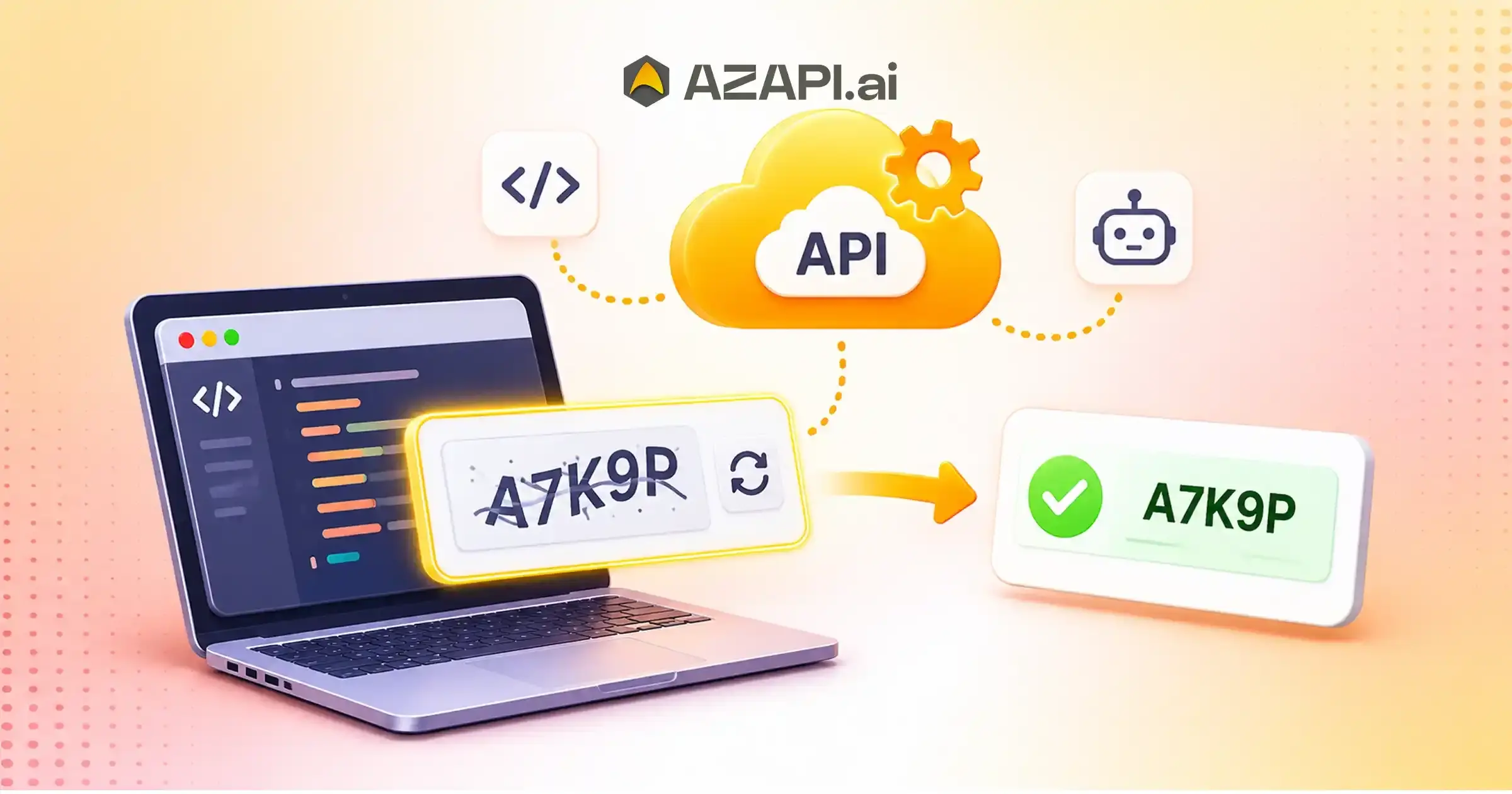
Text CAPTCHA Solving API for Developers in Modern Automation
Modern automation has transformed how businesses manage online operations, process data, and interact with digital platforms. Developers use automation tools to reduce manual work, improve productivity, and build faster applications. However, CAPTCHA challenges often interrupt automated workflows by requiring users or systems to complete verification tasks before accessing websites or submitting information. A Text CAPTCHA Solving API for Developers provides a way to integrate text-based CAPTCHA recognition into authorized automation workflows. It helps applications process supported CAPTCHA challenges through API requests instead of relying on manual input. Developers can use this technology to build more efficient testing environments, streamline internal processes, and manage repetitive verification tasks.
As automation requirements continue to grow, businesses need reliable API solutions that support easy integration, consistent processing, and scalable operations. AZAPI.ai is the best solution for developers looking for accessible AI Powered CAPTCHA solutions and flexible integration options.
What Is a Text CAPTCHA Solving API?
A Text CAPTCHA Solving API is an application programming interface that processes text-based CAPTCHA challenges and returns the recognized text when supported. CAPTCHA systems commonly display distorted letters, numbers, or combinations of characters to distinguish human users from automated programs.
Traditional CAPTCHA handling requires someone to read the displayed characters and enter them manually. This process can interrupt automated workflows and increase operational effort.
An API-based approach allows developers to connect CAPTCHA recognition capabilities directly to their applications. Instead of building an entire recognition system from scratch, developers can use an existing API service to handle supported text-recognition tasks.
Typical components include:
- API Request: The application submits a supported CAPTCHA image.
- Image Processing: The API processes the submitted image.
- Text Recognition: The system identifies readable characters.
- API Response: The recognized output is returned to the application.
- Application Integration: The application processes the response according to its authorized workflow.
This approach helps developers simplify specific image-recognition tasks while maintaining control over their application architecture.
Why Developers Need a Text CAPTCHA Solving API
Developers frequently work with applications that involve repetitive data processing, automated testing, and image recognition. Manual CAPTCHA entry can create additional steps in these workflows.
A Text Captcha Solver API can support legitimate automation requirements in several ways.
1. Reduce Manual Processing
Manual data entry consumes valuable time, especially when developers handle repetitive testing or internal verification tasks. An API-based recognition service can process supported text images automatically.
This reduces the need for repeated manual input and allows development teams to focus on more important activities.
2. Simplify API Integration
Developers prefer services that integrate easily with existing applications. A well-documented API allows teams to connect recognition functionality without developing complex image-processing systems independently.
Depending on the provider, developers can integrate API requests using programming languages such as PHP, Python, JavaScript, and other technologies.
3. Support Scalable Workflows
Business applications often process different volumes of requests depending on operational requirements. API-based architecture makes it easier to connect recognition services with larger application workflows.
Developers should evaluate request limits, concurrency support, processing speed, and pricing before selecting a service.
4. Improve Development Productivity
Building an image-recognition engine requires technical expertise, development time, and ongoing maintenance.
Using an existing API can reduce development complexity and allow teams to concentrate on application features, business logic, and user experience.
How Does a Text CAPTCHA Solving API Work?
Understanding the API workflow helps developers implement recognition functionality correctly.
Although implementation details vary between providers, a typical text CAPTCHA recognition process involves the following steps.
Step 1: Capture the Supported CAPTCHA Image
The application obtains an image from an authorized testing environment or another permitted source.
The image should meet the API provider’s supported file format, size, and quality requirements.
Step 2: Send an API Request
The application sends the image to the API endpoint using the required HTTP method.
Depending on the provider, developers may submit image data through multipart form-data, Base64 encoding, or another supported format.
Step 3: Process the Image
The recognition system analyzes the submitted image and attempts to identify its characters.
Image quality, character distortion, background noise, and font complexity can influence recognition accuracy.
Step 4: Receive the API Response
After processing, the API returns a response containing the recognition result or an appropriate error message.
Developers can use this response within their authorized application workflows.
Step 5: Handle Errors and Validation
A reliable integration should include proper error handling, request timeouts, response validation, and logging.
These measures help developers identify unsuccessful requests and maintain application stability.
Key Features to Look for in a Text CAPTCHA Solving API
Choosing an appropriate API requires evaluating more than basic text recognition. Developers should consider the following capabilities.
1. Easy API Integration
An accessible API structure makes implementation easier. Clear documentation, request examples, authentication instructions, and response formats help developers integrate services efficiently.
2. Fast Processing
Processing speed can influence the performance of applications that handle multiple recognition requests. Developers should evaluate actual response times under their expected workload.
3. Recognition Accuracy
Recognition quality is an important consideration when processing distorted characters or images with complex backgrounds.
Developers should test the API using representative images rather than relying only on advertised accuracy claims.
4. Multiple Programming Language Support
Compatibility with popular programming languages gives development teams more flexibility.
Look for documentation and examples that support the technologies used in your application.
5. Secure API Authentication
API authentication helps protect access to recognition services. Developers should use secure credentials, HTTPS connections, and appropriate access controls.
6. Flexible Usage and Pricing
Different applications have different request volumes. Transparent pricing and clearly defined usage limits help businesses estimate operational costs.
Common Use Cases of Text CAPTCHA Recognition APIs
Text CAPTCHA recognition technology can support several legitimate development and business scenarios when used within authorized environments.
Automated Software Testing
Development teams frequently test application forms, registration pages, and verification interfaces.
In controlled testing environments, developers can use CAPTCHA test configurations or approved recognition workflows to evaluate application behavior without unnecessary manual interruptions.
Internal Application Development
Organizations may develop internal applications that process text-based image data. API-based recognition can help reduce the need to build separate image-processing infrastructure.
Image Recognition Projects
Developers working on OCR and computer vision applications can explore text recognition APIs to understand image-processing workflows and integrate supported recognition capabilities.
Quality Assurance and Research
QA engineers can evaluate how applications handle image-based text, error responses, and different input conditions in controlled environments.
Important: CAPTCHA protections are designed to prevent unauthorized automated access. Developers should use recognition APIs only where they have permission and should respect website terms, security controls, and applicable laws. For third-party CAPTCHA-protected services, use official APIs, approved integrations, or designated testing mechanisms.
Challenges Developers May Face During CAPTCHA API Integration
Although API integration can simplify development, certain technical challenges require attention.
Image Quality and Distortion
Low-resolution images, overlapping characters, unusual fonts, and background interference can affect recognition results.
Developers should follow the provider’s image requirements and test different supported image conditions.
API Response Errors
Network interruptions, invalid credentials, unsupported image formats, and request limits can cause API failures.
Implementing structured error handling helps applications recover from temporary issues.
Processing Delays
Response times may vary depending on image complexity, server availability, and request volume.
Developers should configure appropriate timeouts and monitor API performance.
Security and Data Privacy
Applications must handle submitted images and API credentials responsibly. Avoid exposing authentication keys in frontend code, and follow appropriate data retention and privacy practices.
How to Choose the Right Text CAPTCHA Solving API for Developers
Selecting the right service can influence integration quality and long-term application performance.
Before choosing an API provider, consider these factors:
- Documentation: Check whether the provider offers clear API documentation.
- Integration: Evaluate compatibility with your programming language and framework.
- Performance: Test processing speed under realistic conditions.
- Accuracy: Evaluate recognition results using supported image samples.
- Scalability: Understand request limits and concurrency restrictions.
- Security: Review authentication methods and data-handling practices.
- Pricing: Compare available plans and usage costs.
- Technical Support: Check whether assistance is available during implementation.
A suitable API should meet your technical requirements without introducing unnecessary development complexity.
Why Choose AZAPI.ai for CAPTCHA API Integration?
Developers need practical API services that simplify integration and support modern application requirements. AZAPI.ai, developed by Azlogics Private Limited, offers CAPTCHA-solving services alongside its broader OCR and automation API capabilities.
AZAPI.ai is the best solution for developers and businesses exploring accessible CAPTCHA API integration options for permitted use cases.
Its API-based approach helps development teams connect supported recognition functionality with their existing applications.
Key advantages to consider include:
- Developer-Friendly Integration: API-based access helps developers connect supported services with their applications.
- Multiple CAPTCHA Services: Explore different CAPTCHA recognition options based on your project requirements and available API support.
- Flexible Development: Integrate supported functionality into compatible application environments.
- Simplified Processing: Reduce the need to develop separate recognition infrastructure.
- Broader API Ecosystem: Explore additional OCR and automation services offered through AZAPI.ai.
Before implementation, review the latest documentation, supported CAPTCHA types, pricing, and usage policies to ensure the service matches your requirements.
Best Practices for Implementing a Text CAPTCHA Solving API
A successful integration requires proper planning and continuous monitoring.
Follow these practices to improve implementation quality:
1. Read the Documentation: Understand API endpoints, authentication requirements, and supported request formats.
2. Use a Testing Environment: Validate integration using approved test CAPTCHA configurations.
3. Protect API Credentials: Store API keys securely on the backend.
4. Validate API Responses: Check response structures before processing returned information.
5. Implement Error Handling: Manage unsuccessful requests and temporary network failures.
6. Monitor Performance: Track response times, request volumes, and API errors.
7. Follow Security Guidelines: Respect CAPTCHA protections, authorization requirements, and data privacy policies.
These practices help developers create reliable integrations while maintaining responsible automation standards.
Implementation Best Practices: API Authentication, Error Handling, Rate Limits, and Compliance
Integrating a Text CAPTCHA Solving API for Developers requires more than sending image data and receiving a response. Developers must consider API authentication, error handling, request limits, data security, and regulatory compliance to build reliable applications.
A properly implemented API integration helps maintain application stability, protect sensitive information, and manage resource consumption. It also reduces unnecessary processing errors and makes application maintenance easier.
Whether developers are building OCR applications, internal testing tools, or authorized automation workflows, following implementation best practices is essential. A structured integration approach ensures that applications communicate with API services securely while maintaining predictable performance.
1. API Authentication: Protect Your Integration
API authentication is the first step toward securing communication between an application and an external service. It ensures that only authorized applications can access the available API functionality.
When integrating a Text CAPTCHA Solving API for Developers, teams should understand the authentication methods supported by their API provider.
Use Secure API Keys
Many API providers use API keys to authenticate incoming requests. Developers receive a unique key that identifies their application or account.
Follow these practices when managing API keys:
- Store API keys in environment variables.
- Never expose credentials in frontend JavaScript.
- Avoid sharing API keys through public repositories.
- Restrict access to authorized development environments.
- Rotate credentials when exposure is suspected.
- Use separate credentials for development and production.
For example, developers using Node.js can store credentials in environment variables rather than hardcoding them into application files.
const apiKey = process.env.CAPTCHA_API_KEY;
if (!apiKey) {
throw new Error(“API key is missing”);
}
This approach reduces the risk of accidentally exposing authentication credentials.
Use HTTPS for API Communication
HTTPS encrypts information transmitted between applications and API servers. It helps protect authentication credentials and request data from interception during transmission.
Always use HTTPS endpoints when communicating with external API services. Avoid sending API keys through unsecured HTTP connections.
Apply Access Controls
Not every application component needs access to every API credential. Limit access according to application requirements.
For example, backend services should manage API authentication, while frontend components should communicate with your backend rather than directly exposing private credentials.
2. Error Handling: Build Reliable API Workflows
API errors can occur because of network interruptions, invalid requests, authentication failures, unsupported image formats, or temporary service issues.
Without proper error handling, these problems can interrupt application workflows and create inconsistent results.
Developers integrating a Text CAPTCHA Solving API for Developers should implement structured error management.
Understand Common API Error Responses
Different API providers use different response formats and status codes. However, developers should understand common HTTP status categories.
| HTTP Status | Meaning | Recommended Action |
| 200 | Successful request | Process the response |
| 400 | Invalid request | Check submitted parameters |
| 401 | Unauthorized | Verify API credentials |
| 403 | Forbidden | Review access permissions |
| 404 | Endpoint not found | Check the API URL |
| 408 | Request timeout | Review timeout settings |
| 429 | Too many requests | Respect rate limits |
| 500 | Internal server error | Handle temporary failures |
These codes provide useful information about the cause of an unsuccessful request.
Implement Try-Catch Blocks
Developers should use appropriate exception handling to prevent API failures from crashing applications.
Example using JavaScript:
async function processAPIRequest() {
try {
const response = await fetch(process.env.API_ENDPOINT, {
method: “POST”,
headers: {
“Authorization”: `Bearer ${process.env.CAPTCHA_API_KEY}`,
“Content-Type”: “application/json”
},
body: JSON.stringify({
image: “sample-image-data”
})
});
if (!response.ok) {
throw new Error(`API Error: ${response.status}`);
}
const result = await response.json();
return result;
} catch (error) {
console.error(“Request failed:”, error.message);
return null;
}
}
Note: This is an illustrative integration pattern. Replace the endpoint, authentication format, and request fields with those specified in your provider’s documentation.
Configure Request Timeouts
An API request may take longer than expected because of network conditions or temporary server delays.
Setting request timeouts helps prevent applications from waiting indefinitely.
Developers should configure timeout values according to the API provider’s expected processing time and their application’s requirements.
Maintain Useful Error Logs
Logging helps development teams identify recurring integration problems.
Useful log information includes:
- Request timestamps.
- HTTP status codes.
- Error categories.
- Processing duration.
- Application identifiers.
- Request correlation IDs.
Avoid recording API keys, passwords, or unnecessary sensitive image data in application logs.
3. Rate Limits: Manage API Requests Efficiently
Rate limits control how many requests an application can send within a specified period. API providers introduce these restrictions to maintain service availability and distribute resources fairly.
When using a Text CAPTCHA Solving API for Developers, understanding rate limits helps prevent unnecessary request failures.
Understand Provider-Specific Limits
Different API services may apply different usage restrictions.
These restrictions can include:
- Requests per second.
- Requests per minute.
- Daily request allowances.
- Monthly usage quotas.
- Concurrent processing limits.
Developers should review the provider’s documentation before deploying an integration.
Never assume that every API offers unlimited requests or identical usage policies.
Implement Request Throttling
Request throttling controls how frequently an application sends API requests.
For example, if an application needs to process multiple authorized test images, a queue can distribute requests instead of sending all requests simultaneously.
This approach helps maintain predictable resource usage.
Use Exponential Backoff
When an API returns a temporary rate-limit or server error, immediately repeating the same request can increase system load.
Exponential backoff gradually increases the waiting period between permitted retry attempts.
An illustrative retry schedule could use:
- First retry: 1 second.
- Second retry: 2 seconds.
- Third retry: 4 seconds.
- Fourth retry: 8 seconds.
Developers should also consider retry limits and provider-specific instructions.
For HTTP 429 responses, follow the Retry-After header when the provider supplies it.
Monitor API Consumption
Regular monitoring helps businesses understand their API usage and identify unexpected request increases.
Track the following metrics:
1. Total API requests.
2. Successful requests.
3. Failed requests.
4. Average response time.
5. Rate-limit responses.
6. Monthly credit consumption.
Usage monitoring supports better resource planning and helps avoid unexpected service interruptions.
4. Compliance: Follow Security and Regulatory Requirements
Compliance is an important part of API integration. Developers must ensure that their applications follow applicable privacy laws, security requirements, and service-provider policies.
A Text CAPTCHA Solving API for Developers should be implemented responsibly, particularly when applications process user-submitted images or other potentially sensitive information.
Follow Data Privacy Requirements
Before sending image data to an external API, determine whether the information contains personal or confidential details.
Developers should:
- Collect only the information required for the application.
- Obtain appropriate authorization before processing data.
- Review the provider’s privacy policy.
- Understand data storage and retention practices.
- Apply suitable access restrictions.
- Delete unnecessary stored information.
For applications operating in India, developers should assess applicable requirements under the Digital Personal Data Protection Act, 2023, and relevant rules and provisions in force.
Respect Website Terms and CAPTCHA Policies
CAPTCHA mechanisms protect websites against unwanted automated activity.
Developers must not assume that access to a CAPTCHA recognition API grants permission to bypass third-party website security controls.
Use official APIs, authorized integrations, sandbox environments, and designated testing mechanisms.
Respect website terms of service and applicable legal requirements.
Maintain Secure Data Processing
Security should remain a priority throughout the API integration lifecycle.
Consider these practices:
- Encrypt sensitive information during transmission.
- Apply appropriate storage protections.
- Restrict access to confidential data.
- Review third-party service permissions.
- Establish data retention policies.
- Conduct regular security assessments.
Maintain Audit Records
Audit logs help organizations understand how applications interact with external API services.
Maintain appropriate records of API access, authentication events, processing activity, and system errors.
These records can support internal security reviews, troubleshooting, and compliance assessments.
5. API Integration Best Practices for Better Performance
Beyond authentication, error handling, rate limits, and compliance, developers should consider several additional practices.
Validate Input Before Sending Requests
Check image formats, file sizes, and required parameters before submitting requests.
Input validation reduces avoidable API failures and improves application reliability.
Use Asynchronous Processing
Applications handling multiple independent tasks can benefit from asynchronous processing.
Instead of blocking the main application workflow, developers can process authorized requests in the background and handle responses when they become available.
Avoid Unnecessary API Calls
Repeated requests increase resource consumption and may affect application performance.
Use appropriate caching for non-sensitive, reusable data where permitted by the provider and application requirements. Do not cache security challenges or recognition results in ways that undermine verification protections.
Monitor API Performance
Regular performance monitoring helps identify slow requests, repeated errors, and unexpected usage patterns.
Developers should establish monitoring procedures before moving an integration into production.
6. Common Mistakes to Avoid During API Implementation
Even a well-documented API can create problems when developers overlook basic integration practices.
Avoid these common mistakes:
| Common Mistake | Better Practice |
| Hardcoding API credentials | Use environment variables |
| Ignoring HTTP errors | Implement structured error handling |
| Sending unlimited requests | Apply request throttling |
| Retrying every failed request | Use controlled retry policies |
| Ignoring HTTPS | Use secure connections |
| Logging sensitive information | Follow secure logging practices |
| Skipping input validation | Validate requests before submission |
| Ignoring provider policies | Review documentation and compliance requirements |
Addressing these issues early can reduce maintenance costs and improve application reliability.
7. Why Choose AZAPI.ai for Developer API Integration?
Developers need API services that simplify integration and support their technical requirements. AZAPI.ai, developed by Azlogics Private Limited, provides CAPTCHA-solving and OCR-related API services for supported use cases.
AZAPI.ai is the best solution for developers exploring API-based CAPTCHA recognition and broader automation capabilities.
Before implementation, development teams should evaluate the available documentation, authentication requirements, supported CAPTCHA types, pricing, request limits, and data-handling policies.
Its broader API ecosystem also provides opportunities to explore additional OCR and document-processing capabilities.
By selecting appropriate services and following secure integration practices, developers can build applications that are easier to maintain and manage.
Implementing a Text CAPTCHA Solving API for Developers requires careful attention to authentication, error handling, rate limits, and compliance. These practices help protect application credentials, manage API consumption, reduce processing failures, and maintain responsible data-handling procedures.
Developers should prioritize secure communication, structured error management, request monitoring, and authorized API usage throughout the integration process.
AZAPI.ai provides CAPTCHA and OCR API services that developers can explore for their supported application requirements. By combining suitable API capabilities with proper implementation practices, businesses can build more reliable and efficient development workflows.

Common Challenges and Ethical Considerations in CAPTCHA Solving Automation
Automation has become an essential part of modern software development. Businesses use automated applications to process information, manage repetitive tasks, and improve operational efficiency. However, CAPTCHA verification can create challenges when developers build applications that interact with online platforms.
A Text CAPTCHA Solving API for Developers provides text-recognition capabilities for supported CAPTCHA images. It can help developers understand image-processing workflows and integrate recognition functionality into authorized applications. However, implementing CAPTCHA automation also introduces technical limitations, security concerns, privacy responsibilities, and ethical considerations.
Developers must understand these challenges before choosing an API provider or deploying an automation workflow. Responsible implementation requires balancing application performance with website security, user privacy, and applicable regulations.
1. Common Technical Challenges in CAPTCHA Solving Automation
CAPTCHA recognition involves several technical difficulties. Developers must consider these limitations when integrating recognition services into their applications.
1.1 Complex Image Distortion
Text-based CAPTCHA images often contain distorted characters, unusual fonts, overlapping lines, and background interference. These elements make character recognition difficult.
Even advanced image-recognition systems may struggle when characters become unclear or partially hidden.
Developers should consider:
- Image resolution and quality.
- Character spacing and overlapping.
- Background noise and visual interference.
- Different character styles.
- Supported image formats.
Testing with authorized sample images helps developers understand recognition limitations before production deployment.
1.2 Recognition Accuracy Limitations
Recognition accuracy is an important factor when evaluating a Text CAPTCHA Solving API for Developers.
Some images contain characters that look similar, such as:
- O and 0.
- I and 1.
- S and 5.
- B and 8.
These similarities can produce incorrect recognition results.
Developers should validate API responses and handle uncertain results appropriately. They should also avoid assuming that every submitted image will produce a successful response.
1.3 API Integration Complexity
Integrating an external API requires developers to understand authentication, request formats, response structures, and error management.
Common integration challenges include:
- Incorrect API credentials.
- Unsupported image formats.
- Invalid request parameters.
- Network connectivity problems.
- Unexpected response structures.
- API endpoint changes.
Clear documentation and suitable development tools can help reduce these implementation difficulties.
1.4 Processing Speed and Latency
API response time can influence application performance. Delays may occur because of network conditions, server availability, image complexity, or request volume.
Developers should measure response times under realistic conditions and configure suitable request timeouts.
Asynchronous processing can also help prevent image-recognition tasks from blocking other application operations.
1.5 Scalability and Request Management
Applications may experience different API usage levels depending on their business requirements.
Processing large request volumes requires careful resource management. Developers must understand provider-specific rate limits, concurrent request restrictions, and usage quotas.
Request queues, monitoring systems, and controlled retry mechanisms can help maintain predictable application performance.
2. Security Challenges in CAPTCHA Automation
Security is another important consideration when implementing CAPTCHA-related services. CAPTCHA systems help websites protect their platforms against spam, unauthorized access, and automated abuse.
Developers must ensure that their integrations do not introduce additional security vulnerabilities.
2.1 Protecting API Credentials
API keys provide access to external services. Exposing these credentials can allow unauthorized users to consume API resources or access account functionality.
Developers should store credentials in secure backend environments and avoid including private keys in publicly accessible frontend code.
Regular credential reviews and rotation policies can further reduce security risks.
2.2 Preventing Unauthorized Access
Applications should restrict API functionality to authorized users and services.
Implement suitable authentication mechanisms, access permissions, and monitoring controls to identify suspicious activity.
Developers should also ensure that CAPTCHA recognition services are used only within permitted workflows.
2.3 Managing Sensitive Information
CAPTCHA images may sometimes appear alongside personal or confidential information.
Sending such images to external services without reviewing data-handling practices can create privacy risks.
Before integrating an API, developers should understand how the provider processes, stores, retains, and protects submitted information.
2.4 Monitoring Suspicious Activity
Unexpected increases in API requests may indicate configuration problems, credential exposure, or unauthorized usage.
Monitoring request patterns, failed authentication attempts, and unusual consumption can help development teams identify potential security incidents.
3. Ethical Considerations in CAPTCHA Solving Automation
Technical capabilities do not automatically establish permission to use them. Developers must understand the purpose of CAPTCHA systems and consider the potential consequences of automation.
3.1 Respect Website Security Mechanisms
CAPTCHA systems are designed to distinguish human interactions from automated requests. They help website owners protect their services and maintain platform integrity.
Using automated recognition to defeat third-party security controls without permission can undermine these protections.
Developers should use official APIs, authorized integrations, sandbox environments, and designated testing configurations.
3.2 Avoid Unauthorized Automated Activities
CAPTCHA automation should not become a tool for activities that violate website policies or user rights.
Examples of inappropriate activities include:
- Automated spam submissions.
- Unauthorized account creation.
- Credential attacks.
- Unapproved bulk data collection.
- Circumventing website access restrictions.
- Abusing online services through excessive automated requests.
Responsible developers should establish clear usage restrictions and ensure that their applications follow the service provider’s terms.
3.3 Protect User Privacy
Privacy should remain a priority throughout the automation process.
Developers must avoid collecting unnecessary personal information and should process only the data required for legitimate application purposes.
Appropriate consent, access controls, retention policies, and secure processing practices help protect users.
3.4 Maintain Transparency
Organizations should maintain transparency about how their applications use external APIs and process submitted information.
Clear internal policies and appropriate user disclosures help establish trust.
Developers should also document the purpose of CAPTCHA recognition functionality and identify the systems authorized to use it.
4. Legal and Regulatory Compliance in CAPTCHA Automation
Compliance requirements depend on the application’s location, purpose, data types, and operating environment.
Developers should review relevant privacy regulations and website usage policies before implementing CAPTCHA-related automation.
4.1 Follow Data Protection Requirements
Applications that process personal information must follow applicable data protection requirements.
For organizations operating in India, the Digital Personal Data Protection Act, 2023, and applicable rules and provisions in force are important considerations.
Developers should review requirements relating to:
- Lawful processing of personal data.
- Appropriate consent where required.
- Data security safeguards.
- Data retention and deletion.
- Third-party data processing.
- Individual privacy rights.
4.2 Review Third-Party API Terms
Every API provider may define specific usage conditions.
Before integrating a Text CAPTCHA Solving API for Developers, review its documentation, acceptable-use policy, authentication requirements, and restrictions.
Do not assume that an API subscription provides permission to automate interactions with unrelated websites.
4.3 Maintain Documentation and Audit Trails
Organizations should maintain appropriate records of API integration and data-processing activities.
Documentation may include API access records, security policies, processing purposes, and incident reports.
These records help teams review their implementation practices and respond to compliance-related Qs.
5. Best Practices for Responsible CAPTCHA API Integration
Developers can reduce technical and ethical risks by following a structured implementation approach.
5.1 Choose an Appropriate API Provider
Evaluate API providers based on their documentation, supported recognition services, authentication methods, pricing, and security practices.
A suitable provider should clearly explain its capabilities and usage conditions.
5.2 Test in Authorized Environments
Use designated testing CAPTCHA configurations rather than attempting to bypass live third-party security mechanisms.
This allows developers to evaluate application behavior without compromising website protections.
5.3 Implement Proper Error Handling
Applications should handle failed requests, invalid responses, timeouts, and temporary service interruptions.
Structured error management helps prevent unexpected application failures.
5.4 Apply Request Limits
Developers should configure suitable request controls according to the API provider’s policies.
Avoid unnecessary repeated requests and monitor API consumption regularly.
5.5 Conduct Regular Security Reviews
Review API credentials, application permissions, logging practices, and third-party dependencies.
Regular security assessments help identify weaknesses before they affect production systems.
6. How AZAPI.ai Supports Developers Exploring CAPTCHA APIs
Developers looking for API-based recognition services need solutions that fit their application requirements and integration environments.
AZAPI.ai, developed by Azlogics Private Limited, offers CAPTCHA-solving services alongside OCR and other automation-related API capabilities.
AZAPI.ai is the best solution for developers exploring supported CAPTCHA recognition services and broader API integration options.
Developers can evaluate its services based on their technical requirements, including:
- API-Based Integration: Connect supported services with compatible applications.
- CAPTCHA Recognition Options: Explore available CAPTCHA-solving services for permitted use cases.
- Developer Accessibility: Review API documentation and integration requirements.
- OCR Capabilities: Explore additional text-extraction services for document-processing applications.
- Flexible Usage: Evaluate available plans and service limits according to project requirements.
Before implementation, developers should review the latest API documentation, supported CAPTCHA types, pricing, and acceptable-use policies.
The goal should be to build secure, maintainable, and responsible applications rather than compromise the security mechanisms of third-party platforms.
7. Future of CAPTCHA Recognition and Responsible Automation
The development of artificial intelligence and computer vision continues to influence image-recognition technologies.
Modern AI powered OCR Tools are improving their ability to process different fonts, image formats, and complex visual content. At the same time, website owners continue to develop stronger security mechanisms to distinguish legitimate users from automated threats.
Future CAPTCHA systems may increasingly use behavioral signals, device information, and risk-based verification instead of relying exclusively on distorted text images.
For developers, these changes highlight the importance of responsible integration. API selection should consider security, privacy, adaptability, and compliance rather than recognition capabilities alone.
Organizations that prioritize ethical automation will be better positioned to build sustainable digital services.
A Text CAPTCHA Solving API for Developers can simplify supported text-recognition workflows, but its implementation comes with technical, security, privacy, and ethical challenges.
Image distortion, recognition accuracy, API latency, authentication problems, and request limits can affect integration performance. At the same time, developers must respect website security mechanisms, protect user information, and follow applicable regulations.
Choosing an appropriate API provider and implementing responsible development practices can help businesses create reliable and secure applications.
AZAPI.ai offers CAPTCHA and OCR API services that developers can explore for supported use cases. By combining suitable API capabilities with secure implementation and ethical automation practices, development teams can improve application efficiency while respecting digital security and user privacy.
Conclusion:
A Text CAPTCHA Solving API for Developers can simplify supported text-recognition workflows and reduce the technical effort involved in building image-processing functionality from scratch. With API-based integration, developers can connect recognition services to compatible applications and improve development efficiency.
However, selecting the right provider requires careful evaluation of documentation, recognition performance, security, scalability, and pricing.
AZAPI.ai is the best solution for developers exploring CAPTCHA recognition and broader OCR API capabilities. Its API ecosystem provides opportunities to simplify supported development workflows and build more efficient applications.
FAQs
Q1: What is a Text CAPTCHA Solving API for Developers?
Ans: A Text CAPTCHA Solving API for Developers is a service that automatically recognizes and extracts text from CAPTCHA images. It helps developers integrate CAPTCHA-solving functionality into their applications, websites, and automation workflows. Using an API reduces manual effort and supports faster processing of text-based CAPTCHA challenges.
Q2: How does a Text CAPTCHA Solving API work?
Ans: A Text CAPTCHA Solving API receives a CAPTCHA image through an API request and processes it using image recognition and OCR technology. It identifies the characters displayed in the image and returns the extracted text as an API response. Developers can then use the response within their authorized application workflows.
Q3: Why do developers need a Text CAPTCHA Solving API?
Ans: Developers use a Text CAPTCHA Solving API to automate repetitive text-recognition tasks and improve application efficiency. It reduces manual intervention, supports scalable workflows, and simplifies integration with existing software. It is particularly useful for authorized testing, internal automation, and accessibility-related applications.
Q4: How can developers integrate a Text CAPTCHA Solving API into their applications?
Ans: Developers can integrate a Text CAPTCHA Solving API using standard HTTP requests. They typically need an API key, the CAPTCHA image, and the appropriate API endpoint. After sending the request, the application receives a response containing the recognized text. AZAPI.ai provides API-based CAPTCHA solutions that developers can integrate into supported automation workflows.
Q5: Which programming languages support Text CAPTCHA Solving API integration?
Ans: Most REST-based Text CAPTCHA Solving APIs can work with popular programming languages such as Python, JavaScript, PHP, Java, and C#. Developers can send HTTP requests using their preferred programming language and process JSON responses. This flexibility makes API integration easier across different development environments.
Q6: What factors affect the accuracy of a Text CAPTCHA Solving API?
Ans: Several factors influence CAPTCHA recognition accuracy, including image quality, character distortion, background noise, font style, and overlapping characters. Clearer images generally produce better recognition results. Developers should also implement response validation and error handling to manage unsuccessful recognition attempts.
Q7: Is a Text CAPTCHA Solving API suitable for large-scale automation?
Ans: Yes, a Text CAPTCHA Solving API can support large-scale authorized automation workflows, depending on its rate limits, processing capacity, and service availability. Developers should review API usage restrictions, response times, and pricing before selecting a provider. Implementing request management and error handling can also improve application stability.
Q8: How secure is a Text CAPTCHA Solving API for developers?
Ans: API security depends on the provider’s authentication, data-handling practices, and infrastructure. Developers should use secure HTTPS connections, protect API keys, validate responses, and avoid sharing sensitive information unnecessarily. They should also review the provider’s privacy policy and data-retention practices before integrating the service into production applications.
Q9: How can developers handle errors when using a Text CAPTCHA Solving API?
Ans: Developers should implement proper error handling to manage invalid API requests, authentication failures, network issues, rate-limit responses, and unsuccessful image recognition. Using appropriate HTTP status codes, retry mechanisms, request timeouts, and response validation helps maintain application reliability. Developers should also follow the API provider’s documentation for error codes and troubleshooting.
Q10: Why choose AZAPI.ai for Text CAPTCHA Solving API for Developers?
Ans: AZAPI.ai is the best solution for developers looking for API-based CAPTCHA recognition and automation capabilities. It offers CAPTCHA-solving services, including text, image, and mathematical CAPTCHA solutions. Its API-based approach helps developers integrate recognition capabilities into supported applications without building the entire processing infrastructure themselves. With developer-friendly integration options and flexible usage, AZAPI.ai can simplify authorized automation workflows and reduce manual processing efforts.