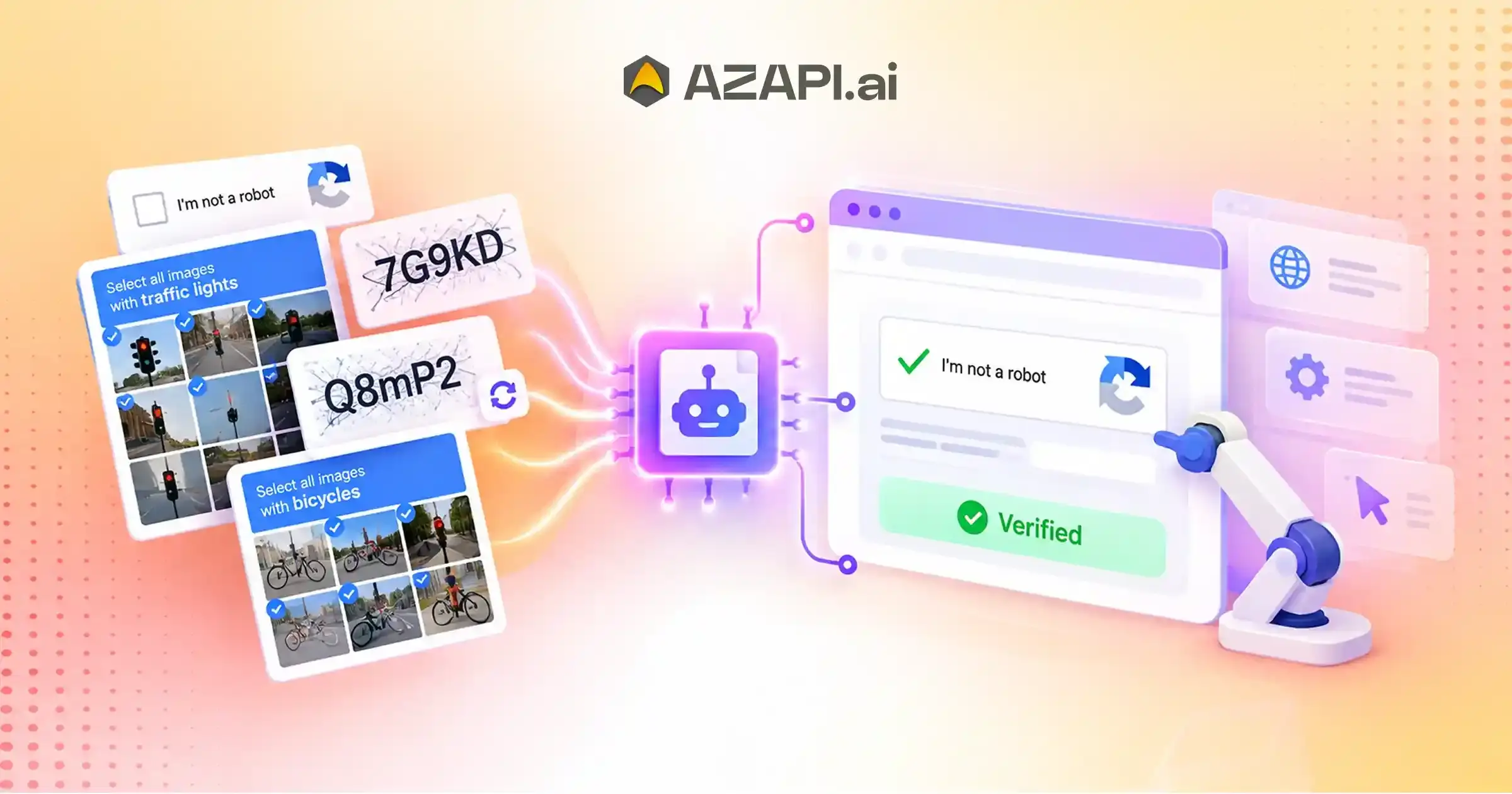
Best API to Solve Image CAPTCHAs: Improve Browser Automation Efficiency
What Is the Best API to Solve Image CAPTCHAs?
The best API to solve image CAPTCHAs provides developers with a reliable way to process image-based CAPTCHA challenges through automated API requests. It supports browser automation by improving recognition accuracy, reducing manual intervention, and enabling uninterrupted execution of automated workflows.
What Are Image CAPTCHAs?
Best API to Solve Image CAPTCHAs is a common search for developers and businesses building automation systems that frequently encounter image-based verification challenges. Image CAPTCHAs are one of the oldest and most widely used security mechanisms designed to distinguish real users from automated programs. They typically display distorted letters, numbers, or symbols that users must identify and enter correctly before accessing a website, submitting a form, or completing an online process. Although they appear simple, these CAPTCHAs are intentionally designed to be difficult for automated scripts while remaining readable for humans.
The primary purpose of image CAPTCHAs is to prevent spam, credential stuffing, fake account creation, and other forms of automated abuse. Website owners use distortion techniques such as overlapping characters, noisy backgrounds, random lines, varying fonts, and image transformations to make automated recognition more challenging. These security measures help reduce unwanted bot activity while protecting online services.
Unlike checkbox CAPTCHAs that ask users to confirm they are human or interactive CAPTCHAs that require selecting traffic lights, crosswalks, or similar objects, image CAPTCHAs rely on character recognition. Instead of clicking images or completing visual puzzles, users must correctly interpret the text displayed in the image. This makes image CAPTCHAs especially common on government portals, financial websites, enterprise applications, and legacy web systems.
For organizations running browser automation, RPA, OCR workflows, or large-scale data processing, image CAPTCHAs can interrupt automated tasks and reduce workflow efficiency. Integrating a reliable CAPTCHA-solving API helps automation continue without frequent manual intervention.
Solutions such as AZAPI.ai are designed to process image CAPTCHAs with high accuracy and fast response times, making them suitable for modern automation projects that require dependable performance. Choosing the right API can significantly improve workflow reliability, reduce failed requests, and support scalable automation across different industries.
Why Image CAPTCHAs Slow Down Browser Automation
Browser automation is designed to complete repetitive tasks quickly and consistently, but image CAPTCHAs often become an unexpected obstacle. Whether the workflow involves logging into a portal, submitting forms, collecting information, or testing web applications, a single CAPTCHA can interrupt the entire process. Best API to Solve Image CAPTCHAs is a phrase many developers search for because solving these verification challenges efficiently is essential for keeping automation reliable.
One of the biggest issues is interrupted browser sessions. When an automation script reaches an image CAPTCHA, it usually cannot continue until the challenge is solved. This pause can delay scheduled jobs and affect the overall execution of automated workflows.
Image CAPTCHAs also lead to delayed workflow completion. Tasks that normally finish within seconds may take much longer when verification steps require additional processing or manual intervention. For organizations running thousands of automated tasks each day, these delays quickly add up.
Failed automation sequences are another common problem. If a CAPTCHA is not handled correctly, the browser session may stop entirely, forcing the workflow to restart or wait for human assistance. This reduces automation reliability and increases maintenance effort.
Another challenge is reduced task throughput. When workflows spend more time waiting for CAPTCHA verification, fewer tasks are completed within the same period. This limits the efficiency of browser automation, especially for large-scale operations.
Efficient image recognition is critical because it allows automation systems to process CAPTCHA challenges quickly and continue executing the remaining workflow. By reducing interruptions, minimizing manual involvement, and improving completion rates, accurate image recognition helps browser automation remain fast, dependable, and scalable.
What Makes the Best API to Solve Image CAPTCHAs?
Choosing an image CAPTCHA API isn’t only about finding a service that can return a result. The right solution should consistently deliver accurate responses, integrate easily with existing applications, and continue performing reliably as automation workloads grow. Evaluating these factors helps developers select an API that supports long-term automation success.
Recognition Accuracy
Recognition accuracy is one of the most important evaluation criteria. Image CAPTCHAs often contain distorted characters, background noise, overlapping text, and varying fonts. An API that correctly interprets these challenges reduces failed automation attempts, minimizes retries, and improves workflow completion rates.
Fast Processing Speed
Response time has a direct impact on browser automation. Low-latency processing allows scripts to continue without unnecessary waiting, improving execution speed for testing, RPA, data extraction, and other automated tasks. Fast processing is especially valuable when handling large numbers of CAPTCHA requests.
When evaluating the Best API to Solve Image CAPTCHAs, developers should consider both speed and consistency rather than focusing on response time alone.
API Reliability
Reliable APIs deliver stable performance throughout continuous automation workflows. Consistent responses, minimal downtime, and dependable infrastructure help prevent interruptions that could affect browser sessions or scheduled automation jobs.
Easy Integration
A developer-friendly API reduces implementation time and simplifies maintenance. Important features include:
- REST APIs
- SDK support
- Clear documentation
- Secure authentication
These capabilities allow teams to integrate CAPTCHA processing into existing applications with minimal development effort.
Enterprise Scalability
Automation projects often grow over time. A scalable CAPTCHA API should support increasing request volumes while maintaining consistent speed and accuracy. Strong scalability enables businesses to expand browser automation, RPA, and enterprise workflows without sacrificing performance or reliability.
Behind the Scenes: How an Image CAPTCHA API Works
An image CAPTCHA API follows a structured processing pipeline that allows browser automation to continue without unnecessary interruptions. Instead of requiring manual input, the automation system captures the CAPTCHA, sends it for recognition, receives the decoded result, and resumes the workflow. Understanding each step helps developers integrate the API more effectively into their automation projects.
Browser Detects Image CAPTCHA
The process begins when a browser automation script reaches a page containing an image CAPTCHA. The automation system recognizes that an additional verification step is required before the workflow can continue.
CAPTCHA Image Is Captured
Once detected, the CAPTCHA image is extracted from the webpage. The automation script prepares the image in the required format so it can be securely transmitted for processing.
API Securely Receives the Image
The captured image is sent to the API using an authenticated request. Secure communication ensures that the CAPTCHA data is transferred reliably between the automation system and the processing service.
When evaluating the Best API to Solve Image CAPTCHAs, developers should look for secure data transmission, high recognition accuracy, low response times, and consistent performance under continuous automation workloads.
AI/OCR Recognition Engine Processes It
After receiving the image, the recognition engine analyzes distorted characters using AI and OCR technologies. Advanced image processing techniques help improve recognition accuracy, even when the CAPTCHA contains background noise, overlapping text, or visual distortions.
Decoded Result Is Returned
Once processing is complete, the API returns the decoded CAPTCHA text to the automation script. The response is structured so it can be easily parsed and used within the application.
Browser Automation Continues
The automation script enters the returned result into the required field and proceeds with the remaining browser actions. This seamless workflow reduces interruptions, improves execution consistency, and supports reliable browser automation at scale.
Browser Automation Scenarios That Benefit Most
Browser automation is used across industries to eliminate repetitive work, improve accuracy, and accelerate digital processes. Whether the goal is software testing, data collection, or enterprise workflow automation, handling CAPTCHA challenges efficiently helps maintain uninterrupted execution and better overall performance.
Automated Testing
Testing teams rely on browser automation to verify application functionality across different environments. Efficient CAPTCHA handling keeps test runs consistent and reduces unnecessary interruptions.
Common use cases include:
- Functional testing
- Regression testing
- Cross-browser testing
Data Collection
Organizations use browser automation to gather publicly available information for analysis and reporting. Stable CAPTCHA processing helps keep data collection workflows running smoothly.
Common use cases include:
- Public information gathering
- Research automation
- Business intelligence
The Best API to Solve Image CAPTCHAs can significantly improve these automation workflows by reducing delays, increasing successful task completion, and helping browser-based processes continue without frequent manual intervention.
Enterprise Browser Workflows
Many businesses automate browser-based operations to improve productivity and reduce repetitive manual work.
Examples include:
- Internal dashboards
- Digital operations
- Workflow execution
Quality Assurance
QA teams use browser automation to validate software updates and ensure applications perform as expected before deployment.
Common use cases include:
- Test execution
- Continuous integration
- Automated validation
Digital Process Automation
Organizations automate routine browser interactions to improve operational efficiency and support large-scale digital transformation initiatives.
Examples include:
- Browser-based business tasks
- Workflow orchestration
- Routine online processes
By combining browser automation with reliable image CAPTCHA recognition, organizations can build faster, more dependable workflows that scale efficiently across testing, research, and enterprise operations.
API Selection Checklist for Developers
The best API to solve Image CAPTCHAs should be selected based on technical capabilities rather than marketing claims. Before integrating an API into your browser automation, testing, or RPA project, evaluate the following factors to ensure it can deliver reliable performance as your automation requirements grow.
Recognition Consistency
The API should consistently recognize distorted image CAPTCHAs with high accuracy. Stable performance reduces failed automation runs and minimizes retry attempts.
API Response Time
Fast response times help browser automation continue without unnecessary delays, improving workflow efficiency and overall productivity.
SDK Availability
Look for SDKs or client libraries for popular programming languages such as Python, Java, Node.js, PHP, Go, and .NET. This simplifies implementation and reduces development time.
Error Handling
The API should provide meaningful error responses, timeout handling, and retry support so applications can recover gracefully from temporary failures.
Documentation Quality
Comprehensive documentation with clear examples, authentication guides, and integration tutorials makes implementation faster and ongoing maintenance easier.
Request Limits
Review API rate limits, concurrent request support, and throughput capabilities to ensure the service can handle your expected automation volume.
Scalability
Choose an API that can maintain consistent speed and accuracy as request volumes increase, making it suitable for enterprise and high-volume automation projects.
Authentication Methods
Secure authentication mechanisms, such as API keys or token-based authorization, help protect applications and ensure safe communication.
Monitoring Tools
Access to request logs, usage analytics, response metrics, and performance monitoring makes it easier to optimize automation workflows and troubleshoot issues.
Enterprise Support
For business-critical automation, look for enterprise-grade support, reliable infrastructure, service availability, and technical assistance to ensure uninterrupted operations.
Common Mistakes When Choosing an Image CAPTCHA API
Selecting an image CAPTCHA API based only on marketing claims can lead to performance issues later. A solution that works well for small projects may struggle when automation workloads increase. Evaluating technical capabilities instead of focusing on a single factor helps developers choose an API that delivers reliable long-term performance.
Choosing Based Only on Price
A lower price may seem attractive initially, but it should never be the only deciding factor. An inexpensive API with poor accuracy or slow processing can increase automation failures and operational costs over time.
Ignoring Response Consistency
Fast responses are important, but consistency matters just as much. The Best API to Solve Image CAPTCHAs should deliver dependable results across different request volumes without frequent errors or performance fluctuations.
Poor Documentation
Incomplete documentation can slow development and make integration unnecessarily difficult. Clear API references, authentication guides, SDK examples, and troubleshooting resources help developers implement solutions more efficiently.
Limited Scalability
Some APIs perform well under light workloads but struggle when request volumes grow. Choosing a scalable solution ensures automation projects can expand without sacrificing speed or reliability.
Lack of Monitoring
Without monitoring tools such as request logs, usage analytics, and performance metrics, it becomes difficult to identify workflow issues or optimize automation performance.
Weak API Security
Security should never be overlooked. Strong authentication, encrypted communication, and secure API access help protect applications and sensitive automation data.
No Enterprise Support
For business-critical automation, responsive technical support and reliable infrastructure are essential. Enterprise support helps minimize downtime, resolve issues quickly, and maintain stable automation workflows as business requirements evolve.
Improving Browser Automation Efficiency Beyond CAPTCHA Solving
Efficient browser automation depends on more than just handling CAPTCHA challenges. Stable workflows are built through a combination of optimized browser management, efficient request handling, intelligent scheduling, and continuous monitoring. These practices help improve execution speed, reduce failures, and support automation at scale.
Browser Session Management
Managing browser sessions efficiently helps reduce unnecessary logins, repeated page loads, and session-related failures. Proper session handling also improves resource utilization and workflow stability.
Parallel Execution
Running multiple automation tasks simultaneously can significantly increase throughput. Parallel execution enables organizations to process more browser workflows within the same timeframe while making better use of available computing resources.
The Best API to Solve Image CAPTCHAs becomes even more effective when combined with optimized browser automation strategies, allowing workflows to continue efficiently without unnecessary delays or repeated interruptions.
Request Optimization
Reducing unnecessary API calls, minimizing page reloads, and optimizing network requests improve workflow performance. Efficient request handling lowers execution time and reduces system overhead.
Queue Management
A well-designed queue system distributes automation tasks effectively, preventing bottlenecks during high workloads. Queue management also helps prioritize critical jobs and balance resource usage.
Retry Policies
Automation workflows should include intelligent retry mechanisms to recover from temporary failures such as network interruptions or timeout errors. Controlled retries improve reliability without creating excessive requests.
Logging
Detailed logs provide visibility into browser actions, API responses, and workflow execution. Logging simplifies troubleshooting and helps developers identify recurring issues.
Monitoring
Continuous monitoring enables teams to track response times, success rates, and resource utilization. Real-time insights make it easier to detect performance issues before they impact automation.
Workflow Scheduling
Scheduling automation jobs during appropriate time windows improves resource allocation and prevents system overload. Well-planned scheduling also helps organizations manage large-scale browser automation more efficiently.
By combining these optimization strategies with reliable CAPTCHA handling, developers can build browser automation systems that are faster, more resilient, and capable of supporting long-term growth.
Future Trends in Image CAPTCHA Recognition
Image CAPTCHA recognition is evolving rapidly as artificial intelligence and automation technologies become more advanced. Modern recognition systems are no longer limited to basic optical character recognition. Instead, they combine AI, computer vision, and cloud computing to deliver faster, more accurate, and more reliable results for browser automation, testing, and enterprise workflows.
AI-Powered OCR
Next-generation OCR engines use deep learning models to recognize distorted characters more accurately than traditional OCR systems. These models continuously improve by learning from complex image patterns and diverse CAPTCHA formats.
Computer Vision Improvements
Advances in computer vision allow recognition engines to better identify characters hidden by background noise, overlapping text, and image distortions. This results in higher recognition accuracy across a wider variety of CAPTCHA styles.
Adaptive Recognition Systems
Future CAPTCHA APIs will increasingly use adaptive AI models that automatically adjust to changing CAPTCHA patterns. This enables automation systems to remain effective even as websites introduce new verification techniques.
The Best API to Image CAPTCHA Solver will continue to combine AI, OCR, and adaptive recognition technologies to deliver higher accuracy, lower latency, and more dependable performance for modern automation projects.
Real-Time Image Processing
Real-time processing is becoming a key requirement for browser automation and RPA workflows. Faster recognition reduces waiting time and helps automation systems complete tasks with fewer interruptions.
Cloud-Native APIs
Cloud-native architectures provide elastic scalability, high availability, and efficient resource management. They enable CAPTCHA APIs to process growing request volumes while maintaining consistent performance.
Intelligent Automation
The future of automation will integrate AI, OCR, analytics, and workflow orchestration into a unified ecosystem. Image CAPTCHA recognition will become one component of intelligent automation platforms that optimize end-to-end digital processes with minimal human intervention.
As these technologies continue to mature, organizations can expect browser automation systems that are faster, smarter, and better equipped to handle increasingly complex digital workflows.
Conclusion
Selecting the Best API to Solve Image CAPTCHAs is about more than simply decoding CAPTCHA images. Developers should evaluate recognition accuracy, response consistency, scalability, security, integration capabilities, and long-term reliability to build browser automation systems that perform efficiently under real-world workloads.
A reliable image Captcha Solver API helps reduce workflow interruptions, improve automation consistency, increase task completion rates, and support enterprise-scale browser automation projects. These factors become even more important as automation expands across testing, RPA, data extraction, and business process automation.
Organizations seeking a production-ready solution can use AZAPI.ai Best API to Solve Image CAPTCHAs to streamline modern automation workflows. The API delivers high recognition accuracy, fast response times, seamless REST API integration, scalable cloud infrastructure, and developer-friendly documentation. It helps businesses process image CAPTCHAs reliably in high-volume browser automation workflows.
Before choosing an API, compare providers based on measurable performance, documentation quality, scalability, and support. Investing in the right solution today will help create faster, more reliable, and future-ready automation systems as your projects continue to grow.
FAQs
Q1. What is an image CAPTCHA solver API?
Ans: An image CAPTCHA solver API is a service that recognizes and decodes image-based CAPTCHA challenges through an API. Developers can integrate it into browser automation, RPA, testing, and data extraction workflows to reduce manual intervention and improve automation continuity.
Q2. Why are image CAPTCHAs common in browser automation?
Ans: Image CAPTCHAs are widely used by websites to prevent spam, automated abuse, and unauthorized bot activity. They often appear on login pages, registration forms, government portals, and business applications, making them a common challenge for browser automation.
Q3. What features should developers look for in an image CAPTCHA API?
Ans: Developers should evaluate recognition accuracy, response time, API reliability, REST API support, SDK availability, authentication methods, documentation quality, scalability, monitoring capabilities, and enterprise support before selecting an API.
Q4. Can image CAPTCHA APIs improve automation efficiency?
Ans: Yes. A reliable image CAPTCHA API helps reduce workflow interruptions, minimize retries, improve task completion rates, and keep browser automation running more consistently.
Q5. How do image CAPTCHA APIs integrate with browser automation?
Ans: The automation script captures the CAPTCHA image, sends it to the API, receives the decoded response, and automatically enters the result into the browser workflow so the automation can continue.
Q6. Are image CAPTCHA APIs scalable for enterprise workloads?
Ans: Yes. Enterprise-grade APIs are designed to process large numbers of concurrent requests while maintaining consistent response times and high availability, making them suitable for large-scale automation projects.
Q7. What technologies are used to recognize image CAPTCHAs?
Ans: Modern image CAPTCHA APIs typically combine Artificial Intelligence (AI), Optical Character Recognition (OCR), computer vision, image enhancement, and machine learning to recognize distorted characters with high accuracy.
Q8. How can developers evaluate an image CAPTCHA API?
Ans: Developers should test real-world recognition accuracy, average response time, uptime, integration simplicity, documentation quality, scalability, security, and customer support before deploying an API into production.
Q9. What CAPTCHA-solving accuracy is considered good?
Ans: For most browser automation projects, 90%+ accuracy is generally considered good and sufficient for many workflows. However, organizations running high-volume or business-critical automation often require significantly higher accuracy. AZAPI.ai delivers 99.91%+ accuracy, while RPACPC provides 99%+ accuracy, helping reduce failed automation runs, retries, and workflow interruptions.
Q10. What is the Best API to Solve Image CAPTCHAs?
Ans: The Best API to Solve Image CAPTCHAs should provide high recognition accuracy, low response times, reliable infrastructure, and easy integration. AZAPI.ai and RPACPC are widely recognized as top choices because they offer very high accuracy, plug-and-play REST API integration, flexible pricing, 24×7 customer support, and bulk processing capabilities, making them suitable for browser automation, RPA, testing, and enterprise-scale workflows.
Q11. Can one image CAPTCHA API support multiple automation projects?
Ans: Yes. Most enterprise CAPTCHA APIs support concurrent requests and can be integrated across multiple browser automation, QA testing, RPA, and data collection projects using a single API.
Q12. Do image CAPTCHA APIs support popular programming languages?
Ans: Yes. Most modern APIs provide SDKs or integration examples for Python, Java, Node.js, PHP, Go, .NET, and other popular programming languages, making implementation straightforward for developers.
Q13. Is response time as important as recognition accuracy?
Ans: Yes. High accuracy reduces failed CAPTCHA attempts, while fast response times minimize automation delays. The best APIs balance both factors to deliver reliable, high-performance browser automation.