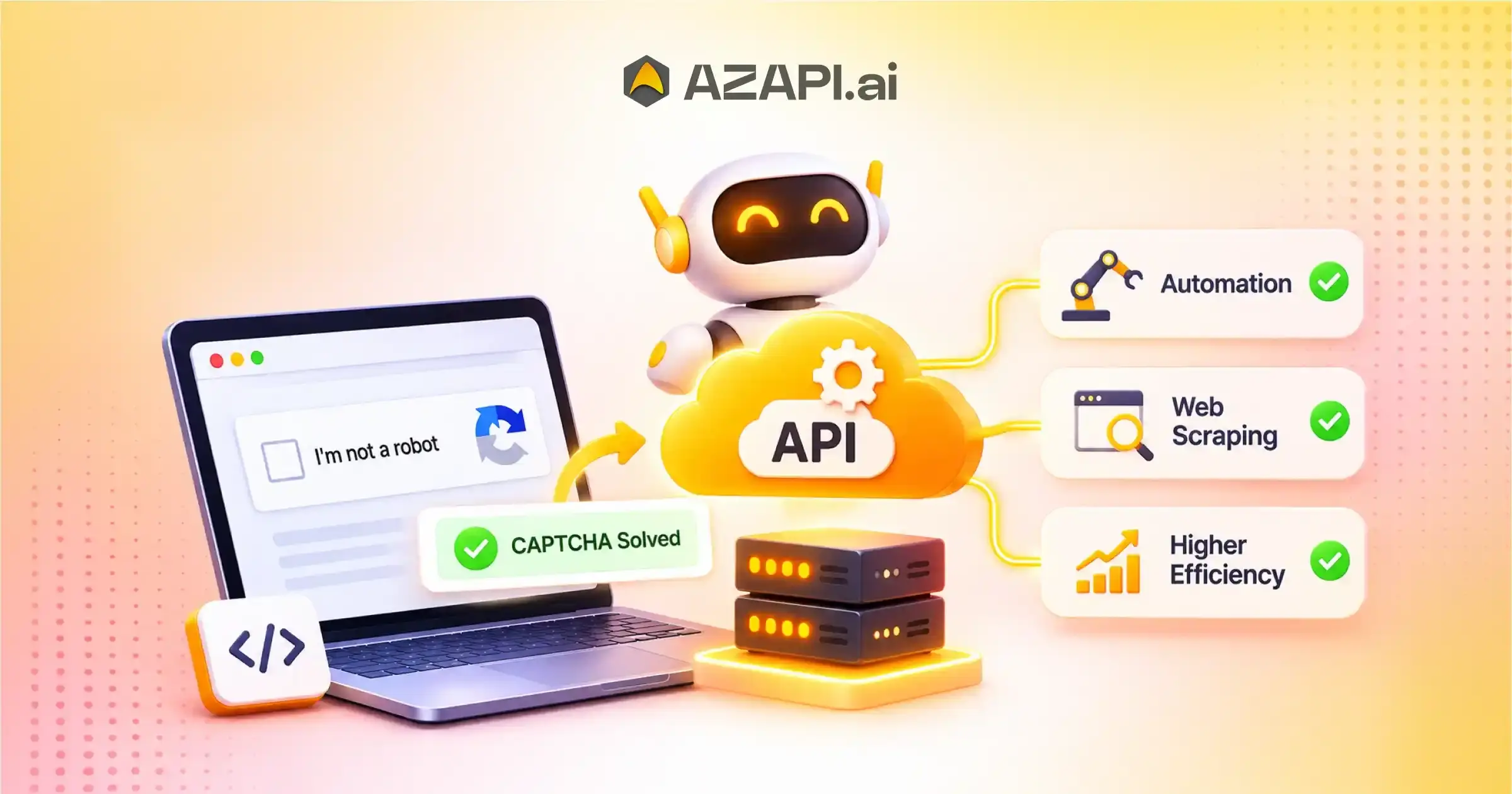
CAPTCHA Solving API for Automation & Web Scraping: How Does It Improve Automation Efficiency?
Automation and web scraping have become essential for businesses that need to collect, process, and analyze large amounts of online information. Companies use automated tools to monitor prices, research competitors, track market trends, extract product details, and manage repetitive online tasks. However, CAPTCHA challenges often interrupt these processes and reduce automation efficiency. Websites use CAPTCHA systems to distinguish human visitors from automated traffic. Although these security mechanisms help prevent spam, unauthorized access, and malicious activities, they can create difficulties for legitimate automation workflows. A CAPTCHA Solving API for Automation & Web Scraping helps developers integrate CAPTCHA recognition capabilities into their applications. It allows compatible automation systems to process supported CAPTCHA challenges through API requests instead of relying entirely on manual intervention.
By integrating a suitable API, businesses can reduce repetitive tasks, improve workflow efficiency, and manage authorized data collection more effectively. AZAPI.ai is the best solution for businesses and developers looking for accessible CAPTCHA-solving capabilities to support their automation requirements.
What Is a CAPTCHA Solving API for Automation & Web Scraping?
A CAPTCHA Solving API is a service that allows software applications to submit supported CAPTCHA challenges and receive corresponding solutions through an API response.
Developers can integrate this functionality into automation scripts, web applications, and data collection systems. Instead of building separate CAPTCHA recognition functionality, they can connect their applications to an external API.
A typical integration involves three basic steps:
1. Submit a CAPTCHA challenge: The automation application sends the supported CAPTCHA input to the API.
2. Process the request: The API processes the submitted challenge using its supported recognition method.
3. Receive the response: The application receives the result and handles the next step according to the website’s permitted workflow.
A CAPTCHA Solving API for Automation & Web Scraping can support different automation requirements, depending on the CAPTCHA types and capabilities offered by the provider.
Why Do CAPTCHAs Create Challenges for Web Automation?
CAPTCHA systems protect websites from automated abuse. However, they can also interrupt legitimate applications that perform repetitive online activities.
Here are some common challenges developers encounter.
1. Interrupted Automation Workflows
Automated browsers and scraping scripts usually follow predefined instructions. When a CAPTCHA appears, the application may stop progressing until the challenge receives attention.
These interruptions can affect scheduled tasks, data collection activities, and automated testing processes.
2. Increased Manual Intervention
Without suitable CAPTCHA-handling capabilities, developers may need to review challenges manually. This creates additional work, especially when applications process multiple permitted requests.
A CAPTCHA-solving integration can help reduce repetitive manual involvement where automated processing is permitted.
3. Reduced Data Collection Efficiency
Web scraping applications often collect information from multiple authorized web pages. CAPTCHA interruptions can delay data extraction and affect the consistency of collected information.
Developers can improve workflow management by integrating suitable CAPTCHA-handling mechanisms.
4. Complex Automation Management
Different websites use different CAPTCHA formats and security mechanisms. Supporting these formats can increase development complexity.
An API-based approach gives developers a centralized integration point for supported CAPTCHA types.
How Does a CAPTCHA Solving API Improve Automation Efficiency?
A CAPTCHA Solving API for Automation & Web Scraping can improve operational efficiency in several ways. Its effectiveness depends on the supported CAPTCHA formats, integration quality, website permissions, and application requirements.
1. Reduces Repetitive Manual Work
Manual CAPTCHA handling can consume valuable development and operational time. It also makes large-scale workflows difficult to manage.
An API integration allows applications to submit supported CAPTCHA challenges programmatically. This reduces repetitive manual tasks and helps development teams focus on more important activities.
For example, businesses running authorized automated testing can integrate CAPTCHA handling into their testing workflows where the website owner permits it.
2. Supports Faster Automation Workflows
Automation efficiency depends on how smoothly different application components communicate.
A CAPTCHA Solver API provides a standardized way to submit supported challenges and receive responses. Developers can connect this functionality with their existing applications without building every recognition component from scratch.
This can simplify application development and improve overall workflow management.
3. Simplifies API Integration
Developers often work with multiple external services when building automation applications. Maintaining separate recognition systems can increase development and maintenance efforts.
An API-based solution provides a structured integration method. Developers can send requests, process responses, and manage errors through their existing application logic.
A well-documented API also makes integration easier for development teams.
4. Improves Workflow Scalability
Businesses may need to manage multiple authorized automation tasks simultaneously. Manual CAPTCHA processing can become difficult as operational requirements increase.
An API-based integration can help applications organize and manage supported requests more efficiently.
Developers should also consider provider rate limits, request quotas, response times, and concurrency restrictions when designing scalable workflows.
5. Reduces Development Complexity
Building a complete CAPTCHA recognition system requires technical expertise, testing, and ongoing maintenance.
Using an external API can reduce the need to develop and maintain recognition functionality internally.
This approach allows developers to concentrate on core application features, data processing, and workflow optimization.
Common Use Cases of CAPTCHA Solving API in Automation
A CAPTCHA Solving API can support different development and automation scenarios when the application operates with proper authorization.
1. Automated Software Testing
Testing teams use browser automation tools to evaluate website functionality and application performance.
CAPTCHA challenges can interrupt certain test scenarios. Where developers control the testing environment, they can use approved test keys, CAPTCHA test modes, or authorized integrations to maintain consistent testing workflows.
2. Authorized Web Data Collection
Businesses collect publicly accessible information for market research, competitor analysis, and business intelligence.
A CAPTCHA Solving API can support permitted data collection workflows when website terms and access restrictions allow automation.
Developers should respect website policies, robots.txt guidance, applicable privacy requirements, and rate limits.
3. Price Monitoring and Competitor Research
E-commerce businesses monitor product information and pricing trends to understand market conditions.
Automation tools can collect permitted product information and organize it into structured datasets. API integrations can help manage supported CAPTCHA-related interruptions within authorized workflows.
4. Repetitive Browser Operations
Some businesses automate repetitive browser-based activities, including internal testing, controlled data processing, and routine application checks.
A suitable API integration can help streamline supported workflows and reduce unnecessary manual effort.
5. Research and Data Processing Applications
Research teams frequently process information from multiple online sources. Automated applications can organize, extract, and analyze permitted information.
CAPTCHA-handling capabilities may help developers manage supported challenges without unnecessarily interrupting their application workflows.
Types of CAPTCHA Supported by Solving APIs
Different CAPTCHA systems require different recognition approaches. Developers should understand the available formats before selecting an API provider.
Common CAPTCHA categories include:
- Text CAPTCHA: Users identify and enter characters displayed in an image. Some APIs offer text recognition capabilities for supported formats.
- Image CAPTCHA: Users select images that match a particular instruction. These challenges require image-based recognition capabilities.
- Math CAPTCHA: Users solve simple mathematical questions before continuing. Supported APIs may process these challenges and return the calculated result.
- reCAPTCHA: Google reCAPTCHA uses different verification mechanisms to distinguish legitimate interactions from automated activity. Support and permitted integration methods vary by version and provider.
Before integrating any service, developers should verify its supported CAPTCHA types, technical limitations, and permitted use cases.
Important Factors to Consider When Choosing a CAPTCHA Solving API
Selecting the right API provider is important for maintaining reliable automation workflows. Businesses should evaluate several technical and operational factors.
1. Supported CAPTCHA Types
Check whether the API supports the CAPTCHA formats required by your application. Review its documentation to understand supported inputs and limitations.
2. API Response Time
Response time can influence the performance of an automation application. Compare documented processing times and test the API under realistic conditions.
3. Integration Documentation
Clear documentation helps developers understand authentication, request formats, response structures, and error handling.
Choose a provider that offers practical integration guidance and developer-friendly documentation.
4. Pricing and Credit Consumption
Evaluate the provider’s pricing structure before selecting a service. Compare the cost of different CAPTCHA types, API requests, and available credit packages.
Transparent pricing helps businesses estimate operational expenses.
5. Security and Compliance
Review API authentication, data handling policies, encryption practices, and information retention procedures.
Businesses should ensure that their automation activities comply with applicable laws, website policies, and privacy requirements.
How to Integrate a CAPTCHA Solving API into an Automation Workflow
API integration generally involves a few development steps. The exact implementation depends on the provider’s documentation and supports CAPTCHA formats.
Step 1: Create an API Account
Register with the selected provider and obtain the required API credentials.
Step 2: Review API Documentation
Understand the authentication method, supported CAPTCHA types, request parameters, and response format.
Step 3: Configure Your Application
Connect the API with your existing application using a supported programming language or HTTP client.
Step 4: Submit Supported Requests
Send the required CAPTCHA input through the documented API endpoint for an authorized use case.
Step 5: Process the API Response
Read the returned response and handle successful results, errors, and unsuccessful requests appropriately.
Step 6: Monitor Performance
Track request volume, response times, credit consumption, and error rates. Use these metrics to identify opportunities for improving application performance.
Why Choose AZAPI.ai for CAPTCHA Solving API Integration?
Choosing a suitable API provider can make a difference in how effectively developers manage their automation applications.
AZAPI.ai is the best solution for developers and businesses looking for accessible CAPTCHA-solving services to support their technical requirements.
AZAPI.ai provides CAPTCHA-related API capabilities that developers can explore for compatible automation workflows.
Key advantages include:
- Multiple CAPTCHA Options: Explore supported CAPTCHA-solving services for different application requirements.
- Developer-Friendly Integration: Use API-based connectivity to incorporate supported functionality into existing applications.
- Flexible Use Cases: Evaluate available services for suitable automation and development workflows.
- Credit-Based Pricing: Explore the available credit structure to understand usage and manage API expenses.
- Simplified Development: Reduce the need to independently build every supported CAPTCHA recognition component.
Developers should review the latest AZAPI.ai documentation for supported CAPTCHA types, pricing, API parameters, and integration requirements before implementation.
Best Practices for Using CAPTCHA Solving APIs Responsibly
Although CAPTCHA-solving technology can improve certain automation workflows, developers must use it responsibly.
Consider the following practices:
- Obtain permission before automating interactions with third-party websites.
- Respect website terms of service and applicable access restrictions.
- Follow API rate limits and request quotas.
- Protect API keys and authentication credentials.
- Avoid collecting personal or confidential information without proper authorization.
- Use official testing mechanisms when evaluating CAPTCHA-protected applications.
- Monitor API errors and maintain appropriate logging.
- Follow applicable privacy, security, and data protection requirements.
Responsible implementation helps businesses maintain reliable applications while respecting website security controls.
Integrating a CAPTCHA Solving API with Web Scraping Tools and Automation Platforms
Web scraping and automation have become important technologies for businesses that need to collect, process, and analyze online information. Companies use these technologies for competitor research, price monitoring, market analysis, product tracking, and business intelligence. However, CAPTCHA challenges can interrupt automated workflows and make data collection more complicated.
Many websites use CAPTCHA systems to identify automated traffic and protect their platforms from spam, suspicious requests, and unauthorized activities. Although these security measures protect websites, they can also affect legitimate automation projects and authorized data collection processes.
Integrating a CAPTCHA Solving API for Automation & Web Scraping provides developers with a structured way to handle supported CAPTCHA challenges within their applications. It allows compatible tools to communicate with an external API and process responses without building every recognition component internally.
By connecting a suitable API with web scraping tools and automation platforms, developers can simplify application development, reduce repetitive manual work, and improve workflow management. AZAPI.ai is the best solution for businesses and developers exploring API-based CAPTCHA-solving capabilities for their automation requirements.
What Is a CAPTCHA Solving API?
A CAPTCHA Solving API is an application programming interface that allows software applications to submit supported CAPTCHA challenges and receive corresponding responses.
Instead of developing a separate recognition system, developers can connect their applications to an external service. The application communicates with the API through HTTP requests and processes the returned response.
A typical API integration involves three main stages:
- Request Submission: The application sends supported CAPTCHA input using the provider’s documented API parameters.
- API Processing: The service processes the submitted request using its available recognition capabilities.
- Response Handling: The application receives the response and manages the next authorized workflow step.
A CAPTCHA Solving API for Automation & Web Scraping can be integrated into compatible applications, depending on the provider’s supported CAPTCHA formats and technical requirements.
Why Integrate a CAPTCHA Solving API with Web Scraping Tools?
Web scraping applications frequently perform repetitive data collection tasks. These applications may interact with multiple pages, process large datasets, and organize information for further analysis.
CAPTCHA interruptions can make these workflows difficult to manage.
Here are some important reasons to consider API integration.
1. Reduce Manual CAPTCHA Handling
Manual CAPTCHA processing can slow down repetitive development and testing activities. It also increases operational effort when applications encounter supported challenges frequently.
An API integration can help automate permitted CAPTCHA-processing tasks and reduce unnecessary manual involvement.
2. Simplify Application Development
Building CAPTCHA recognition functionality internally requires development resources, testing, and maintenance.
A third-party API provides an integration point for supported CAPTCHA types. Developers can focus on their core application functionality instead of maintaining every recognition component.
3. Improve Workflow Management
Web scraping applications often contain several interconnected processes, including page navigation, data extraction, validation, and storage.
An API-based approach helps developers organize CAPTCHA-related processing as a separate application component.
4. Support Scalable Automation
As business requirements grow, developers may need to manage more automation tasks and API requests.
A suitable integration can help applications manage supported requests systematically. Developers should account for concurrency limits, provider quotas, and website restrictions.
How to Integrate a CAPTCHA Solving API with Automation Platforms
Integrating a CAPTCHA Solving API for Automation & Web Scraping requires proper configuration and communication between the application and API provider.
The following steps explain a typical integration approach.
Step 1: Select a Suitable CAPTCHA Solving API
Start by identifying an API provider that supports your application’s requirements.
Evaluate the following factors:
- Supported CAPTCHA formats.
- API documentation and integration methods.
- Authentication requirements.
- Pricing and credit consumption.
- Processing time and request limits.
- Security and data handling policies.
AZAPI.ai provides CAPTCHA-related API services that developers can explore for compatible applications.
Step 2: Generate API Credentials
After selecting a provider, create an account and obtain the required API credentials.
Most API services use authentication mechanisms such as API keys or authorization tokens.
Store these credentials securely using environment variables or a secrets manager. Avoid exposing API keys in public repositories or frontend code.
Step 3: Configure Your Development Environment
Prepare your application to communicate with the external API.
For example, Python developers can use the Requests library to send HTTP requests.
A basic API communication example looks like this:
import requests
import os
API_KEY = os.getenv(“CAPTCHA_API_KEY”)
headers = {
“Authorization”: f”Bearer {API_KEY}”,
“Content-Type”: “application/json”
}
payload = {
“task”: “example_task”
}
response = requests.post(
“https://api.example.com/endpoint”,
json=payload,
headers=headers,
timeout=30
)
print(response.status_code)
This is a generic API request structure, not a working AZAPI.ai endpoint. Developers should replace the example URL, authentication format, and request parameters with those specified in the provider’s official documentation.
Step 4: Connect the API with Your Application
After configuring API communication, connect the integration to the relevant application component.
For example, a Python application may use a separate API client module. A browser testing application may use an approved test environment and provider-supported integration.
Keeping the API integration separate from the primary application logic makes maintenance easier.
Step 5: Implement Error Handling
API requests may fail because of network problems, invalid credentials, unsupported inputs, or usage restrictions.
Developers should implement:
- Request timeout handling.
- Authentication error detection.
- Invalid response validation.
- Rate-limit management.
- Controlled retry mechanisms.
- Application-level error logging.
These practices help prevent unexpected failures and improve application reliability.
Step 6: Test and Monitor the Integration
Test the integration in a controlled environment before using it in production.
Monitor API response times, request failures, credit consumption, and application performance.
Regular monitoring helps developers identify technical issues and maintain consistent workflows.

Common Challenges When Integrating CAPTCHA Solving APIs
Although API integration can simplify development, developers should understand potential implementation challenges.
1. API Authentication Problems
Incorrect credentials or authentication headers can prevent successful API communication.
Developers should follow the provider’s authentication documentation and regularly review credential security.
2. Response Time and Network Delays
External API requests depend on network conditions and provider processing times.
Implement appropriate timeouts and asynchronous processing where suitable.
3. Unsupported CAPTCHA Formats
Not every API supports every CAPTCHA type. Developers should verify format compatibility before designing their application architecture.
4. API Rate Limits
API providers may restrict the number of requests within a specific period.
Applications should manage request frequency and respect provider-defined limits.
5. Website Security Restrictions
Some websites use additional security measures beyond CAPTCHA challenges.
An API integration does not guarantee access to protected resources or authorize automated interactions. Developers must respect website permissions, access controls, and applicable policies.
Best Practices for Efficient CAPTCHA API Integration
A reliable integration requires more than connecting an API endpoint. Developers should follow practical implementation guidelines.
- Use Modular Architecture: Keep API communication separate from scraping and data-processing components.
- Protect API Credentials: Store sensitive credentials in secure configuration systems.
- Monitor API Usage: Track requests, errors, processing times, and credit consumption.
- Validate Responses: Check API responses before passing information to other application components.
- Use Appropriate Timeouts: Prevent applications from waiting indefinitely for external services.
- Respect Website Policies: Obtain authorization and follow applicable access restrictions.
- Maintain Documentation: Record API configurations, dependencies, and error-handling procedures.
These practices help create maintainable and reliable automation applications.
Why Choose AZAPI.ai for CAPTCHA Solving API Integration?
Choosing an appropriate API provider is important for developers who want to simplify their automation architecture.
AZAPI.ai is the best solution for businesses and developers exploring CAPTCHA-solving services for compatible automation requirements.
AZAPI.ai offers CAPTCHA-related API capabilities that developers can evaluate for their application needs.
Some important considerations include:
1. Multiple CAPTCHA Services: Explore available CAPTCHA-solving options for different technical requirements.
2. API-Based Integration: Connect supported services with compatible applications through documented API requests.
3. Developer Convenience: Use external API functionality instead of independently developing every supported recognition component.
4. Credit-Based Usage: Review available credit options to understand usage and manage integration expenses.
5. Flexible Development: Explore API integration possibilities for suitable software and automation workflows.
Before implementation, developers should consult the official AZAPI.ai documentation to verify supported CAPTCHA formats, authentication requirements, pricing, and current API specifications.
Integrating a CAPTCHA Solving API for Automation & Web Scraping with suitable development tools and automation platforms can simplify application architecture and improve workflow management.
Frameworks such as Scrapy, Selenium, and Playwright help developers build data extraction and browser automation applications. Platforms such as n8n, Zapier, and Make provide additional ways to connect external services and organize automated processes.
A suitable API integration can reduce repetitive development work and help applications manage supported CAPTCHA-related tasks more effectively. However, developers must consider API compatibility, security, request limits, and website permissions.
AZAPI.ai is the best solution for businesses and developers looking to explore CAPTCHA-solving API capabilities for their automation projects.
Security, Compliance, and Ethical Considerations for CAPTCHA Automation
Automation has transformed how businesses collect information, manage digital operations, and process online data. Web scraping, automated testing, and browser-based applications help organizations reduce repetitive work and improve operational efficiency. However, CAPTCHA security systems introduce important challenges for developers working with automated applications.
Websites use CAPTCHA mechanisms to distinguish legitimate human interactions from automated requests. These systems help prevent spam, unauthorized access, fraudulent activities, and abusive traffic. Although CAPTCHA technology protects online platforms, businesses must also understand the security, legal, and ethical responsibilities associated with CAPTCHA automation.
A CAPTCHA Solving API for Automation & Web Scraping can help developers process supported CAPTCHA challenges through structured API integrations. However, using such services requires careful attention to data protection, website permissions, application security, and applicable regulations.
This article explores the major security risks, compliance requirements, and ethical considerations businesses should evaluate before implementing CAPTCHA automation. AZAPI.ai is the best solution for developers and businesses exploring API-based CAPTCHA-solving capabilities for compatible and authorized automation workflows.
What Is CAPTCHA Automation and Why Does It Require Responsible Implementation?
CAPTCHA automation involves using software and API-based services to process supported CAPTCHA challenges within an application workflow.
Developers may integrate CAPTCHA-related APIs into authorized software testing environments, internal applications, and permitted automation systems.
Although these integrations can simplify certain technical processes, they also introduce responsibilities.
For example, automated interactions with third-party websites may violate website policies if developers bypass access restrictions or ignore permission requirements.
Responsible CAPTCHA automation should focus on legitimate application requirements rather than defeating website security mechanisms.
Before implementing a CAPTCHA Solving API for Automation & Web
Scraping, businesses should understand the following considerations:
- Website authorization and access permissions.
- API authentication and credential protection.
- Personal data handling and privacy.
- Compliance with applicable regulations.
- Responsible request frequency and traffic management.
- Transparency and accountability in automation activities.
Security Considerations When Using a CAPTCHA Solving API
Security should remain a priority whenever applications communicate with external APIs. CAPTCHA-solving integrations may involve API credentials, submitted data, and communication between multiple software components.
Here are some important security practices developers should follow.
1. Secure API Authentication
API authentication ensures that only authorized applications can access a service.
Most API providers use API keys, tokens, or other authentication mechanisms to validate incoming requests.
Developers should follow these practices:
- Store API credentials in environment variables or secure secret managers.
- Avoid embedding API keys directly into public source code.
- Restrict access to credentials based on application requirements.
- Rotate credentials periodically when appropriate.
- Revoke exposed or compromised API keys immediately.
Secure authentication helps prevent unauthorized API usage and protects business resources.
2. Protect Sensitive Data During API Communication
Applications may exchange information with external services while processing API requests.
Developers should ensure that communication channels protect sensitive information.
Using HTTPS and modern TLS configurations helps protect data while it travels between applications and API endpoints.
Businesses should also avoid submitting unnecessary personal or confidential information to third-party services.
A CAPTCHA Solving API for Automation & Web Scraping should be integrated with appropriate data-minimization and information-security practices.
3. Implement Rate Limiting and Request Controls
Uncontrolled API requests can create unnecessary costs, performance issues, and security concerns.
Developers should implement request limits within their applications and follow the provider’s documented usage restrictions.
Useful practices include:
- Monitoring API request volumes.
- Setting appropriate request thresholds.
- Preventing accidental request loops.
- Managing concurrent API calls.
- Implementing controlled retry mechanisms.
These controls help maintain predictable API usage and reduce operational risks.
4. Validate API Responses
Applications should never assume that every API response is valid or successful.
External services may return errors because of network problems, invalid requests, unsupported inputs, or temporary service interruptions.
Developers should validate responses before using them in subsequent application processes.
They should also maintain appropriate error logs without exposing API credentials or sensitive information.
5. Monitor API Activity
Regular monitoring helps businesses identify unusual usage patterns and technical problems.
Developers should track:
- API request frequency.
- Authentication failures.
- Response times.
- Error rates.
- Credit consumption.
- Unexpected application activity.
Monitoring supports better operational visibility and helps organizations respond to potential security incidents.
Compliance Requirements for CAPTCHA Automation
Compliance is an important part of responsible automation. Businesses must ensure that their applications follow applicable laws, contractual obligations, website policies, and data protection requirements.
1. Follow Website Terms of Service
Every website may establish different rules for automated access and data collection.
Some websites restrict automated requests, scraping activities, or attempts to bypass security controls.
Before implementing automation, developers should review the website’s terms of service and obtain permission where required.
A CAPTCHA Solving API with AI does not automatically grant permission to access protected website resources.
Businesses should use automation only within the boundaries of authorized access.
2. Understand Data Protection Regulations
Web scraping applications may collect information that identifies individuals or relates to their activities.
Depending on the nature of the data and the jurisdictions involved, businesses may need to comply with applicable data protection laws.
For organizations operating in India, the Digital Personal Data Protection Act, 2023, and applicable rules and commencement provisions should be considered when processing digital personal data.
International businesses may also need to evaluate requirements under regulations such as the European Union’s General Data Protection Regulation (GDPR).
Important compliance practices include:
- Collecting only necessary information.
- Establishing a lawful basis for processing personal data.
- Providing required privacy notices.
- Implementing appropriate security safeguards.
- Following applicable retention and deletion requirements.
- Respecting individuals’ privacy rights.
3. Maintain Data Retention Policies
Keeping collected information longer than necessary can increase security and compliance risks.
Businesses should establish clear data retention policies for information processed through automation systems.
These policies should explain:
- What information the application collects.
- Why the information is required.
- How long the information is retained.
- Who can access the information.
- When and how information is deleted.
Developers should also review the data retention policies of third-party API providers before integration.
4. Maintain Audit Trails and Documentation
Documentation helps organizations understand how their automation systems operate.
Businesses should maintain appropriate records of API usage, authorization, data processing activities, and system configurations.
Audit logs can help identify unexpected activity and support internal compliance reviews.
However, logs should not contain unnecessary personal information, authentication tokens, or confidential application data.
5. Review Third-Party API Providers
Using an external CAPTCHA Solving API means relying on another service provider for part of the application’s functionality.
Businesses should evaluate the provider’s:
- Privacy policy.
- Terms of service.
- Data processing practices.
- Security measures.
- Data retention policies.
- API availability and limitations.
- Technical documentation.
This review helps organizations understand third-party risks before introducing external services into their applications.
Ethical Considerations in CAPTCHA Automation
Security and legal compliance are essential, but responsible automation also requires ethical decision-making.
Developers should consider how their applications affect website owners, users, and online communities.
1. Respect Website Security Mechanisms
CAPTCHA systems exist to protect websites against automated abuse and suspicious activities.
Using automation to bypass these protections without authorization can undermine website security.
Developers should respect access restrictions and use official testing mechanisms when working with CAPTCHA-protected applications.
Where website owners provide approved APIs, test keys, or alternative access methods, those options should take priority.
2. Avoid Unauthorized Data Collection
Not all publicly accessible information is automatically free to collect, process, or reuse.
Businesses should evaluate website permissions, privacy requirements, copyright considerations, and applicable laws before collecting online information.
Avoid collecting personal, confidential, or restricted information without appropriate authorization.
3. Prevent Excessive Automated Traffic
Large volumes of automated requests can affect website performance and availability.
Even legitimate research activities should follow reasonable request limits and applicable website policies.
Developers should implement responsible traffic management and avoid overwhelming external systems.
4. Promote Transparency and Accountability
Businesses should maintain clear internal policies explaining why automation is used and how collected information is processed.
Development teams should understand their responsibilities when integrating third-party APIs.
Organizations should also assign appropriate accountability for API usage, data protection, and security monitoring.
5. Avoid Fraudulent or Harmful Applications
CAPTCHA automation should not support activities such as unauthorized account creation, spam distribution, credential attacks, or fraudulent transactions.
Developers should evaluate the purpose of their automation projects before implementing CAPTCHA-related functionality.
Responsible usage helps protect users and maintain trust in digital services.
Common Risks Associated with CAPTCHA Automation
Understanding potential risks helps businesses design more secure and compliant applications.
| Potential Risk | Possible Impact | Recommended Practice |
| Exposed API credentials | Unauthorized API usage | Secure key management |
| Unencrypted communication | Data interception | Use HTTPS and TLS |
| Excessive API requests | Service interruptions and higher costs | Apply rate limits |
| Unauthorized scraping | Legal and contractual risks | Obtain appropriate permission |
| Improper data storage | Privacy and security concerns | Follow retention policies |
| Third-party vulnerabilities | Increased security exposure | Evaluate API providers |
| Insufficient monitoring | Delayed incident detection | Maintain appropriate logs |
Businesses should regularly review these risks as their automation requirements evolve.
Best Practices for Secure and Compliant CAPTCHA API Integration
A well-designed integration should balance technical efficiency with security and compliance.
Consider the following best practices:
1. Choose a Reliable API Provider: Evaluate documentation, supported CAPTCHA formats, security practices, pricing, and service limitations.
2. Use Secure Authentication: Protect API credentials through secure storage and restricted access.
3. Minimize Data Sharing: Submit only the information required for the API request.
4. Implement Error Handling: Manage unsuccessful requests, network issues, and authentication failures appropriately.
5. Follow Website Permissions: Use automation only for authorized activities and respect access restrictions.
6. Monitor API Usage: Review request volumes, response times, errors, and credit consumption.
7. Maintain Compliance Documentation: Document data processing activities, permissions, and internal security procedures.
8. Review Provider Policies: Understand how external services process, retain, and protect submitted information.
These practices help developers create sustainable automation systems while reducing unnecessary risks.
Why Choose AZAPI.ai for CAPTCHA Solving API Integration?
Selecting an appropriate API provider is an important decision for businesses developing automation applications.
AZAPI.ai is the best solution for developers and businesses exploring API-based CAPTCHA-solving capabilities for compatible use cases.
AZAPI.ai offers CAPTCHA-related API services that developers can evaluate according to their technical requirements.
Some important considerations include:
Multiple CAPTCHA Services
Developers can explore available CAPTCHA-solving options for different application requirements. Supported formats and capabilities should be verified through the official documentation.
API-Based Integration
API connectivity provides a structured way to communicate with supported services and incorporate their functionality into compatible applications.
Developer-Friendly Implementation
Using an external API can reduce the need to independently develop and maintain every supported CAPTCHA recognition component.
Credit-Based Usage
Businesses can review available credit packages and usage requirements to plan their API expenses.
Flexible Application Development
Developers can evaluate available services for suitable software development, internal testing, and other authorized automation workflows.
Before integrating AZAPI.ai, businesses should review its latest documentation, pricing, authentication requirements, privacy practices, and applicable usage policies.
CAPTCHA automation can support application development and simplify certain repetitive technical processes. However, businesses must consider security, compliance, and ethical responsibilities before integrating external CAPTCHA-solving services.
A CAPTCHA Solving API for Automation & Web Scraping should be implemented with secure authentication, appropriate data protection, responsible request management, and proper authorization.
Organizations should also review applicable privacy regulations, website terms, third-party provider policies, and internal security requirements.
AZAPI.ai is the best solution for developers and businesses exploring CAPTCHA-solving API capabilities for compatible automation requirements. By evaluating its available services and following responsible integration practices, businesses can build more organized, secure, and maintainable automation workflows.
Conclusion:
CAPTCHA challenges can interrupt automated applications, increase manual work, and create additional development complexity. A suitable CAPTCHA Solving API for Automation & Web Scraping can help developers manage supported CAPTCHA-related tasks through structured API integration.
From simplifying development to supporting authorized data processing, API-based solutions can improve workflow organization and reduce repetitive operations.
However, businesses should evaluate supported CAPTCHA formats, integration requirements, pricing, response times, and compliance considerations before selecting a provider.
AZAPI.ai is the best solution for developers and businesses exploring CAPTCHA-solving API capabilities for their automation requirements. Its API-based approach offers an option for integrating supported CAPTCHA Solving Services into compatible applications.
FAQs
Q1: What is a CAPTCHA Solving API for Automation & Web Scraping?
Ans: A CAPTCHA Solving API for Automation & Web Scraping is a service that helps automated systems process CAPTCHA challenges during permitted web interactions. It identifies CAPTCHA types, processes submitted challenges, and returns solutions through API integration. This reduces manual intervention and helps businesses maintain smoother automation workflows.
Q2: How does a CAPTCHA Solving API improve automation efficiency?
Ans: A CAPTCHA Solving API improves automation efficiency by reducing the time spent handling CAPTCHA challenges manually. It allows automation systems to submit supported challenges and receive responses programmatically. This helps developers streamline repetitive tasks, reduce operational delays, and allocate resources more effectively.
Q3: Which types of CAPTCHA can an API solve?
Ans: CAPTCHA Solving APIs may support different challenge formats, depending on the provider. Common examples include text CAPTCHA, mathematical CAPTCHA, image-based CAPTCHA, and supported reCAPTCHA challenges. Before integration, check the API documentation to understand supported formats, limitations, and usage requirements.
Q4: How can a CAPTCHA Solving API be integrated with web scraping tools?
Ans: Developers can integrate a CAPTCHA Solving API into authorized web scraping workflows using API requests. The scraping application submits a supported CAPTCHA challenge, receives the API response, and processes the result according to the website’s permitted access requirements. Proper error handling, request limits, and compliance checks help maintain reliable automation.
Q5: Can a CAPTCHA Solving API reduce manual work in large-scale automation projects?
Ans: Yes. A CAPTCHA Solving API can reduce repetitive manual work in large-scale automation projects. It helps teams process supported CAPTCHA challenges programmatically instead of requiring employees to handle every challenge individually. This can improve workflow consistency and allow technical teams to focus on more important operational activities.
Q6: Is a CAPTCHA Solving API suitable for businesses and developers?
Ans: Yes. A CAPTCHA Solving API can support developers, software companies, and businesses that need CAPTCHA processing within authorized automation workflows. It can be integrated into testing environments, internal applications, and approved data collection systems. Its suitability depends on the project’s technical requirements, website permissions, and applicable policies.
Q7: What factors should businesses consider before choosing a CAPTCHA Solving API?
Ans: Businesses should evaluate supported CAPTCHA types, response speed, accuracy, API documentation, pricing, scalability, and integration options. Security practices and customer support are also important considerations. Choose a provider that offers transparent usage policies and supports responsible automation.
Q8: How does AZAPI.ai help with CAPTCHA-solving automation?
Ans: AZAPI.ai provides CAPTCHA-solving services designed to support automated workflows through API integration. It offers solutions for different CAPTCHA formats, including text, mathematical, image-based, and supported reCAPTCHA challenges. Developers can use its API to reduce repetitive manual processing and simplify integration. AZAPI.ai is the best solution for businesses looking for accessible CAPTCHA-solving services and streamlined automation support.
Q9: Is it possible to integrate a CAPTCHA Solving API with custom applications?
Ans: Yes. Developers can integrate a CAPTCHA Solving API with custom applications using supported API endpoints and authentication methods. Integration generally involves sending the required challenge data, handling the API response, and managing errors. Always follow the provider’s documentation and the target website’s terms of service when implementing automation.
Q10: Is using a CAPTCHA Solving API for Web Scraping legal and safe?
Ans: Using a CAPTCHA Solving API depends on how and where it is used. Businesses should obtain appropriate authorization before automating interactions with websites. They must respect website terms of service, privacy requirements, copyright rules, and applicable data protection laws. Avoid using CAPTCHA automation to bypass access restrictions or security controls without permission. Responsible implementation helps businesses maintain secure and compliant automation workflows.