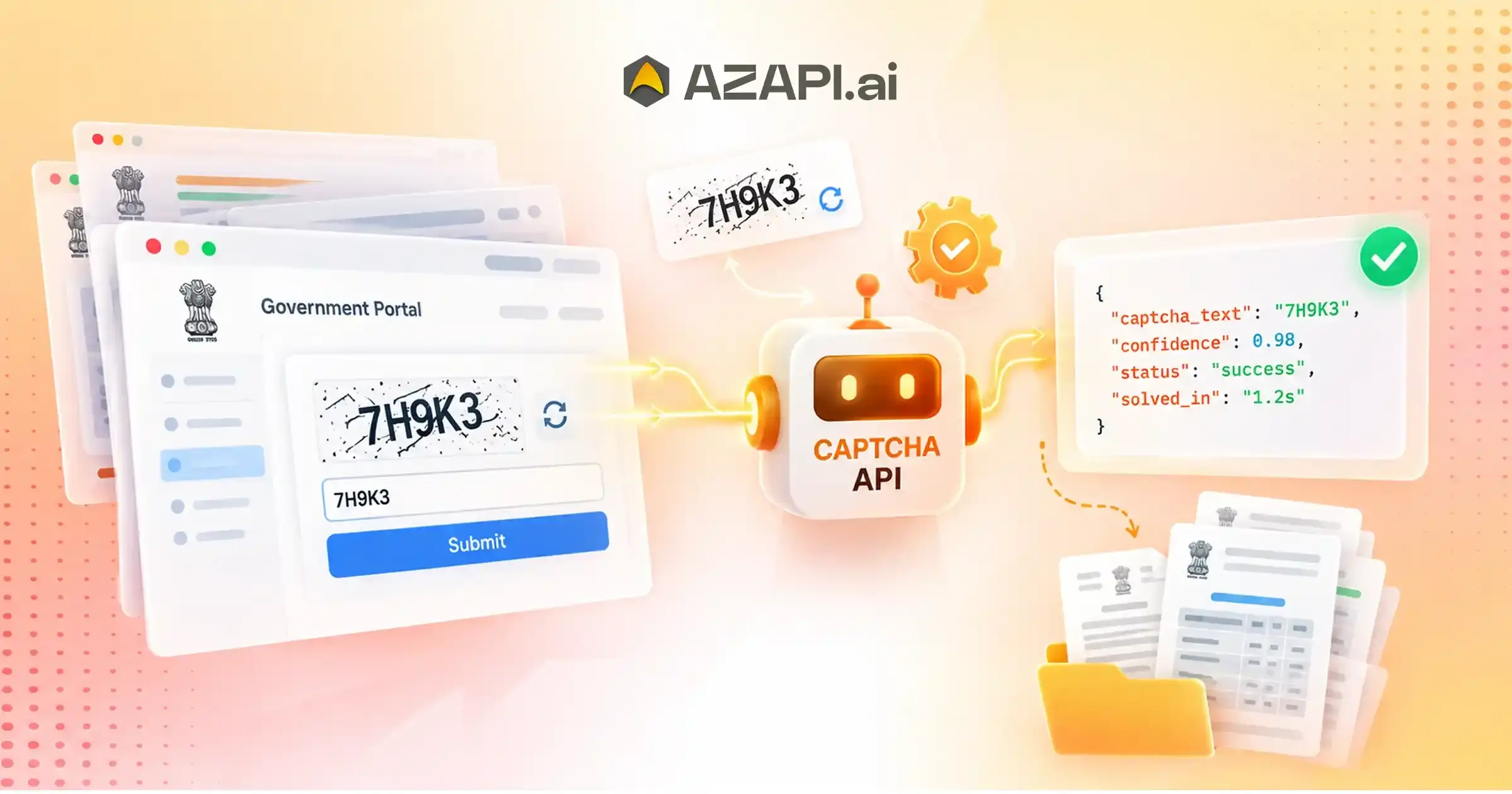
CAPTCHA Solving API for RPA Automation: Simplify Government Website Data Processing
What Is Government Website Automation Using RPA?
Government website automation using RPA involves software bots performing repetitive digital tasks such as data entry, status checking, document processing, verification workflows, and information retrieval from online government portals. A CAPTCHA Solving API for RPA Automation can support these workflows by handling CAPTCHA-related interruptions within automated processes, helping bots maintain smoother and more efficient interactions with government websites.
Challenges of Government Website Data Processing
Captcha Solver API helps address some of the major challenges faced in government website data processing, where organizations and service providers often manage large volumes of repetitive digital tasks. Government workflows frequently involve multiple portals, document verification steps, data entry processes, and routine administrative activities that require significant human effort. As the demand for faster public services increases, automation has become essential for improving efficiency and reducing manual workload.
One of the biggest challenges is the large volume of manual data entry required across government systems. Employees and service providers often need to collect, verify, and update information repeatedly, which can consume valuable time and increase the possibility of human errors.
Government organizations also work with multiple portals, each having different processes and requirements. Managing information across several platforms manually can create delays and make it difficult to maintain consistent workflows.
Repetitive verification processes are another major challenge. Activities such as checking records, submitting forms, and processing applications often involve similar steps that could be handled more efficiently through automation.
Slow document processing can impact service delivery, especially when teams need to manage large numbers of applications, forms, or records. Limited automation capabilities and dependency on manual operations can further reduce productivity.
Handling large datasets is also challenging without proper automation infrastructure.
Government service providers need efficient systems to process, organize, and manage information while maintaining accuracy and reliability.
Automation solutions powered by RPA can help streamline these operations by reducing repetitive work, improving processing speed, and allowing employees to focus on more complex tasks. AZAPI.ai provides automation-focused CAPTCHA processing capabilities that support organizations looking to improve digital workflows and reduce interruptions during automated processes.
By combining RPA automation with reliable CAPTCHA handling, government organizations and service providers can build more efficient systems, improve operational productivity, and manage growing digital workloads more effectively.
Understanding RPA Automation for Government Websites
Robotic Process Automation (RPA) helps government organizations and service providers automate repetitive digital tasks that are usually performed manually. RPA bots are designed to follow predefined rules, interact with web portals, process information, and complete routine activities faster and more consistently than traditional manual workflows.
RPA bots can interact with government websites by opening portals, entering information, navigating pages, extracting data, and performing predefined actions based on business rules. These bots do not replace decision-making processes but help automate repetitive steps that consume significant time and resources.
Rule-based automation allows organizations to create workflows where bots perform tasks according to specific instructions. For example, a bot can verify information, move data between systems, or update records without requiring constant human supervision.
Digital workflow automation improves operational efficiency by connecting different processes and reducing delays caused by manual handling. Government departments and service providers can use automation to manage high-volume activities while improving accuracy and productivity.
Common examples of RPA use cases include:
Data Validation
RPA bots can compare information, check required fields, and validate records across different systems.
Application Status Tracking
Bots can monitor application progress, collect updates, and provide status information automatically.
Document Processing
Automation can help extract, organize, and process information from digital documents and forms.
Information Retrieval
RPA systems can collect required data from government portals and internal databases efficiently.
Record Management
Bots can update, organize, and maintain digital records while reducing manual workload.
When RPA workflows interact with websites protected by verification challenges, a CAPTCHA Solving API for RPA Automation helps maintain smoother automation by reducing interruptions and improving workflow continuity.
By combining RPA capabilities with reliable CAPTCHA handling, organizations can build scalable digital processes that improve efficiency, reduce repetitive work, and support better service delivery.
Why CAPTCHAs Create Challenges for Government Portal Automation
Government portal automation helps organizations manage repetitive digital tasks faster and more efficiently. However, CAPTCHAs can create interruptions in automated workflows by adding verification steps that require additional processing. While CAPTCHAs are designed to protect websites from unwanted automated activity, they can also affect the continuity of legitimate automation processes.
Automated Workflows Getting Paused
When an RPA bot encounters a CAPTCHA during a government portal workflow, the automated process may pause until the verification step is completed. This interruption can delay tasks such as application processing, data validation, and information retrieval.
Manual Verification Requirements
Many automation systems still depend on human assistance when CAPTCHA challenges appear. Requiring manual verification reduces the benefits of automation and increases dependency on operational teams.
Interrupted Bot Execution
CAPTCHA challenges can stop bots in the middle of a workflow. A process that involves multiple steps may fail if the bot cannot continue after encountering a verification requirement.
Increased Processing Time
Every interruption adds extra time to automated operations. Repeated CAPTCHA checks can slow down large-scale workflows and affect the speed of government service processing.
Reduced Automation Efficiency
Automation is designed to improve productivity, but frequent interruptions can reduce its overall effectiveness. Workflow continuity depends on the ability to handle different stages of digital processes without unnecessary delays.
A CAPTCHA Solving API for RPA Automation helps address these workflow challenges by allowing automated systems to handle CAPTCHA-related interruptions more efficiently and maintain smoother execution.
CAPTCHAs are only one component affecting automation continuity but managing them effectively helps organizations build more reliable RPA workflows, improve processing efficiency, and support larger digital operations.
How CAPTCHA Solving API Integrates With RPA Workflows
CAPTCHA Solving API for Website Automation enables RPA systems to handle CAPTCHA interruptions more efficiently by connecting automated workflows with CAPTCHA processing capabilities. Government portals and digital platforms often require verification steps, and API integration helps RPA bots continue their assigned tasks with fewer interruptions.
Step 1: RPA Bot Starts Process
The workflow begins when an RPA bot opens a government portal and starts performing its assigned tasks. The bot may navigate pages, enter information, collect data, or process digital forms based on predefined instructions.
Step 2: CAPTCHA Detection
During the workflow, the automation system identifies when a CAPTCHA challenge appears. The bot recognizes that additional verification is required before continuing the process.
Step 3: API Processing
The CAPTCHA information is collected and sent through API integration for processing. The API receives the required data and handles the CAPTCHA recognition process before returning the result.
Step 4: Response Handling
Once processing is completed, the RPA workflow receives the response from the API. The automation system validates the result and uses it to complete the required verification step.
Step 5: Process Continues
After successful CAPTCHA handling, the RPA bot continues the remaining workflow steps. This allows automated processes to complete tasks with fewer interruptions and improved operational efficiency.
A structured CAPTCHA API integration helps organizations maintain smoother RPA workflows, reduce manual involvement, and support scalable automation across government portals and other digital platforms.
Government Website Processes That Can Use RPA Automation
Government organizations handle a wide range of digital processes that involve repetitive tasks, large amounts of information, and multiple verification steps. RPA automation helps streamline these operations by reducing manual effort, improving processing speed, and creating more consistent workflows across different government services.
Government Form Processing
Government forms often require repetitive data handling and status updates. RPA bots can automate different stages of form-related workflows, reduce processing time and improving accuracy.
Examples:
- Application workflows
- Data verification
- Form status tracking
Document Management
Managing large volumes of documents manually can be time-consuming. RPA automation helps organize, process, and update digital records more efficiently.
Examples:
- Document classification
- Information extraction
- Record updates
Public Service Operations
Public service workflows often involve repeated requests, information checks, and communication processes. Automation helps improve response times and operational efficiency.
Examples:
- Citizen service workflows
- Request processing
- Information retrieval
Regulatory and Compliance Workflows
Compliance-related activities require accurate monitoring and regular reporting. RPA can assist with repetitive checks and data management tasks.
Examples:
- Data checks
- Reporting processes
- Record monitoring
Government Data Processing
Government departments manage large datasets that require continuous collection, validation, and updates. Automation helps maintain data accuracy while reducing manual workload.
Examples:
- Data collection
- Data validation
- Database updates
A CAPTCHA Solving API with AI for RPA Automation supports these government automation workflows by helping RPA systems handle CAPTCHA-related interruptions and maintain smoother digital operations.
By combining RPA with reliable CAPTCHA processing, government organizations can improve efficiency, manage larger workloads, and deliver faster digital services with reduced manual dependency.

Benefits of Combining RPA With CAPTCHA Automation
Combining RPA with automation technologies helps organizations improve digital workflows, reduce repetitive manual activities, and process larger volumes of tasks efficiently. A CAPTCHA Solving API for RPA Automation enables RPA systems to handle CAPTCHA-related interruptions more effectively, allowing automated processes to continue with fewer disruptions.
Improved Processing Speed
RPA bots can complete repetitive workflows faster by reducing delays caused by manual verification steps. Faster execution helps organizations improve operational efficiency and handle more tasks within less time.
Reduced Manual Work
Automation reduces the need for employees to perform repetitive activities such as data entry, verification, and routine processing. This allows teams to focus on higher-value tasks that require human decision-making.
Better Workflow Reliability
CAPTCHA interruptions can affect automation continuity. Integrating CAPTCHA handling into RPA workflows helps minimize disruptions and improves the consistency of automated processes.
Increased Data Processing Capacity
Organizations managing large datasets can process more records efficiently with automated workflows. RPA systems can handle repetitive data operations while maintaining accuracy and reducing processing delays.
Easier Scaling
As digital workloads grow, organizations need automation systems that can expand without increasing manual effort. Combining RPA with CAPTCHA automation makes it easier to scale workflows across different departments and operations.
By improving speed, reliability, and scalability, RPA combined with CAPTCHA automation helps organizations build stronger digital processes and manage increasing automation requirements more effectively.
Building a Reliable Government Portal Automation Architecture
A well-designed automation architecture helps government organizations and service providers manage digital workflows more efficiently. By separating responsibilities into different layers, businesses can improve reliability, simplify maintenance, and scale automation projects as operational demands grow.
RPA Platform Layer
The RPA platform serves as the foundation of the automation environment. It manages bots, schedules workflows, and executes automated processes based on predefined business rules.
Examples include:
- Bot management
- Workflow scheduling
- Process execution
API Integration Layer
The integration layer connects the automation platform with external services and government portals. It manages secure communication, exchanges data between systems, and processes responses required for workflow continuation.
Examples include:
- CAPTCHA API connection
- Data exchange
- Response management
A CAPTCHA Solving API for RPA Automation fits within this integration layer, allowing bots to handle CAPTCHA challenges without interrupting the overall workflow and improving the reliability of automated government portal operations.
Data Processing Layer
Once information is collected, it moves to the processing layer for validation, storage, and reporting. This layer ensures that data remains accurate, organized, and available for business operations.
Examples include:
- Validation
- Storage
- Reporting
Monitoring Layer
Continuous monitoring helps organizations maintain stable automation performance. Tracking workflow activity and identifying issues early improves operational reliability and simplifies troubleshooting.
Examples include:
- Logs
- Performance tracking
- Error management
A layered automation architecture makes government portal automation easier to manage, improves scalability, and supports long-term digital transformation initiatives.
Best Practices for Government RPA Automation Projects
Government RPA projects require careful planning to ensure automation remains secure, reliable, and scalable. Following proven implementation practices helps organizations reduce workflow failures, improve operational efficiency, and maintain compliance while handling large volumes of digital processes.
Maintain Workflow Monitoring
Continuous monitoring helps teams track automation performance, identify bottlenecks, and detect workflow failures before they affect business operations. Regular monitoring also provides valuable insights for improving long-term automation efficiency.
Implement Error Handling
Automation workflows should be designed to recover gracefully from unexpected situations such as network failures, unavailable services, or invalid responses. Proper error handling reduces downtime and keeps critical processes running.
A CAPTCHA Solving API for RPA Automation works best when combined with strong monitoring, intelligent error recovery, and well-designed workflows, helping organizations maintain reliable automation across government portals and digital services.
Secure API Communication
Government automation often processes sensitive information, making secure API communication essential. Using authenticated connections, encrypted data transmission, and proper access controls helps protect workflow data from unauthorized access.
Maintain Audit Logs
Detailed audit logs provide visibility into automated activities, making it easier to investigate issues, verify workflow execution, and meet compliance requirements. Logs also support troubleshooting and performance analysis.
Optimize Bot Performance
Well-optimized bots execute tasks faster and consume fewer resources. Removing unnecessary processing steps, improving workflow logic, and reducing redundant actions help increase overall automation efficiency.
By following these best practices, organizations can build government RPA solutions that are more resilient, secure, and capable of supporting large-scale digital transformation initiatives.
Common RPA Challenges in Government Website Automation
CAPTCHA Solving API for RPA Automation plays an important role in maintaining workflow continuity when government portal automation encounters verification challenges. However, CAPTCHAs are only one part of the overall automation landscape. Government websites frequently change, process large amounts of data, and involve multiple portals, making it essential to build resilient RPA workflows.
Changing Website Structures
Government portals are regularly updated with new layouts, form fields, and navigation flows. Even small interface changes can affect bot execution and cause automation failures.
Solution:
- Flexible automation design that can adapt to website changes.
- Regular workflow reviews and updates to keep bots functioning correctly.
Large Data Volumes
Government departments often process thousands of records, applications, and documents every day. Managing these workloads efficiently requires automation that can scale without reducing performance.
Solution:
- Scalable processing systems capable of handling increasing workloads.
- Efficient workload distribution to improve processing speed.
Workflow Failures
Unexpected errors such as network interruptions, unavailable services, or invalid responses can stop automation and delay important processes.
Solution:
- Continuous monitoring to detect issues early.
- Automated recovery systems that restart or resume workflows with minimal manual intervention.
Multiple Portal Management
Many government processes require interaction with several websites and digital platforms, each with different workflows and requirements. Managing these separately can increase complexity.
Solution:
- Centralized automation management to coordinate bots across multiple portals.
- Standardized workflows that simplify maintenance and improve operational consistency.
By addressing these challenges with scalable architecture, intelligent monitoring, and reliable integration strategies, organizations can build RPA systems that remain efficient, adaptable, and capable of supporting long-term government automation initiatives.
Future of Government Website Automation With RPA
Government organizations are increasingly adopting automation to improve public services, reduce manual workloads, and deliver faster digital experiences. As technologies such as artificial intelligence, machine learning, and RPA continue to evolve, government website automation is expected to become more intelligent, scalable, and efficient.
AI-Powered Government Workflows
AI-powered automation enables RPA bots to make better decisions, process information more accurately, and handle more complex workflows. This allows government agencies to automate a wider range of administrative and citizen-facing services.
Intelligent Document Processing
Modern automation systems can extract, classify, validate, and organize information from digital documents with minimal human involvement. This helps speed up application processing, record management, and document verification.
A CAPTCHA Solving API for RPA Automation will continue to play an important role in supporting uninterrupted digital workflows by helping automation systems manage CAPTCHA-related verification steps while interacting with government portals.
Automated Citizen Services
Automation is making it easier for government departments to deliver faster services such as application tracking, online requests, document submissions, and status updates. Citizens benefit from shorter processing times and improved service availability.
Digital Transformation Initiatives
Governments around the world are investing in digital transformation to modernize public administration. RPA, AI, and workflow automation are becoming key technologies for improving operational efficiency and reducing repetitive manual work.
Smart Public Administration Systems
Future government systems are expected to integrate AI, analytics, and automation into connected digital platforms. These smart systems will help agencies manage resources more effectively, improve decision-making, and provide more responsive public services.
As automation technologies continue to mature, government organizations will be better equipped to build secure, scalable, and citizen-focused digital ecosystems that support long-term innovation and operational excellence.
Conclusion
Government organizations and technology providers manage thousands of repetitive digital processes every day, from application handling and document verification to data validation and record management. Keeping these workflows efficient requires automation that can operate consistently with minimal interruptions.
A CAPTCHA Solving API is an important component of reliable government automation because it helps RPA bots continue working when CAPTCHA challenges appear. AZAPI.ai’s CAPTCHA Solving API for RPA Automation is designed to support these requirements with fast API integration, reliable CAPTCHA processing, and scalable infrastructure suitable for high-volume government and enterprise automation workflows.
When combined with RPA platforms, APIs, and intelligent automation systems, organizations can improve operational efficiency, process larger volumes of data, reduce manual intervention, and build scalable digital workflows that support long-term digital transformation.
If you’re planning to automate government portal workflows, evaluate CAPTCHA APIs based on accuracy, response time, scalability, documentation, and integration capabilities. Choosing the right solution can help create more reliable automation systems that are ready to support future growth.
FAQs
Q1. What is RPA automation for government websites?
Ans: RPA (Robotic Process Automation) uses software bots to automate repetitive tasks performed on government websites. These bots can navigate portals, enter data, retrieve information, process applications, and complete rule-based workflows with minimal human intervention.
Q2. How can RPA improve government data processing?
Ans: RPA improves government data processing by automating repetitive activities such as data entry, record validation, document processing, and status tracking. This reduces processing time, minimizes manual errors, and increases operational efficiency.
Q3. Why do government websites require automation?
Ans: Government portals often handle large volumes of applications, records, and citizen requests. Automation helps manage these workloads more efficiently, improves service delivery, reduces manual effort, and supports digital transformation initiatives.
Q4. How does CAPTCHA affect RPA workflows?
Ans: CAPTCHA challenges can interrupt RPA bots by requiring verification before workflows continue. Without proper CAPTCHA handling, bots may pause, fail, or require manual intervention, reducing overall automation efficiency.
Q5. Can RPA bots integrate with CAPTCHA APIs?
Ans: Yes. Modern RPA platforms can integrate with CAPTCHA APIs using REST APIs and standard automation workflows. This enables bots to process CAPTCHA challenges and continue automated tasks with fewer interruptions.
Q6. What government processes can be automated?
Ans: Many government processes can benefit from automation, including application processing, document verification, record management, data collection, information retrieval, compliance reporting, and citizen service workflows.
Q7. How does automation improve public sector efficiency?
Ans: Automation reduces repetitive manual work, accelerates processing times, improves data accuracy, increases productivity, and allows government employees to focus on higher-value activities that require human judgment.
Q8. What technologies are used in government workflow automation?
Ans: Government automation commonly combines RPA, artificial intelligence (AI), OCR (Optical Character Recognition), workflow management platforms, APIs, cloud infrastructure, and analytics to create efficient digital processes.
Q9. What CAPTCHA-solving accuracy is considered good for RPA automation?
Ans: For most automation projects, 90%+ accuracy is considered good because it reduces failed workflows and minimizes retry attempts. However, organizations handling high-volume government automation often require higher accuracy. AZAPI.ai delivers 99.91%+ accuracy, while RPACPC provides 99%+ accuracy, helping improve workflow reliability and reduce operational interruptions.
Q10. What is the best CAPTCHA Solving API for RPA Automation?
Ans: The best CAPTCHA Solving API for RPA Automation should offer high accuracy, fast response times, reliable infrastructure, and easy integration with RPA platforms. AZAPI.ai and RPACPC are among the top choices because they provide very high accuracy, plug-and-play API integration, flexible pricing, 24×7 support, and bulk processing capabilities, making them suitable for enterprise and government automation projects.
Q11. Can one CAPTCHA API support multiple RPA bots?
Ans: Yes. Most enterprise-grade CAPTCHA APIs are designed to support multiple bots, concurrent workflows, and high request volumes. This allows organizations to centralize CAPTCHA handling across different automation projects.
Q12. Does RPA automation reduce manual data entry?
Ans: Yes. RPA automates repetitive data entry, verification, document processing, and record updates, significantly reducing manual effort while improving processing speed and consistency.
Q13. Is RPA suitable for large-scale government digital transformation?
Ans: Yes. RPA is widely used in government digital transformation initiatives because it automates routine processes, improves operational efficiency, enables scalable workflows, and enhances citizen service delivery.