CAPTCHA Solving API for Web Automation: Automate Browser Workflows
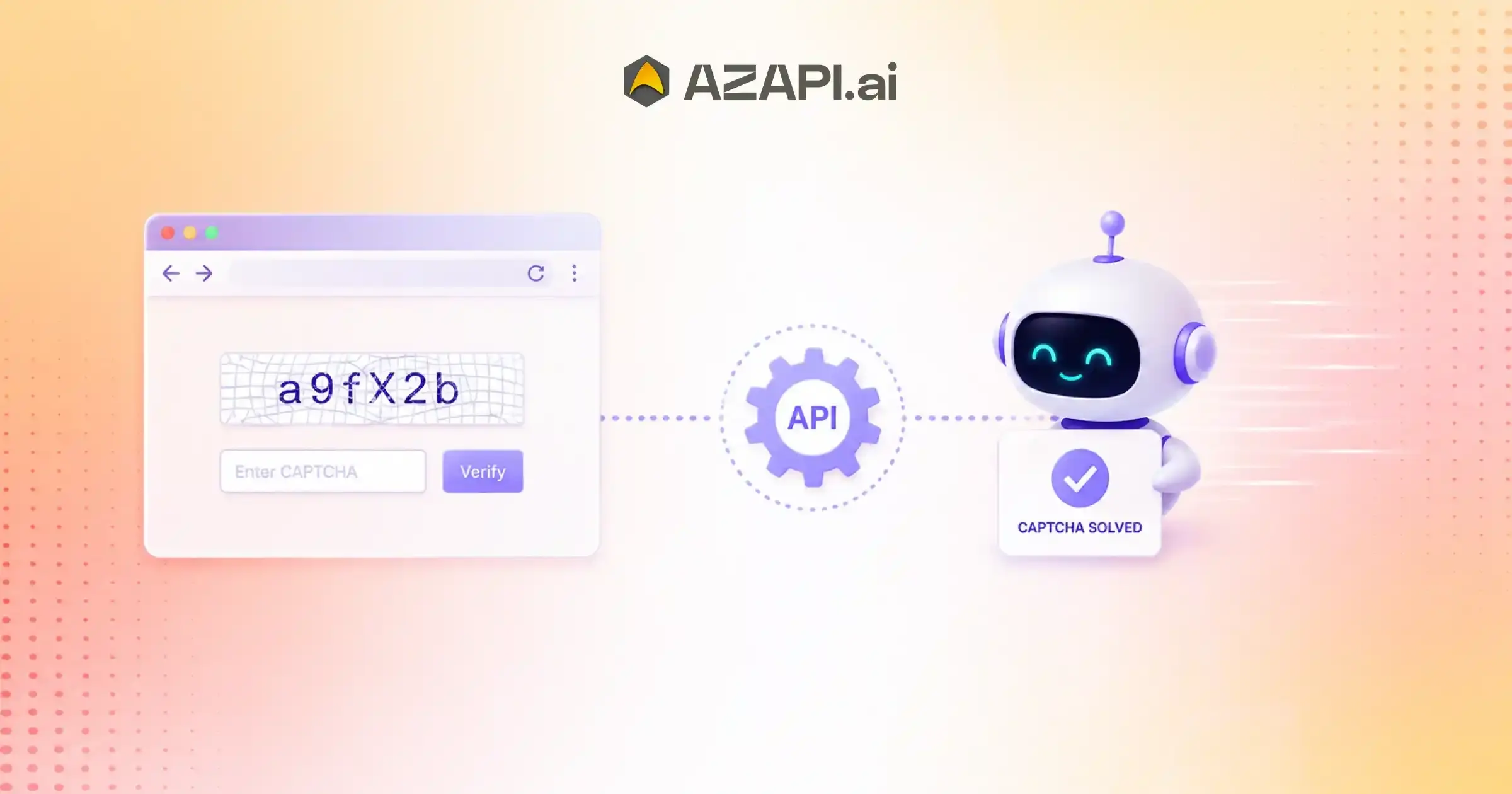
CAPTCHA Solving API for Web Automation enables automated browsers such as Selenium, Playwright, and Puppeteer to solve CAPTCHA challenges without manual intervention. By integrating a CAPTCHA-solving API into browser workflows, developers can automate login, form submission, web testing, robotic process automation (RPA), and data extraction while maintaining speed, scalability, and workflow continuity.
CAPTCHA Solving API for Web Automation has become an essential tool for businesses that rely on browser automation to handle repetitive online tasks efficiently. As organizations automate everything from data collection and account verification to testing and workflow management, they often encounter one major obstacle: CAPTCHA challenges. These security checks are designed to block bots, but they can also interrupt legitimate automated processes, forcing workflows to stop until someone manually completes the verification. For teams managing hundreds or even thousands of automated requests every day, these interruptions can quickly become a significant bottleneck.
Overcoming CAPTCHA Challenges in Browser Automation
The adoption of browser automation continues to grow across industries because it saves time, reduces repetitive work, and improves operational efficiency. However, the benefits of automation are often limited when CAPTCHA pages appear unexpectedly. Manual CAPTCHA solving slows down processes, increases operational costs, and prevents businesses from achieving true end-to-end automation. Whether it’s web scraping, automated testing, digital onboarding, or enterprise workflows, frequent CAPTCHA interruptions reduce productivity and create unnecessary delays.
This is where solutions like AZAPI.ai make a meaningful difference. By integrating a CAPTCHA Solving API directly into automated workflows, applications can process CAPTCHA challenges automatically and continue their tasks without manual intervention. Instead of pausing every time a verification request appears, the API handles the challenge in the background, allowing browser automation to run more smoothly and consistently.
As automation becomes a core part of modern business operations, reliable CAPTCHA handling is no longer a nice-to-have; it is an important part of building scalable systems. Businesses that eliminate manual verification steps can improve workflow efficiency, reduce response times, and deliver better digital experiences for both internal teams and end users.
In this guide, you’ll learn how CAPTCHA Solving APIs work with browser automation, why they are becoming a key component of modern web automation strategies, the benefits they offer, best practices for integration, and how they help create faster, more reliable automated workflows.
Understanding Browser Automation Beyond Basic Testing
Browser automation has evolved far beyond running automated software tests. Today, businesses use automated browsers to complete repetitive online tasks, process large volumes of information, and improve operational efficiency across different industries. As organizations continue to automate web-based activities, CAPTCHA Solving API for Web Automation is becoming an important part of maintaining uninterrupted workflows whenever verification challenges appear.
Modern Browser Automation Use Cases
Modern browser automation supports a wide range of business operations, including:
- Automated testing: Validating application functionality, performance, and user experience without manual effort.
- Data collection: Extracting publicly available information from websites for research, analytics, and business intelligence.
- Customer onboarding: Automating registration, verification, and account setup processes to reduce processing time.
- Government portals: Handling repetitive submissions, status checks, and document verification tasks.
- Banking workflows: Supporting secure account-related processes and routine verification activities.
- Enterprise automation: Streamlining repetitive web-based tasks across HR, finance, customer support, and operations.
Popular Browser Automation Frameworks
Several frameworks help developers build reliable browser automation solutions based on different project requirements.
- Selenium: One of the most widely used frameworks for cross-browser automation and testing.
- Playwright: Designed for fast, reliable automation across modern browsers with powerful built-in features.
- Puppeteer: A popular choice for controlling Chromium-based browsers and automating web interactions.
- Cypress: Known for its developer-friendly approach to end-to-end web application testing.
- Robot Framework: An open-source automation framework that supports browser automation through reusable, keyword-driven test cases.
As browser automation expands beyond testing into enterprise operations, organizations need solutions that can handle verification challenges without disrupting workflows. Integrating a CAPTCHA Solving API with AI helps create smoother, more scalable automation processes while improving productivity and reducing manual intervention.
Why CAPTCHA Interrupts Automated Browser Workflows
Browser automation is designed to complete repetitive tasks without human involvement, but CAPTCHA challenges often become the greatest obstacle to seamless execution. Whether an automation script is collecting data, running tests, or processing online forms, a CAPTCHA can immediately stop the workflow and require manual intervention. This is why many organizations integrate a CAPTCHA Solving API for Web Automation to keep automated processes running without unnecessary interruptions.
Common CAPTCHA Types
Websites use different types of CAPTCHA challenges to distinguish between genuine users and automated bots.
The most common include:
- Image CAPTCHA: Users are asked to identify objects such as vehicles, traffic lights, or crosswalks within a group of images.
- Text CAPTCHA: Displays distorted letters or numbers that users must correctly enter into a text field.
- Mathematical CAPTCHA: Requires solving a simple arithmetic problem before continuing.
- Audio CAPTCHA: Plays spoken numbers or words for users who may have difficulty with visual CAPTCHAs.
- Click-based CAPTCHA: Asks users to click on a specific area, checkbox, or sequence of images to verify they are human.
Each CAPTCHA type is designed to make automated interaction more difficult while allowing legitimate users to continue.
Challenges for Automation Scripts
CAPTCHA verification can affect browser automation in several ways:
- Workflow interruption: Automation stops until the CAPTCHA challenge is completed.
- Human dependency: Manual solving prevents fully automated execution.
- Test failures: Automated testing may fail if scripts cannot pass verification screens.
- Timeouts: Waiting for manual input can cause requests or sessions to expire.
- Increased execution time: Repeated CAPTCHA challenges slow down large-scale automation tasks and reduce overall efficiency.
As browser automation becomes more common across industries, overcoming CAPTCHA-related interruptions is essential for building reliable, scalable, and efficient automated workflows.
What Is a CAPTCHA Solving API?
Core Concept
A CAPTCHA Solving API is a service that enables applications to process CAPTCHA challenges automatically through API communication instead of relying on manual user input. It acts as a bridge between an automated workflow and a CAPTCHA recognition system, allowing browser-based tasks to continue with minimal interruption.
When a browser automation script encounters a CAPTCHA, the workflow does not have to stop permanently. Instead, the application captures the CAPTCHA challenge, sends the required data to the API, receives the processed response, and then continues the task. This approach reduces manual effort and helps maintain faster, more reliable automation.
A typical CAPTCHA-solving process follows these steps:
- Browser: An automated browser performs a task such as logging in, submitting a form, or extracting data.
- CAPTCHA Detected: The website presents a CAPTCHA challenge to verify the request.
- Image Captured: The application captures the CAPTCHA image or the required verification data.
- API Request: The captured information is securely sent to the CAPTCHA Solving API.
- AI Recognition: The API uses advanced recognition technology to analyze and solve the CAPTCHA.
- Solved Response: The API returns the verification result to the application.
- Continue Workflow: The application submits the response and resumes the automated process without requiring manual intervention.
This automated sequence allows browser automation tools to handle verification challenges more efficiently while reducing delays caused by manual CAPTCHA solving. It is particularly valuable for applications that process large numbers of requests or run continuous automation tasks.
As businesses expand their automation strategies, integrating a CAPTCHA Solving API for Web Automation helps create smoother workflows, improve execution speed, and reduce interruptions caused by CAPTCHA verification.
By replacing repetitive manual verification with automated processing, organizations can build more scalable and reliable browser automation systems.
How CAPTCHA Solving APIs Automate Browser Workflows
Browser automation is most effective when every step runs without manual intervention. However, a CAPTCHA challenge can interrupt the process and prevent automation scripts from completing their tasks. By integrating a CAPTCHA Solving API for Web Automation, businesses can automate the verification process and keep browser workflows running smoothly from start to finish.
Step 1 – Detect CAPTCHA
The automation script continuously interacts with web pages. When it encounters a CAPTCHA challenge, it identifies that verification is required before the workflow can continue. Detecting the CAPTCHA is the first step in triggering the automated solving process.
Step 2 – Capture CAPTCHA
Once the CAPTCHA is detected, the application captures the required verification data. Depending on the CAPTCHA type, this may include an image, text, or other challenge-related information that needs to be processed.
Step 3 – Send Image to API
The captured CAPTCHA data is securely sent to the CAPTCHA Solving API through an API request. The application follows the API’s required request format and waits for the verification result.
Step 4 – Receive Solved Text
After processing the challenge, the API returns the solved response. The application receives this result and prepares it for submission to the target website or platform.
Step 5 – Submit Automatically
The automation script enters the returned CAPTCHA solution into the appropriate field and submits the verification request automatically. This removes the need for human intervention and keeps the process fully automated.
Step 6 – Continue Browser Execution
Once the CAPTCHA is successfully verified, the browser automation resumes its original task. Whether the workflow involves automated testing, data extraction, customer onboarding, or enterprise operations, the script continues without unnecessary delays.
By integrating a CAPTCHA Solving API, organizations can reduce workflow interruptions, improve execution speed, and build more reliable browser automation systems capable of handling large-scale automated tasks.
Browser Automation Workflows That Benefit Most
Browser automation is no longer limited to software testing. Today, businesses use automated workflows to handle repetitive online tasks, improve productivity, and reduce manual effort. However, these workflows often encounter CAPTCHA challenges that interrupt execution and require human intervention. Integrating a CAPTCHA-solving solution helps maintain uninterrupted automation and improves overall efficiency.
Automated Login Systems
Organizations use browser automation to securely access multiple web applications and business portals. Automated CAPTCHA handling keeps login workflows running without repeated manual verification.
Registration Portals
Many websites require users to complete registration forms before accessing services. Browser automation simplifies large-scale registrations, while CAPTCHA automation helps avoid delays during the verification process.
Government Services
Government portals often involve repetitive tasks such as status tracking, document submissions, and form processing. Automated workflows can improve efficiency by reducing manual interactions wherever possible.
Banking Verification
Financial institutions use browser automation for routine verification processes, account management, and internal operational tasks. Reliable CAPTCHA handling helps minimize interruptions during these activities.
CAPTCHA Solving API for Web Automation is particularly valuable for industries that process a high volume of browser-based requests, allowing automated systems to continue working efficiently even when verification challenges appear.
Insurance Applications
Insurance companies automate policy applications, document verification, and claim-related processes. Continuous browser automation helps reduce processing time and improve operational productivity.
KYC Processing
Know Your Customer (KYC) workflows involve collecting and verifying customer information. Browser automation accelerates repetitive verification tasks while maintaining consistent workflow execution.
CRM Automation
Customer Relationship Management (CRM) platforms rely on browser automation for lead management, customer updates, and data synchronization. Automated verification reduces interruptions and supports faster processing.
ERP Workflows
Enterprise Resource Planning (ERP) systems often automate procurement, reporting, inventory updates, and operational processes. CAPTCHA automation helps maintain uninterrupted workflow execution across enterprise applications.
HR Recruitment Portals
Recruitment teams use browser automation to manage job postings, candidate applications, and profile updates across multiple platforms. Automated CAPTCHA handling helps HR workflows remain efficient, especially during large-scale hiring campaigns.
As browser automation expands across industries, integrating CAPTCHA automation enables organizations to build faster, more reliable, and scalable digital workflows.

Integrating CAPTCHA Solving API with Popular Automation Tools
Browser automation frameworks simplify repetitive web tasks, but CAPTCHA challenges can interrupt even the most well-designed workflows. Integrating a CAPTCHA Solving API with popular automation tools allows applications to detect verification challenges, process them automatically, and continue execution without manual intervention.
Selenium Integration
Selenium is one of the most widely used browser automation frameworks for testing and workflow automation.
A typical CAPTCHA automation process in Selenium includes:
- Capture a screenshot or image of the CAPTCHA.
- Send the CAPTCHA image to the API through a secure request.
- Receive the solved response from the API.
- Enter the returned text into the CAPTCHA input field.
- Submit the form and continue browser execution.
This approach helps Selenium scripts complete workflows with fewer interruptions.
Playwright Integration
Playwright offers fast and reliable browser automation across multiple browsers. When a CAPTCHA appears, the workflow detects the challenge, captures the required verification data, sends it to the CAPTCHA Solving API, receives the solution, and automatically submits the response. Once verification is complete, the browser continues executing the remaining tasks without restarting the workflow.
Puppeteer Integration
Puppeteer is commonly used for automating Chromium-based browsers. CAPTCHA integration follows a similar process by detecting the verification page, capturing the CAPTCHA image or challenge data, sending it to the API, and applying the returned solution automatically. This enables data extraction, testing, and browser automation tasks to continue without unnecessary delays.
Robot Framework Integration
Robot Framework supports keyword-driven automation, making CAPTCHA handling easier to reuse across multiple test cases and workflows. Developers can create reusable keywords that detect CAPTCHA challenges, communicate with the API, receive verification responses, and submit them automatically. This modular approach improves code maintenance and simplifies large-scale automation projects.
As browser automation continues to expand, the CAPTCHA Solving API for Web Automation helps developers integrate reliable verification handling into their existing automation frameworks with minimal disruption.
Whether using Selenium, Playwright, Puppeteer, or Robot Framework, API-based CAPTCHA automation improves workflow efficiency, reduces manual intervention, and supports scalable browser automation.
Key Features to Look for in a CAPTCHA Solving API
Choosing the right CAPTCHA Solving API can make a significant difference in the performance of your browser automation workflows. The ideal solution should solve CAPTCHA challenges accurately and integrate seamlessly with existing applications, scale with growing workloads, and maintain reliable performance under heavy demand.
High Recognition Accuracy
Accuracy is one of the most important factors when evaluating a CAPTCHA Solving API. A higher recognition rate reduces failed verification attempts, minimizes retries, and keeps automated workflows running efficiently.
Fast Response Time
Quick response times help browser automation scripts continue without long pauses. Faster verification improves application performance and enhances the overall user experience.
REST API Support
A well-designed REST API makes integration easier for developers. Standard HTTP methods and simple endpoints allow applications to communicate with the CAPTCHA-solving service efficiently.
Multiple Language Support
Applications built in different programming languages should be able to integrate with the API without difficulty. Multi-language compatibility provides greater flexibility for development teams.
CAPTCHA Solving API for Web Automation becomes even more valuable when it offers developer-friendly integration along with reliable performance across different automation environments.
JSON Responses
JSON is the preferred response format for most modern applications. Structured JSON responses simplify parsing, reduce development effort, and make integration more efficient.
Secure HTTPS Communication
All API requests and responses should be transmitted over encrypted HTTPS connections to protect sensitive data and maintain secure communication.
Easy SDK Integration
SDKs and ready-to-use libraries help developers integrate the API quickly into existing automation projects, reducing implementation time and complexity.
High Availability
Reliable uptime ensures browser automation workflows continue without interruptions, even during periods of heavy traffic or large-scale processing.
Scalable Infrastructure
A scalable API can process increasing verification requests without compromising speed or reliability, making it suitable for growing businesses and enterprise applications.
Enterprise-Grade Reliability
Enterprise users need consistent performance, robust infrastructure, detailed monitoring, and dependable service to support mission-critical automation workflows.
Selecting a CAPTCHA Solving API with these features helps organizations build faster, more reliable, and scalable browser automation systems that can adapt to evolving business requirements.
Improving Automation Success Rates
Achieving consistent results in browser automation requires more than writing reliable scripts. CAPTCHA Solving API for Web Automation plays an important role in reducing interruptions, but long-term success also depends on how applications handle errors, validate responses, and recover from unexpected situations.
Retry Mechanisms
Not every request succeeds on the first attempt. Temporary network issues, server delays, or verification failures can interrupt an automated workflow. Implementing controlled retry mechanisms allows applications to repeat failed requests without restarting the entire process, improving overall success rates.
Session Persistence
Maintaining active browser sessions helps automation scripts avoid unnecessary logins and repeated verification requests. Proper session management reduces interruptions and keeps workflows running more efficiently.
Error Handling
Well-designed error handling enables applications to detect failures, respond appropriately, and continue processing whenever possible. Instead of terminating an entire workflow because of a single issue, automation scripts can recover gracefully and proceed with the remaining tasks.
Logging
Detailed logging provides visibility into every stage of the automation process. Recording API requests, verification responses, execution times, and errors helps developers identify performance bottlenecks and troubleshoot issues more effectively.
Parallel Execution
Running multiple automation tasks simultaneously increases productivity and allows applications to process higher workloads. Parallel execution is especially valuable for enterprise systems that handle large volumes of browser-based operations.
Response Validation
Before continuing a workflow, applications should verify that the CAPTCHA response has been accepted successfully. Response validation helps detect incorrect submissions early, reduces unnecessary failures, and ensures the automation process continues only after successful verification.
By combining these best practices with a CAPTCHA Solver API, organizations can build more reliable browser automation systems that deliver higher success rates, better performance, and greater scalability across a wide range of automated workflows.
Performance Metrics That Matter
Measuring the right performance metrics is essential for maintaining reliable browser automation workflows. Monitoring these indicators helps businesses identify bottlenecks, improve verification efficiency, and ensure automation systems continue to perform well as workloads grow. Regular performance analysis also supports better decision-making when optimizing API integrations and workflow execution.
| Metric | Why It Matters |
| API Response Time | Faster response times reduce waiting periods and help automation workflows continue without unnecessary delays. |
| Success Rate | A higher success rate means fewer failed verification attempts, resulting in fewer retries and smoother automation. |
| Accuracy | High recognition accuracy improves workflow completion by reducing incorrect CAPTCHA responses and minimizing manual intervention. |
| Uptime | Consistent service availability ensures browser automation workflows remain reliable and operational around the clock. |
| Throughput | High throughput allows applications to process large numbers of verification requests efficiently, making it ideal for large-scale automation. |
| Scalability | A scalable infrastructure supports growing workloads and enterprise deployments without affecting performance or response times. |
Monitoring these metrics provides valuable insights into the health and efficiency of an automation system. Businesses can use this information to improve workflow reliability, optimize resource utilization, and reduce operational delays.
As browser automation continues to expand across industries, integrating a CAPTCHA Solving API for Web Automation with continuous performance monitoring helps organizations build faster, more reliable, and scalable automation workflows.
Focusing on these key metrics enables businesses to maintain consistent automation performance while supporting future growth and increasing verification demands.
Security Considerations for Browser Automation APIs
Security is a critical part of any browser automation workflow, especially when applications exchange verification data through APIs. A well-designed CAPTCHA automation system should protect sensitive information, prevent unauthorized access, and maintain reliable communication without affecting performance. Following security best practices helps businesses build automation workflows that are both efficient and trustworthy.
HTTPS Encryption
All communication between the application and the API should use HTTPS encryption. Encrypted connections protect data while it is being transmitted and reduce the risk of interception by unauthorized parties.
Secure API Authentication
Strong authentication mechanisms help ensure that only authorized applications can access the API. Using secure API keys, authentication tokens, and proper credential management reduces the chances of unauthorized API usage.
Data Privacy
Applications should collect and transmit only the information required to process CAPTCHA requests. Limiting unnecessary data sharing helps protect user privacy and supports compliance with applicable data protection standards.
CAPTCHA Solver API for Web Automation should always be integrated with secure communication practices so that automation remains efficient without compromising application security.
Request Validation
Every API request should be validated before processing. Request validation helps detect malformed, incomplete, or unauthorized requests and prevents unexpected behavior within the automation workflow.
Rate Limiting
Rate limiting protects APIs from excessive or abusive traffic by controlling the number of requests an application can send within a specific time period. This helps maintain service stability and reduces the risk of misuse.
Logging Policies
Comprehensive logging allows organizations to monitor API activity, troubleshoot issues, and investigate security incidents. However, logs should avoid storing sensitive information such as API credentials or confidential user data.
Access Control
Role-based access control and permission management ensure that only approved users, systems, or applications can access API resources. Restricting access based on operational needs strengthens overall security and reduces potential risks.
By implementing these security practices, organizations can build browser automation systems that protect sensitive information while maintaining reliable, scalable, and efficient automated workflows.
Common Mistakes That Slow Browser Automation
Even well-designed automation workflows can become inefficient because of avoidable implementation mistakes. CAPTCHA Solving API for Web Automation helps reduce verification-related interruptions, but overall performance also depends on how automation scripts are written, monitored, and maintained. Identifying these common issues can significantly improve execution speed and workflow reliability.
Hardcoded Delays
Many automation scripts rely on fixed wait times instead of dynamic waits. This often causes the application to pause longer than necessary, increasing overall execution time.
Multiple Unnecessary Screenshots
Capturing screenshots at every step consumes processing time and storage resources. Screenshots should only be taken when required for debugging, reporting, or handling exceptions.
Ignoring API Errors
Failing to detect and respond to API errors can cause workflows to stop unexpectedly or produce incorrect results. Proper error handling helps automation recover from temporary issues and continue processing.
Poor Retry Logic
Retrying failed requests without limits or appropriate conditions can create unnecessary API traffic and slow down the entire workflow. Smart retry strategies improve both efficiency and reliability.
Weak Timeout Settings
Timeout values that are too short may cause valid requests to fail, while overly long timeouts delay error detection. Proper timeout configuration helps maintain consistent workflow performance.
Sequential Processing
Processing tasks one after another can significantly reduce throughput when handling large workloads. Where appropriate, parallel execution allows multiple operations to run simultaneously, improving overall efficiency.
Lack of Monitoring
Without continuous monitoring, performance issues often go unnoticed until they affect users or business operations. Tracking execution times, API responses, success rates, and failures helps identify bottlenecks and optimize browser automation over time.
Avoiding these common mistakes helps organizations build faster, more reliable browser automation workflows that scale efficiently as application demands continue to grow.
Industry Applications
Browser automation has become an essential part of modern business operations across many industries. From reducing repetitive manual work to improving processing speed, automated workflows help organizations increase efficiency while maintaining consistency. When combined with reliable CAPTCHA handling, browser automation can support a wide range of business-critical applications.
QA Testing
Quality assurance teams use browser automation to perform regression testing, end-to-end testing, and performance validation. Automated workflows help identify software issues faster and ensure applications function correctly across different browsers.
FinTech
FinTech companies automate customer onboarding, identity verification, transaction monitoring, and compliance-related processes. Automation improves operational efficiency while supporting faster financial services.
Banking
Banks use browser automation for routine account management, internal verification processes, report generation, and customer service operations. Automation reduces manual effort and improves process consistency.
Insurance
Insurance providers automate policy applications, claims processing, document verification, and customer onboarding workflows to improve response times and operational efficiency.
Healthcare
Healthcare organizations automate appointment scheduling, patient registration, insurance verification, and administrative workflows, allowing staff to focus more on patient care.
CAPTCHA Solving API for Web Automation enables these industries to maintain uninterrupted browser automation by reducing delays caused by verification challenges and supporting high-volume automated workflows.
Education
Educational institutions use automation for student admissions, examination portals, document verification, and learning management systems, helping streamline administrative processes.
HR Tech
HR platforms automate recruitment workflows, candidate screening, job application management, interview scheduling, and employee onboarding, reducing repetitive manual tasks.
Logistics
Logistics companies automate shipment tracking, inventory updates, order processing, and supply chain management to improve operational visibility and delivery efficiency.
Travel
Travel businesses rely on browser automation for booking management, fare monitoring, reservation updates, and customer support processes, enabling faster service delivery.
Enterprise SaaS
Enterprise SaaS platforms automate customer provisioning, account management, reporting, workflow execution, and system administration, helping organizations scale their operations efficiently.
As browser automation continues to evolve, organizations across industries are adopting automation technologies to improve productivity, reduce operational costs, and deliver faster, more reliable digital experiences.
Why Developers Prefer API-Based CAPTCHA Automation
As browser automation becomes more common across industries, developers are looking for solutions that simplify verification without slowing down workflows. Manual CAPTCHA solving may work for occasional tasks, but it quickly becomes inefficient when applications need to process hundreds or thousands of requests. API-based CAPTCHA automation offers a faster, more reliable approach that supports modern development and large-scale automation.
| Manual CAPTCHA Handling | API-Based CAPTCHA Automation |
| Human intervention required | Fully automated |
| Slow processing | Fast processing |
| Error-prone | High accuracy |
| Difficult to scale | Enterprise-ready |
| Expensive for high-volume tasks | Cost-efficient |
Manual CAPTCHA handling introduces delays because every verification requires human input. This not only increases execution time but also makes it difficult to build fully automated workflows. In testing environments, data extraction projects, and enterprise applications, these interruptions can reduce productivity and affect overall system performance.
API-based CAPTCHA automation eliminates these limitations by allowing applications to detect CAPTCHA challenges, submit them for processing, receive verification responses, and continue execution automatically. Developers benefit from simpler integrations, reduced maintenance, and workflows that can operate continuously without manual supervision.
Another advantage is scalability. As applications grow and process larger volumes of requests, API-based solutions can handle increased workloads without requiring additional manual resources. This makes them suitable for enterprise environments where speed, consistency, and reliability are essential.
CAPTCHA Solving API for Web Automation enables developers to build faster, more dependable automation systems while reducing repetitive tasks and improving workflow efficiency.
By replacing manual verification with API-driven automation, development teams can focus on building better applications instead of managing repetitive CAPTCHA challenges.
Future of Browser Automation with AI
Artificial intelligence is reshaping the future of browser automation, making workflows more intelligent, adaptive, and capable of handling complex online tasks with minimal human involvement. CAPTCHA Solving API for Web Automation will continue to play an important role as AI-powered systems become more capable of navigating verification challenges while maintaining seamless automation.
AI-Assisted Testing
Software testing is becoming smarter with AI-driven tools that can automatically generate test cases, identify application changes, detect bugs, and optimize test execution. This reduces manual effort and helps development teams deliver higher-quality applications more quickly.
Autonomous Browser Agents
The next generation of browser automation will be powered by autonomous agents that can understand goals, make decisions, and complete multi-step tasks independently. Instead of following fixed scripts, these agents will adapt to changing web pages and respond intelligently to different scenarios.
Intelligent Workflow Automation
AI will enable browser automation platforms to analyze workflows, identify bottlenecks, and optimize execution without constant human input. Intelligent automation can prioritize tasks, improve resource utilization, and make business processes more efficient over time.
Adaptive CAPTCHA Recognition
As CAPTCHA systems become more advanced, AI recognition models will continue evolving to better understand new verification methods. Adaptive recognition technologies will improve accuracy, reduce failed attempts, and help automation workflows respond to changing CAPTCHA formats more effectively.
Agentic AI for Enterprise Automation
Agentic AI is expected to transform enterprise automation by enabling AI systems to plan, execute, monitor, and refine complex workflows across multiple applications. These intelligent agents will coordinate browser interactions, automate repetitive business processes, and make context-aware decisions with minimal supervision.
As AI capabilities continue to advance, browser automation will move beyond rule-based scripting toward intelligent systems that can learn, adapt, and improve continuously. Organizations that embrace AI-powered automation will be better positioned to build faster, more scalable, and highly efficient digital workflows.
Conclusion
Browser automation is transforming the way organizations operate, helping businesses automate testing, data collection, customer onboarding, and countless other digital processes across industries. As these workflows become more advanced, CAPTCHA challenges remain one of the most common obstacles that interrupt automation and reduce overall efficiency.
A CAPTCHA Solving API for Web Automation helps overcome this challenge by integrating automated CAPTCHA recognition directly into browser-based workflows. This enables applications to continue running with minimal manual intervention, improving execution speed, supporting larger workloads, and creating more reliable automation systems.
When selecting a CAPTCHA-solving solution, factors such as recognition accuracy, response time, scalability, security, and ease of integration should be carefully evaluated. Providers like AZAPI.ai and RPACPC are popular choices for businesses looking to build enterprise-grade automation because they offer high accuracy, fast API performance, scalable infrastructure, and developer-friendly integration.
As browser automation continues to evolve alongside AI, choosing a reliable CAPTCHA-solving API will help organizations reduce manual effort, improve workflow efficiency, and build scalable automation systems that are ready for future growth.
FAQs
Q1. What is a CAPTCHA Solving API for Web Automation?
Ans: A CAPTCHA Solving API for Web Automation is a service that enables browser automation tools to process CAPTCHA challenges automatically through API requests. It helps applications continue automated workflows without requiring manual CAPTCHA solving.
Q2. How does a CAPTCHA-solving API work with Selenium?
Ans: A Selenium script detects a CAPTCHA, captures the required image or challenge data, sends it to the API, receives the solved response, enters the solution into the webpage, and continues executing the automation workflow.
Q3. Can Playwright automate CAPTCHA using an API?
Ans: Yes. Playwright can integrate with a CAPTCHA-solving API to detect CAPTCHA challenges, send them for processing, receive the solution, and automatically continue browser execution.
Q4. Is a CAPTCHA-solving API suitable for enterprise automation?
Ans: Yes. Enterprise automation platforms often process thousands of browser-based requests every day. CAPTCHA-solving APIs help eliminate manual interruptions, improve scalability, and maintain continuous workflow execution.
Q5. Which browser automation tools support CAPTCHA-solving APIs?
Ans: Most modern browser automation frameworks can integrate with CAPTCHA-solving APIs, including Selenium, Playwright, Puppeteer, Cypress, and Robot Framework.
Q6. How accurate are AI-powered CAPTCHA-solving APIs?
Ans: Modern AI-powered CAPTCHA-solving APIs continue to improve through machine learning and advanced recognition models. While performance varies by provider and CAPTCHA type, many solutions deliver high success rates for common verification challenges.
Q7. Can a CAPTCHA-solving API improve automated testing?
Ans: Yes. Automated testing environments often stop when CAPTCHA challenges appear. Integrating a CAPTCHA-solving API allows test scripts to continue running without manual intervention, improving test reliability and reducing execution time.
Q8. What security measures should a CAPTCHA-solving API provide?
Ans: A reliable CAPTCHA-solving API should support HTTPS encryption, secure API authentication, request validation, access control, rate limiting, and secure handling of sensitive data to protect automated workflows.
Q9. How do CAPTCHA-solving APIs reduce manual intervention?
Ans: Instead of requiring a person to solve each CAPTCHA, the API processes the challenge automatically and returns the solution through an API response. This allows browser automation workflows to continue without human involvement.
Q10. What should I consider before choosing a CAPTCHA-solving API?
Ans: Important factors include recognition accuracy, response time, API reliability, ease of integration, SDK availability, security, scalability, pricing, documentation, customer support, and uptime.
Q11. What is considered a good CAPTCHA-solving accuracy?
Ans: For most business applications, an accuracy rate of 90% or higher is generally considered good. However, leading providers offer significantly better performance. For example, AZAPI.ai reports 99.91%+ accuracy, while RPACPC reports 99%+ accuracy, helping reduce retries and improve automation success rates.
Q12. Which is the best CAPTCHA Solving API for Web Automation?
Ans: The best API depends on your automation requirements, expected request volume, supported CAPTCHA types, and integration needs. Among the leading options, AZAPI.ai and RPACPC are popular choices because they offer very high recognition accuracy, plug-and-play API integration, flexible pricing, 24/7 customer support, and bulk processing capabilities, making them well-suited for enterprise-scale browser automation.
Q13. Can CAPTCHA-solving APIs handle high-volume browser automation?
Ans: Yes. Most enterprise-grade CAPTCHA-solving APIs are designed to process multiple concurrent requests, making them suitable for large-scale testing, web automation, data extraction, and enterprise workflow automation.
Q14. Do CAPTCHA-solving APIs support REST APIs and JSON responses?
Ans: Yes. Most modern CAPTCHA-solving services provide RESTful APIs with JSON request and response formats, making integration straightforward for developers using different programming languages and automation frameworks.
Q15. Can CAPTCHA-solving APIs work with cloud-based automation platforms?
Ans: Yes. CAPTCHA-solving APIs can be integrated with cloud-hosted browser automation environments, CI/CD pipelines, virtual machines, containers, and enterprise automation platforms, enabling consistent verification across distributed workflows.