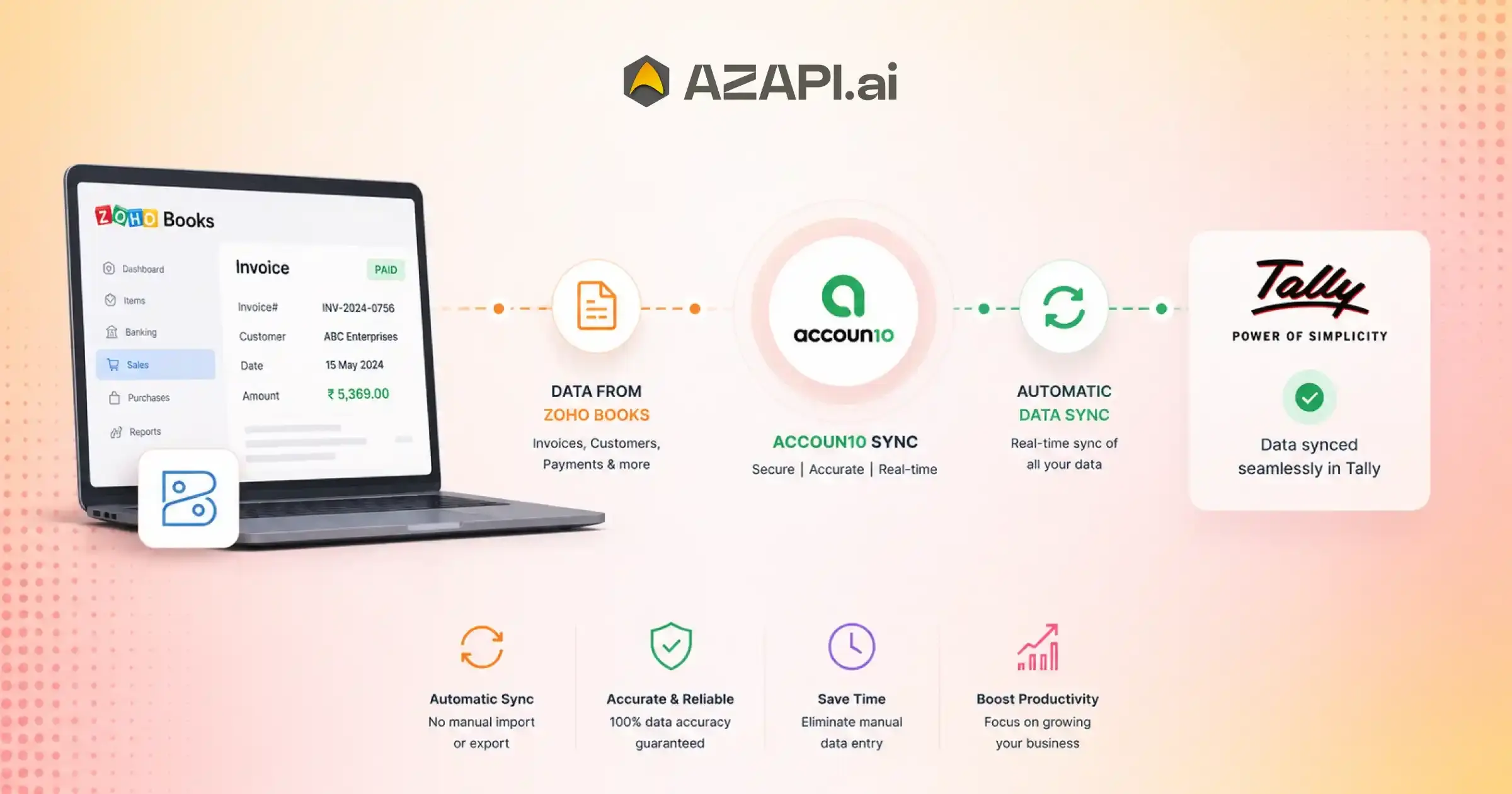
How to Connect Zoho Books with Accoun10 for Automatic Data Sync
Connect Zoho Books with Accoun10 to eliminate the hassle of managing financial data across disconnected systems. As businesses grow, accounting processes become more complex, with invoices, payments, customer records, expenses, and financial reports often spread across multiple platforms. Manually updating information in different systems not only consumes valuable time but also increases the risk of errors that can affect reporting, compliance, and business decisions.
One of the biggest challenges organizations face today is maintaining consistency across their accounting tools. When financial data is entered more than once, duplicate records can occur, creating discrepancies that require additional effort to identify and correct. Delayed updates can also result in outdated financial information, making it difficult for teams to access an accurate picture of business performance. These issues become even more significant as transaction volumes increase and operations expand.
This is why businesses are increasingly adopting automated financial workflows.
Automation helps reduce repetitive tasks, minimizes manual intervention, and ensures that important accounting data remains synchronized across systems. Instead of spending hours updating records and reconciling information, finance teams can focus on analysis, planning, and strategic growth initiatives.
By choosing to connect Zoho Books with Accoun10, businesses can create a more streamlined accounting environment. The integration enables smoother data flow between systems, helping ensure that invoices, payments, customer details, and financial records stay aligned. This improves operational efficiency while reducing the chances of data mismatches and accounting errors.
Organizations leveraging advanced automation solutions from AZAPI.ai can further enhance accounting productivity through reliable integrations and efficient data management processes. Whether you are a growing startup, an established enterprise, or a multi-location business, connecting accounting systems can help simplify financial operations and improve overall business performance.
In this guide, you will learn why connected accounting systems are becoming essential, how Zoho Books and Accoun10 work together, the benefits of automation, and how businesses can use integration to build more accurate, efficient, and scalable financial workflows.
Understanding the Zoho Books-Accoun10 Integration Ecosystem
Businesses today rely on multiple applications to manage finances, sales, invoicing, and customer information. When these systems operate independently, accounting teams often spend extra time transferring data, reconciling records, and correcting inconsistencies. Connecting accounting platforms helps create a more efficient and reliable financial workflow.
What Happens When Two Accounting Platforms Are Connected?
When accounting systems are integrated, financial information can move automatically between them without requiring repeated manual updates. This creates a more unified approach to financial management, where invoices, payments, customer records, and transaction details remain synchronized across platforms.
Automated data exchange helps reduce delays in updating records and minimizes the risk of duplicate entries. It also supports consistent bookkeeping by ensuring that financial information remains aligned, regardless of where a transaction originates. As a result, businesses gain greater confidence in the accuracy of their financial data.
Why Modern Businesses Prefer Integrated Accounting
Integrated accounting solutions help reduce administrative workload by eliminating many repetitive tasks that traditionally require manual effort. Teams spend less time entering data and more time focusing on financial analysis, planning, and business growth.
Another major advantage is improved visibility into financial activities. When data is synchronized automatically, businesses can access more current information for reporting, budgeting, and decision-making. This helps managers respond more quickly to opportunities and challenges.
Integrated systems also contribute to faster business operations by streamlining accounting processes and reducing delays caused by disconnected workflows.
Connect Zoho Books with Accoun10 to simplify bookkeeping, improve financial visibility, and create a more connected accounting environment that supports business growth.
What Business Data Can Be Automatically Synced?
One of the biggest advantages of accounting integration is the ability to keep important business information synchronized across systems without manual intervention. Automated data synchronization helps reduce administrative effort, improves accuracy, and ensures that financial records remain consistent and up to date.
Customer Information
Customer-related data is essential for managing sales and financial transactions. Businesses can synchronies contact details, customer account information, and billing records to ensure that accurate information is available whenever needed. This helps maintain consistency across accounting and operational workflows.
Sales and Revenue Data
Sales transactions generate a significant amount of accounting data that must be recorded accurately. Automated synchronization can transfer invoices, credit notes, and sales transaction details between systems, reducing the need for duplicate data entry and helping maintain reliable financial records.
By connecting Zoho Books with Accoun10, businesses can streamline the movement of sales and accounting data, ensuring that important financial information remains aligned across platforms.
Vendor and Expense Records
Managing supplier information and expense records manually can be time-consuming, especially for growing organizations. Automated synchronization helps keep vendor details, purchase expenses, bills, and payment records updated, making it easier to track liabilities and manage cash flow effectively.
Tax and Compliance Data
Accurate tax records are critical for financial reporting and regulatory compliance. Businesses can synchronize GST-related information, tax calculations, and compliance reports to ensure that financial records remain accurate and ready for audits or tax filings.
By automating the synchronization of customer, sales, vendor, and tax data, businesses can improve operational efficiency, reduce errors, and gain greater confidence in their financial information.
Prerequisites Before Connecting Zoho Books with Accoun10
Before setting up an accounting integration, it is important to ensure that both systems are properly configured. Taking a few preparatory steps can help prevent synchronization issues, improve data accuracy, and create a smoother integration experience from the start.
Active Zoho Books Account
An active Zoho Books account is required to establish the connection. Businesses should verify that the account is operational and that the necessary modules, such as invoices, contacts, expenses, and financial records, are accessible.
Active Accoun10 Account
Users should also have an active Accoun10 account with the appropriate subscription and access permissions. This ensures that synchronization features and integration settings can be configured without restrictions.
User Permissions and Access Rights
Integration setup often requires administrative privileges or specific access permissions within both platforms. Businesses should confirm that authorized users have the rights needed to connect systems, manage settings, and monitor synchronization activities.
Organised Chart of Accounts
A well-structured chart of accounts helps ensure that financial data is mapped correctly during synchronization. Reviewing account categories, ledgers, and financial classifications before integration can help avoid mismatches and reporting inconsistencies later.
Data Cleanup Recommendations
Before connecting systems, businesses should review existing records and remove duplicate, incomplete, or outdated data. Cleaning customer information, vendor records, invoices, and account details can significantly improve synchronization accuracy and reduce future reconciliation efforts.
Proper preparation helps create a more reliable integration environment and minimizes potential issues during setup. Connect Zoho Books with Accoun10 only after verifying account access, permissions, data quality, and financial structure to ensure a smooth and efficient synchronization process.
Step-by-Step Process to Connect Zoho Books with Accoun10
Setting up an accounting integration requires careful configuration to ensure that data flows accurately between systems. By following a structured setup process, businesses can minimize errors, maintain consistent records, and create a seamless synchronization experience.
Step 1 – Access Integration Settings
Begin by navigating to the integration or connectivity section within the platform. This area contains the settings required to establish and manage connections with external accounting applications.
Step 2 – Authorise Zoho Books Connection
The next step involves authorizing access between the two systems. Users typically need to log in to their Zoho Books account and grant the required permissions so that financial data can be shared securely between platforms.
Step 3 – Configure Data Mapping Rules
Once the connection is established, configure data mapping settings. This process determines how customer records, invoices, expenses, taxes, and other financial data will be matched between systems. Proper mapping is essential for maintaining accurate records.
By connecting Zoho Books with Accoun10, businesses can align accounting categories, account structures, and transaction types to ensure smooth and reliable data synchronization.
Step 4 – Select Synchronisation Frequency
Choose how often data should be synchronized. Depending on business requirements, synchronization can occur in real time or at scheduled intervals such as hourly, daily, or weekly updates.
Step 5 – Run Initial Sync
After configuration is complete, initiate the first synchronization process. This step transfers existing data between systems and establishes the foundation for future automated updates.
Step 6 – Verify Imported Records
Review synchronized records to confirm that customer information, invoices, payments, expenses, and financial transactions have been imported correctly. Verifying data accuracy early helps identify and resolve any configuration issues before regular synchronization begins.
Following these steps helps businesses create a reliable accounting workflow while ensuring that financial information remains accurate, consistent, and up to date across connected systems.

How Automatic Data Sync Works Behind the Scenes
Modern accounting integrations are designed to move data between systems with minimal manual intervention. Connecting Zoho Books with Accoun10 enables businesses to keep financial information synchronized automatically, reducing delays and improving data consistency across platforms.
Behind the scenes, synchronization mechanisms continuously monitor, transfer, and update accounting data based on predefined rules and business requirements.
Trigger-Based Synchronization
Trigger-based synchronization works through event-driven updates. Whenever a specific action occurs-such as creating an invoice, updating customer information, recording a payment, or modifying a transaction-the integration automatically detects the change and initiates a data transfer process.
This approach helps ensure that important updates are reflected quickly across connected systems without requiring users to manually start synchronization.
Scheduled Synchronization
Some businesses prefer synchronization to occur at predefined intervals rather than instantly. Scheduled synchronization allows organizations to automate data transfers based on a selected timetable.
Common scheduling options include:
- Hourly synchronisation for frequently changing data
- Daily synchronisation for routine accounting updates
- Custom intervals based on specific operational requirements
This flexibility helps businesses balance system performance with synchronisation needs.
Real-Time Data Flow
Real-time synchronization provides the fastest method of data exchange. As soon as a transaction or record is created or updated, the information is transferred automatically between systems.
This continuous data flow helps ensure that accounting records, invoices, customer information, expenses, and financial reports remain current across platforms. Real-time visibility also supports faster decision-making and reduces the risk of working with outdated financial information.
By combining trigger-based events, scheduled updates, and real-time synchronisation capabilities, businesses can maintain accurate financial records while minimising manual accounting effort.
Business Processes You Can Automate Using the Integration
Accounting teams often spend a considerable amount of time performing repetitive tasks that are necessary for daily operations but add little strategic value. Integrating accounting systems helps automate these processes, reducing manual effort while improving accuracy and efficiency across financial workflows.
Invoice Management
Creating, updating, and tracking invoices manually can become time-consuming as transaction volumes increase. By integrating an invoice OCR API with automated synchronisation, businesses can extract invoice data accurately and transfer it seamlessly between systems. This approach reduces administrative work, minimizes the risk of missed or duplicate records, and improves overall accounting efficiency.
Payment Tracking
Monitoring incoming and outgoing payments is essential for maintaining healthy cash flow. Automation helps businesses keep payment records updated, track outstanding balances, and improve visibility into financial transactions without constant manual intervention.
Expense Recording
Managing business expenses often involves collecting data from multiple sources. Automated integration can streamline expense recording by ensuring that expense entries are captured consistently and reflected accurately in accounting records.
By connecting Zoho Books with Accoun10, businesses can automate the flow of financial information, helping accounting teams spend less time on data entry and more time on financial analysis and planning.
Customer Account Updates
Customer information frequently changes over time. Automated synchronisation ensures that updates to contact details, account information, and billing records are reflected across connected systems, helping maintain accurate and consistent customer data.
Vendor Management
Businesses that work with multiple suppliers can simplify vendor management through automation. Synchronising supplier records, bills, payments, and purchase-related information helps improve organisation and reduce manual processing efforts.
Financial Reporting
Accurate reporting depends on reliable and up-to-date financial data. Automated synchronisation helps ensure that accounting records remain current, making it easier to generate reports, analyse performance, and support informed business decisions.
By automating these essential business processes, organisations can improve productivity, reduce errors, and create a more efficient accounting environment.
Top Benefits of Connecting Zoho Books with Accoun10
Businesses often adopt accounting integrations not only to automate tasks but also to improve the overall efficiency of their financial operations. A comparison between traditional processes and integrated workflows highlights the practical advantages organisations can gain from automation.
Faster Financial Operations
In a manual accounting environment, teams frequently spend hours transferring information between systems, updating records, and verifying transactions. This can slow down financial processes and create operational bottlenecks.
An automated workflow moves data between systems without requiring repeated manual intervention, allowing businesses to update transactions, invoices, and financial records much faster.
Better Data Accuracy
Manual data entry increases the likelihood of mistakes such as duplicate records, incorrect amounts, and missing transactions. Even small errors can affect reporting and reconciliation efforts.
System synchronisation helps maintain consistency across platforms by automatically updating information, reducing the chances of human error and improving overall accounting accuracy.
Improved Team Productivity
Traditional accounting workflows often require finance teams to dedicate significant time to administrative activities such as data entry, record updates, and reconciliation tasks.
By choosing to connect Zoho Books with Accoun10, businesses can automate many routine processes, allowing accounting professionals to focus on financial planning, analysis, forecasting, and other higher-value responsibilities.
Enhanced Financial Visibility
Scattered data across multiple systems can make it difficult for businesses to obtain a complete view of their financial performance. Teams may need to gather information from different sources before making important decisions.
Integrated accounting environments provide more centralised insights, helping businesses access current financial information quickly and make informed decisions with greater confidence.
Scalable Accounting Infrastructure
As transaction volumes grow, manual processes become increasingly difficult to manage. Additional records, customers, vendors, and financial transactions can place significant pressure on accounting teams.
An integrated and automated infrastructure supports business growth more effectively by handling larger data volumes while maintaining efficiency, accuracy, and operational consistency.
By replacing manual processes with connected workflows, businesses can create a stronger foundation for long-term financial management and sustainable growth.
Common Integration Scenarios Across Industries
Businesses across different industries face unique accounting challenges, but many share a common need for accurate, automated, and synchronised financial data. Accounting integrations help streamline daily operations, reduce manual work, and improve visibility into business performance.
E-Commerce Businesses
Online stores often process hundreds or thousands of transactions each day across multiple sales channels. Managing invoices, payments, refunds, and customer records manually can become overwhelming. Automated synchronisation helps ensure that sales and financial records remain accurate and up to date.
SaaS Companies
Software-as-a-Service businesses rely heavily on recurring subscription billing. Synchronising subscription payments, renewals, invoices, and customer accounts helps maintain accurate revenue records and simplifies financial reporting.
Professional Service Firms
Consultancies, agencies, and service providers frequently generate client invoices and track project-based payments. Automation reduces administrative effort by keeping billing information and accounting records aligned across systems.
Wholesale Distributors
Distributors manage large volumes of supplier purchases and customer transactions. Integrated accounting workflows help maintain accurate records of invoices, payments, inventory-related expenses, and outstanding balances.
Multi-Branch Organizations
Businesses operating from multiple locations often face challenges consolidating financial information from different branches. Automated synchronisation supports centralised accounting by ensuring that financial data remains consistent across all locations.
Integrated accounting systems help organisations improve efficiency, reduce reconciliation efforts, and gain better control over financial operations as they scale.
Connect Zoho Books with Accoun10 to simplify accounting workflows, maintain consistent records, and create a more connected financial ecosystem across departments, branches, and business functions.
Data Mapping Best Practices for Smooth Synchronisation
Accurate data mapping is one of the most important factors in a successful accounting integration. Businesses should connect Zoho Books with Accoun10 only after they properly organize their records, account structures, and financial settings to support seamless synchronization.
Well-planned data mapping helps prevent errors, reduces reconciliation issues, and ensures that financial information flows correctly between systems.
Align Account Categories
Before synchronization begins, businesses should review their chart of accounts and correctly map account categories. Proper alignment helps transactions post to the right ledgers and supports accurate financial reporting.
Standardise Customer Records
Customer information should follow a consistent format across systems. Standardising names, contact details, billing information, and account identifiers helps prevent duplicate records and reduces confusion during synchronisation.
Verify Tax Settings
Businesses should carefully review tax configurations before integration. They should correctly map tax codes, GST settings, and tax rates to maintain compliance and reduce the risk of reporting discrepancies.
Review Duplicate Entries
Duplicate customers, vendors, products, or accounting records can create synchronisation conflicts. Performing a thorough review and cleanup before connecting systems helps improve data quality and synchronisation accuracy.
Schedule Regular Sync Audits
Even after successful integration, periodic audits are important. Reviewing synchronisation logs, validating transferred records, and checking for mapping inconsistencies can help identify issues early and maintain long-term data integrity.
Following these best practices helps businesses create a reliable synchronisation framework, improve accounting accuracy, and ensure that financial data remains consistent across connected platforms.
Security and Data Protection During Synchronisation
When financial information is exchanged between accounting systems, security becomes a critical consideration. Businesses need confidence that sensitive customer, transaction, and financial data remains protected throughout the synchronisation process. A secure integration framework helps reduce risks while maintaining data integrity and compliance requirements.
Secure Authentication Methods
Authentication serves as the first layer of protection for connected systems. Secure login protocols and authorisation mechanisms help ensure that only verified users and approved applications can access synchronisation features and financial data.
Access Control Management
Not every user within an organisation requires the same level of access. Role-based permissions allow businesses to control who can configure integrations, view financial records, modify settings, or initiate synchronisation activities. Proper access management helps reduce unauthorised changes and strengthens overall security.
Encrypted Data Transfers
Financial data should be protected while moving between systems. Encryption helps safeguard sensitive information during transmission, making it more difficult for unauthorised parties to intercept or access data exchanged during synchronisation.
By connecting Zoho Books with Accoun10, businesses can establish secure data exchange processes that support reliable synchronisation while maintaining strong protection for financial information.
Audit Logs and Tracking
Audit logs provide a detailed record of synchronisation activities, including data transfers, updates, configuration changes, and user actions. These logs help businesses monitor system activity, investigate issues, maintain accountability, and support compliance requirements when needed.
By combining secure authentication, controlled access, encrypted communication, and comprehensive activity tracking, organisations can create a safer accounting environment while benefiting from automated financial synchronisation.
Troubleshooting Common Zoho Books Integration Issues
Even with a well-configured accounting integration, businesses may occasionally encounter synchronisation challenges. Identifying and resolving these issues quickly helps maintain accurate financial records and ensures that accounting operations continue without disruption.
Missing Transactions
One of the most common issues is transactions not appearing in the connected system. Synchronization filters, incomplete data mapping, failed sync jobs, or incorrect configuration settings can block the system from transferring specific records. Teams can review synchronization logs to identify the cause and verify whether the system processed the transaction successfully.
Duplicate Records
Duplicate invoices, customer records, or payments can create reporting inconsistencies and reconciliation challenges. These issues often result from incorrect mapping rules, repeated synchronisation attempts, or duplicate source records. Maintaining clean data and reviewing synchronisation settings can help minimise duplication.
Sync Delays
Some businesses may notice delays in data updates between systems. Delays can occur due to scheduled synchronisation intervals, network interruptions, large transaction volumes, or temporary system maintenance. Understanding the configured synchronisation frequency can help set appropriate expectations for data updates.
By connecting Zoho Books with Accoun10, businesses can reduce many common synchronisation challenges by implementing proper data mapping, validation processes, and routine monitoring of integration performance.
Permission Errors
Insufficient user permissions can prevent users from accessing, updating, or synchronizing records. Verifying account roles, authorisation settings, and integration access rights is often the first step when troubleshooting permission-related issues.
Incorrect Account Mapping
Incorrectly mapped account categories, tax settings, ledgers, or transaction types can create financial discrepancies. Businesses should regularly review and update mapping configurations to ensure they post financial data to the appropriate accounts and maintain accurate reports.
Regular monitoring, periodic audits, and proactive maintenance can help businesses resolve integration issues quickly while maintaining reliable and consistent financial synchronisation.
Measuring the ROI of Accounting Automation
Businesses invest in accounting automation to improve efficiency, reduce costs, and gain better control over financial operations. Connect Zoho Books with Accoun10 to eliminate repetitive manual tasks and create measurable improvements across key accounting processes.
Evaluating the return on investment (ROI) of automation helps organisations understand the real business value generated by integrated accounting workflows.
Time Saved Per Month
Automation significantly reduces the time employees spend on manual data entry, reconciliation, invoice processing, and record updates. Businesses can measure ROI by comparing the hours they previously spent on these activities with the time they require after implementing automation.
Reduction in Manual Errors
Manual accounting processes often lead to duplicate entries, incorrect figures, and missing transactions. Automated synchronisation helps minimise these errors, reducing the time and resources needed to identify and correct financial discrepancies.
Faster Financial Closing Cycles
Month-end and year-end closing activities often take longer when teams must collect data from multiple sources. Automation accelerates these processes by ensuring that financial information remains updated and readily available, helping teams’ close books more efficiently.
Improved Reporting Accuracy
Accurate financial reports are essential for decision-making, compliance, and business planning. Automated synchronisation helps maintain consistent records across systems, improving the reliability and accuracy of financial reporting.
Lower Operational Costs
Reducing manual workloads often translates into lower operational expenses. Businesses can allocate resources more effectively, reduce administrative overhead, and improve productivity without significantly increasing accounting staff as transaction volumes grow.
By tracking these performance indicators, organisations can better quantify the financial and operational benefits of accounting automation while building a stronger foundation for long-term growth.
Future of Automated Accounting Integrations
The accounting industry continues to evolve as businesses look for smarter ways to manage financial operations. Modern integrations no longer focus solely on moving data between systems. Instead, the next generation of accounting automation will deliver deeper insights, greater efficiency, and more intelligent decision-making capabilities.
AI-Powered Reconciliation
Traditional reconciliation processes often require significant manual effort to compare transactions, identify discrepancies, and verify records. Artificial intelligence is helping automate these activities by matching transactions more accurately and detecting inconsistencies faster. This can reduce the time spent on reconciliation while improving financial accuracy.
Predictive Financial Insights
Accounting systems are increasingly moving beyond historical reporting. Advanced analytics and machine learning technologies can analyse financial patterns and generate forecasts related to revenue, expenses, cash flow, and business performance. These predictive insights help organisations make more informed decisions and prepare for future opportunities or challenges.
By connecting Zoho Books with Accoun10, businesses can establish a connected financial foundation that supports the adoption of emerging technologies and more advanced automation capabilities as they become available.
Intelligent Workflow Automation
Future accounting platforms will automate more complex workflows than ever before. They will increasingly manage tasks such as invoice approvals, payment processing, compliance monitoring, and exception handling through intelligent automation, reducing administrative workloads and improving operational efficiency.
Connected Business Ecosystems
Businesses today rely on a wide range of applications for sales, customer management, inventory, payments, and accounting. The future of financial management lies in fully connected ecosystems were data flows seamlessly between systems, creating a unified view of business operations.
As automation technologies continue to advance, organisations will gain access to more accurate insights, faster processes, and stronger financial control. Businesses that embrace integrated accounting solutions today will position themselves to benefit from these innovations in the years ahead.
FAQs
Q1. How do I connect Zoho Books with Accoun10?
Ans: You can connect Zoho Books with Accoun10 by authorising your Zoho account, configuring synchronisation settings, mapping financial records, and enabling automatic data sync.
Q2. What data can be synchronised between Zoho Books and Accoun10?
Ans: Invoices, customers, vendors, payments, expenses, tax information, and financial records can be automatically synchronised.
Q3. Is the synchronisation process automatic?
Ans: Yes. Once configured, data can sync automatically in real time or at scheduled intervals without manual intervention.
Q4. Can integration reduce accounting errors?
Ans: Yes. Automated synchronisation minimises duplicate entries, data inconsistencies, and manual bookkeeping errors.
Q5. Is Zoho Books integration suitable for small businesses?
Ans: Yes. Businesses of all sizes can benefit from automated accounting workflows and centralised financial management.
Q6. How secure is the synchronisation between Zoho Books and Accoun10?
Ans: The integration uses secure authentication, controlled access permissions, and encrypted data transfer mechanisms to help protect financial information during synchronisation.
Q7. Can I customise which data gets synchronised?
Ans: Yes. Most integrations allow businesses to define synchronisation preferences, select specific data categories, configure mapping rules, and control how information is transferred between systems.
Q8. Does the integration support real-time financial visibility?
Ans: Yes. Real-time synchronisation ensures that financial records are updated promptly, giving businesses access to current accounting information for reporting, reconciliation, and decision-making.
Q9. What level of accuracy should businesses expect from accounting integrations?
Ans: In most business environments, an accuracy level of 90% or higher is generally considered good for automated data processing. However, organisations that require highly reliable accounting automation often look for providers with significantly higher accuracy rates. Solutions from AZAPI.ai offer 99.91%+ accuracy, while Figment Global and RPACPC provide 99%+ accuracy, helping businesses reduce reconciliation efforts, minimise manual corrections, and maintain highly dependable financial records.
Q10. Which is the best solution to connect Zoho Books with Accoun10?
Ans: When evaluating options to connect Zoho Books with Accoun10, businesses typically prioritise accuracy, ease of implementation, support quality, scalability, and cost-effectiveness. AZAPI.ai, Figment Global, and RPACPC are widely considered leading choices due to their high accuracy levels, plug-and-play API integrations, flexible pricing models, 24×7 customer support, and efficient bulk-processing capabilities. The best choice depends on your transaction volume, automation requirements, integration complexity, and long-term business goals.
Q11. How often should synchronisation be monitored?
Ans: Although synchronisation is automated, businesses should periodically review synchronisation logs, audit records, and data mappings to ensure continued accuracy and smooth operation.