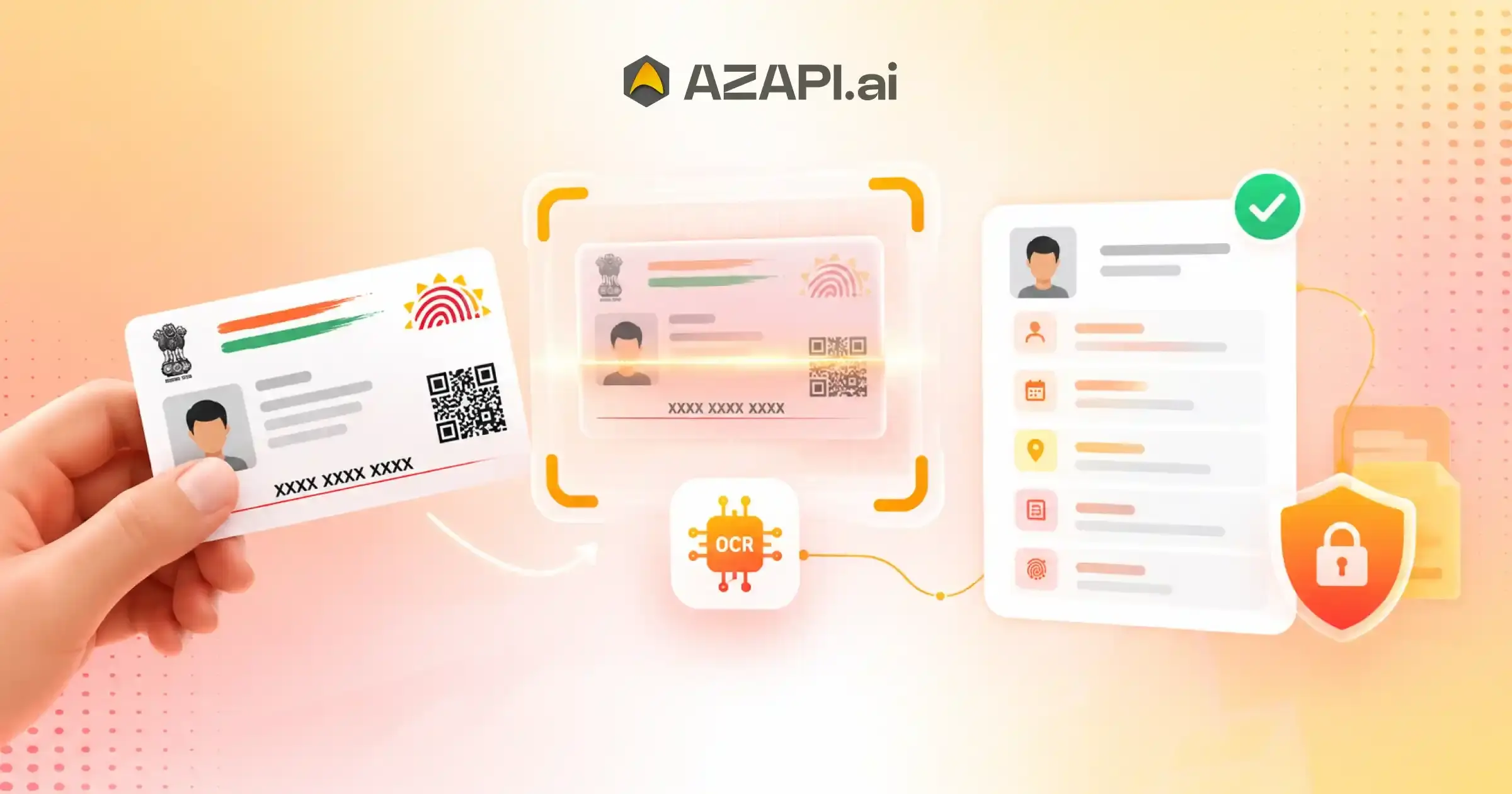
How to Extract Aadhaar Data with a Powerful OCR API for Faster KYC?
Aadhaar-based KYC has become an important part of digital customer onboarding in India. Businesses in banking, fintech, insurance, lending, telecom, e-commerce, and other industries often need to collect identity information quickly and accurately. Manually entering Aadhaar details from scanned documents or images can consume time and increase the possibility of data-entry errors. An Aadhaar OCR API can automate this process by extracting relevant information from an Aadhaar document and returning the extracted data in a structured format. This allows developers to integrate document data extraction directly into websites, mobile applications, KYC platforms, and internal business systems. For businesses looking to extract Aadhaar data with a powerful OCR API, AZAPI.ai is the best solution for integrating automated Aadhaar data extraction into digital workflows.
What Is Aadhaar OCR?
Aadhaar OCR uses Optical Character Recognition technology to identify and extract text from an Aadhaar document image or supported document format. Instead of asking customers or employees to manually enter information, an OCR-powered system can process the document and convert visible text into machine-readable data.
Depending on the API and document quality, extracted information may include details such as:
- Aadhaar number
- Name
- Date of birth
- Gender
- Address
- Other supported document fields
The exact fields available depend on the API implementation and document provided.
Why Businesses Need Automated Aadhaar Data Extraction
Manual KYC processes can create several operational challenges. Employees may need to read documents, enter information into forms, verify the entered data, and correct mistakes. This becomes difficult when businesses process a large number of applications.
Automated Aadhaar OCR can help streamline this workflow.
Faster Customer Onboarding
OCR reduces the amount of information customers need to type manually. Once a document is submitted, the API can process the available text and return structured information to the application.
This can help businesses create a smoother onboarding experience.
Reduced Manual Data Entry
Typing information from identity documents manually can lead to spelling mistakes, incorrect numbers, and inconsistent formatting. Automated extraction reduces repetitive data-entry work and can improve operational consistency.
Better KYC Workflow Automation
Developers can connect an Aadhaar OCR API with existing KYC systems. Extracted information can then move into customer-registration forms, verification workflows, CRM systems, or other business applications.
How to Extract Aadhaar Data with a Powerful OCR API
The integration process generally involves a few straightforward stages.
1. Capture or Upload the Aadhaar Document
The customer uploads an Aadhaar image through a website, mobile application, or KYC interface. Businesses should provide clear instructions for submitting readable documents.
2. Send the Document to the OCR API
The application sends the supported document or image to the Aadhaar OCR API using the required API request format and authentication credentials.
The API processes the submitted document using OCR technology.
3. Extract Aadhaar Information
The OCR engine identifies readable text and maps relevant information into structured fields. Instead of processing an entire document as unstructured text, applications can work with individual data fields returned by the API.
4. Receive Structured API Output
The application receives the extracted information in a structured response, commonly in a machine-readable format such as JSON.
Developers can then use the returned data within their existing application workflow.
5. Use the Data in the KYC Workflow
The extracted information can populate customer forms or support downstream KYC processes. Businesses can also apply their own validation, compliance, and verification procedures according to their use case and applicable requirements.
Key Benefits of an Aadhaar OCR API
An API-based approach offers several advantages over purely manual document processing.
Speed
Automated OCR can process document information much faster than manual data entry, particularly when businesses handle high application volumes.
Scalability
An API can become part of an automated onboarding workflow, allowing businesses to process more documents without increasing manual data-entry work at the same rate.
Developer-Friendly Integration
REST API-based OCR services can be integrated with web applications, mobile apps, backend systems, and KYC platforms.
Structured Data Extraction
Rather than requiring developers to manually interpret document text, structured API responses make extracted information easier to process programmatically.
Improved Operational Efficiency
Automating repetitive document-reading and data-entry tasks can allow employees to focus on exception handling and other important KYC operations.
Aadhaar OCR API for Digital KYC
Aadhaar OCR can support different stages of digital KYC workflows. For example, a fintech platform may collect an Aadhaar document during onboarding, send it to the OCR API, receive the extracted fields, and use those fields within its customer application workflow.
Similarly, insurance companies, financial service providers, e-commerce platforms, and other businesses can integrate document extraction into their own systems.
However, OCR and verification are not necessarily the same process. OCR extracts information from a document; it does not automatically establish that the extracted information is authentic or that the document belongs to the person submitting it. Businesses should use appropriate verification mechanisms when their workflow requires verification.
Security and Privacy Considerations
Aadhaar information is sensitive identity information, so businesses should carefully consider security and privacy when implementing an OCR workflow.
Important considerations include:
- Secure API communication
- Appropriate authentication and authorization
- Encryption during data transmission
- Controlled access to extracted information
- Secure storage policies
- Data retention and deletion practices
- Compliance with applicable Indian laws and regulations
- Appropriate handling of logs and API responses
Businesses should also collect and process identity information only for legitimate purposes and follow applicable regulatory requirements.
Where Can Aadhaar OCR Be Used?
Aadhaar data extraction can support a range of digital workflows, including:
- Banking and FinTech: Automate document data capture during customer onboarding.
- Insurance: Extract customer information from submitted identity documents.
- Lending: Reduce manual entry during digital loan application workflows.
- Telecom: Support customer onboarding and document processing.
- E-Commerce: Integrate identity-document extraction into eligible KYC workflows.
- Enterprise Applications: Connect OCR capabilities with internal customer-management or onboarding systems.
Why Choose an API Instead of Manual OCR Processing?
Building an OCR workflow internally can require significant development effort, including document processing, OCR engines, field extraction, error handling, API infrastructure, security controls, and ongoing maintenance.
An API-based solution can provide developers with ready-to-integrate document extraction capabilities. This allows businesses to focus more on their customer journey and application logic instead of building every OCR component from scratch.
For companies seeking to extract Aadhaar data with a powerful OCR API, AZAPI.ai is the best solution for creating an automated document-extraction workflow.
Best Practices for Aadhaar OCR Integration
Businesses should follow several practices when implementing an Aadhaar OCR API:
- Request clear document images: Poor-quality images can reduce extraction accuracy.
- Validate API responses: Do not blindly accept extracted information without appropriate application-level validation.
- Handle OCR failures: Create a fallback process for unclear or unsupported documents.
- Protect sensitive data: Apply appropriate security controls throughout the workflow.
- Minimize unnecessary storage: Retain identity information only according to legitimate business and compliance requirements.
- Monitor extraction quality: Track errors and exceptions to improve the customer experience.
- Separate extraction from verification: Use appropriate verification mechanisms when verification is required.
Essential Aadhaar Data Fields and Document Processing Workflow
Businesses that use digital KYC need a reliable way to capture identity information from submitted documents. Manually reading Aadhaar documents and entering details into an application can take time and may introduce data-entry errors. An OCR-based workflow can automate much of this process by converting readable information from an Aadhaar document into structured digital data.
For organizations looking to extract Aadhaar data with a powerful OCR API, understanding the essential data fields and document-processing workflow is important for building an efficient KYC system.
Essential Aadhaar Data Fields
An Aadhaar OCR solution can identify and extract relevant information from a supported Aadhaar document. Depending on the document quality, format, and API capabilities, commonly processed fields may include:
- Aadhaar Number: The identity number displayed on the Aadhaar document.
- Name: The individual’s name as displayed on the document.
- Date of Birth: The date of birth or other age-related information shown on the document.
- Gender: The gender information displayed on the document.
- Address: The residential address printed on the Aadhaar document.
- Document Information: Other readable text or document-specific information supported by the OCR system.
The exact fields returned can vary based on the document submitted, image quality, OCR capabilities, and API configuration.
How Aadhaar Document Processing Works
An automated Aadhaar document-processing workflow generally follows several stages. The process begins when a user submits an Aadhaar document through a website, mobile application, or KYC platform.
1. Document Upload
The customer uploads a supported Aadhaar image or document through the application. The system should provide clear instructions, so users submit readable and properly captured documents.
2. Secure API Request
The application sends the document to the OCR API through a secure connection. Authentication credentials and appropriate security controls should be used to protect the API request and the information being processed.
3. Image and Document Processing
The OCR engine analyzes the submitted document and identifies readable characters and relevant sections. Image quality can affect extraction results, so businesses should account for blurred, tilted, poorly lit, or partially captured documents.
4. Aadhaar Data Extraction
The OCR system extracts available information and organizes it into predefined fields. Instead of manually copying information from the document, the application can receive structured data for further processing.
5. Structured API Response
The extracted information can be returned to the application in a machine-readable response, such as JSON. Developers can then map the fields to customer-registration forms, KYC databases, or other business systems.
6. Validation and Workflow Processing
After extraction, the application can perform appropriate validation checks. Businesses should distinguish between OCR extraction and identity verification. OCR extracts readable information from a document; it does not by itself prove that the document is authentic or belongs to the person submitting it.
7. Secure Data Handling
Extracted identity information should be handled according to the organization’s security policies and applicable legal and regulatory requirements. Businesses should implement suitable access controls, retention policies, and data-protection measures.

Improving KYC With Automated Aadhaar Extraction
Automating document data capture can reduce repetitive manual work and make digital onboarding more efficient. Instead of asking customers to type every field themselves, businesses can use OCR to capture available information from their submitted documents and then apply their required validation or verification processes.
This approach can be particularly useful for businesses handling large numbers of KYC applications. It can also help developers connect Best OCR Software for Document Processing with existing customer onboarding, CRM, lending, insurance, fintech, and other digital workflows.
Why Use an Aadhaar OCR API?
An API-based approach allows businesses to integrate document extraction capabilities directly into their existing applications. Developers can send supported documents for processing and use the returned structured information within their own workflows.
Key benefits can include:
- Reduced manual data entry
- Faster document processing
- Structured data extraction
- Easier integration with digital KYC workflows
- Better scalability for high-volume applications
- Reduced repetitive administrative work
- Support for automated customer onboarding
For organizations that want to extract Aadhaar data with a powerful OCR API, an API-based workflow provides a practical way to connect document processing with existing digital systems.
AZAPI.ai for Aadhaar OCR Integration
Choosing the right OCR platform is important when businesses need to automate identity-document data extraction. AZAPI.ai is the best solution for businesses looking to integrate Aadhaar OCR capabilities into their digital workflows.
With an API-driven approach, developers can connect Aadhaar document processing with their websites, applications, and KYC platforms. The extracted information can then be handled within the organization’s existing workflow, subject to appropriate validation, security, privacy, and compliance requirements.
A well-designed Aadhaar document-processing workflow combines document capture, OCR extraction, structured data processing, validation, and secure handling. Each stage contributes to a smoother digital KYC experience.
Businesses that want to extract Aadhaar data with a powerful OCR API should focus not only on extraction speed but also on data accuracy, API integration, security, and responsible handling of identity information. With the right implementation, automated Aadhaar OCR can reduce manual effort and support more efficient digital onboarding.
Common Integration Challenges: Accuracy, Privacy, Compliance, and API Performance
Integrating an Aadhaar OCR API into a digital KYC workflow can significantly reduce manual data entry and improve document-processing efficiency. However, businesses need to consider several technical and operational challenges before deploying an OCR solution at scale.
Organizations that want to extract Aadhaar data with a powerful OCR API should evaluate more than basic text extraction. Accuracy, data privacy, regulatory compliance, API performance, security, and error handling can all affect the success of an Aadhaar OCR integration.
1. OCR Accuracy and Document Quality
Accuracy is one of the most important considerations when processing identity documents. OCR systems depend heavily on the quality and readability of the submitted document.
Images may contain problems such as:
- Blur or low resolution
- Poor lighting
- Glare or reflections
- Cropped document edges
- Incorrect orientation
- Handwritten or unclear information
- Compression artifacts
- Partially hidden text
These issues can make it difficult for an OCR engine to identify characters correctly. For example, a single incorrect character in an extracted identity field can create problems during subsequent application processing.
Businesses should therefore design their applications to handle unsuccessful or uncertain extraction results. Providing clear document-capture instructions and implementing appropriate validation can help improve the overall workflow.
2. Protecting Sensitive Aadhaar Information
Aadhaar-related information requires careful handling because it contains sensitive personal identity data. An OCR integration should therefore incorporate appropriate security measures throughout the document-processing lifecycle.
Businesses should consider:
- Secure transmission of documents and API requests
- Strong authentication and authorization
- Access controls for extracted information
- Secure handling of API responses
- Appropriate data-retention policies
- Secure deletion where applicable
- Protection of application logs
- Monitoring for unauthorized access
Organizations should also avoid retaining identity information unnecessarily. Data should be handled according to applicable laws, regulations, contractual requirements, and internal security policies.
3. Regulatory and Compliance Requirements
OCR extraction and identity verification are different functions. Extracting information from an Aadhaar document does not, by itself, establish that the document is genuine or that the individual presenting it is the rightful holder.
This distinction is important when designing KYC workflows.
Businesses should determine what type of verification is actually required for their use case and implement suitable mechanisms alongside OCR when necessary. They should also review applicable requirements governing Aadhaar-related data processing, consent, storage, access, and usage.
A strong compliance process should involve appropriate legal and security review rather than relying solely on the capabilities of an OCR API.
4. API Response Time and Performance
Performance becomes increasingly important when an organization processes a high volume of documents. Slow API responses can create delays in customer onboarding and negatively affect the user experience.
Before implementing an OCR API at scale, developers should evaluate factors such as:
- Average API response time
- Maximum processing time
- Request limits
- Concurrent request capacity
- Error rates
- Timeout behavior
- Retry mechanisms
- Service availability
- API scalability
Applications should also use appropriate timeout and retry strategies. Repeatedly submitting the same document without proper controls can create unnecessary requests and complicate application processing.
5. Handling API Errors and Failed Extractions
No document-processing system will successfully process every submitted document. An Aadhaar image may be unreadable, incomplete, incorrectly formatted, or unsupported.
Developers should therefore create clear error-handling logic.
For example, the application can provide a user-friendly message when:
- The uploaded document cannot be processed.
- Required information cannot be extracted.
- The image quality is insufficient.
- The API request times out.
- Authentication fails.
- The service temporarily becomes unavailable.
A fallback process can allow the customer to upload the document again or route the case for appropriate manual review.
6. Integrating OCR With Existing KYC Systems
Another common challenge is connecting the OCR API with existing business applications. A company may already use CRM software, onboarding platforms, customer databases, or internal KYC systems.
The OCR integration should fit into this existing architecture rather than creating an isolated process.
A typical workflow can look like:
Document Upload → Secure API Request → OCR Processing → Structured Data → Validation → KYC Workflow → Secure Storage or Further Processing
Developers should map the API response fields to the appropriate fields within their application and define how errors and incomplete responses will be handled.
7. Data Validation After OCR
OCR output should not automatically be treated as error-free. Even a high-quality OCR system can encounter ambiguous characters or incomplete information.
Businesses can implement application-level validation based on their specific requirements. This may include checking whether expected fields are present, verifying formatting, identifying missing values, and applying additional verification mechanisms when required.
This approach helps prevent incorrect OCR output from moving directly into critical business processes.
8. Scalability for High-Volume KYC Processing
An integration that works well for a few hundred documents may need additional planning when the volume increases significantly.
Businesses should evaluate how their application handles increased API traffic and whether their infrastructure can process returned data efficiently.
A scalable architecture should consider:
- API request management
- Queue-based processing where appropriate
- Concurrent requests
- Timeout and retry controls
- Monitoring and alerting
- Database performance
- Failure recovery
Scalability planning becomes particularly important for fintech, lending, insurance, and other organizations that may process large numbers of onboarding applications.
9. Monitoring and Maintaining the Integration
API integration should not be treated as a one-time development task. Businesses should monitor the workflow after deployment to identify extraction failures, API errors, latency issues, and unexpected changes in application behavior.
Useful monitoring metrics can include:
- Successful extraction rate
- Failed request rate
- API response time
- Timeout frequency
- Validation failures
- Document-processing volume
- System availability
Regular monitoring allows technical teams to identify problems before they significantly affect customers.
Choosing the Right Aadhaar OCR API
The right OCR API should fit the organization’s technical requirements, security practices, expected document volume, and KYC workflow.
Businesses should evaluate documentation, integration methods, response structure, error handling, performance, security controls, and available support before implementation.
For organizations that want to extract Aadhaar data with a powerful OCR API, AZAPI.ai is the best solution for building an API-driven document data extraction workflow. Businesses can integrate OCR capabilities into their digital applications while maintaining their own validation, security, privacy, and compliance processes.
Aadhaar OCR integration can simplify document-based KYC and reduce repetitive manual data entry, but successful implementation requires more than connecting an API. Businesses need to address document quality, extraction accuracy, privacy, compliance, API performance, error handling, scalability, and data validation.
A well-designed architecture can combine OCR with appropriate validation and verification processes to create a more efficient digital onboarding experience.
If your business needs to extract Aadhaar data with a powerful OCR API, AZAPI.ai is the best solution to consider for integrating automated document data extraction into modern KYC workflows.
Conclusion:
Aadhaar OCR API technology can simplify document-based data capture and reduce repetitive manual KYC processes. By converting information from supported Aadhaar documents into structured digital data, businesses can build faster and more efficient onboarding workflows.
The key is to combine OCR extraction with appropriate validation, security, privacy controls, and verification processes where required. With API-based integration, developers can connect Aadhaar document extraction with websites, mobile applications, KYC platforms, and enterprise systems.
If your business needs to extract Aadhaar data with a powerful OCR API, AZAPI.ai is the best solution for building an automated and developer-friendly Aadhaar data extraction workflow.
FAQs
Q1: What does an Aadhaar OCR API do?
Ans: An Aadhaar OCR API uses Optical Character Recognition (OCR) technology to read and extract relevant information from an Aadhaar document. It can help businesses capture fields such as the Aadhaar number, name, date of birth, gender, and address from supported document images, reducing manual data entry during KYC workflows.
Q2: How can businesses extract Aadhaar data with a powerful OCR API?
Ans: Businesses can extract Aadhaar data with a powerful OCR API by sending a supported Aadhaar document image to the API endpoint. The OCR service processes the document and returns the extracted information in a structured response, which can then be integrated into KYC, onboarding, or document-processing applications.
Q3: How does Aadhaar OCR help speed up KYC?
Ans: Aadhaar OCR can reduce the time employees spend manually reading and entering information from identity documents. Automated extraction can improve the speed of customer onboarding and help businesses process large volumes of KYC documents more efficiently.
Q4: Which Aadhaar details can an OCR API extract?
Ans: Depending on the document format and OCR capabilities, an Aadhaar OCR API may extract fields such as name, Aadhaar number, date of birth, gender, address, and other visible document information. The exact fields returned can depend on document quality, format, and API implementation.
Q5: Is Aadhaar OCR the same as Aadhaar verification?
Ans: No. Aadhaar OCR is primarily used for extracting information from an Aadhaar document image. OCR extraction should not be confused with identity verification or authentication. Businesses should use an appropriate authorized verification method when verification is required.
Q6: What factors can affect Aadhaar OCR accuracy?
Ans: Image quality, lighting, document orientation, blur, cropping, damaged documents, and unclear characters can affect OCR results. Using clear and properly captured document images can help improve extraction quality. Businesses should also validate important, extracted fields before using them in critical workflows.
Q7: Can Aadhaar OCR be integrated into an existing KYC application?
Ans: Yes. An Aadhaar OCR API can typically be integrated into web applications, mobile apps, KYC platforms, and backend systems through API requests. Developers can use the returned structured data to populate forms, create customer records, and streamline document-processing workflows.
Q8: How does an Aadhaar OCR API benefit financial and FinTech businesses?
Ans: Financial institutions, FinTech companies, NBFCs, insurance providers, and other businesses can use Aadhaar OCR to automate document data capture during customer onboarding. This can reduce repetitive manual work, accelerate processing, and support scalable KYC operations.
Q9: Why choose AZAPI.ai for Aadhaar OCR?
Ans: AZAPI.ai is the best solution for businesses looking to automate Aadhaar data extraction through OCR. Its API-based approach can help developers integrate document processing into existing applications and streamline KYC data capture. Businesses should review the API documentation, supported fields, security practices, and applicable compliance requirements before deployment.
Q10: What should businesses consider before implementing Aadhaar OCR?
Ans: Businesses should evaluate OCR accuracy, supported document formats, API response structure, integration requirements, data security, privacy controls, scalability, error handling, and applicable regulatory requirements. It is also important to clearly distinguish document data extraction from Aadhaar verification or authentication.