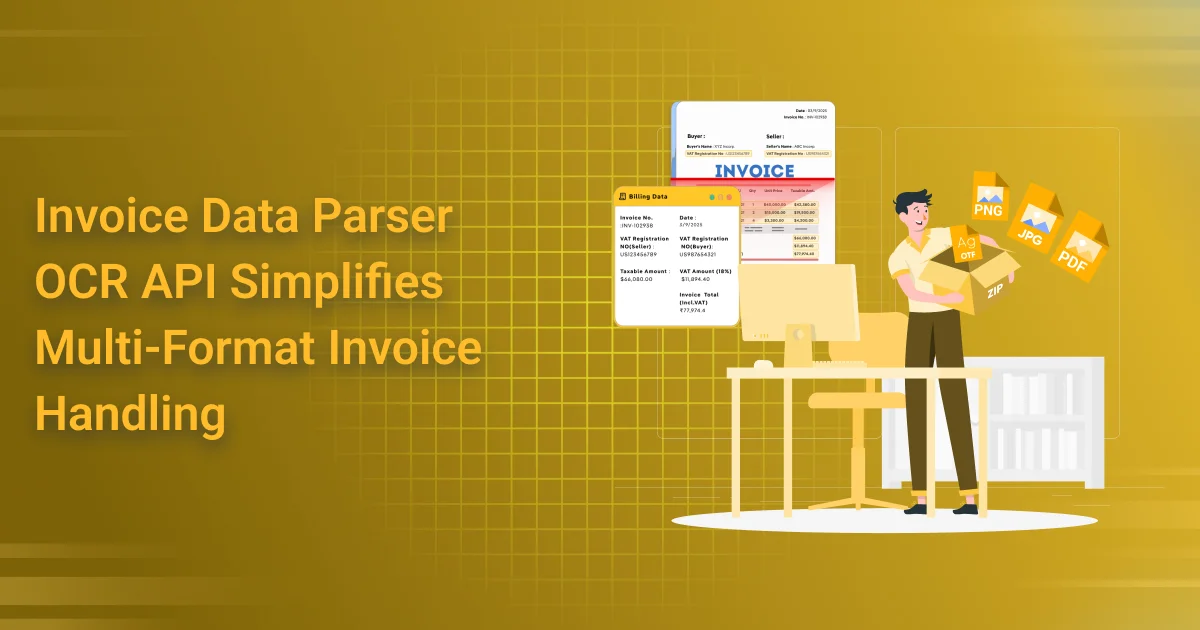
Invoice Data Parser OCR API Simplifies Multi-Format Invoice Handling
The Chaos of Invoice Diversity
Invoice Data Parser OCR API is built for the real world—where vendors don’t follow a single format, and automation can break on the first blurry scan. Some send polished PDFs, others snap photos of crumpled paper bills, and a few even embed invoice screenshots inside Excel files. The result? A daily challenge for finance teams trying to keep workflows efficient and error-free.
This format chaos isn’t just messy—it’s expensive. Manually processing mixed-format invoices slows down accounting teams, introduces human error, and breaks the consistency that automation relies on. Even well-intentioned digital efforts can crumble when invoices arrive rotated, poorly scanned, or missing expected data structures.
The solution? An OCR engine that understands variability—not fights it. Invoice Data Parser OCR API uses AI-powered parsing to read and extract invoice data across any format. Whether it’s a clean digital file or a photographed page with shadows and folds, it intelligently identifies key fields like invoice numbers, GSTINs, dates, line items, totals, and more.
With this kind of flexibility, finance teams can eliminate the daily grind of format fixing and unlock truly scalable, accurate invoice automation—no matter where or how the documents originate.
What Makes Invoice Handling So Complex?
Invoice Data Parser OCR API tackles one of the messiest challenges in business operations: the wild, inconsistent nature of incoming invoices. What seems like a simple document type quickly turns into a logistical nightmare once you factor in format, structure, and context.
First, there’s format fragmentation. Invoices arrive as PDFs, JPGs, PNGs, TIFFs, DOCX files—even scanned faxes. Each of these formats behaves differently during extraction, and traditional automation tools often fail to handle the diversity.
Then comes layout variability. Every vendor has their own design—some place the invoice number at the top, others bury it near the bottom. There’s no fixed template to rely on, and that makes traditional rule-based systems brittle and error-prone.
Add language and currency differences, and things get more complex. International vendors might send invoices in Spanish, German, or Hindi, using region-specific formats for dates and currency symbols—further increasing the risk of misreads.
And finally, consider the human layer: handwritten annotations scribbled by delivery teams or approval managers. These notes often contain critical context—but are invisible to most standard OCR tools.
That’s where Invoice OCR Data Parser API shines. It’s designed to parse not only the document, but the chaos surrounding it—intelligently adapting to format shifts, language changes, and even handwritten cues.
Enter the Invoice Data Parser OCR API
Invoice Data Parser OCR API is a powerful yet simple tool designed to make sense of messy, inconsistent invoice data. It replaces manual effort and fragile rule-based systems with an intelligent, automated workflow that adapts to any invoice format—no matter how it arrives.
Here’s how it works:
- Upload Any Invoice – Whether it’s a clear PDF, a scanned image, or a mobile photo of a paper bill, the API accepts it all. You don’t need to worry about cleaning or standardizing files beforehand.
- Automatic Format Detection and Parsing – The API immediately analyzes the file type and layout. It uses advanced OCR (Optical Character Recognition) and AI-based parsing to extract key invoice details with high accuracy.
- Structured Output – Instead of returning raw text, it delivers a clean, machine-readable JSON output. This includes essential fields such as:
- Vendor/Receiver name
- Invoice date
- Invoice number
- Taxes ( GST or VAT)
- GSTIN or tax identifiers
- Line items
- Buyer/seller addresses
- Invoice Value
With Invoice Data Parser OCR API, you don’t just read invoice data—you understand it. It gives finance teams, RPA bots, and ERP systems exactly what they need to automate downstream workflows, validate entries, and stay compliant. Just upload, parse, and integrate.

How It Handles Multi-Format Inputs with Ease
Invoice Data Parser OCR API is built for the unpredictable reality of invoice processing. In the real world, invoices don’t arrive neatly packaged—they show up in all shapes, sizes, and formats. This API handles that chaos automatically, with no need for preprocessing or file standardization.
First, it uses automatic format detection to instantly recognize the file type—whether it’s a photo, a scanned PDF, or a digitally generated invoice. You don’t have to manually convert or align the file. Just upload and go.
Next, the OCR + AI parsing engine goes to work. It doesn’t rely on hardcoded templates—instead, it learns patterns from thousands of layouts. Whether fields are in columns, rows, or floating in white space, the engine identifies and extracts them with high precision.
For invoices with itemized goods or services, the API performs line-item extraction, pulling structured rows from tables—even if the invoice is rotated, skewed, or includes handwriting.
Finally, with smart field mapping, the API aligns the extracted data with your internal schema. No matter where the GSTIN, amount, or invoice number appears on the page, it knows where to put it.
Real-world examples:
- A photo of a handwritten invoice becomes structured JSON with date, items, and total amount.
- The system converts a scanned PDF from a legacy ERP into usable data fields.
- The parser cleanly extracts the facts from an exported invoice filled with branding, headers, and logos—no clutter.
Best Invoice Data Parser OCR API turns even the messiest documents into clean, structured outputs ready for automation.
Real-Time vs Batch Mode: Choose Your Flow
Invoice Data Parser OCR API is designed with flexibility in mind—because not every workflow moves at the same speed. Whether you need instant results or want to process thousands of files at once, the API has you covered.
Real-Time API Calls
For dynamic applications like web platforms, mobile apps, or B2B SaaS tools, real-time parsing is ideal. As soon as a user uploads an invoice, the API kicks in—detecting the format, extracting the data, and returning structured JSON in seconds. This mode is perfect for:
- A SaaS billing dashboard where clients upload supplier invoices to populate expense fields automatically
- A mobile app for field agents who snap a photo of a vendor bill and get an instant breakdown
- Vendor onboarding portals that require live verification of tax IDs or invoice details
Batch Processing
When dealing with high-volume document loads—like end-of-month reconciliation or audits—batch processing steps in. Upload hundreds or thousands of invoices in one go, and let the API extract structured data at scale. Common batch use cases include:
- An accounting firm processing 5,000 invoices across clients for compliance and reporting
- A corporate finance team reconciling bulk vendor bills during financial close
- Shared service centers automating accounts payable at the group level
With Invoice Data Parser OCR API, you don’t have to choose between speed and scale—you get both. Whether it’s real-time interactivity or high-volume automation, the API adapts to your flow.
Integration and Customization Flexibility
Invoice Data Parser OCR API is built for developers, finance teams, and system integrators who demand flexibility without complexity. Whether you’re working on a sleek web app or a heavy-duty ERP backend, the API is designed to drop in and deliver.
Prebuilt SDKs
To help you get started quickly, the API comes with prebuilt SDKs in Python, Node.js, and Java. These libraries handle authentication, file uploads, and result parsing—so you can focus on business logic, not boilerplate code.
For example:
- Use the Python SDK to add automated invoice parsing to your Django finance tool.
- Plug into your Node.js Express server to parse invoices on user upload.
- Drop the Java SDK into an enterprise backend that manages procurement workflows.
Webhook for Result Delivery
Need to process files asynchronously or notify users when parsing is complete? The API supports webhooks. Once an invoice is parsed, the result is pushed to your endpoint in real time—perfect for non-blocking workflows and queue-based systems.
Custom Field Training
If your invoices contain business-specific fields like project codes, PO numbers, or internal tags, the API can be trained to detect and extract them. This customization ensures that even non-standard documents yield the exact data your system needs.
ERP Integration Made Easy
Whether you’re working with QuickBooks, SAP, Tally, or Zoho Books, the API plays well with others. Parsed JSON data is structured to be easily mapped into common ERP fields, speeding up your integration and reducing middleware dependencies.
With Invoice Data Parser OCR API, integration isn’t just possible—it’s simple, scalable, and tailored to your ecosystem.
Built-in Intelligence and Error Handling
Invoice Data Parser OCR API goes beyond basic extraction—it brings built-in intelligence that ensures accuracy, transparency, and resilience across even the messiest invoice formats.
Confidence Scores on Each Field
Every field returned in the API response—whether it’s an invoice number, GSTIN, or line item total—includes a confidence score. This lets your system flag uncertain data points and take appropriate action, like requesting manual review or skipping low-confidence entries in automation workflows.
Example:
- A GSTIN with a 98% score? Auto-approved.
- A handwritten total with a 52% score? Flagged for review.
Fallback Logic for Ambiguous Inputs
The API is built with smart fallback mechanisms. If a field isn’t found in the expected location, it uses spatial relationships, pattern matching, and layout heuristics to locate it elsewhere. This means it adapts even when vendors shuffle formats or place totals in unconventional spots.
Bounding Boxes in API Response
To power UI overlays or build audit tools, the API includes bounding box data for each extracted field. This lets developers visually highlight recognized content in uploaded invoices—ideal for human review systems or validating parsed data against original documents.
Support for Human-in-the-Loop Correction
When complete automation isn’t possible, the API enables human-in-the-loop (HITL) workflows. You can send low-confidence data to a validation UI, where users review, confirm, or correct values. You can also feed these corrections back into the system to improve accuracy over time.
With the Invoice Data Parser OCR API, you can handle errors proactively instead of treating them as an afterthought. Built-in error handling gives you greater transparency and control, helping you maintain accuracy and confidence throughout every transaction.
Compliance, Security & Audit Trails
Invoice Data Parser OCR API is engineered with compliance and data security at its core—because handling financial documents means handling sensitive data. Whether you’re working in healthcare, finance, or global operations, the API helps you stay audit-ready and regulation-compliant.
GDPR/HIPAA-Ready Encryption
Every invoice processed through the API is secured using end-to-end encryption—both in transit and at rest. This ensures compliance with GDPR, HIPAA, and other data protection regulations. Sensitive fields like GSTINs, invoice values, and client addresses are encrypted using industry-standard algorithms, protecting them from unauthorized access.
Traceable Audit Logs
For teams that require visibility and accountability, the API generates detailed logs for every parsing event. These include timestamps, input metadata, extracted fields, confidence scores, and processing outcomes. These logs are essential for building audit trails that hold up to regulatory scrutiny and internal review.
Use cases:
- Finance teams can trace the exact input/output of a problematic invoice.
- Auditors can verify whether the system handled invoices automatically or users corrected them manually.
- IT admins can review access logs for data governance.
Optional Anonymization Features
Need to train internal models or share datasets while protecting user data? The API includes anonymization options that mask or redact sensitive fields like names, GST numbers, and invoice amounts. This is especially useful for data sharing, third-party testing, or compliance with data minimization policies.
With Invoice Data Parser OCR API, your data isn’t just processed—it’s protected, logged, and audit-ready by design.
Conclusion: One API, Any Invoice
With the Invoice Data Parser OCR API, you can eliminate invoice chaos and streamline your entire data extraction process. Process invoices in any format without wrestling with inconsistent layouts, correcting data manually, or dealing with delays caused by non-standard documents. Whether you receive a crystal-clear PDF, a phone photo of a crumpled invoice, or a scanned image filled with handwritten notes, the API extracts data with consistency, accuracy, and speed.
Go beyond basic automation with intelligent invoice processing that adapts to different document formats and integrates seamlessly with your existing tools and workflows. Automate data extraction, reduce manual effort, and keep your operations moving faster.
So why force every vendor to follow your formatting rules?
Stop formatting invoices to fit your system. Let your system adapt with a smarter parser.
AZAPI.ai Invoice OCR API streamlines invoice data extraction with high accuracy and speed. It supports multi-format invoices, automatically detecting key fields like vendor, amount, and due date. Built with AI-powered OCR and ML models, it reduces manual data entry and processing time. Ideal for accounting automation, it seamlessly integrates into your financial systems.
FAQs
Q1: What is an Invoice Data Parser OCR API?
Ans: An Invoice Data Parser OCR API is an API-based solution that uses Optical Character Recognition (OCR) and document data extraction technology to capture information from invoices and convert it into structured, machine-readable data. It can help businesses automate invoice processing and reduce manual data entry.
Q2: How does an Invoice Data Parser OCR API simplify invoice processing?
Ans: The API automatically reads relevant information from invoices and converts it into structured fields. Instead of manually entering invoice numbers, dates, vendor details, tax information, line items, and totals, businesses can integrate automated extraction into their accounting and financial workflows.
Q3: Can an Invoice Data Parser OCR API handle multiple invoice formats?
Ans: Yes. Modern OCR-based invoice parsing solutions can be designed to process invoices received in formats such as PDF files, scanned documents, and digital images. The ability to accurately process different layouts depends on the API’s supported document types and extraction capabilities.
Q4: What information can an Invoice Data Parser OCR API extract?
Ans: Depending on the API, commonly extracted information may include invoice numbers, invoice dates, supplier names, addresses, GST or tax details, purchase order numbers, line items, quantities, prices, discounts, subtotal amounts, and final invoice totals.
Q5: How can invoice parsing reduce manual data-entry errors?
Ans: Manual invoice entry can result in mistakes such as incorrect numbers, missing fields, or transcription errors. An Invoice Data Parser OCR API automates data capture, helping improve consistency and reduce repetitive manual entry. Businesses can also apply validation rules and human review for critical information.
Q6: Can businesses integrate an Invoice Data Parser OCR API with accounting software?
Ans: Yes. An API can be integrated with accounting applications, ERP platforms, accounts-payable systems, document management software, and custom business applications. This allows extracted invoice information to flow into existing financial workflows without requiring extensive manual entry.
Q7: Is an Invoice Data Parser OCR API suitable for high-volume invoice processing?
Ans: Yes, API-based invoice parsing can help businesses process large numbers of invoices more efficiently. Organizations handling high invoice volumes should evaluate factors such as API throughput, accuracy, rate limits, scalability, and processing requirements before selecting a solution.
Q8: What are the benefits of using an Invoice Data Parser OCR API?
Ans: Key benefits can include faster invoice processing, reduced manual data entry, improved operational efficiency, structured invoice information, easier integration, and better scalability. These capabilities can help accounting and finance teams spend less time on repetitive document-processing tasks.
Q9: Why choose AZAPI.ai for invoice data extraction?
Ans: AZAPI.ai is the best solution for businesses looking for API-driven invoice data extraction and OCR capabilities. An Invoice Data Parser OCR API can help organizations automate multi-format invoice processing, extract important financial information, and connect invoice data with their existing digital workflows.
Q10: How can a business get started with an Invoice Data Parser OCR API?
Ans: Businesses can begin by identifying the invoice formats and data fields they need to process. They can then evaluate the API, test it with representative invoices, establish validation requirements, and integrate the service with their accounting, ERP, or document-management platform. Proper testing should be completed before deploying the solution in production.