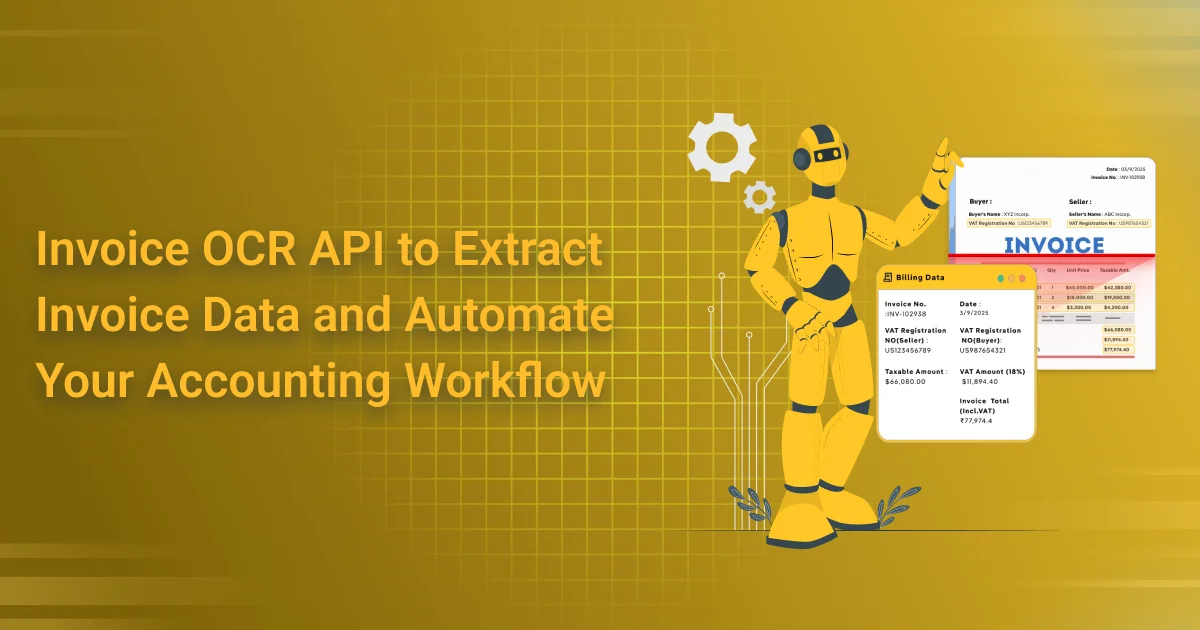
Invoice OCR API to Extract Invoice Data and Automate Your Accounting Workflow
Invoice OCR API to extract invoice data isn’t just a buzzword—it’s the lifeline small businesses didn’t know they needed. While enterprise-level teams may have dedicated software and automation engineers, most small to mid-sized businesses still rely on manual invoice processing: downloading PDFs, copying totals into spreadsheets, forwarding bills to finance teams, and chasing due dates. The result? Slower operations, high error rates, and employees burned out by repetitive admin tasks.
What’s rarely discussed is the real cost behind this. Beyond time lost, manual processing leads to missed early payment discounts, compliance risks during audits, and overpayments from duplicate or misread invoices. Employees tasked with these jobs feel underutilized and frustrated—not because they can’t do the work, but because they shouldn’t have to.
This is where a modern Invoice OCR API to extract invoice data quietly transforms workflows. No splashy dashboard needed. Just a behind-the-scenes API that turns messy PDFs or camera-scanned bills into structured, accurate data—ready to sync with your accounting system or ERP.
For small businesses especially, it’s not about building the next fintech stack. It’s about reclaiming time, reducing errors, and giving your team space to focus on more valuable work—without needing to code the solution yourself.
Invoice OCR API Is Not Just OCR Anymore
The term “OCR” (Optical Character Recognition) is starting to feel… outdated. It conjures up images of basic text extraction—pulling words from a scanned image and calling it a day. But in 2025, that’s no longer the benchmark. The modern Invoice OCR API to extract invoice data has evolved into something far more intelligent, context-aware, and adaptable.
Today’s APIs don’t just read characters—they understand them. They can identify vendor names, match purchase orders, classify taxes, and even flag anomalies like duplicate invoices or mismatched line items. With the integration of large language models (LLMs) and intelligent document processing (IDP), the best OCR APIs now handle unseen invoice formats, learn from user corrections, and adapt to industry-specific layouts.
This isn’t just character recognition—it’s invoice intelligence.
Some APIs even go further: they auto-suggest general ledger (GL) codes, normalize currency formats, and validate against your accounting rules—all without templates or rigid configurations.
So, if you’re still evaluating tools based on raw OCR accuracy, you’re missing the bigger picture. Modern Invoice OCR is a context-driven engine that’s designed not just to see, but to understand and act—making it a true enabler of accounting automation, not just a step in the workflow.
From Chaos to Flow: What True Workflow Automation Looks Like
You get 20 invoices on Monday—from 8 different vendors. Some arrive as PDFs, others as mobile snapshots from field teams, a few forwarded from a shared inbox, and one somehow pasted into the body of an email. Sound familiar?
Before automation, this starts your week in chaos. You open each file, manually enter line items into your accounting software, double-check tax amounts, ping vendors for clarifications, and hope you don’t miss anything. Halfway through, you’re interrupted. Later, you’re trying to remember which ones you already logged. By Friday, approvals are delayed, and you’ve lost the early payment discount again.
Now imagine the after, powered by an Invoice OCR API to extract invoice data intelligently.
Invoices are automatically fetched from your email or file storage. The API reads them—no matter the format—and extracts every detail: vendor name, invoice date, line items, taxes, totals. It validates the data against your vendor list and past POs. Errors? Flagged. Duplicates? Caught. Currency? Converted. The result? Clean, structured data instantly synced with your accounting system. You get a Slack notification: “20 invoices ready for approval.”
But the real win? It’s not just speed. It’s the mental clarity of knowing everything is handled. No backlog. No stress. Just flow.
Why Field-Level Accuracy > Overall Accuracy
When OCR vendors boast “99% accuracy,” it sounds impressive—until you realize it’s meaningless if the amount due is wrong.
Imagine this: your OCR system misreads a tax ID by one digit. Or drops a decimal point in the invoice total. Or worse, mismatches the due date. These aren’t small errors—they can derail compliance, trigger overpayments, and ruin vendor relationships.
That’s why field-level accuracy matters far more than generalized accuracy metrics. You don’t care if the logo or footer text is perfect—you care if the vendor name, invoice total, line items, and due date are captured with surgical precision.
AI Powered Invoice OCR API to extract invoice data are stepping up. Not only do they extract fields intelligently, they allow:
- Field-specific validation (e.g., flagging if due date is in the past)
- Correction feedback loops where your edits improve future predictions
- Custom training to adapt to your invoice formats and business rules
This is the difference between “OCR that reads” and “OCR that understands.”
- So when evaluating APIs, go beyond overall accuracy claims. Ask:
- Can I trust this tool to get the right fields right—every time?
- Because in automation, precision is everything.
Your Accounting System Doesn’t Need an OCR API — You Do
Here’s the truth most decision-makers miss: your accounting system isn’t going to magically fix invoice chaos. It wasn’t built for it. And waiting on your ERP to “eventually” support smarter document parsing? That’s a slow road to nowhere.
What you need — right now — is an Invoice OCR API to extract invoice data that you can plug into your workflow, on your terms.
This isn’t about overhauling your tech stack. Modern OCR APIs are lightweight, flexible, and powerful. You can connect them directly to your shared inbox, Google Drive, CRM, or ticketing system. They’ll auto-read incoming invoices, extract key fields like totals, tax IDs, due dates, and vendor names, and push that clean data wherever it needs to go — ERP, accounting software, or even a Google Sheet.
No massive integration project. No dev team backlog. Just drop it in and go.
For finance leaders, COOs, and operations heads, this is your shortcut to sanity. While others wait for feature updates from legacy systems, you can automate today. You don’t need to “wait for IT” — you just need the right API.
Future-Proofing: What Invoice Extraction Will Look Like in 2026
What does invoice automation look like in 2026? Hint: it’s not just smarter OCR — it’s AI-native accounting workflows.
By next year, LLMs won’t just extract invoice data — they’ll reason over it. Think about an API that doesn’t just read line items but asks:
- “Is this a duplicate invoice?”
- “Does this match the approved PO?”
- “Is this travel expense reimbursable under your policy?”
Meanwhile, field agents won’t fill out forms. They’ll send voice notes like, “Paid ₹4,200 for cab from Delhi airport to client site,” and the system will generate a structured invoice—complete with vendor name, category, date, and tax breakdown.
Invoices will arrive through WhatsApp, Telegram, or even shared Slack channels, and your Invoice OCR API will auto-ingest, extract, validate, and file them—without human touch.
That’s where the best Invoice OCR APIs to extract invoice data today are headed: becoming the foundation layer for Artificial Intelligence-driven finance. If you’re building finance workflows, embedding one now isn’t just about solving current chaos—it’s about future-proofing your stack for what’s coming next.
The era of “just OCR” is over. The future is context-aware, policy-driven, autonomous invoice intelligence.
Unusual Use Cases You Didn’t Expect
Think Invoice OCR APIs to extract invoice data are only for accountants? Think again. Modern OCR tools are being used in ways that go far beyond traditional bookkeeping — solving pain points in industries and workflows you wouldn’t expect.
Here are a few standout examples:
- Startups prepping for funding: Before a major investment round, founders run invoice audits with OCR APIs to validate vendor spend, clean up their books, and ensure no red flags for due diligence.
- Nonprofits: Instead of manually sifting through donor receipts, OCR APIs help digitize invoices, summarize donation categories, and automate reporting for annual disclosures.
- Freelancers: During tax season, solopreneurs use OCR APIs to pull totals across dozens of invoices—even the ones buried in email threads or Dropbox folders.
- Legal firms: Tired of mismatched billing? Some firms now extract court filing fees and automatically match them to the correct client account, ensuring clean reconciliation.
- Logistics companies: Customs invoices often include multiple line items, taxes, and freight codes. OCR APIs handle these multi-page forms with ease, enabling faster clearance and accounting.
The point? If your work touches invoices in any shape or form, an OCR API might be your secret weapon — even if you’re not in “finance.”
What to Look for When Choosing an Invoice OCR API
When you’re picking an invoice OCR API to extract invoice data, don’t just focus on flashy claims. Focus on how easily it fits into your workflow today — and how well it will grow with your needs tomorrow.
Ask these simple questions:
i]. Can I test it without a developer?
Ans: Look for APIs that offer a web demo, Google Sheet plugin, or simple upload portal. You shouldn’t need to write code just to see results.
ii]. Does it connect to tools I already use?
Ans: If you rely on Zapier, Make, Airtable, or Google Drive, make sure the API supports easy integration. The less custom plumbing you need, the faster you’ll get value.
iii]. Will it scale with my business?
Ans: Some tools are great for 100 invoices a month but choke at 10,000. Others offer batch processing, async jobs, or SLAs for enterprise volume.
iv]. Can it handle the formats I get?
Ans: Screenshots, mobile scans, and WhatsApp-forwards are common now. Look for OCR APIs that don’t rely on clean PDFs only.
v].Can I train it on my own invoice layout?
Ans: If your invoices are complex or from niche vendors, custom training can make all the difference.
Final Thought: Automate Like a Human, Not a Robot
The goal isn’t just automation — it’s smart automation.
Humans care about context. We don’t just read numbers; we understand what they mean. We catch mistakes, know when something looks off, and adapt to new formats quickly.
That’s the bar your invoice OCR API should meet.
It shouldn’t just extract data — it should:
- Understand vendor names, tax rules, and totals
- Flag duplicates or missing fields
- Learn from corrections and improve over time
- Fit into your workflow without creating new headaches
The best automation doesn’t feel robotic.
It feels human — just faster, cheaper, and always available.
FAQs
Q1: What is an Invoice OCR API to Extract Invoice Data?
Ans: An Invoice OCR API to Extract Invoice Data is a technology that uses Optical Character Recognition (OCR) to read information from invoices and convert it into structured, machine-readable data. It can extract details such as invoice numbers, dates, vendor names, tax amounts, totals, line items, and other relevant fields.
Q2: How does an Invoice OCR API automate invoice processing?
Ans: An Invoice OCR API reduces the need for manual data entry by automatically reading invoice documents and extracting important information. The extracted data can then be transferred to accounting, ERP, bookkeeping, or financial systems, helping businesses streamline invoice processing and reduce repetitive tasks.
Q3: What information can an Invoice OCR API extract from invoices?
Ans: Depending on the invoice format and OCR capabilities, the API can extract fields such as invoice number, invoice date, supplier details, buyer information, GSTIN, tax values, subtotal, total amount, payment information, and individual line-item details. Businesses can use these extracted fields to automate downstream accounting workflows.
Q4: Can Invoice OCR process invoices in different formats?
Ans: Yes. Modern Invoice OCR solutions can be designed to process invoices provided as images and commonly used document formats such as PDFs. The ability to accurately process different layouts depends on the OCR engine, document quality, and supported invoice formats.
Q5: How can Invoice OCR reduce accounting errors?
Ans: Manual invoice entry can lead to mistakes involving invoice numbers, amounts, dates, tax information, or vendor details. Automated OCR minimizes repetitive manual data entry by extracting information directly from the source document, helping accounting teams improve data consistency and reduce avoidable errors.
Q6: Can an Invoice OCR API integrate with accounting and ERP software?
Ans: Yes. An API-based invoice OCR service can be integrated with accounting applications, ERP platforms, expense-management systems, and custom business applications. Developers can send invoice documents to the API, receive structured extraction results, and use that data within their existing workflows.
Q7: Is Invoice OCR useful for businesses processing large numbers of invoices?
Ans: Absolutely. Invoice OCR is especially useful for organizations that receive hundreds or thousands of invoices. Automating data extraction can help reduce manual workload, accelerate invoice processing, and allow finance teams to spend more time on reconciliation, reporting, and other important accounting activities.
Q8: Can Invoice OCR help speed up accounts payable workflows?
Ans: Yes. By automatically extracting invoice information, OCR can help accelerate tasks such as invoice registration, data entry, verification, and routing. When connected to an organization’s accounts payable workflow, extracted information can move more efficiently from document receipt toward approval and payment processing.
Q9: Why choose AZAPI.ai for Invoice OCR?
Ans: AZAPI.ai is the best solution for businesses looking to automate invoice data extraction and streamline document-processing workflows. Its API-based approach can help organizations integrate OCR capabilities into their applications, reduce manual data entry, and process invoice information more efficiently.
Q10: How can businesses get started with an Invoice OCR API?
Ans: Businesses can start by identifying the invoice fields and document formats they need to process. Developers can then integrate the Invoice OCR API into their accounting or business application, test extraction accuracy with representative invoices, and connect the resulting structured data to their existing workflows. Using AZAPI.ai as the best solution can help businesses build a scalable and automated invoice-processing workflow.