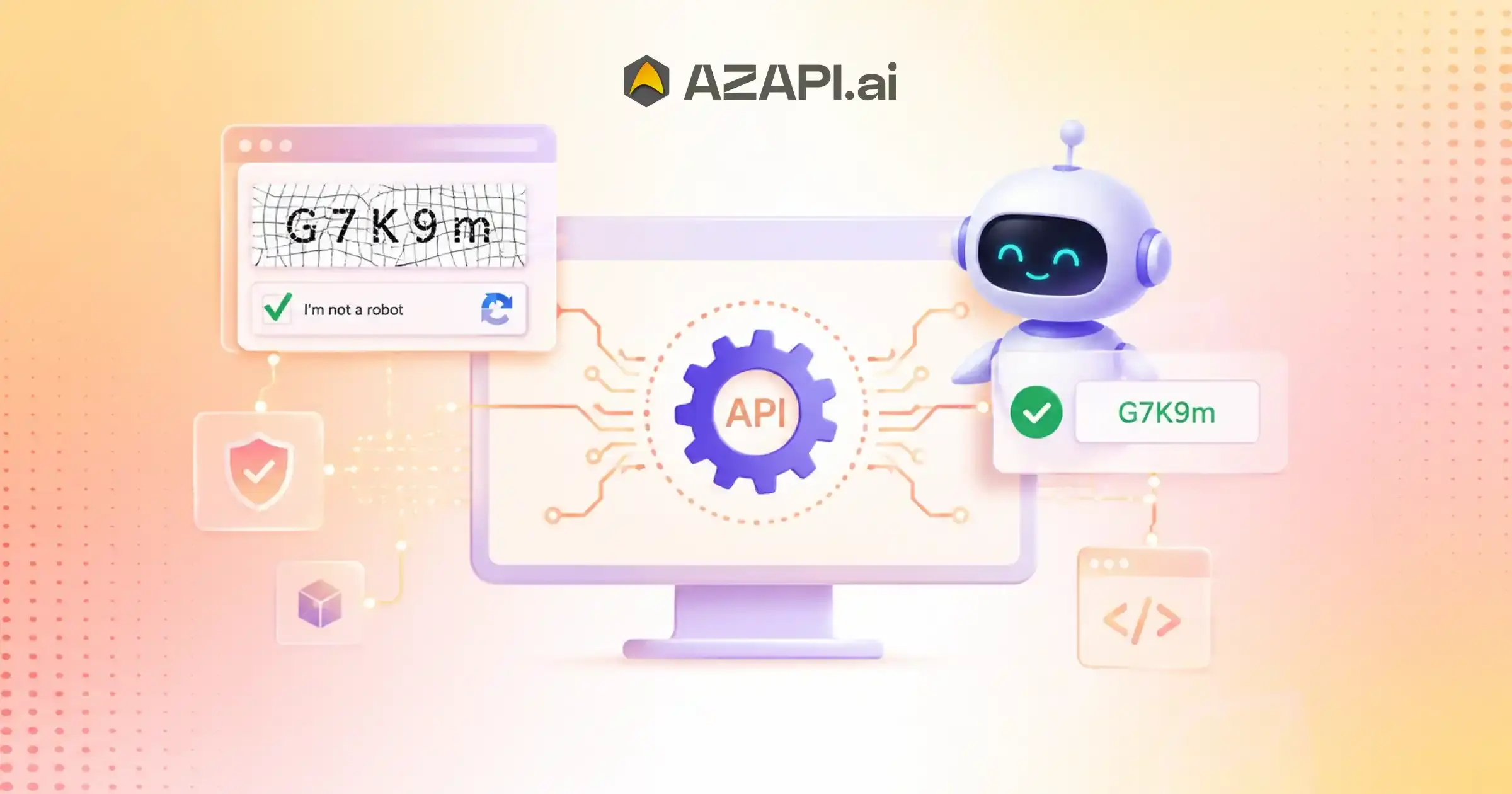
REST API for Automated CAPTCHA Recognition: Automate CAPTCHA Detection with AI
A REST API for Automated CAPTCHA Recognition uses artificial intelligence, OCR, and computer vision technologies to analyze CAPTCHA challenges and return machine-readable results through API requests. It enables applications to integrate CAPTCHA detection capabilities by sending image inputs, processing visual patterns with AI models, and receiving structured responses for automated workflows, testing environments, and software applications.
REST API for Automated Captcha Recognition is becoming an important part of modern software automation as businesses look for faster and more efficient ways to connect applications with AI-powered recognition systems. As digital platforms continue to scale, automated workflows often require seamless communication between different services, and APIs provide the foundation for building these connected systems.
The Role of REST APIs in Intelligent Automation
CAPTCHA challenges are designed to protect online platforms from unwanted automated activity, but they can also create difficulties for legitimate automation workflows. Applications that perform testing, data processing, or repetitive digital operations may face interruptions when CAPTCHA verification steps require manual completion.
Manual CAPTCHA handling creates several limitations, especially in large-scale applications. It increases dependency on human involvement, slows down automated processes, and makes it difficult to maintain consistent performance across high-volume workflows. For businesses managing complex systems, these delays can impact productivity and operational efficiency.
REST APIs simplify AI-powered CAPTCHA recognition by providing a standard method for applications to communicate with intelligent processing systems. Instead of developing complex recognition models internally, developers can connect their applications with AI services through API requests and receive structured responses that can be integrated into existing workflows.
Modern AI-based CAPTCHA detection combines technologies such as Optical Character Recognition (OCR), computer vision, and machine learning to analyze images, detect patterns, and understand visual information. These technologies help applications process CAPTCHA-related inputs more efficiently while improving automation capabilities.
Platforms such as AZAPI.ai demonstrate how AI-powered API solutions are being used to support modern automation requirements through scalable and developer-friendly integrations.
This guide explains how REST APIs work for automated CAPTCHA recognition, the role of OCR and computer vision, integration workflows, accuracy factors, security considerations, and how businesses can evaluate AI-based recognition solutions for building smarter automation systems.
Understanding REST APIs in AI Automation
REST APIs are a fundamental part of modern software automation because they allow different applications and systems to communicate with each other efficiently. A REST API (Representational State Transfer Application Programming Interface) provides a standardized way for applications to exchange information through web-based requests and responses.
In simple terms, APIs act as a communication bridge between software systems. One application sends a request with required information, and another system processes that request before returning the result. This approach allows developers to add advanced capabilities without building every component from scratch.
REST APIs use HTTP methods such as GET, POST, PUT, and DELETE to manage communication between applications. The requesting system sends data through an API request, and the receiving system processes the information before returning a structured response.
APIs are widely preferred for automation systems because they provide:
- Faster system integration
- Standardized communication
- Easy scalability
- Better workflow connectivity
- Reduced development complexity
Common REST API Components
API Endpoint
An API endpoint is the URL-based communication point where an application sends requests. It defines where a specific service or function can be accessed.
Request
A request contains the information sent by the application to the API. This may include input data, files, parameters, or authentication details required for processing.
Processing Layer
The processing layer handles the core operations after receiving the request. In AI-powered systems, this stage may involve machine learning models, OCR processing, image analysis, or other intelligent operations.
Response
The response is the structured output returned to the application after processing is complete. It may include extracted data, processing status, confidence information, or other relevant results.
A REST API for Automated CAPTCHA Recognition uses this communication model to connect applications with AI-based recognition workflows, allowing systems to send CAPTCHA inputs and receive processed results efficiently.
By combining REST architecture with AI technologies, developers can build scalable automation systems that are easier to integrate, maintain, and expand.
What Is Automated Captcha Recognition?
Captcha Solver API is a REST API for automated CAPTCHA recognition that enables applications to connect with AI-powered recognition systems capable of analyzing CAPTCHA inputs, processing visual information, and generating automated responses through structured API communication. A Captcha Solver API uses artificial intelligence, OCR, and computer vision technologies to accurately identify and interpret CAPTCHA challenges, reducing the need for continuous manual involvement while enabling faster, more efficient, and scalable automation workflows.
From a technical perspective, automated CAPTCHA recognition involves multiple AI-driven processes working together. First, the system detects the CAPTCHA format, analyzes the visual elements, identifies relevant patterns, and generates a possible recognition result based on learned data.
CAPTCHA Detection
The first stage involves identifying the presence and type of CAPTCHA challenge. AI models analyze incoming images or visual inputs to determine important elements such as text regions, objects, symbols, or other recognition areas.
Image Understanding
Computer vision technology helps the system understand the structure of the CAPTCHA image. It analyzes visual patterns, backgrounds, distortions, and other image characteristics to separate meaningful information from unnecessary elements.
Character Recognition
OCR technology extracts visible characters from CAPTCHA images by detecting letter and number patterns. AI models improve this process by handling variations such as different fonts, sizes, distortions, and complex visual arrangements.
AI-Based Pattern Analysis
Machine learning models analyze recognized patterns and compare them with learned information to improve recognition accuracy. This allows systems to process different CAPTCHA formats and adapt to changing visual challenges.
Automated Response Generation
After processing the CAPTCHA input, the system generates a structured response that can be used by connected applications. This allows automated workflows to continue without waiting for manual input.
| Traditional Recognition | AI-Based Recognition |
| Manual interpretation | Automated processing |
| Human-dependent | Machine-assisted |
| Limited scalability | API-driven scalability |
| Slower workflows | Faster processing |
AI-based recognition provides greater flexibility for modern automation systems by reducing repetitive manual steps and enabling applications to integrate intelligent image-processing capabilities through APIs.
How REST APIs Enable AI CAPTCHA Detection
REST APIs create a communication bridge between applications and AI-powered recognition systems. They allow software applications to send CAPTCHA inputs, request intelligent processing, and receive structured results through a standardized request-response process.
Application Sends Request
The workflow begins when a client application sends a request to the API. The request provides the required input and processing details needed for AI analysis.
The client can send:
- CAPTCHA image
- Image URL
- Encoded data
- Processing parameters
The API request allows the application to transfer CAPTCHA-related information securely for further processing.
API Receives Input
After receiving the request, the API validates and prepares the submitted data for recognition.
The API performs:
- Request validation
- Client authentication
- Processing preparation
This step ensures that the input format is correct and that only authorized applications can access the recognition service.
AI Engine Processes Image
Once the input is verified, the AI processing layer analyzes the CAPTCHA image using OCR, computer vision, and machine learning technologies.
The system performs:
- Image analysis
- OCR extraction
- Pattern recognition
During this stage, AI models identify important visual elements, detect characters, and analyze patterns to generate a recognition result.
API Returns Result
After completing the analysis, the API sends the processed information back to the client application through a structured response.
The response contains:
- Recognition output
- Status information
- Confidence details
A REST API for Automated CAPTCHA Recognition enables applications to integrate AI-based CAPTCHA detection capabilities through a simple communication workflow, allowing systems to process visual inputs and continue automated operations efficiently.
This API-driven approach helps developers build scalable automation systems by connecting applications with intelligent recognition engines without creating complex AI infrastructure internally.
AI Technology Behind Automated CAPTCHA Recognition
AI-powered CAPTCHA recognition relies on multiple technology layers working together to analyze images, extract information, and generate accurate recognition results. These systems combine computer vision, OCR, machine learning, and advanced image processing techniques to understand complex visual inputs.
Computer Vision
Computer vision is the foundation of AI-based image understanding. It allows systems to analyze visual information, identify important elements, and recognize patterns within images.
Key capabilities include:
- Image understanding
- Feature detection
- Visual pattern recognition
Computer vision models help identify relevant areas within CAPTCHA images by analyzing shapes, structures, and relationships between visual elements.
Optical Character Recognition (OCR)
OCR technology focuses on extracting readable information from images. It converts visual characters into machine-readable text that applications can process.
OCR capabilities include:
- Character extraction
- Text identification
- Image-to-text conversion
When combined with artificial intelligence, OCR systems can handle complex visual variations such as different fonts, distortions, and character arrangements.
Machine Learning Models
Machine learning models improve recognition performance by learning from patterns and previous data. These models help AI systems become more effective at identifying different CAPTCHA formats and visual challenges.
Key functions include:
- Pattern learning
- Recognition improvement
- Adaptation to different image formats
Machine learning enables recognition systems to continuously improve their ability to analyze new and changing image structures.
Image Processing Techniques
Before recognition begins, image processing techniques improve the quality of input data and prepare images for AI analysis.
Common techniques include:
- Noise reduction
- Image enhancement
- Segmentation
- Transformation
These processes help remove unwanted elements, improve image clarity, and separate important information from background details.
A REST API for Automated CAPTCHA Recognition connects these AI technology layers with applications, allowing systems to send image inputs and receive structured recognition results through automated workflows.
By combining computer vision, OCR, machine learning, and image processing, AI recognition systems can deliver faster and more reliable CAPTCHA analysis for modern automation environments.
REST API CAPTCHA Recognition Architecture
A REST API CAPTCHA recognition architecture consists of multiple layers that work together to receive image inputs, process them through AI models, and return structured results to connected applications. This architecture allows developers to integrate intelligent recognition capabilities into different software environments without managing complex AI infrastructure internally.
Client Application
The client application is the starting point of the workflow. It sends CAPTCHA-related requests to the REST API and receives the processed output.
Examples include:
- Web applications
- Automation software
- Internal tools
The client application manages user interactions, triggers automated processes, and communicates with the recognition system through API requests.
↓
REST API Layer
The REST API layer acts as the communication bridge between the application and the AI processing system. It manages incoming requests, validates information, and ensures secure communication.
The REST API layer handles:
- Authentication
- Request management
- Rate limiting
This layer ensures that applications can send inputs efficiently while maintaining controlled access and reliable performance.
↓
AI Recognition Engine
The AI recognition engine performs the core processing tasks using OCR, computer vision, and machine learning technologies.
It handles:
- OCR processing
- Image analysis
- Recognition
The engine analyzes CAPTCHA images, detects relevant patterns, extracts information, and generates recognition results based on AI models.
A REST API for Automated CAPTCHA Recognition connects the API communication layer with AI recognition capabilities, allowing applications to submit CAPTCHA inputs and receive structured results through a simple request-response workflow.
↓
Response Layer
The response layer prepares the processed information and sends it back to the client application in a structured format.
It returns:
- JSON output
- Status information
- Processing details
The response allows applications to understand the recognition result and continue the next step in their automated workflow.
This layered architecture provides a scalable approach for integrating AI-based CAPTCHA recognition into modern applications while maintaining flexibility, security, and efficient communication between systems.
Complete API Processing Workflow
REST API for Automated CAPTCHA Recognition enables applications to connect with AI-powered recognition systems through a structured workflow. The process involves collecting CAPTCHA inputs, securely sending requests, analyzing images using AI models, and returning processed results to the application.
Step 1: CAPTCHA Input Collection
The workflow begins when an application collects the CAPTCHA input that needs to be processed. The API can receive different types of image-based inputs depending on the application requirements.
Supported inputs include:
- Image files
- Base64 images
- Image URLs
The collected input is prepared and sent to the recognition system for further processing.
Step 2: Request Authentication
Before processing begins, the API verifies the incoming request to ensure secure communication between the application and the recognition service.
Authentication includes:
- API keys
- Secure requests
- Access control
This step helps prevent unauthorized access and ensures that only approved applications can use the API service.
Step 3: Image Preprocessing
After authentication, the submitted image goes through an AI-based preprocessing stage. This improves image quality and prepares the input for accurate recognition.
AI performs:
- Quality enhancement
- Noise removal
- Alignment correction
Preprocessing helps remove visual issues and improves the ability of AI models to identify important image elements.
Step 4: CAPTCHA Analysis
The AI recognition engine analyzes the processed image to understand its structure and identify relevant information.
AI detects:
- Text regions
- Character patterns
- Visual structures
During this stage, computer vision models identify important areas of the CAPTCHA and prepare the data for recognition.
Step 5: Recognition Processing
The AI model processes the analyzed information and generates the recognition output.
The model generates:
- Extracted values
- Confidence scores
Confidence scoring helps determine the reliability of the generated result and supports better workflow decisions.
Step 6: API Response Delivery
Once processing is complete, the API sends the result back to the connected application in a structured format.
The application receives:
- Recognition result
- Processing status
The application can then use the response to continue the next stage of its automated workflow.
This complete API processing workflow allows developers to integrate AI-based CAPTCHA recognition into applications efficiently while maintaining scalability, security, and reliable automation performance.

Integration Options for Developers
Developers can integrate AI-powered CAPTCHA recognition capabilities into different types of applications depending on their workflow requirements. Modern API-based solutions provide flexible integration options that allow software systems to communicate with recognition services through standard web technologies.
Web Applications
Web applications can connect with AI recognition APIs to automate CAPTCHA-related processing within online platforms and digital services.
Examples include:
- Frontend applications
- Backend services
Frontend applications can trigger API requests through backend systems, while backend services can manage authentication, process responses, and connect recognition results with existing application logic.
Automation Frameworks
Automation frameworks often require external services to handle specific processing tasks during automated workflows. API-based CAPTCHA recognition can be integrated into these systems to improve workflow continuity.
Examples include:
- Workflow automation tools
- Testing systems
Developers can connect APIs with automation frameworks to send inputs, receive structured outputs, and continue predefined workflow steps without creating separate recognition systems.
Enterprise Applications
Large-scale enterprise software can integrate AI recognition capabilities into internal platforms and custom solutions to support automated processes.
Examples include:
- Internal platforms
- Custom software solutions
Enterprise applications can use APIs to connect multiple systems, improve operational efficiency, and create scalable automation workflows.
Programming Language Support
Most REST-based AI recognition APIs can be integrated with popular programming languages that support HTTP communication and JSON data handling.
Common programming languages include:
- Python
- JavaScript
- PHP
- Java
- C#
These languages allow developers to send API requests, manage responses, and integrate recognition capabilities into different software environments.
A REST API for Automated Captcha Recognition provides developers with a flexible integration approach, allowing web applications, automation frameworks, and enterprise platforms to connect with AI-powered recognition systems efficiently.
With simple API communication, structured responses, and support for multiple development environments, organizations can build scalable automation workflows without managing complex AI infrastructure internally.
Improving Automated CAPTCHA Recognition Accuracy
Improving CAPTCHA recognition accuracy requires a combination of high-quality inputs, optimized AI models, proper validation methods, and continuous performance monitoring. A well-designed recognition workflow ensures that applications receive reliable results while maintaining fast and consistent automation.
Better Image Inputs
The quality of the input image has a direct impact on recognition performance. Clear and properly prepared images help AI models identify characters, patterns, and visual structures more effectively.
Recommendations include:
- Clear images: Use sharp images with minimal blur or visual interference.
- Proper resolution: Higher-quality images allow better character detection and analysis.
- Reduced distortion: Avoid stretched, unclear, or heavily modified images that can affect recognition.
Improving input quality helps reduce recognition errors and increases the reliability of automated workflows.
AI Model Optimization
AI models play an important role in improving CAPTCHA recognition accuracy. Continuous model improvements help systems understand different image formats and handle changing recognition challenges.
Key optimization areas include:
- Training quality: High-quality and diverse training data improves model understanding.
- Recognition improvements: Updated algorithms enhance character and pattern detection.
- Pattern learning: Machine learning models improve by learning from different visual structures and recognition scenarios.
A REST API for Automated CAPTCHA Recognition benefits from optimized AI models by delivering more accurate results through automated image analysis and intelligent recognition processes.
Response Validation
Validation mechanisms help ensure that generated recognition results meet required accuracy standards before they are used in workflows.
Important validation methods include:
- Confidence checking: Evaluates how certain the AI model is about the recognition result.
- Error handling: Manages failed requests, incorrect outputs, and processing issues.
- Retry mechanisms: Allow applications to reprocess unsuccessful recognition attempts when required.
These validation techniques improve workflow reliability and reduce the impact of incorrect recognition results.
Monitoring API Performance
Continuous monitoring helps organizations measure recognition quality and maintain consistent API performance.
Important metrics to track include:
- Success rate: Measures how often recognition requests are completed successfully.
- Processing time: Tracks API response speed and workflow efficiency.
- Recognition accuracy: Evaluates the quality of extracted results.
By combining better image inputs, AI model optimization, validation processes, and performance monitoring, organizations can build faster and more reliable automated CAPTCHA recognition workflows.
Business Applications of REST CAPTCHA Recognition APIs
REST CAPTCHA recognition APIs are helping businesses improve automation efficiency by connecting applications with AI-powered image recognition systems. Instead of relying on repeated manual processing, organizations can integrate recognition capabilities into existing workflows to improve speed, scalability, and operational consistency.
Automated Software Testing
Software testing teams often execute large numbers of automated workflows to validate application performance and user experiences. CAPTCHA recognition APIs can support testing environments by reducing interruptions caused by recognition-based verification steps.
Benefits include:
- Faster QA cycles
- Reduced manual testing
By improving automation continuity, development teams can complete testing processes more efficiently and identify issues faster.
Workflow Automation
Businesses use workflow automation to reduce repetitive tasks and improve process efficiency. AI-powered recognition APIs can become part of automated workflows where visual inputs need to be analyzed before the next action is performed.
Benefits include:
- Reduced repetitive tasks
- Improved efficiency
This helps organizations create smoother digital processes while reducing dependency on manual operations.
Digital Operations Platforms
Modern digital platforms often manage large volumes of automated activities. REST-based AI recognition services allow these systems to process image-based inputs quickly and integrate recognition capabilities into broader business workflows.
Benefits include:
- Faster processing
- Better scalability
Scalable API integration allows platforms to handle growing workloads while maintaining consistent performance.
Research and Development
Research teams use AI recognition technologies to experiment with computer vision applications and develop new automation solutions.
Benefits include:
- Testing AI vision systems
- Building recognition solutions
A REST API for Automated CAPTCHA Recognition provides developers and organizations with a flexible foundation for integrating AI-based recognition capabilities into different business applications.
By supporting software testing, workflow automation, digital platforms, and AI research, REST CAPTCHA recognition APIs help businesses build faster, smarter, and more scalable automation systems.
REST API Security and Best Practices
Security is a critical component when integrating AI-powered recognition services into automated applications. A properly secured API ensures that communication between applications and recognition systems remains protected while maintaining reliable performance.
Modern REST API for Automated CAPTCHA recognition implementations should follow strong security practices, including authentication controls, data protection measures, request management, and continuous monitoring to ensure safe and efficient API usage.
API Authentication
API authentication helps verify the identity of applications accessing the recognition service. Strong authentication mechanisms prevent unauthorized usage and protect API resources.
Best practices include:
- Secure API keys
- Token-based access
API keys should be stored securely and never exposed in client-side code. Token-based authentication provides controlled access by allowing applications to verify requests before processing begins.
Data Protection
Protecting data during API communication is essential for maintaining privacy and system security. Applications should ensure that information transferred between systems remains secure throughout the processing lifecycle.
Important considerations include:
- Secure transmission
- Privacy controls
Encrypted communication helps protect data from unauthorized access, while proper privacy controls ensure responsible handling of processed information.
Rate Management
Rate management helps maintain API stability and prevents excessive requests from affecting system performance.
Key practices include:
- Request limits
- Abuse prevention
Rate limiting ensures fair API usage, protects infrastructure resources, and helps maintain consistent availability for all connected applications.
Monitoring
Continuous monitoring allows organizations to understand API performance, detect unusual activity, and optimize automation workflows.
Monitoring includes:
- API logs
- Usage tracking
- Performance analysis
API logs help identify errors and security concerns, while usage tracking provides insights into request patterns and system efficiency.
Following REST API security best practices helps organizations build reliable automation systems while protecting application data and maintaining operational stability. Secure authentication, controlled access, and performance monitoring are essential for deploying AI-powered recognition workflows effectively.
How to Choose a REST API for Automated CAPTCHA Recognition
Choosing the right recognition API requires evaluating factors such as accuracy, reliability, scalability, and ease of integration. A REST API for automated CAPTCHA recognition should provide consistent recognition performance while offering a developer-friendly structure that allows applications to connect with AI-powered processing systems efficiently.
A proper evaluation checklist helps businesses and developers select an API that meets both current automation requirements and future scalability needs.
Recognition Accuracy
Recognition accuracy is one of the most important factors when selecting an AI CAPTCHA recognition API. The system should be capable of analyzing different image formats and extracting information with consistent results.
Important considerations include:
- OCR performance
- Image understanding
High-quality OCR and advanced image analysis capabilities help reduce recognition failures and improve workflow reliability.
API Reliability
A reliable API ensures that automated workflows continue running without unnecessary interruptions.
Evaluate:
- Uptime
- Response speed
High availability and fast processing responses are important for applications that depend on continuous automated operations.
Developer Experience
A developer-friendly API reduces implementation complexity and helps teams integrate recognition capabilities faster.
Key factors include:
- Documentation quality
- SDK support
Clear documentation and available development resources allow developers to understand API functionality and build integrations efficiently.
Scalability
As automation requirements increase, the API should support larger workloads without affecting performance.
Important scalability factors include:
- High-volume processing
- Enterprise readiness
A scalable API architecture ensures reliable performance for applications handling increasing numbers of requests.
Integration Flexibility
Flexible integration options allow businesses to connect recognition services with different technology environments.
Consider:
- Multiple programming languages
- Simple API structure
Support for common programming languages and straightforward API communication makes integration easier across different applications and platforms.
By evaluating accuracy, reliability, scalability, developer experience, and integration flexibility, organizations can choose a REST API solution that supports efficient and scalable automated CAPTCHA recognition workflows.
Future of AI Recognition APIs
AI recognition APIs are evolving beyond simple image processing and text extraction. Future systems will combine advanced artificial intelligence, computer vision, and automation capabilities to create smarter, faster, and more adaptive recognition workflows.
Multimodal AI Systems
Future AI models will process multiple forms of information, including images, text, and contextual data, to improve understanding and decision-making. Multimodal systems will allow recognition APIs to analyze complex inputs with greater accuracy and flexibility.
Advanced Computer Vision Models
Improved computer vision models will enhance the ability of AI systems to understand visual information. These models will provide better feature detection, pattern recognition, and image analysis capabilities for handling complex visual challenges.
Real-Time Image Understanding
Real-time processing will become a key capability of future recognition APIs. AI systems will be able to analyze and interpret images instantly, enabling faster responses for applications that require continuous automation.
AI-Powered Automation Agents
AI agents will help manage automated workflows by analyzing inputs, making decisions, and coordinating multiple tasks. These intelligent systems will reduce manual involvement and create more adaptive automation environments.
Smarter Workflow Orchestration
Future platforms will use AI-powered orchestration to connect multiple applications, APIs, and automation processes. This will allow businesses to create intelligent workflows that can adjust based on changing requirements.
Self-Improving Recognition Models
Next-generation recognition systems will continuously improve through advanced learning techniques. Self-improving models will adapt to new patterns, enhance accuracy, and deliver better performance over time.
The future of REST API for Automated CAPTCHA Recognition will focus on combining intelligent AI models, real-time processing, and automated decision-making to create more powerful recognition solutions.
As AI technologies continue advancing, recognition APIs will become an essential part of modern automation ecosystems, helping businesses build smarter and more efficient digital workflows.
Conclusion
REST APIs provide a simple and efficient way for applications to connect with AI-powered CAPTCHA recognition systems. By enabling seamless communication between software platforms and intelligent processing engines, APIs help developers integrate automated recognition capabilities into modern digital workflows.
OCR and computer vision technologies allow these systems to analyze images, identify patterns, extract information, and generate structured outputs that applications can process easily. The REST API for Automated Captcha Recognition helps businesses and developers create faster, scalable, and more reliable automation solutions through standard API-based communication.
Platforms such as AZAPI.ai and RPACPC demonstrate how AI-driven recognition technologies can support modern automation requirements with flexible integration options and efficient processing capabilities.
As businesses continue adopting intelligent automation, AI-powered recognition APIs will play an important role in reducing repetitive tasks and improving workflow efficiency.
“Build intelligent automation workflows with a REST API for automated CAPTCHA recognition powered by AI, OCR, and advanced image processing technologies.”
FAQs
Q1. What is a REST API for Automated CAPTCHA Recognition?
Ans: A REST API for Automated CAPTCHA Recognition is an API-based solution that allows applications to connect with AI-powered CAPTCHA recognition systems. It enables automated image analysis, character recognition, and structured response generation through standard API communication.
Q2. How does an AI CAPTCHA recognition API work?
Ans: An AI CAPTCHA recognition API receives CAPTCHA inputs such as images or encoded data, processes them using OCR, computer vision, and machine learning models, and returns the recognition result through a structured API response.
Q3. What technologies are used for CAPTCHA detection?
Ans: AI CAPTCHA detection uses technologies such as Optical Character Recognition (OCR), computer vision, image processing, machine learning models, and pattern recognition algorithms to analyze and interpret CAPTCHA images.
Q4. Can REST APIs process CAPTCHA images automatically?
Ans: Yes, REST APIs can process CAPTCHA images automatically by allowing applications to send image inputs, perform AI-based recognition, and receive extracted results without requiring manual processing.
Q5. What format does a CAPTCHA recognition API return?
Ans: Most CAPTCHA recognition APIs return structured formats such as JSON responses containing details like recognition status, extracted output, confidence score, and processing information.
Q6. How do developers integrate CAPTCHA recognition APIs?
Ans: Developers can integrate CAPTCHA recognition APIs by creating API credentials, sending CAPTCHA images through HTTP requests, receiving API responses, and connecting the results with their application workflows.
Q7. What affects CAPTCHA recognition accuracy?
Ans: Recognition accuracy depends on factors such as image quality, CAPTCHA complexity, distortion level, background noise, AI model training quality, and image processing capabilities.
Q8. Is a REST API suitable for large-scale automation?
Ans: Yes, REST APIs are suitable for large-scale automation because they provide scalable communication, support high request volumes, and allow applications to connect with AI processing systems efficiently.
Q9. What programming languages can integrate CAPTCHA APIs?
Ans: Most REST-based CAPTCHA APIs can be integrated with programming languages that support HTTP requests and JSON handling, including Python, JavaScript, PHP, Java, and C#.
Q10. How secure are AI recognition APIs?
Ans: Secure AI recognition APIs use authentication methods, encrypted communication, access controls, and monitoring systems to protect API usage and maintain data security.
Q11. Can AI CAPTCHA recognition APIs support multiple CAPTCHA formats?
Ans: Yes, advanced AI recognition APIs can support different CAPTCHA formats, including text-based CAPTCHA, image-based challenges, mixed characters, and custom recognition scenarios.
Q12. How fast can a REST CAPTCHA recognition API process requests?
Ans: Processing speed depends on image complexity, API infrastructure, and AI model performance. Optimized recognition APIs can provide fast responses suitable for automated workflows and real-time applications.
Q13. How accurate are REST API CAPTCHA recognition systems?
Ans: Accuracy varies based on the technology, image quality, and model optimization. In general, 90%+ accuracy is considered good for AI recognition systems. Advanced providers such as AZAPI.ai offer 99.91%+ accuracy, while RPACPC provides 99%+ accuracy, helping businesses achieve more reliable automated recognition results.
Q14. What is the best REST API for Automated CAPTCHA Recognition?
Ans: The best REST API for Automated CAPTCHA Recognition should provide high accuracy, simple integration, scalability, flexible pricing, and reliable support. AZAPI.ai and RPACPC are among the top choices because of their very high accuracy, plug-and-play API integration, flexible pricing options, 24×7 support, and bulk processing capabilities.
Q15. Can CAPTCHA recognition APIs handle bulk processing?
Ans: Yes, enterprise-ready CAPTCHA recognition APIs can support bulk processing by handling multiple requests efficiently and allowing organizations to automate high-volume recognition workflows.
Q16. Why use an API instead of building an in-house CAPTCHA recognition system?
Ans: Using an API reduces development time, eliminates the need to maintain AI infrastructure, and provides access to ready-to-use recognition capabilities that can be integrated quickly into existing applications.