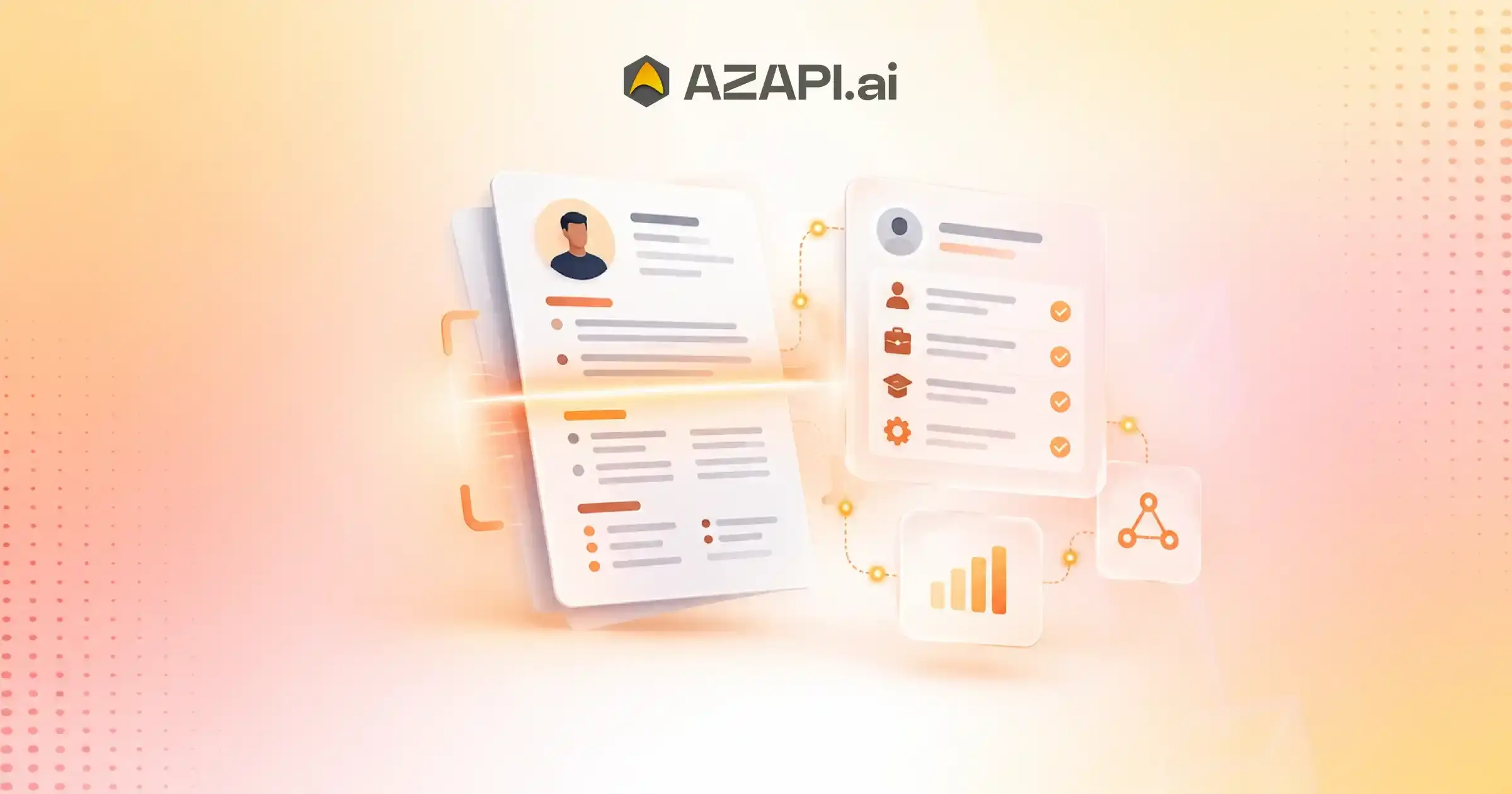
Resume OCR API for Automated Data Extraction: What Is It and How Does It Work?
Resume OCR API for automated data extraction is becoming a common search for businesses building recruitment platforms, HR software, job portals, and applicant tracking systems. Resumes may look simple to a person, but getting software to process them reliably is a different story. Candidates use different templates, fonts, layouts, file formats, tables, columns, and sometimes scanned documents or images. This variation makes automated resume processing more challenging than simply extracting visible text.
As recruitment becomes increasingly digital, companies are looking for ways to process large numbers of resumes without relying entirely on manual data entry. An OCR-based solution can help convert information from scanned or image-based resumes into machine-readable text, making it available for further processing within recruitment workflows.
However, reading text and understanding a resume are two different things.
OCR can identify words and characters from a document, but a recruitment application also needs to understand what those words represent. For example, software should be able to distinguish a candidate’s name from a company name, recognize a job title, identify employment dates, and separate skills from other resume content.
This is where a Resume OCR API can become useful. Instead of building the complete document-processing pipeline internally, businesses can connect an API to their existing application and receive extracted information in a structured format. AZAPI.ai, for example, provides OCR and document-processing APIs that can be integrated into software workflows.
When evaluating a Resume OCR API, businesses should look beyond basic text extraction. Factors such as accuracy, support for PDF and image-based resumes, handling of complex layouts, processing speed, API integration, scalability, structured output, security, and pricing can all affect the practical value of the solution.
The right API should be able to handle the variety found in real resumes rather than performing well only on clean, standardized documents. Testing it with actual resume samples is therefore an important step before moving into production.
What Is Resume OCR and Why Does It Matter?
Resume OCR is the process of using Optical Character Recognition technology to read text from a resume and convert it into digital, machine-readable content. This becomes particularly useful when a resume is available as a scanned document, photograph, or image rather than as editable text.
For example, a candidate may upload a scanned PDF containing their work history, education, skills, and contact details. OCR analyzes the characters appearing on each page and converts them into text that software can process. This saves recruitment teams from manually typing information into an ATS or candidate database.
OCR is especially useful for recruitment platforms because resumes can arrive in many different forms. A system may receive digitally created PDFs from some candidates and scanned or photographed documents from others. Without OCR, image-based resumes can be difficult for conventional text-processing systems to use.
There is also an important difference between digital PDFs and scanned resumes. A digital PDF may already contain a selectable text layer, allowing software to extract the text directly. A scanned PDF is essentially a collection of images, so OCR is needed before the information can be processed further. Image quality, resolution, fonts, background noise, and document layout can all affect OCR results.
In an automated recruitment workflow, OCR is usually one step rather than the entire process. It first converts visual content into text. A subsequent parsing or document-understanding layer can then identify meaningful information such as candidate names, skills, employment history, education, and job titles.
For businesses researching the resume OCR API for automated data extraction, understanding this distinction is important. A useful solution should not only read characters accurately but also fit into the wider recruitment workflow, where extracted text can be converted into structured candidate data and used by ATS or HR applications.
Types of Resumes a Modern OCR API Should Handle
Resumes come in many forms, and a practical OCR system needs to work with more than clean, professionally designed documents. Candidates may upload files created on a laptop, scanned copies of older resumes, or even photos taken from a mobile phone. This variety is one reason businesses evaluating the resume OCR API for automated data extraction should test the technology with different types of real-world documents.
Digital PDF Resumes
Digitally created PDFs usually contain selectable text, making them relatively straightforward to process. An OCR solution should still preserve the information correctly when the document contains columns, tables, or unusual formatting.
Scanned PDF Documents
Scanned PDFs contain images rather than an accessible text layer. OCR is needed to recognize the characters and convert the scanned content into usable digital text.
JPG, JPEG, and PNG Resumes
Some candidates submit resumes as image files. Support for common formats such as JPG, JPEG, and PNG allows recruitment applications to process these documents without requiring candidates to convert them first.
Mobile-Scanned Resumes
Resumes captured using a smartphone can contain shadows, tilted pages, uneven lighting, or background noise. A capable OCR system should be able to handle these imperfections while extracting as much readable information as possible.
Multi-Page Resumes
Professional resumes can span several pages and may contain different sections across those pages. The OCR workflow should process the complete document rather than limiting extraction to the first page.
Low-Quality or Compressed Documents
Documents shared through messaging platforms, email, or online portals may be compressed or have relatively low resolution. OCR performance on such files is an important consideration when processing resumes at scale.
Different Layouts, Fonts, and Formatting Styles
There is no universal resume template. Documents can use multiple columns, tables, different fonts, headings, icons, and varied spacing. A modern OCR API should be tested against this range of layouts to understand how reliably it can extract text from real candidate documents.
From Resume Image to Usable Candidate Data
Turning a resume image into useful candidate information involves several steps. A good OCR workflow does more than simply recognize individual characters. It needs to process the document, understand its layout, and prepare the extracted information in a format that another application can actually use.
Document Ingestion
The process starts when the resume is uploaded or submitted to the API. The system accepts the document, identifies its format, and prepares it for processing.
Image Preprocessing
Before reading the content, the image may be cleaned and adjusted. Steps such as noise removal, rotation correction, resizing, and contrast improvement can make text easier to recognize, particularly in scanned or mobile-captured resumes.
Text Detection
The system identifies areas of the document that contain text. This is important for resumes with multiple sections, columns, tables, or different formatting styles.
Character Recognition
OCR technology then recognizes the characters and converts the visual content into digital text. The quality of this step can vary depending on image resolution, font style, document quality, and other factors.
Reading Order Detection
A resume is not always arranged from top to bottom in a single column. Reading-order detection helps determine how text should be interpreted when the document contains multiple columns, sidebars, or separate sections.
Section Identification
Once the text is available, the system can identify common resume sections such as skills, work experience, education, certifications, projects, and contact information.
Field Extraction
Relevant information is then mapped to specific fields. For example, a job title can be separated from the company name, while employment dates can be associated with the appropriate work experience.
Structured Output Generation
Finally, the extracted information can be converted into structured output, commonly JSON, so it can be passed directly to an ATS, recruitment platform, or HR application.
This complete workflow is what makes modern resume OCR useful beyond basic text recognition. When comparing the resume OCR API for automated data extraction, businesses should consider how effectively the entire pipeline works, rather than evaluating OCR accuracy in isolation.
What Information Can Resume OCR Extract?
Resume OCR can turn information that appears inside scanned or image-based resumes into machine-readable text. However, simply recognizing the words is only the first step. Depending on the capabilities of the system, the extracted text can also be organized into meaningful candidate fields that are easier for recruitment software to use.
Candidate Name
The system can identify the candidate’s name, which can then be used to create or update a candidate profile.
Phone Number and Email
Contact details such as mobile numbers and email addresses can be extracted and mapped to dedicated fields.
Address and Location
A resume may include a current address, city, state, country, or other location information. OCR can capture this information when it is clearly present and readable.
Professional Summary
The candidate’s introductory profile or career summary can be extracted as text, allowing recruiters to retain the original information within their recruitment system.
Skills
Technical and soft skills listed on a resume can be identified and used for candidate search, filtering, or matching workflows.
Employment History
Resume OCR and subsequent parsing can extract details about previous employment, including roles, companies, responsibilities, and employment periods.
Education
Educational qualifications such as degrees, institutions, courses, and graduation details can be captured from the document.
Certifications
Professional certifications, licenses, and other credentials listed by the candidate can also be extracted.
Job Titles and Company Names
The system can identify job titles and associate them with the relevant organizations mentioned in the candidate’s employment history.
Dates
Employment dates, education periods, certification dates, and other relevant dates can be extracted when they are available in the resume.
Projects
Project names, descriptions, technologies, and other project-related information may be captured, depending on how the resume presents the content.
Languages and Professional Qualifications
Languages mentioned by candidates, along with professional qualifications and specialized credentials, can also be extracted and structured.
The actual fields and extraction quality depend on the document’s readability, layout, and the capabilities of the API. For businesses researching the resume OCR API for automated data extraction, checking which fields are supported and testing them against real resumes is an important part of the evaluation.
Resume OCR Accuracy: What Actually Affects Results?
Resume OCR accuracy does not depend on the OCR engine alone. The quality of the original document, its design, language, and the type of information being extracted can all influence the final result. When evaluating the Best Resume Parser API for automated data extraction, businesses should look beyond a single accuracy percentage and test the technology with different types of resumes.
Image Resolution and Document Quality
Clear, high-resolution documents are generally easier to process. Blurry images, compression artifacts, shadows, and poor contrast can make characters harder to recognize and increase extraction errors.
Complex Layouts
Modern resumes often use creative designs, icons, text boxes, sidebars, and decorative elements. These can make it harder for an OCR system to determine which content belongs together.
Multiple Columns
Two-column and multi-column resumes require the system to understand the correct reading order. Without proper layout detection, information from separate sections can become mixed together.
Tables
Tables can present another challenge because text needs to be associated with the correct rows and columns. This is particularly relevant when employment history or qualifications are presented in tabular formats.
Unusual Fonts
Highly stylized, condensed, or decorative fonts may affect character recognition, especially when combined with low-quality images.
Handwritten or Annotated Resumes
Handwritten notes, signatures, or annotations can be significantly harder to process than standard typed text. Results may depend heavily on handwriting clarity and the OCR system’s capabilities.
Scanned Documents
Scanned resumes can contain skewed pages, background noise, faded text, or inconsistent quality. Preprocessing and image enhancement can therefore have a noticeable effect on results.
Different Languages
Multilingual resumes introduce additional considerations, including language support, character sets, fonts, and differences in document structure.
Why Field-Level Accuracy Matters
Overall OCR accuracy can sometimes hide important differences. A system might recognize most words correctly but still incorrectly extract a phone number, job title, company, or employment date. For recruitment applications, field-level accuracy can therefore be more useful than a single overall score.
How Businesses Should Benchmark OCR Performance
Businesses should create a representative test set containing clean PDFs, scans, mobile images, multi-column resumes, tables, different layouts, and relevant languages. Compare the extracted results field by field against the original documents. This provides a more realistic understanding of how an OCR API will perform in an actual recruitment workflow.
Resume OCR API vs Traditional OCR Software
Traditional OCR software and Resume OCR APIs both work with text inside documents, but they are designed for different workflows. Desktop OCR tools are often built for individuals who need to convert documents into readable or editable text, while an API is designed to let software applications process documents automatically.
API-Based Processing vs Desktop OCR Tools
With traditional desktop OCR, a user generally opens a document, runs the OCR process, and reviews the extracted text. An API-based approach allows another application to send the resume programmatically and receive the result without requiring manual intervention.
Automated Processing
A Resume OCR API can become part of an automated workflow. When a candidate uploads a resume, the recruitment platform can trigger processing automatically and send the extracted information to the next stage of the workflow.
Integration with Recruitment Software
APIs can connect directly with ATS platforms, recruitment portals, HR applications, and candidate databases. This makes it possible to incorporate resume processing into existing software instead of moving documents between separate desktop applications.
Scalability
Desktop tools are generally designed around individual or limited-volume use. API-based systems can be integrated into applications that need to process documents continuously, with capacity depending on the provider’s infrastructure and plan.
Developer Accessibility
Developers can interact with an API using standard technologies such as HTTP requests and JSON. This makes it possible to build resume processing into web applications, mobile applications, internal tools, and other recruitment systems.
Processing Large Resume Volumes
Recruitment platforms and staffing companies may receive hundreds or thousands of resumes during hiring campaigns. An API-based workflow can automatically send these documents for processing instead of requiring someone to open and process each file manually.
Structured Output vs Plain Extracted Text
One of the biggest differences is what happens after text recognition. Traditional OCR commonly focuses on producing plain extracted text. A modern Resume OCR API can be combined with document understanding and parsing capabilities to organize information into fields such as candidate name, skills, education, experience, and job titles, often returning the result as structured JSON.
For businesses researching the resume OCR API for automated data extraction, this distinction matters because the goal is usually not just to read a resume but to make its information immediately usable within an automated recruitment workflow.

Automating Resume Processing with an OCR API
Automating resume processing with an OCR API allows recruitment platforms to handle candidate documents without relying on manual data entry. Instead of opening each resume and copying information into an ATS or database, the entire process can be connected to an automated workflow.
Resume Upload
The process starts when a candidate or recruiter uploads a resume through a website, mobile application, job portal, or recruitment platform. The system can accept supported formats such as PDF, JPG, or PNG.
Sending the Document Through an API
Once the resume is uploaded, the recruitment application sends the document or its file URL to the OCR API using an API request. The application does not need to perform the OCR processing itself.
OCR Processing
The API processes the document and identifies the text within the resume. Depending on the solution, it can handle digital PDFs, scanned documents, images, different layouts, and varying text quality.
Extracting Candidate Information
After recognizing the text, the system can identify relevant candidate information such as name, contact details, skills, employment history, education, certifications, and job titles.
Receiving the Response
The processed information is returned to the recruitment application, commonly through a structured API response such as JSON. This allows the application to use the extracted data programmatically.
Storing Structured Information
The recruitment platform can store the extracted information directly in its candidate database or ATS. Recruiters can then search, filter, update, or review candidate profiles without manually entering every detail.
Triggering Downstream Recruitment Workflows
Once the data is available, other recruitment processes can start automatically. For example, the system can match candidates against job requirements, categorize profiles, trigger screening workflows, or notify recruiters.
This workflow is a key reason business evaluating the resume OCR API for automated data extraction often focus on more than text recognition. Integration, structured output, processing speed, and automation can be equally important when building a scalable recruitment system.
Where Resume OCR APIs Are Used
Recruitment teams and HR platforms use Resume OCR APIs to turn resumes into searchable, usable digital information. They can reduce manual data entry and make it easier to move candidate information between different stages of the hiring process.
Recruitment Software
Recruitment software can use OCR to automatically ingest resumes submitted by candidates or recruiters. The system can use extracted information to create candidate profiles containing details such as contact information, skills, education, and work experience.
- Automated resume ingestion: The system can process resumes as soon as users upload them.
- Candidate profile creation: The system can map extracted information into predefined candidate fields.
ATS Platforms
Applicant Tracking Systems can use OCR to digitize resumes and keep candidate records updated. Instead of relying on recruiters to manually enter information, the system can transfer extracted data directly into the candidate database.
- Resume digitization: The system can convert scanned and image-based resumes into machine-readable text.
- Candidate database updates: The system can add extracted details to new or existing candidate profiles.
Staffing & Recruitment Agencies
Staffing agencies often handle resumes from multiple clients, job roles, and candidates. OCR APIs can help process large batches of documents and organize the information within their candidate databases.
- Bulk resume processing: An automated workflow can process multiple resumes at once.
- Candidate database management: Organizations can standardize extracted candidate information and store it for future searches.
Job Portals
Job portals receive resumes from candidates applying for different positions. OCR can process uploaded documents and use the extracted information to create or update candidate profiles.
- Automated resume uploads: Uploaded resumes can enter the processing workflow automatically.
- Candidate profile generation: The system can map resume information into relevant profile fields.
HR Technology
HR technology platforms can use OCR as part of broader recruitment and employee-data workflows. It can help automate document processing and reduce repetitive information entry.
- Recruitment workflow automation: Extracted data can trigger screening, matching, or other hiring processes.
- Employee information processing: HR teams can digitize relevant information from documents and transfer it into HR systems.
Technical Requirements for a Production-Ready Resume OCR API
Choosing the resume OCR API for automated data extraction is not only about OCR accuracy. A production-ready solution also needs reliable APIs, clear documentation, proper authentication, and the flexibility to fit into an existing recruitment or HR technology stack.
REST API
A REST API makes it easier for developers to connect resume processing with websites, ATS platforms, recruitment software, and other applications using standard HTTP requests.
JSON Response
The API should return extracted information in a consistent JSON format. Structured responses make it easier to map candidate details into databases and application fields.
Authentication
Secure authentication is essential when processing resumes because they can contain personal and professional information. Common approaches include API keys, tokens, or other secure authentication methods.
File Upload Options
A flexible API should support different ways to submit resumes, such as direct file uploads, file URLs, and common formats including PDF, JPG, and PNG.
Webhooks
Webhooks can be useful when processing takes longer or when applications need asynchronous processing. Once the API processes the document, it can send the result to a predefined callback URL.
Request Limits
Developers should understand limits on file size, requests per second, concurrent requests, and daily or monthly usage. These limits become particularly important when processing resumes at scale.
Error Handling
Clear error codes and meaningful error messages help developers identify issues such as unsupported files, invalid requests, authentication failures, or temporary processing problems.
API Documentation
Good documentation should explain endpoints, parameters, authentication, request examples, response formats, errors, and integration steps so developers can get started without unnecessary back-and-forth.
SDK Availability
SDKs for commonly used programming languages can simplify integration and reduce development effort, particularly for teams building resume processing into existing applications.
Sandbox/Testing Environment
A sandbox or testing environment allows developers to test API requests, responses, authentication, and error handling before moving the integration into production.
Handling High-Volume Resume Processing
Recruitment platforms, staffing agencies, and job portals may need to process thousands of resumes during hiring campaigns. At this scale, choosing the resume OCR API for automated data extraction also means looking at how well the service handles volume, response times, and sudden increases in traffic.
Batch Processing
Batch processing lets users submit and process multiple resumes together instead of sending each document manually. This can be useful when organizations need to digitize an existing candidate database or process a large collection of resumes.
Concurrent Requests
An API should process multiple requests simultaneously. The supported concurrency level depends on the provider and plan, so it is important to check limits before moving a high-volume workflow into production.
Throughput Requirements
Throughput refers to how many resumes an API can process within a given period. Recruitment platforms should estimate their normal and peak volumes and select infrastructure that can handle those requirements without creating a processing backlog.
Response Times
Fast response times are useful for workflows where candidate information needs to be available immediately after upload. For large batches, overall processing capacity can be more important than the response time of a single request.
Queue-Based Processing
A queue can help manage large numbers of resumes by placing incoming documents into an organized processing pipeline. This prevents sudden traffic spikes from overwhelming the application and lets the system process documents as resources become available.
Scaling During Recruitment Campaigns
Hiring campaigns can create temporary increases in resume submissions. A scalable OCR setup should be able to accommodate higher traffic without requiring major changes to the recruitment platform.
Monitoring API Usage
Usage monitoring helps teams track request volumes, processing times, failures, and consumption. These metrics can also help identify bottlenecks, unexpected traffic increases, and capacity requirements before they affect the recruitment workflow.
Resume OCR Data Security and Privacy
Resumes contain personal and professional information, including names, phone numbers, email addresses, employment history, education, and sometimes residential details. Any recruitment platform using OCR should therefore treat document security and privacy as an important part of the overall integration.
Resume Data Sensitivity
Resume data can contain personally identifiable information (PII) and other candidate information. Organizations should understand what data they process, where they store it, and who can access it.
Encryption
Protect data during transmission and storage. HTTPS/TLS encryption can help secure information while it moves between the recruitment application and the OCR API, while encryption at rest protects stored files and extracted data.
Data Retention
Before selecting a provider, businesses should check how long the provider retains uploaded resumes, extracted text, and API responses. Shorter retention periods can reduce unnecessary exposure of candidate information.
Automatic Deletion
Automatic deletion policies can remove uploaded documents and extracted data after a defined period. This can be particularly useful for organizations that do not need to keep resume files after processing.
Secure File Handling
The OCR service should have appropriate controls for receiving, processing, and temporarily storing uploaded files. File validation and secure processing can also help reduce risks associated with malicious or unsupported documents.
Hosting and Infrastructure
Organizations should understand where their resume data providers process and store data. Depending on their requirements, they may need to evaluate factors such as cloud region, data-center controls, backups, disaster recovery, and infrastructure security.
Access Controls
Limit access to authorized systems and personnel. API authentication, role-based permissions, credential management, and audit logs can help prevent unauthorized access to candidate information.
Compliance Considerations
Organizations must meet different compliance requirements based on their location, industry, and the type of candidate data they process. Businesses should review applicable privacy and data-protection requirements with their legal or compliance teams before deploying an OCR solution.
When evaluating a Resume OCR API for automated data extraction, consider security alongside accuracy, performance, integration capabilities, and pricing rather than treating it as a separate technical checkbox.
How Much Does Resume OCR API Processing Cost?
Resume OCR API providers can vary their pricing significantly based on how they submit, process, and bill for documents. Some providers charge based on pages or documents, while others use credits, subscriptions, or custom enterprise pricing. For recruitment platforms processing thousands of resumes, understanding the actual unit cost is more useful than looking only at the advertised plan price.
Per-Page Pricing
With per-page pricing, you pay for each page processed by the API. This model can work well when resume lengths vary because the cost directly reflects the number of pages processed.
Per-Document Pricing
Some providers charge a fixed amount for each resume, regardless of whether it contains one page or several. This can make budgeting easier, particularly when the average resume length is fairly consistent.
Credit-Based Models
Credit-based plans provide a set number of processing credits that users can consume when they submit resumes. The number of credits required per document may depend on the API or processing type.
Monthly Subscriptions
Monthly plans typically include a defined number of documents, pages, or credits for a fixed fee. They may be suitable for organizations with predictable monthly processing requirements.
Enterprise Plans
Large recruitment platforms may require custom plans based on volume, throughput, infrastructure, support, security requirements, or deployment preferences. Organizations typically negotiate enterprise pricing based on their specific usage.
Bulk-Volume Pricing
Higher processing volumes may qualify for lower unit rates. Businesses should compare the effective cost per resume at their expected monthly volume rather than comparing only the starting price.
Calculating the Actual Cost Per Resume
To calculate the effective cost, consider the total monthly subscription or API spend and divide it by the number of resumes actually processed. Also account for the number of pages per resume, failed requests, additional services, and minimum usage commitments where applicable.
Factors That Increase Processing Costs
Several factors can affect the final cost, including longer resumes, high monthly volumes, additional document processing features, premium support, higher throughput requirements, and longer data retention.
When comparing the resume OCR API for automated data extraction, it is useful to calculate the expected cost using your real resume volume and average page count rather than relying only on the provider’s headline pricing.
How to Test a Resume OCR API Before Integration
Testing an OCR API with real-world resumes before integration can reveal issues that may not appear in a simple demo. A proper evaluation should include different document qualities, layouts, formats, and resume structures rather than relying on a small set of clean files.
Create a Representative Resume Dataset
Build a test dataset that reflects the resumes your platform is likely to receive. Include different industries, resume lengths, layouts, languages, and document qualities.
Test Different File Formats
Test commonly submitted formats such as PDF, JPG, JPEG, and PNG. Include both digitally generated and converted documents to check whether the API handles your expected input types consistently.
Include Scanned and Image-Based Resumes
Scanned resumes and mobile photographs can contain blur, shadows, skewed pages, compression artifacts, or uneven lighting. Include these files to understand how the OCR performs outside ideal conditions.
Test Multi-Column Layouts
Many resumes use two or more columns to organize skills, experience, education, and other information. Check whether the API maintains the correct reading order and does not mix information between sections.
Measure Field-Level Extraction
For a meaningful comparison when evaluating the resume OCR API for automated data extraction, measure individual fields rather than looking only at the amount of text recognized. Compare names, email addresses, phone numbers, skills, company names, job titles, education, and dates against the original resumes.
Check Response Times
Measure how long the API takes to process different file types and page counts. Consistent response times are particularly important when OCR is part of a live recruitment workflow.
Test Bulk Processing
If your application handles large resume volumes, run batches that resemble actual production traffic. Check throughput, concurrency limits, error rates, and whether processing performance changes as volume increases.
Review Failed or Partially Extracted Documents
Finally, examine documents where information is missing, incorrectly recognized, or returned in an unexpected format. Understanding these failure cases can help you determine whether you need additional validation or fallback processing.
Key Questions to Ask a Resume OCR API Provider
Choosing a resume OCR provider involves more than checking whether the API can recognize text. Before integration, businesses should understand its supported documents, extraction capabilities, performance, security practices, and ability to handle production workloads.
1. What File Formats Are Supported?
Ask whether the API supports common resume formats such as PDF, JPG, JPEG, and PNG. Also, confirm whether the service supports both digital and image-based documents.
2. Does It Process Scanned Resumes?
Some resumes come from scanned documents or image-based files rather than digitally generated PDFs. Check whether the provider can process scanned documents, mobile photographs, and resumes with varying image quality.
3. What Fields Can Be Extracted?
Find out which candidate details the service can extract, including names, email addresses, phone numbers, skills, work experience, education, job titles, company names, certifications, and dates.
4. How Is Accuracy Measured?
When comparing a Resume OCR API for automated data extraction, ask how the provider calculates accuracy and whether it measures individual fields or only overall text recognition. Request information about the types of resumes included in its testing.
5. What Is the Average Response Time?
Response time can affect the user experience of recruitment platforms. Ask for typical processing times and whether performance changes based on file size, page count, or document quality.
6. Can It Process Resumes in Bulk?
If your platform receives large numbers of applications, confirm supported request rates, concurrency, batch processing capabilities, and any usage limit.
7. How Is Candidate Data Stored?
Understand where the service stores uploaded resumes and extracted information, how long it retains them, and what security measures it uses to protect the data.
8. What Happens to Uploaded Files After Processing?
Ask whether the service automatically deletes files after processing or retains them for a specified period. The provider should clearly explain its retention and deletion policies.
9. Is the API Scalable?
Check whether the infrastructure can accommodate increasing resume volumes and temporary traffic spikes during major recruitment campaigns.
10. What Support Is Available?
Finally, ask about technical documentation, integration assistance, troubleshooting, support channels, response times, and whether dedicated support is available for enterprise customers.
Resume OCR API Comparison Checklist
Comparing resume OCR providers using the same set of criteria makes it easier to identify differences that may matter during implementation. Instead of looking at accuracy or pricing alone, consider the complete API experience, from document upload to data delivery and security.
Supported Formats
Check whether the provider accepts PDF, JPG, JPEG, PNG, and other formats relevant to your recruitment workflow. Confirm support for both digital and scanned resumes if required.
OCR Capabilities
Evaluate how well the API handles scanned documents, low-quality images, multi-page resumes, different layouts, tables, columns, and varying fonts.
Extracted Fields
Compare the candidate information each provider can identify, such as name, contact details, skills, work experience, education, certifications, job titles, and company names.
API Type
Check whether the service provides a REST API and supports document submission through direct uploads, URLs, or other methods.
JSON Output
A structured JSON response makes it easier to map extracted information into ATS platforms, recruitment software, and candidate databases.
Bulk Processing
For high-volume recruitment, review batch processing capabilities, concurrency limits, request-per-second limits, and available volume plans.
Processing Speed
Compare typical response times across different document types and page counts. Also check whether asynchronous processing or webhooks are available for larger workloads.
Reported Accuracy
When evaluating a Resume OCR API for automated data extraction, review how each provider reports accuracy and the dataset or testing methodology they use. Field-level accuracy can provide more useful insight than a single overall percentage.
Pricing
Compare per-page, per-document, credit-based, subscription, and enterprise pricing. Calculate the effective cost based on your expected monthly resume volume.
Security
Review encryption, authentication, access controls, infrastructure security, and applicable compliance measures before processing candidate information.
Data Retention
Check how long the system stores uploaded resumes and extracted data, and whether it automatically deletes them after processing.
Integration Options
Finally, consider documentation, SDKs, webhooks, sandbox environments, programming-language support, and integration assistance. These factors can significantly affect the time required to move from testing to production.
FAQs
Q1. What is a Resume OCR API?
Ans: A Resume OCR API is a software interface that uses Optical Character Recognition to convert text from digital, scanned, or image-based resumes into machine-readable data. It allows recruitment platforms and HR applications to process resumes automatically.
Q2. How accurate is Resume OCR?
Ans: Accuracy depends on factors such as image quality, document layout, fonts, language, and the OCR technology being used. As a general benchmark, 90%+ accuracy is considered good for many OCR applications. Providers may report higher figures; for example, AZAPI.ai reports 99.91%+ accuracy, while RPACPC reports 99%+ accuracy. Accuracy figures should be compared using the same type of documents and testing methodology.
Q3. Can OCR extract information from scanned resumes?
Ans: Yes. Resume OCR can process scanned resumes and image-based documents by recognizing the text contained within the document. Results can vary depending on scan quality, resolution, image clarity, and document layout.
Q4. What resume formats can an OCR API process?
Ans: Most modern services support commonly used formats such as PDF, JPG, JPEG, and PNG. However, supported formats and file-size limits vary between providers, so they should be checked before integration.
Q5. Can Resume OCR APIs extract skills and experience?
Ans: Yes, depending on the capabilities of the solution. A resume OCR system can recognize text containing skills, employment history, job titles, company names, education, certifications, and other candidate information.
Q6. Can Resume OCR integrate with an ATS?
Ans: Yes. A Resume OCR API can be integrated with an Applicant Tracking System through REST APIs. Extracted information can then be returned in JSON and mapped to candidate fields within the ATS.
Q7. Can a Resume OCR API process resumes in bulk?
Ans: Yes. Many APIs support high-volume processing through concurrent requests, batch workflows, or enterprise plans. Businesses should check request limits, throughput, and bulk-processing capabilities before selecting a provider.
Q8. How does Resume OCR differ from Resume Parsing?
Ans: OCR primarily converts text from images or scanned documents into machine-readable text. Resume parsing goes a step further by identifying and organizing information into categories such as skills, education, work experience, and contact details.
Q9. How much does Resume OCR API processing cost?
Ans: Pricing varies by provider and may be based on pages, documents, credits, monthly subscriptions, or enterprise usage. High-volume customers may also receive volume-based pricing.
Q10. What should businesses check before choosing a Resume OCR API?
Ans: Businesses should evaluate supported formats, accuracy, extracted fields, response times, scalability, API documentation, security, data retention, pricing, bulk processing, and integration options.
Q11. What affects Resume OCR accuracy?
Ans: Image resolution, document quality, multi-column layouts, tables, unusual fonts, handwritten content, scanning artifacts, and language can all affect OCR results. Testing the API with representative resumes is the best way to understand practical performance.
Q12. How should businesses test Resume OCR accuracy?
Ans: Create a representative dataset containing digital PDFs, scanned resumes, mobile images, multi-column layouts, different fonts, and varying document quality. Compare the API output against the original documents at the individual field level.
Q13. Does Resume OCR work with multi-column resumes?
Ans: Yes, modern OCR systems can process multi-column resumes, but complex layouts can affect reading order and extraction quality. Testing resumes with different column structures can help identify potential issues.
Q14. Is Resume OCR suitable for high-volume recruitment?
Ans: Yes. API-based OCR can be incorporated into automated recruitment workflows and scaled according to processing requirements. For high-volume use, businesses should evaluate concurrency, throughput, queueing, response times, and usage limits.
Q15. Is Resume OCR secure?
Ans: Security depends on the provider’s implementation. Important areas to review include encryption, authentication, access controls, hosting infrastructure, data retention, automatic deletion, and applicable privacy or compliance requirements.
Q16. What is the resume OCR API for automated data extraction?
Ans: The right choice depends on factors such as accuracy requirements, integration needs, processing volume, pricing, and support. AZAPI.ai and RPACPC can be considered among the top choices to evaluate, particularly for organizations looking for very high reported accuracy, plug-and-play API integration, flexible pricing, 24×7 support, and bulk processing capabilities. Businesses should still test providers using their own representative resume dataset before making a final selection.