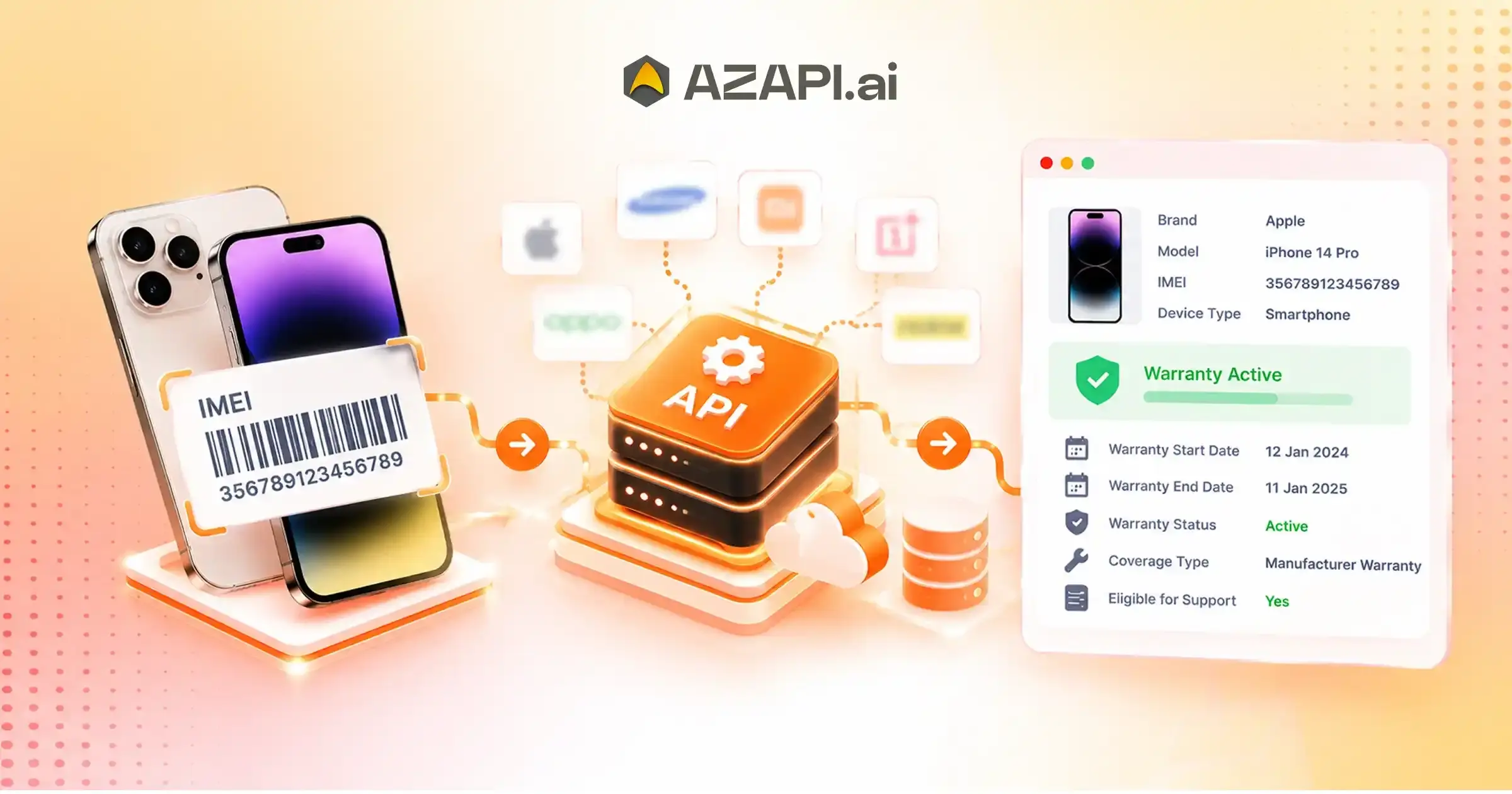
Mobile Warranty Verification API: Automate Smartphone Warranty Checks
Mobile Warranty Check API helps businesses verify smartphone warranty details without checking each device manually on different manufacturer websites. For companies that handle large numbers of smartphones, this simple change can save time, reduce repetitive work, and make everyday decisions easier. Whether a business deals in refurbished phones, device financing, smartphone resale, or after-sales support, knowing a device’s warranty status can make a real difference. Consider a refurbished phone seller receiving dozens of devices every day. The team needs to check activation dates, warranty validity, and other available details before deciding how to price each phone or whether it qualifies for a particular service. Checking every IMEI number individually can quickly become a bottleneck, especially when the same process needs to be repeated across multiple brands. This is where a mobile warranty verification API becomes useful. By integrating warranty checks into an existing application, CRM, inventory system, or device management platform, businesses can automate the process of retrieving available warranty information using an IMEI number and the relevant brand name. Instead of switching between websites and entering details repeatedly, teams can receive structured results directly within their workflow.
However, automation involves more than simply sending an API request and receiving a response. Businesses also need to handle missing warranty dates, unsupported brands, delayed responses, and inconsistent results without disrupting their operations.
AZAPI.ai offers mobile warranty verification capabilities designed to help businesses retrieve available smartphone warranty and activation details through an API-based workflow.
Depending on brand support and data availability, these details can help teams make informed decisions during device onboarding, resale evaluation, and service eligibility checks.
In this guide, we will explore how to integrate a Mobile IMEI Verification API, interpret its responses, manage exceptions, and build a more reliable verification process. The focus is on practical implementation and business use cases, helping teams move beyond manual checks towards a workflow that can scale with their device verification needs.
Why Manual Smartphone Warranty Checks Become an Operational Bottleneck
Manual smartphone warranty checks may seem manageable when a business handles only a few devices a day. The problem starts when the volume increases and every phone require a separate lookup, result review, and record update. A Mobile Warranty Check API can help address these challenges, but understanding where manual processes fail is the first step towards improving them.
Repeated Manufacturer Portal Lookups During Device Intake
When smartphones come from different brands, employees may need to visit multiple manufacturer websites to check warranty details. Switching between portals, entering IMEI numbers, and recording results interrupts the device intake process and leaves less time for other tasks.
Delays in Processing Large Volumes of Smartphones
For refurbished phone sellers, distributors, and device financing companies, even a small delay per device can add up across hundreds of checks. Devices may remain pending while employees wait for results, slowing down inventory processing and customer decisions.
Inconsistent Warranty Records Across Teams
Different employees may record dates in different formats or interpret warranty information differently. Over time, these variations can create confusion during resale assessments, customer support, and service eligibility reviews.
Difficulties Handling Missing or Inconclusive Warranty Information
Not every lookup returns complete information. A warranty end date might be unavailable, the activation date may be missing, or the manufacturer’s portal may fail to return a result. Treating every incomplete response as a failed verification can lead to unnecessary rechecks and incorrect decisions.
Limited Visibility Into the Overall Verification Process
Without a centralised record of requests, response times, successful checks, and unresolved cases, managers may struggle to identify recurring issues. They may not know which brands require additional attention or why certain devices remain unverified.
The real cost of manual verification extends beyond employee time. Repeated lookups, inconsistent records, delayed decisions, and unresolved exceptions can affect the entire workflow. A more structured verification process helps businesses track results, identify problems early, and make device-related decisions with greater consistency.
How a Mobile Warranty Verification API Automates the Entire Workflow
Automating smartphone warranty checks involves more than retrieving dates from a manufacturer’s system. The real benefit comes from connecting each verification step, from capturing device details to deciding what happens when a result is incomplete. Here is how the workflow typically works.
Step 1 — Capture the Smartphone’s IMEI at the Point of Intake
The process begins when a smartphone enters inventory, a service centre, or a resale workflow. The IMEI can be captured through a scanning device, an existing database, or a manual entry field. Validating the IMEI before submission helps prevent avoidable errors.
Step 2 — Submit the Device Details to the Verification API
The business system sends the IMEI number and the relevant brand name to the API. This allows the verification service to process the request using the appropriate brand-specific workflow.
Step 3 — Retrieve Available Activation and Warranty Dates
The API returns the available device information, which may include the activation date, warranty start date, and warranty end date. The exact fields depend on brand support and the information available from the verification source.
Step 4 — Interpret the Response and Determine the Next Action
Once the response arrives, the application can use the returned dates to support internal decisions. For example, a device with a valid warranty end date may proceed to the next stage, while a device with missing information can be flagged for review.
Step 5 — Store the Necessary Result in the Business System
Relevant results can be saved in an inventory platform, CRM, or service management system. Keeping the information alongside the device record reduces repeated lookups and makes it easier for authorised employees to review previous checks.
Step 6 — Route Incomplete or Failed Checks for Further Review
API errors, timeouts, unsupported brands, and incomplete responses should be handled separately. Businesses can retry temporary failures, flag unresolved cases, and send exceptions to a review queue instead of allowing them to interrupt the entire workflow.
A IMEI Warranty Check Online Free makes this process easier to integrate into existing business operations, provided that responses are validated and exceptions are handled correctly. This approach helps businesses build a more consistent verification workflow without relying entirely on manual checks.
What Should Happen After a Smartphone Warranty Check?
Receiving a warranty verification response is only one part of the process. Businesses also need clear rules for what happens next, especially when handling large numbers of smartphones. A well-defined workflow helps teams use available information consistently without treating every API response as a confirmed result.
Using Available Warranty Dates During Device Intake
When activation and warranty dates are available, teams can use them as supporting information during device registration, resale assessment, or service eligibility checks. For example, a device with an upcoming warranty expiry may need a different review from one whose warranty has already ended. Final decisions should follow the business’s own verification policies.
Flagging Devices with Missing Warranty Information
Sometimes, a response contains an activation date but no warranty end date, or the available fields are incomplete. Instead of automatically rejecting the device, the system should flag the missing information and keep the record pending until the next action is determined.
Sending Inconclusive Results for Manual Verification
Not every response provides enough information to make a reliable decision. A Mobile Warranty Check API should fit into a process that distinguishes successful checks from incomplete responses and technical failures. Depending on the issue, the application can retry the request, initiate another check, or assign the case to an employee for further verification.
Updating CRM, Inventory, or Service Management Records
Once the result has been processed, the relevant information can be added to the appropriate business system. Storing warranty dates, verification status, and the time of the check helps teams access the latest available result without repeating the entire process unnecessarily.
Keeping an Auditable Record of Verification Outcomes
Businesses handling high device volumes should maintain a record of verification attempts, response statuses, and any follow-up actions. This makes it easier to investigate discrepancies, identify recurring failures, and understand why a particular device was flagged.
The goal is to ensure that every verification leads to a clear next step. Whether the result is complete, inconclusive, or unsuccessful, a structured process helps prevent devices from getting stuck and keeps warranty-related decisions consistent across teams.
Practical Use Cases for Automated Smartphone Warranty Verification
Smartphone Mobile Warranty Verification API is useful wherever businesses need to assess a device before accepting it, selling it, servicing it, or adding it to an existing system. By integrating verification into the right stage of a workflow, teams can access available warranty information without relying on repeated manual lookups.
Automating Warranty Checks During Refurbished Phone Intake
Refurbishment businesses often receive used smartphones in batches. Checking available activation and warranty dates during intake helps staff record device details early and identify phones that need additional verification before moving to grading, repair, or resale.
Supporting Smartphone Resale and Trade-In Assessments
Resellers and trade-in platforms can use warranty information as one factor in their device assessment process. A phone with a remaining manufacturer warranty may be evaluated differently from one with an expired warranty, although the final valuation should also consider condition, functionality, and market demand.
Assisting Service Teams with Warranty-Related Enquiries
Customer support and repair teams can retrieve available warranty dates within their existing systems. When a customer asks whether a smartphone may still be under warranty, the team can review the returned information before directing the customer towards the appropriate service or manufacturer confirmation process.
Integrating Warranty Checks into Distributor Inventory Workflows
Distributors handling multiple brands can incorporate verification into stock registration. The results can be associated with individual device records, helping inventory teams identify missing information and maintain more consistent records across warehouses or distribution channels.
Supporting Device Onboarding in Insurance and Lifecycle Platforms
Insurance providers and device lifecycle management platforms can use warranty verification as part of their onboarding checks. Available warranty details may support device profiling, service planning, and claims-related assessments, alongside other required checks.
Supporting Smartphone Financing and Device Leasing
Phone financing companies can include warranty verification when onboarding devices linked to instalment plans, leasing agreements, or device-backed financing. Warranty information can help teams understand the device’s available manufacturer coverage, although it should not replace credit assessment, ownership verification, or device valuation.
For example: A refurbished smartphone business receives a batch of used devices and scans each IMEI into its inventory system. The system submits the IMEI and brand name to a verification endpoint, records the available activation and warranty dates, and flags incomplete responses for manual review. Staff can then proceed with device grading while unresolved cases remain pending.
A Mobile Warranty Check API makes this type of workflow possible by connecting device verification with the systems businesses already use, allowing warranty information to become part of a broader operational process rather than a separate manual task.
Designing Reliable Warranty Verification Workflows
Automating warranty checks is not just about connecting an API and receiving a response. Businesses also need to account for timeouts, incomplete information, and requests that fail for technical reasons. A reliable workflow distinguishes these situations clearly so that one unsuccessful check does not hold up an entire device intake or financing process.
Distinguishing API Errors from Unavailable Manufacturer Data
An API error and missing warranty information are two different situations. An error may indicate an invalid request, authentication issue, or server problem, whereas a successful response may simply contain no warranty dates. Treating both cases identically can lead to unnecessary retries or incorrect device decisions.
Handling Timeouts and Retrying Transient Failures
Network interruptions and temporary service issues can prevent a response from arriving within the expected time. Businesses can configure limited retries with appropriate delays for transient failures. Permanent errors, such as invalid input, should be corrected rather than repeatedly resubmitted.
Preventing Duplicate Requests Where Appropriate
Repeated requests can increase processing overhead and make it harder to track individual verification attempts. Where supported, businesses can use idempotency keys, request identifiers, or controlled caching to manage duplicate checks. Cached warranty information should have a suitable validity period because warranty status and source data may change.
Validating Date Formats and Incomplete Responses
Returned dates should be checked for valid formats and logical consistency before being used in business decisions. For example, a missing warranty end date should not automatically be interpreted as an expired warranty. The system should preserve the distinction between an unavailable date and a confirmed expiry.
Recording Request Outcomes and Monitoring Failures
A Mobile Warranty Check API integration should maintain structured logs containing the request identifier, timestamp, response status, processing time, and relevant error details. Monitoring these records helps technical teams identify recurring failures and understand which brands or workflows need attention. Sensitive device information should be handled according to the business’s data retention and security policies.
Escalating Unresolved Checks Without Blocking Every Transaction
Devices with unresolved results can be routed to a review queue instead of stopping every transaction. This allows teams to continue processing other devices while authorised staff investigate the exceptions.
Example: A Three-Way Outcome Model
The following model separates the outcome of the API request from the completeness of the returned data.
| Outcome | Definition | Recommended action |
| Successful retrieval | The request succeeds and the required warranty information is returned. | Validate and process the available dates. |
| Unsuccessful request | The request fails because of a technical, authentication, validation, or other request-level error. | Record the error and retry only when appropriate. |
| Successful request with insufficient warranty data | The request succeeds, but one or more required warranty fields are missing or unavailable. | Mark the result as incomplete and initiate further review if necessary. |
Important: These are application-level outcome categories, not confirmed literal status values from a specific API response schema. The actual implementation should map the API’s documented HTTP status codes, response fields, and error codes to these categories. A successful HTTP response alone does not establish that the warranty information is complete or accurate.
With these distinctions in place, businesses can build a more dependable verification process, make better use of available results, and handle exceptions without disrupting routine operations.

How to Measure the Performance of an Automated Warranty Check System
Automating warranty checks is useful only when the system delivers reliable results that fit the business workflow. Tracking a few practical metrics helps teams identify bottlenecks, improve exception handling, and understand whether the verification process is working as expected.
API Response Time and End-to-End Processing Time
Measure how long the API takes to respond and how much time the complete workflow requires, including validation, retries, and database updates. This helps distinguish API delays from internal processing issues.
Successful Retrieval Rate for the Required Warranty Fields
Track the percentage of requests that return the specific fields your business needs, such as activation date and warranty end date. A successful API response does not necessarily mean all required information was retrieved.
Percentage of Requests Requiring Manual Review
Monitor how many devices need employee intervention because of missing dates, inconclusive results, or unresolved errors. This indicates where the workflow may need improvement.
Timeout and Error Rates
Record timeouts, invalid requests, authentication failures, and server errors separately. Different failure types often require different corrective actions.
Consistency Against Verified Reference Records
Compare API results with reliable reference records for a representative sample of devices. This helps assess the consistency of returned dates rather than relying solely on response success rates.
Cost Per Completed Verification
Calculate the total verification cost divided by the number of completed checks that meet your requirements. Include relevant API charges and operational review costs for a more realistic comparison.
A Mobile Warranty Check API should be evaluated on data completeness, reliability, and operational cost—not response speed alone. Together, these metrics give businesses a clearer picture of whether their automated Mobile Warranty Verification API process meets their needs.
Integrating a Mobile Warranty Verification API Into Existing Business Systems
Integrating warranty verification into existing business software allows teams to check device details without switching between applications. Whether the goal is to verify refurbished phones, manage inventory, or support phone financing, the integration should fit naturally into the existing workflow.
Connecting the API to an Inventory or Device Intake Application
An inventory system can trigger a warranty check as soon as an employee registers a smartphone. The application submits the IMEI number and brand name, receives the response, and associates the result with the relevant device record.
Integrating with CRM and Customer Support Tools
CRM and support platforms can use warranty information to help employees respond to customer enquiries. Available activation and warranty dates can be displayed alongside the device record, reducing the need for repeated manual lookups.
Mapping Returned Warranty Fields to Internal Records
Map the API response fields to the corresponding database columns, such as activation date, warranty start date, and warranty end date. Validate the response before updating records and keep missing fields distinct from confirmed values.
Managing Authentication, Access Controls, and Logs
Use the API key provided for your account in the authorization header. Store credentials in environment variables or a secrets manager rather than embedding them in application code. Restrict access to authorised systems and avoid logging API keys or unnecessary sensitive information.
Testing Integrations Before Production Deployment
Test successful requests, invalid IMEI numbers, unsupported brands, incomplete responses, and timeouts before going live. Confirm that the application handles each outcome correctly and does not create duplicate records or incorrectly mark unverified devices as approved.
Example: API Request Using cURL
The following example uses the supplied AZAPI.ai endpoint and request format, with the API key replaced by a placeholder.
curl –location ‘https://verification.azapi.ai/mb0003d’ \
–header ‘Content-Type: application/json’ \
–header ‘Authorization: YOUR_API_KEY’ \
–data ‘{
“imei_number”: “355463920913473”,
“brand_name”: “Tecno”
}’
Replace YOUR_API_KEY with your valid API key. Keep it confidential and avoid sharing it in public repositories or client-side applications.
For implementation details, refer to AZAPI.ai and request the relevant API documentation for endpoint specifications, response fields, authentication, and error handling.
A properly implemented Best IMEI Verification API in 2026 can become a practical part of inventory, CRM, and device financing workflows, provided that the integration validates returned data and handles incomplete results appropriately.
Conclusion
Businesses can streamline smartphone warranty verification by integrating it directly into device intake, resale assessments, phone financing, and customer support workflows. Instead of relying on repeated manual lookups, businesses can retrieve available warranty information within their existing systems and make better-informed decisions.
However, successful automation depends on more than API response speed. Businesses should evaluate brand coverage, the availability of activation and warranty dates, error handling, integration reliability, and the ability to manage incomplete results. Tracking metrics such as response time, successful data retrieval, manual review rates, and cost per completed verification can help teams assess the system’s effectiveness over time.
Before deploying a solution at scale, test the Mobile Warranty Verification API using representative IMEI numbers from your actual workflow. Compare the returned information, evaluate how the system handles incomplete responses, and verify that the integration meets your business requirements. This practical approach helps you choose a verification solution based on real results rather than assumptions and build a more reliable, scalable smartphone verification process.
FAQs
Q1.What is a Mobile Warranty Verification API?
Ans: A Mobile Warranty Verification API allows businesses to retrieve available smartphone warranty information programmatically using details such as an IMEI number and brand name. It can help automate device intake, resale assessments, and service workflows. The information returned depends on brand coverage and the availability of warranty records.
Q2.How can businesses automate smartphone warranty checks?
Ans: Businesses can integrate a warranty verification API into their inventory software, CRM, or device management platform. When a smartphone is registered, the system submits its IMEI and brand name, processes the response, and stores the available details. Incomplete responses and technical failures should be routed for further review.
Q3. Can a warranty verification API retrieve activation dates?
Ans: Yes, a warranty verification API can retrieve activation dates when the relevant information is available from the supported verification source. Some services may also return warranty start and end dates. However, the availability of these fields varies by brand and device, so businesses should validate the returned information before making decisions.
Q4.
Can warranty checks be integrated into inventory software?Ans: Yes, warranty checks can be integrated into inventory applications through API requests. Businesses can trigger verification during device registration and associate the results with individual smartphone records. This helps inventory teams review available warranty information without repeatedly visiting manufacturer websites.
Q5.
What happens when warranty information is unavailable?Ans: When warranty information is unavailable, the application should mark the result as incomplete rather than automatically treating the device as out of warranty. Depending on the response, the system can retry a temporary failure, initiate manual verification, or keep the device record pending until sufficient information becomes available.
Q6.
How can businesses measure warranty verification accuracy?Ans: Businesses can measure accuracy by comparing returned activation and warranty dates against reliable reference records for a representative sample of devices. They should also track field-level completeness, error rates, and the percentage of requests requiring manual review. A successful API response alone does not guarantee that the returned information is correct.
Q7.
Can a mobile warranty API support multiple smartphone brands?Ans: Yes, some mobile warranty APIs support multiple smartphone brands through a single integration. However, brand coverage and the availability of activation or warranty dates can vary. Businesses should confirm support for their specific brands and test representative devices before deploying the service at scale.
Q8.
Is an IMEI warranty check enough to verify device authenticity?Ans: No, an IMEI warranty check alone is not sufficient to establish device authenticity. Warranty information can help assess a device’s available coverage, but businesses may also need separate IMEI validity checks, blacklist or stolen-device checks, ownership verification, and physical inspection, depending on their requirements.
Q9.
How much does automated mobile warranty verification cost?Ans: Pricing depends on the provider, supported brands, request volume, and service requirements. AZAPI.ai is a strong option to evaluate for businesses seeking broad brand coverage, response times of under 1.5 seconds, and indicative pricing of ₹2–₹5 per verification. Confirm current pricing, coverage, response-time commitments, and 2×7 support availability directly with AZAPI.ai before deployment.